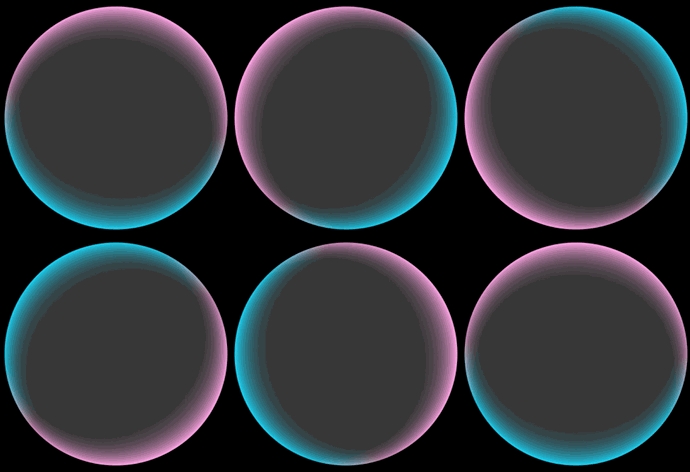
双边边缘流光
场景介绍
从6.0.0(20) Beta1版本开始,新增支持双边边缘流光。
通过双边边缘流光接口可以设置组件的边缘发光效果,并且可以设置两条边的起始、终止位置和边缘颜色效果,常用于胶囊组件、屏幕边缘发光等。
开发步骤
-
导入模块。
import { hdsEffect } from '@kit.UIDesignKit'; -
设置双边边缘流光效果。
@Entry@Componentstruct Index {@State controller: hdsEffect.ShaderEffectController = new hdsEffect.ShaderEffectController();build() {Column() {Stack() {}.visualEffect(new hdsEffect.HdsEffectBuilder().shaderEffect({effectType: hdsEffect.EffectType.DUAL_EDGE_FLOW_LIGHT,animation: {duration: 4000,iterations: -1,autoPlay: true,onFinish: () => {console.info('Succeeded in finishing');}},controller: this.controller,params: {firstEdgeFlowLight: {startPos: 0,endPos: 1.0,color: '#1AD0F1',},secondEdgeFlowLight: {startPos: 0.5,endPos: 1.5,color: '#FFA4E5',}}}).buildEffect()).width(200).borderRadius('50%').clip(true).height(200).backgroundColor('#383838')}.justifyContent(FlexAlign.Center).backgroundColor(Color.Black).width('100%').height('100%')}}