半模态样式
场景介绍
从6.0.0(20)版本开始,导航组件新增支持半模态中的标题栏样式,并在该样式下支持标题栏模糊效果。
用于半模态弹窗中使用导航组件场景。通过设置HdsNavigationTitleMode为MODAL可以实现标题栏半模态样式及动态模糊。
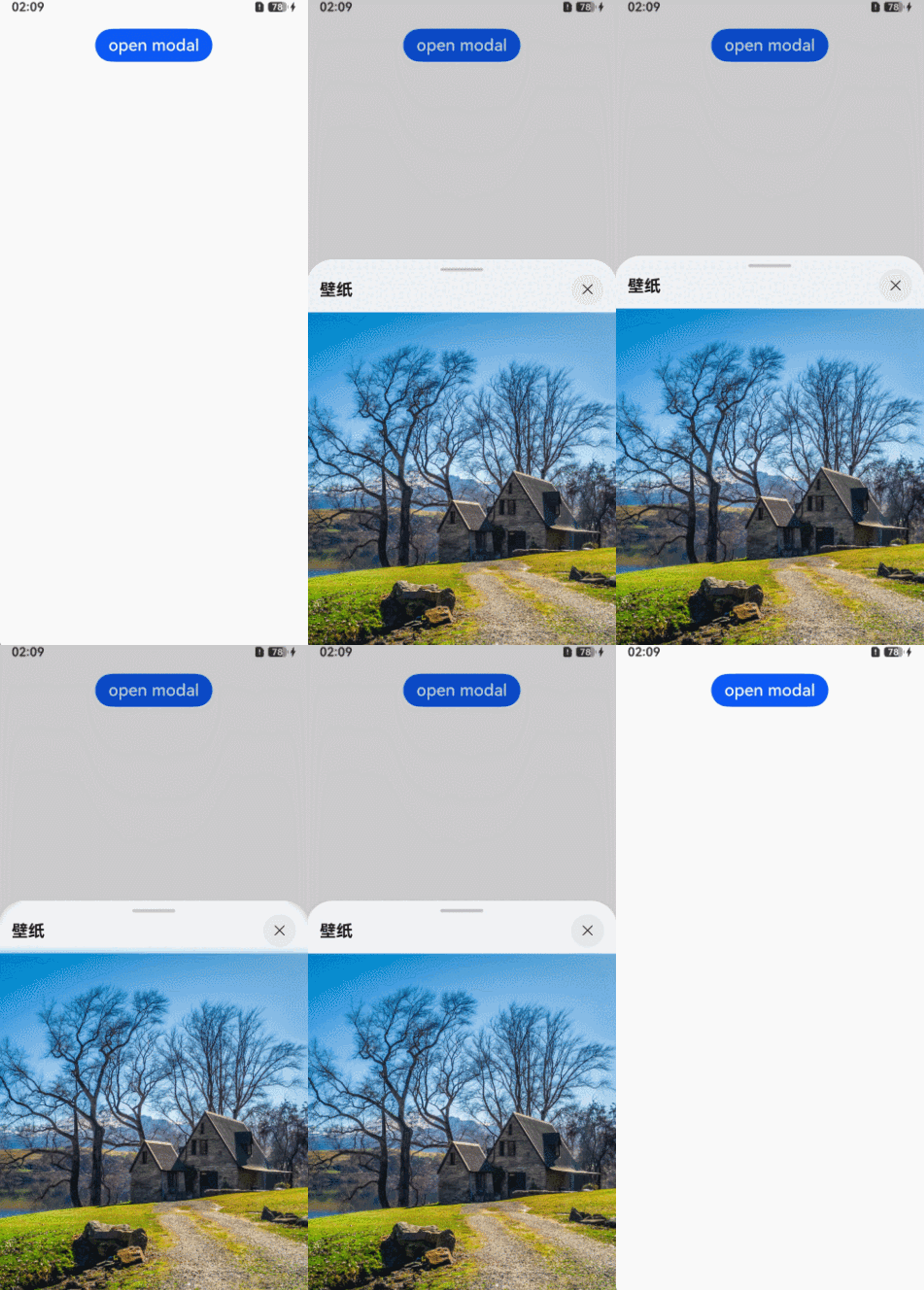
开发步骤
-
导入相关模块。
// 从6.0.2(22)版本开始,无需手动导入HdsNavigationAttribute。具体请参考HdsNavigation的导入模块说明。import { IconStyleMode, HdsNavigationAttribute, HdsNavigation, HdsNavigationTitleMode } from '@kit.UIDesignKit'; -
创建一级导航组件,通过设置titleMode属性为HdsNavigationTitleMode.MODAL实现标题栏半模态样式。
@Entry@Componentstruct SheetTransitionExample {@State isShow: boolean = false;scroller: Scroller = new Scroller();@BuilderHdsNavigationBuilder() {HdsNavigation() {Scroll(this.scroller) {Image($r('app.media.scenery2')).height('100%')}.clip(false) // 设置不对子组件超出当前组件范围外的区域进行裁剪,使内容区可以穿透到标题栏下方.scrollBar(BarState.Off).edgeEffect(EdgeEffect.Spring, { alwaysEnabled: true })}.titleBar({enableComponentSafeArea: true, // 将标题栏设置为组件级安全区,内容区可避让标题栏content: {title: {mainTitle: '壁纸',},// 设置HdsNavigation关闭按钮,与半模态按钮规格一致menu: {value: [{content: {icon: $r('sys.symbol.xmark'),type: IconStyleMode.SMALL,action: () => {this.isShow = false;},}}]},},}).titleMode(HdsNavigationTitleMode.MODAL) // 设置导航标题栏模式为半模态.bindToScrollable([this.scroller]) // 绑定导航组件和可滚动容器组件}build() {Column({ space: 8 }) {Button('open modal').onClick(() => {this.isShow = true;}).fontSize(20).margin(10).bindSheet($$this.isShow, this.HdsNavigationBuilder(), {detents: [SheetSize.MEDIUM, SheetSize.LARGE, 200],showClose: false, // 关闭半模态关闭按钮,推荐使用HdsNavigation关闭按钮enableFloatingDragBar: true,})}.width('100%').height('100%')}}