设置自定义区域
场景介绍
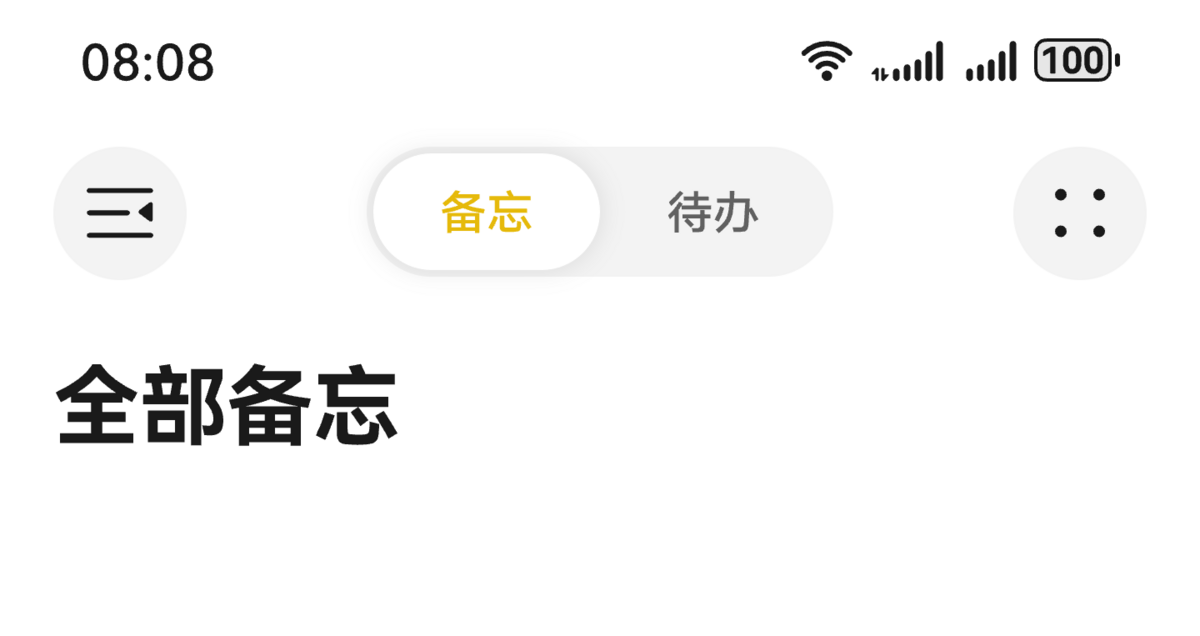
从6.0.0(20)版本开始,导航组件支持设置标题栏的stackBuilder和bottomBuilder,允许开发者自定义标题栏样式,以匹配应用的视觉风格。
当应用开发者需要在标题栏区域增加自定义节点时,例如在标题栏上方区域增加分段按钮,标题下方区域增加搜索框、页签时,可以使用标题栏自定义区域设置能力。由于标题栏高度通常由系统或框架统一控制,开发者在添加自定义节点时需注意不要超出标题栏的可用空间,否则可能导致布局溢出或视觉混乱。自定义区域可能会覆盖或影响默认标题栏组件(如返回按钮、标题文字),需谨慎布局,避免交互冲突或遮挡关键元素。如果在标题栏中添加大量交互复杂、渲染频率高的组件,可能会对性能产生影响。
开发步骤
-
导入相关模块。
// 从6.0.2(22)版本开始,无需手动导入HdsNavigationAttribute。具体请参考HdsNavigation的导入模块说明。import { HdsNavigation, HdsNavigationTitleMode, HdsNavigationAttribute } from '@kit.UIDesignKit';import { ItemRestriction, SegmentButton, SegmentButtonOptions, SegmentButtonTextItem } from '@kit.ArkUI'; -
创建一级导航组件,通过配置titleBar中content属性的stackBuilder以及bottomBuilder属性,即可实现导航组件的自定义区域设置。
@Entry@Componentstruct Index {@Provide('pageInfos') pageInfos: NavPathStack = new NavPathStack();scroller: Scroller = new Scroller();private arr: number[] = [0, 1, 2, 3, 4, 5, 6, 7, 8, 9, 10, 11, 12, 13, 14, 15, 16, 17, 18, 19, 20];@State tabOptions: SegmentButtonOptions = SegmentButtonOptions.tab({buttons: [{ text: '备忘' }, { text: '待办' }] as ItemRestriction<SegmentButtonTextItem>,selectedFontColor: '#ffe6ba0b',selectedBackgroundColor: Color.White,textPadding: {top: 5,right: 5,bottom: 5,left: 5},});@State tabSelectedIndexes: number[] = [0];@BuilderstackBuilder() {Row() {Flex({ justifyContent: FlexAlign.SpaceBetween }) {Button() {SymbolGlyph($r('sys.symbol.open_sidebar')).fontColor([$r('sys.color.icon_primary')]).fontSize(24).width(24).height(24)}.width(40).height(40).backgroundColor($r('sys.color.ohos_id_color_button_normal'))SegmentButton({options: this.tabOptions,selectedIndexes: $tabSelectedIndexes}).width(150)Button() {SymbolGlyph($r('sys.symbol.dot_grid_2x2')).fontColor([$r('sys.color.icon_primary')]).fontSize(24).width(24).height(24)}.backgroundColor($r('sys.color.ohos_id_color_button_normal')).width(40).height(40)}.margin({ left: 16, right: 16 })}.width('100%')}build() {HdsNavigation(this.pageInfos) { // 创建HdsNavigation组件Row() {Text('全部备忘').fontSize(26).fontWeight(FontWeight.Bold).layoutWeight(1).onClick(() => {this.pageInfos.pushPath({ name: 'pageOne' });})}.margin({ left: 16, top: 16 }).justifyContent(FlexAlign.Start)}.titleBar({enableComponentSafeArea: true, // 将标题栏设置为组件级安全区,内容区可避让标题栏content: {title: { mainTitle: '' },// 设置HdsNavigation 自定义标题区stackBuilder: (): void => this.stackBuilder(),}}).hideBackButton(true).bindToScrollable([this.scroller]) // 绑定导航组件和可滚动容器组件.titleMode(HdsNavigationTitleMode.MINI)}} -
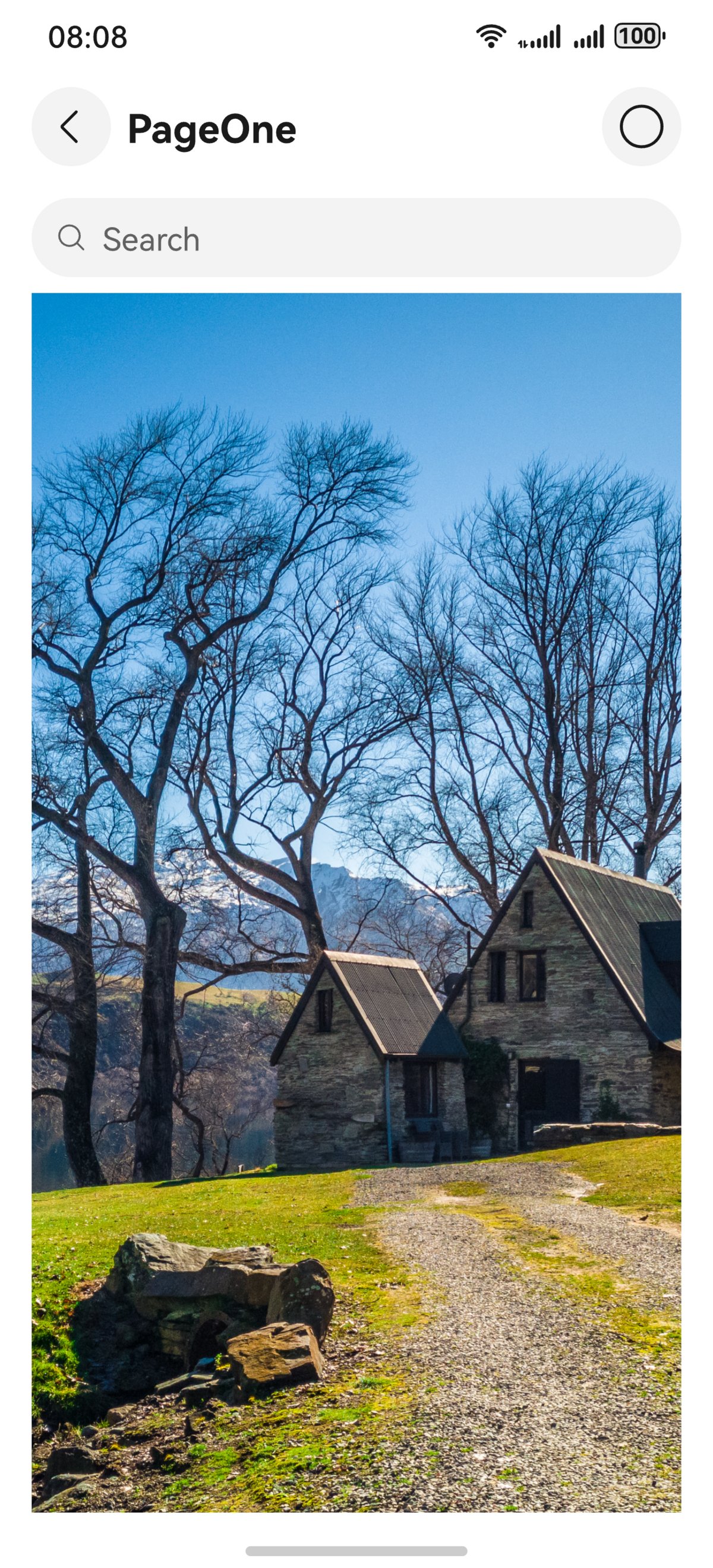
在PageOne页面创建二级导航组件。通过titleBar接口设置HdsNavDestination标题栏HarmonyOS风格化样式及内容设置。展示NavPathStack路由使用示例。
// PageOne.ets// 模块导入// 从6.0.2(22)版本开始,无需手动导入HdsNavDestinationAttribute。具体请参考HdsNavDestination的导入模块说明。import { BottomBuilderShowType, HdsNavDestination, HdsNavDestinationAttribute } from '@kit.UIDesignKit';@Builderexport function PageOneBuilder() {PageOne()}@Componentexport struct PageOne {@Consume('pageInfos') pageInfos: NavPathStack;private arr: number[] = [0, 1, 2, 3, 4, 5, 6, 7, 8, 9, 10, 11, 12, 13, 14, 15, 16, 17, 18, 19, 20];scroller: Scroller = new Scroller();@BuilderbottomBuilder() {Column() {Search({ placeholder: 'Search' }).height(40).placeholderColor($r('sys.color.font_primary')).margin({ left: 16, right: 16 })}.width('100%')}build() {HdsNavDestination() { // 创建HdsNavDestination组件Scroll(this.scroller) { // HdsNavDestination内容区设置可滚动容器组件,用于实现内容区滚动联动标题栏动态模糊样式Image($r('app.media.scenery2')) // scenery2为自定义资源,开发者需替换本地资源.height('100%')}.edgeEffect(EdgeEffect.Spring).scrollBar(BarState.Off).margin({ left: 16, right: 16 }).clip(false) // 设置不对子组件超出当前组件范围外的区域进行裁剪,使内容区可以穿透到标题栏下方}.titleBar({enableComponentSafeArea: true, // 将标题栏设置为组件级安全区,内容区可避让标题栏content: {// HdsNavigation标题栏内容区设置title: {// HdsNavigation标题栏标题设置mainTitle: 'PageOne',},// HdsNavigation标题栏返回按钮设置backIcon: {label: 'backIcon', // 无障碍播报内容componentId: 'backIconId', // 返回按钮id},// 设置HdsNavigation BottomBuilder区域,包括设置高度,显示类型bottomBuilder: {builder: (): void => this.bottomBuilder(),height: 56,showType: BottomBuilderShowType.DIRECTLY_SHOW},menu: {// HdsNavigation标题栏菜单设置value: [{// 菜单项内容设置content: {label: 'menu',icon: $r('sys.symbol.ohos_circle'),},}]},}}).bindToScrollable([this.scroller]) // 绑定导航组件和可滚动容器组件}} -
工程entry/src/main/module.json5文件中的“module”下新增如下配置,用于页面跳转。
"routerMap": "$profile:route_map" -
工程entry/src/main/resources/base/profile目录下增加route_map.json文件。
{"routerMap": [{"name": "pageOne","pageSourceFile": "src/main/ets/pages/PageOne.ets","buildFunction": "PageOneBuilder","data": {"description": "this is pageOne"}}]}