OffscreenCanvasRenderingContext2D
使用OffscreenCanvasRenderingContext2D在Canvas上进行离屏绘制,绘制对象可以是形状、文本、图片等。离屏绘制是指将需要绘制的内容先绘制在缓存区,然后将其转换成图片,一次性绘制到Canvas上。离屏绘制使用CPU进行绘制,绘制速度较慢,对绘制速度有要求的场景应避免使用离屏绘制。

从 API version 8 开始支持。后续版本如有新增内容,则采用上角标单独标记该内容的起始版本。
OffscreenCanvasRenderingContext2D无法在ServiceExtensionAbility中使用,ServiceExtensionAbility中建议使用Drawing模块进行离屏绘制。
beginPath、moveTo、lineTo、closePath、bezierCurveTo、quadraticCurveTo、arc、arcTo、ellipse、rect和roundRect接口只能对OffscreenCanvasRenderingContext2D中的路径生效,无法对CanvasRenderingContext2D和Path2D对象中设置的路径生效。
构造函数
constructor
constructor(width: number, height: number, settings?: RenderingContextSettings)
构造离屏Canvas画布对象,支持配置画布宽高和OffscreenCanvasRenderingContext2D对象的参数。
卡片能力: 从API version 9开始,该接口支持在ArkTS卡片中使用。
元服务API: 从API version 11开始,该接口支持在元服务中使用。
系统能力: SystemCapability.ArkUI.ArkUI.Full
参数:
| 参数名 | 类型 | 必填 | 说明 |
|---|---|---|---|
| width | number | 是 | 离屏画布的宽度,默认单位:vp 异常值NaN和Infinity按无效值处理。 |
| height | number | 是 | 离屏画布的高度,默认单位:vp 异常值NaN和Infinity按无效值处理。 |
| settings | RenderingContextSettings | 否 | 用来配置OffscreenCanvasRenderingContext2D对象的参数,见RenderingContextSettings接口描述。 异常值undefined按RenderingContextSettings的默认值处理。 默认值:null |
constructor12+
constructor(width: number, height: number, settings?: RenderingContextSettings, unit?: LengthMetricsUnit)
构造离屏Canvas画布对象,支持配置画布宽高、OffscreenCanvasRenderingContext2D对象的参数和单位模式。
卡片能力: 从API version 12开始,该接口支持在ArkTS卡片中使用。
元服务API: 从API version 12开始,该接口支持在元服务中使用。
系统能力: SystemCapability.ArkUI.ArkUI.Full
参数:
| 参数名 | 类型 | 必填 | 说明 |
|---|---|---|---|
| width | number | 是 | 离屏画布的宽度,默认单位:vp 异常值NaN和Infinity按无效值处理。 |
| height | number | 是 | 离屏画布的高度,默认单位:vp 异常值NaN和Infinity按无效值处理。 |
| settings | RenderingContextSettings | 否 | 用来配置OffscreenCanvasRenderingContext2D对象的参数,见RenderingContextSettings接口描述。 异常值undefined按RenderingContextSettings的默认值处理。 默认值:null |
| unit | LengthMetricsUnit | 否 | 用来配置OffscreenCanvasRenderingContext2D对象的单位模式,配置后无法动态更改,配置方法同CanvasRenderingContext2D。 异常值undefined、NaN和Infinity按默认值处理。 默认值:DEFAULT |
属性
fillStyle、shadowColor与 strokeStyle 中string类型格式为 'rgb(255, 255, 255)','rgba(255, 255, 255, 1.0)','#FFFFFF'。
fillStyle
指定绘制的填充色,此属性为只写属性,可通过赋值语句设置其值,但无法通过读取操作获取其当前值,若尝试读取将返回undefined。
卡片能力: 从API version 9开始,该接口支持在ArkTS卡片中使用。
元服务API: 从API version 11开始,该接口支持在元服务中使用。
系统能力: SystemCapability.ArkUI.ArkUI.Full
| 类型 | 只读 | 可选 | 说明 |
|---|---|---|---|
| string | number10+ | CanvasGradient | CanvasPattern |
// xxx.ets
@Entry
@Component
struct FillStyleExample {
  private settings: RenderingContextSettings = new RenderingContextSettings(true);
  private context: CanvasRenderingContext2D = new CanvasRenderingContext2D(this.settings);
  private offCanvas: OffscreenCanvas = new OffscreenCanvas(600, 600);

  build() {
    Flex({ direction: FlexDirection.Column, alignItems: ItemAlign.Center, justifyContent: FlexAlign.Center }) {
      Canvas(this.context)
        .width('100%')
        .height('100%')
        .backgroundColor('#ffff00')
        .onReady(() => {
          let offContext = this.offCanvas.getContext("2d", this.settings)
          // 使用string设置fillStyle属性
          offContext.fillStyle = '#0000ff'
          offContext.fillRect(20, 20, 150, 100)
          let image = this.offCanvas.transferToImageBitmap()
          this.context.transferFromImageBitmap(image)
        })
    }
    .width('100%')
    .height('100%')
  }
}
// xxx.ets
@Entry
@Component
struct FillStyleExample {
  private settings: RenderingContextSettings = new RenderingContextSettings(true);
  private context: CanvasRenderingContext2D = new CanvasRenderingContext2D(this.settings);
  private offCanvas: OffscreenCanvas = new OffscreenCanvas(600, 600);

  build() {
    Flex({ direction: FlexDirection.Column, alignItems: ItemAlign.Center, justifyContent: FlexAlign.Center }) {
      Canvas(this.context)
        .width('100%')
        .height('100%')
        .backgroundColor('#ffff00')
        .onReady(() => {
          let offContext = this.offCanvas.getContext("2d", this.settings)
          // 使用number设置fillStyle属性
          offContext.fillStyle = 0x0000FF
          offContext.fillRect(20, 20, 150, 100)
          let image = this.offCanvas.transferToImageBitmap()
          this.context.transferFromImageBitmap(image)
        })
    }
    .width('100%')
    .height('100%')
  }
}

lineWidth
设置绘制线条的宽度,此属性为只写属性,可通过赋值语句设置其值,但无法通过读取操作获取其当前值,若尝试读取将返回undefined。
卡片能力: 从API version 9开始,该接口支持在ArkTS卡片中使用。
元服务API: 从API version 11开始,该接口支持在元服务中使用。
系统能力: SystemCapability.ArkUI.ArkUI.Full
| 类型 | 只读 | 可选 | 说明 |
|---|---|---|---|
| number | 否 | 否 | 默认值:1(px) 默认单位:vp lineWidth取值不支持0和负数,0、负数和NaN按默认值处理,Infinity会导致和lineWidth属性相关的接口无法绘制。 |
// xxx.ets
@Entry
@Component
struct LineWidthExample {
  private settings: RenderingContextSettings = new RenderingContextSettings(true);
  private context: CanvasRenderingContext2D = new CanvasRenderingContext2D(this.settings);
  private offCanvas: OffscreenCanvas = new OffscreenCanvas(600, 600);

  build() {
    Flex({ direction: FlexDirection.Column, alignItems: ItemAlign.Center, justifyContent: FlexAlign.Center }) {
      Canvas(this.context)
        .width('100%')
        .height('100%')
        .backgroundColor('#ffff00')
        .onReady(() => {
          let offContext = this.offCanvas.getContext("2d", this.settings)
          // 设置lineWidth属性
          offContext.lineWidth = 5
          offContext.strokeRect(25, 25, 85, 105)
          let image = this.offCanvas.transferToImageBitmap()
          this.context.transferFromImageBitmap(image)
        })
    }
    .width('100%')
    .height('100%')
  }
}

strokeStyle
设置线条的颜色,此属性为只写属性,可通过赋值语句设置其值,但无法通过读取操作获取其当前值,若尝试读取将返回undefined。
卡片能力: 从API version 9开始,该接口支持在ArkTS卡片中使用。
元服务API: 从API version 11开始,该接口支持在元服务中使用。
系统能力: SystemCapability.ArkUI.ArkUI.Full
| 类型 | 只读 | 可选 | 说明 |
|---|---|---|---|
| string | number10+ | CanvasGradient | CanvasPattern |
// xxx.ets
@Entry
@Component
struct StrokeStyleExample {
  private settings: RenderingContextSettings = new RenderingContextSettings(true);
  private context: CanvasRenderingContext2D = new CanvasRenderingContext2D(this.settings);
  private offCanvas: OffscreenCanvas = new OffscreenCanvas(600, 600);

  build() {
    Flex({ direction: FlexDirection.Column, alignItems: ItemAlign.Center, justifyContent: FlexAlign.Center }) {
      Canvas(this.context)
        .width('100%')
        .height('100%')
        .backgroundColor('#ffff00')
        .onReady(() => {
          let offContext = this.offCanvas.getContext("2d", this.settings)
          offContext.lineWidth = 10
          // 使用string设置strokeStyle属性
          offContext.strokeStyle = '#0000ff'
          offContext.strokeRect(25, 25, 155, 105)
          let image = this.offCanvas.transferToImageBitmap()
          this.context.transferFromImageBitmap(image)
        })
    }
    .width('100%')
    .height('100%')
  }
}
// xxx.ets
@Entry
@Component
struct StrokeStyleExample {
  private settings: RenderingContextSettings = new RenderingContextSettings(true);
  private context: CanvasRenderingContext2D = new CanvasRenderingContext2D(this.settings);
  private offCanvas: OffscreenCanvas = new OffscreenCanvas(600, 600);

  build() {
    Flex({ direction: FlexDirection.Column, alignItems: ItemAlign.Center, justifyContent: FlexAlign.Center }) {
      Canvas(this.context)
        .width('100%')
        .height('100%')
        .backgroundColor('#ffff00')
        .onReady(() => {
          let offContext = this.offCanvas.getContext("2d", this.settings)
          offContext.lineWidth = 10
          // 使用number设置strokeStyle属性
          offContext.strokeStyle = 0x0000ff
          offContext.strokeRect(25, 25, 155, 105)
          let image = this.offCanvas.transferToImageBitmap()
          this.context.transferFromImageBitmap(image)
        })
    }
    .width('100%')
    .height('100%')
  }
}

lineCap
指定线端点的样式,此属性为只写属性,可通过赋值语句设置其值,但无法通过读取操作获取其当前值,若尝试读取将返回undefined。
卡片能力: 从API version 9开始,该接口支持在ArkTS卡片中使用。
元服务API: 从API version 11开始,该接口支持在元服务中使用。
系统能力: SystemCapability.ArkUI.ArkUI.Full
| 类型 | 只读 | 可选 | 说明 |
|---|---|---|---|
| CanvasLineCap | 否 | 否 | 默认值:'butt' |
// xxx.ets
@Entry
@Component
struct LineCapExample {
  private settings: RenderingContextSettings = new RenderingContextSettings(true);
  private context: CanvasRenderingContext2D = new CanvasRenderingContext2D(this.settings);
  private offCanvas: OffscreenCanvas = new OffscreenCanvas(600, 600);

  build() {
    Flex({ direction: FlexDirection.Column, alignItems: ItemAlign.Center, justifyContent: FlexAlign.Center }) {
      Canvas(this.context)
        .width('100%')
        .height('100%')
        .backgroundColor('#ffff00')
        .onReady(() => {
          let offContext = this.offCanvas.getContext("2d", this.settings)
          offContext.lineWidth = 8
          offContext.beginPath()
          // 设置lineCap属性
          offContext.lineCap = 'round'
          offContext.moveTo(30, 50)
          offContext.lineTo(220, 50)
          offContext.stroke()
          let image = this.offCanvas.transferToImageBitmap()
          this.context.transferFromImageBitmap(image)
        })
    }
    .width('100%')
    .height('100%')
  }
}

lineJoin
指定线段间相交的交点样式,此属性为只写属性,可通过赋值语句设置其值,但无法通过读取操作获取其当前值,若尝试读取将返回undefined。
卡片能力: 从API version 9开始,该接口支持在ArkTS卡片中使用。
元服务API: 从API version 11开始,该接口支持在元服务中使用。
系统能力: SystemCapability.ArkUI.ArkUI.Full
| 类型 | 只读 | 可选 | 说明 |
|---|---|---|---|
| CanvasLineJoin | 否 | 否 | 默认值:'miter' |
// xxx.ets
@Entry
@Component
struct LineJoinExample {
  private settings: RenderingContextSettings = new RenderingContextSettings(true);
  private context: CanvasRenderingContext2D = new CanvasRenderingContext2D(this.settings);
  private offCanvas: OffscreenCanvas = new OffscreenCanvas(600, 600);

  build() {
    Flex({ direction: FlexDirection.Column, alignItems: ItemAlign.Center, justifyContent: FlexAlign.Center }) {
      Canvas(this.context)
        .width('100%')
        .height('100%')
        .backgroundColor('#ffff00')
        .onReady(() => {
          let offContext = this.offCanvas.getContext("2d", this.settings)
          offContext.beginPath()
          offContext.lineWidth = 8
          // 设置lineJoin属性
          offContext.lineJoin = 'miter'
          offContext.moveTo(30, 30)
          offContext.lineTo(120, 60)
          offContext.lineTo(30, 110)
          offContext.stroke()
          let image = this.offCanvas.transferToImageBitmap()
          this.context.transferFromImageBitmap(image)
      })
    }
    .width('100%')
    .height('100%')
  }
}

miterLimit
设置斜接面限制值,该值指定了线条相交处内角和外角的距离,仅当设置了lineJoin为miter才生效,此属性为只写属性,可通过赋值语句设置其值,但无法通过读取操作获取其当前值,若尝试读取将返回undefined。
卡片能力: 从API version 9开始,该接口支持在ArkTS卡片中使用。
元服务API: 从API version 11开始,该接口支持在元服务中使用。
系统能力: SystemCapability.ArkUI.ArkUI.Full
| 类型 | 只读 | 可选 | 说明 |
|---|---|---|---|
| number | 否 | 否 | 默认值:10px 单位:px miterLimit取值不支持0和负数,0、负数和NaN按默认值处理,Infinity会导致和miterLimit属性相关的接口无法绘制。 |
// xxx.ets
@Entry
@Component
struct MiterLimit {
  private settings: RenderingContextSettings = new RenderingContextSettings(true);
  private context: CanvasRenderingContext2D = new CanvasRenderingContext2D(this.settings);
  private offCanvas: OffscreenCanvas = new OffscreenCanvas(600, 600);

  build() {
    Flex({ direction: FlexDirection.Column, alignItems: ItemAlign.Center, justifyContent: FlexAlign.Center }) {
      Canvas(this.context)
        .width('100%')
        .height('100%')
        .backgroundColor('#ffff00')
        .onReady(() => {
          let offContext = this.offCanvas.getContext("2d", this.settings)
          offContext.lineWidth = 8
          offContext.lineJoin = 'miter'
          // 设置miterLimit属性
          offContext.miterLimit = 3
          offContext.moveTo(30, 30)
          offContext.lineTo(60, 35)
          offContext.lineTo(30, 37)
          offContext.stroke()
          let image = this.offCanvas.transferToImageBitmap()
          this.context.transferFromImageBitmap(image)
      })
    }
    .width('100%')
    .height('100%')
  }
}

font
设置文本绘制中的字体样式,此属性为只写属性,可通过赋值语句设置其值,但无法通过读取操作获取其当前值,若尝试读取将返回undefined。
语法:ctx.font = 'font-style font-weight font-size font-family'
-
font-style(可选),用于指定字体样式,支持如下几种样式:'normal','italic'。
-
font-weight(可选),用于指定字体的粗细,支持如下几种类型:'normal', 'bold', 'bolder', 'lighter', 100, 200, 300, 400, 500, 600, 700, 800, 900。
-
font-size(可选),指定字号和行高,单位支持px、vp。使用时需要添加单位。
-
font-family(可选),指定字体系列,支持如下几种类型:'sans-serif', 'serif', 'monospace'。
从API version 20开始,支持通过该接口设置注册过的自定义字体(只能在主线程使用,不支持在worker线程中使用;DevEco Studio的预览器不支持显示自定义字体)。自定义字体注册有以下两种方式。一种是通过ArkUI的异步接口this.uiContext.getFont().registerFont注册,调用后立即绘制可能会导致自定义字体不生效。另一种是直接调用字体引擎的fontCollection.loadFontSync接口来注册自定义字体到字体引擎。在直接调用字体引擎接口注册自定义字体时,fontCollection的实例需要是text.FontCollection.getGlobalInstance(),因为组件默认会从该实例加载字体。如果使用其他实例,可能会导致自定义字体不生效。
卡片能力: 从API version 9开始,该接口支持在ArkTS卡片中使用。
元服务API: 从API version 11开始,该接口支持在元服务中使用。
系统能力: SystemCapability.ArkUI.ArkUI.Full
| 类型 | 只读 | 可选 | 说明 |
|---|---|---|---|
| string | 否 | 否 | 默认值:'normal normal 14px sans-serif' |
import { text } from '@kit.ArkGraphics2D';

@Entry
@Component
struct FontDemo {
  private settings: RenderingContextSettings = new RenderingContextSettings(true);
  private context: CanvasRenderingContext2D = new CanvasRenderingContext2D(this.settings);
  private offCanvas: OffscreenCanvas = new OffscreenCanvas(600, 600);

  build() {
    Flex({ direction: FlexDirection.Column, alignItems: ItemAlign.Center, justifyContent: FlexAlign.Center }) {
      Canvas(this.context)
        .width('100%')
        .height('100%')
        .backgroundColor('rgb(213,213,213)')
        .onReady(() => {
          let offContext = this.offCanvas.getContext("2d", this.settings);
          // 常规字体样式,常规粗细,字体大小为30px,字体系列为sans-serif
          offContext.font = 'normal normal 30px sans-serif'
          offContext.fillText("Hello px", 20, 60)
          // 斜体样式,加粗,字体大小为30vp,字体系列为monospace
          offContext.font = 'italic bold 30vp monospace'
          offContext.fillText("Hello vp", 20, 100)
          // 加载rawfile目录下的自定义字体文件HarmonyOS_Sans_Thin_Italic.ttf
          let fontCollection = text.FontCollection.getGlobalInstance();
          fontCollection.loadFontSync('HarmonyOS_Sans_Thin_Italic', $rawfile("HarmonyOS_Sans_Thin_Italic.ttf"))
          // 加粗,字体大小为30vp,字体系列为HarmonyOS_Sans_Thin_Italic
          offContext.font = "bold 30vp HarmonyOS_Sans_Thin_Italic"
          offContext.fillText("Hello customFont", 20, 140)
          let image = this.offCanvas.transferToImageBitmap();
          this.context.transferFromImageBitmap(image)
        })
    }
    .width('100%')
    .height('100%')
  }
}

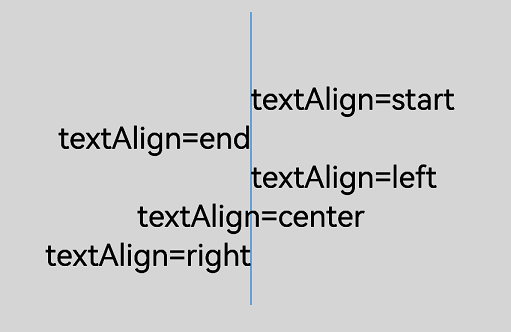
textAlign
设置文本绘制中的文本对齐方式,此属性为只写属性,可通过赋值语句设置其值,但无法通过读取操作获取其当前值,若尝试读取将返回undefined。
卡片能力: 从API version 9开始,该接口支持在ArkTS卡片中使用。
元服务API: 从API version 11开始,该接口支持在元服务中使用。
系统能力: SystemCapability.ArkUI.ArkUI.Full
| 类型 | 只读 | 可选 | 说明 |
|---|---|---|---|
| CanvasTextAlign | 否 | 否 | ltr布局模式下'start'和'left'一致,rtl布局模式下'start'和'right'一致。 默认值:'left' |
// xxx.ets
@Entry
@Component
struct CanvasExample {
  private settings: RenderingContextSettings = new RenderingContextSettings(true);
  private context: CanvasRenderingContext2D = new CanvasRenderingContext2D(this.settings);
  private offCanvas: OffscreenCanvas = new OffscreenCanvas(600, 600);

  build() {
    Flex({ direction: FlexDirection.Column, alignItems: ItemAlign.Center, justifyContent: FlexAlign.Center }) {
      Canvas(this.context)
        .width('100%')
        .height('100%')
        .backgroundColor('rgb(213,213,213)')
        .onReady(() => {
          let offContext = this.offCanvas.getContext("2d", this.settings)
          offContext.strokeStyle = 'rgb(39,135,217)'
          offContext.moveTo(140, 10)
          offContext.lineTo(140, 160)
          offContext.stroke()

          offContext.font = '50px sans-serif'

          // 设置textAlign属性为start
          offContext.textAlign = 'start'
          offContext.fillText('textAlign=start', 140, 60)
          // 设置textAlign属性为end
          offContext.textAlign = 'end'
          offContext.fillText('textAlign=end', 140, 80)
          // 设置textAlign属性为left
          offContext.textAlign = 'left'
          offContext.fillText('textAlign=left', 140, 100)
          // 设置textAlign属性为center
          offContext.textAlign = 'center'
          offContext.fillText('textAlign=center', 140, 120)
          // 设置textAlign属性为right
          offContext.textAlign = 'right'
          offContext.fillText('textAlign=right', 140, 140)
          let image = this.offCanvas.transferToImageBitmap()
          this.context.transferFromImageBitmap(image)
        })
    }
    .width('100%')
    .height('100%')
  }
}
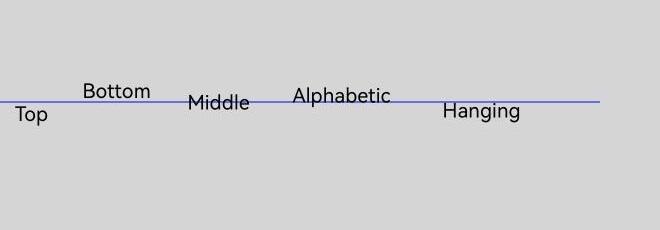
textBaseline
设置文本绘制中的水平对齐方式,此属性为只写属性,可通过赋值语句设置其值,但无法通过读取操作获取其当前值,若尝试读取将返回undefined。
卡片能力: 从API version 9开始,该接口支持在ArkTS卡片中使用。
元服务API: 从API version 11开始,该接口支持在元服务中使用。
系统能力: SystemCapability.ArkUI.ArkUI.Full
| 类型 | 只读 | 可选 | 说明 |
|---|---|---|---|
| CanvasTextBaseline | 否 | 否 | 默认值:'alphabetic' |
// xxx.ets
@Entry
@Component
struct TextBaseline {
  private settings: RenderingContextSettings = new RenderingContextSettings(true);
  private context: CanvasRenderingContext2D = new CanvasRenderingContext2D(this.settings);
  private offCanvas: OffscreenCanvas = new OffscreenCanvas(600, 600);

  build() {
    Flex({ direction: FlexDirection.Column, alignItems: ItemAlign.Center, justifyContent: FlexAlign.Center }) {
      Canvas(this.context)
        .width('100%')
        .height('100%')
        .backgroundColor('rgb(213,213,213)')
        .onReady(() => {
          let offContext = this.offCanvas.getContext("2d", this.settings)
          offContext.strokeStyle = '#0000ff'
          offContext.moveTo(0, 120)
          offContext.lineTo(400, 120)
          offContext.stroke()

          offContext.font = '20px sans-serif'

          // 设置textBaseline属性为top
          offContext.textBaseline = 'top'
          offContext.fillText('Top', 10, 120)
          // 设置textBaseline属性为bottom
          offContext.textBaseline = 'bottom'
          offContext.fillText('Bottom', 55, 120)
          // 设置textBaseline属性为middle
          offContext.textBaseline = 'middle'
          offContext.fillText('Middle', 125, 120)
          // 设置textBaseline属性为alphabetic
          offContext.textBaseline = 'alphabetic'
          offContext.fillText('Alphabetic', 195, 120)
          // 设置textBaseline属性为hanging
          offContext.textBaseline = 'hanging'
          offContext.fillText('Hanging', 295, 120)
          let image = this.offCanvas.transferToImageBitmap()
          this.context.transferFromImageBitmap(image)
      })
    }
    .width('100%')
    .height('100%')
  }
}
globalAlpha
设置透明度,此属性为只写属性,可通过赋值语句设置其值,但无法通过读取操作获取其当前值,若尝试读取将返回undefined。
卡片能力: 从API version 9开始,该接口支持在ArkTS卡片中使用。
元服务API: 从API version 11开始,该接口支持在元服务中使用。
系统能力: SystemCapability.ArkUI.ArkUI.Full
| 类型 | 只读 | 可选 | 说明 |
|---|---|---|---|
| number | 否 | 否 | 范围为[0.0, 1.0],0.0为完全透明,1.0为完全不透明。若给定值小于0.0,则取值0.0;若给定值大于1.0,则取值1.0。 API version 18之前,设置NaN或Infinity时,在该方法后执行的绘制方法无法绘制。API version 18及以后,设置NaN或Infinity时当前接口不生效,其他传入有效参数的绘制方法正常绘制。 默认值:1.0 |
// xxx.ets
@Entry
@Component
struct GlobalAlpha {
  private settings: RenderingContextSettings = new RenderingContextSettings(true);
  private context: CanvasRenderingContext2D = new CanvasRenderingContext2D(this.settings);
  private offCanvas: OffscreenCanvas = new OffscreenCanvas(600, 600);

  build() {
    Flex({ direction: FlexDirection.Column, alignItems: ItemAlign.Center, justifyContent: FlexAlign.Center }) {
      Canvas(this.context)
        .width('100%')
        .height('100%')
        .backgroundColor('#ffff00')
        .onReady(() => {
          let offContext = this.offCanvas.getContext("2d", this.settings)
          offContext.fillStyle = 'rgb(0,0,255)'
          offContext.fillRect(0, 0, 50, 50)
          // 设置globalAlpha属性
          offContext.globalAlpha = 0.4
          offContext.fillStyle = 'rgb(0,0,255)'
          offContext.fillRect(50, 50, 50, 50)
          let image = this.offCanvas.transferToImageBitmap()
          this.context.transferFromImageBitmap(image)
      })
    }
    .width('100%')
    .height('100%')
  }
}

lineDashOffset
设置画布的虚线偏移量,精度为float,仅当设置setLineDash时属性才生效,此属性为只写属性,可通过赋值语句设置其值,但无法通过读取操作获取其当前值,若尝试读取将返回undefined。
卡片能力: 从API version 9开始,该接口支持在ArkTS卡片中使用。
元服务API: 从API version 11开始,该接口支持在元服务中使用。
系统能力: SystemCapability.ArkUI.ArkUI.Full
| 类型 | 只读 | 可选 | 说明 |
|---|---|---|---|
| number | 否 | 否 | 默认值:0.0 单位:vp 异常值NaN和Infinity按默认值处理。 |
// xxx.ets
@Entry
@Component
struct LineDashOffset {
  private settings: RenderingContextSettings = new RenderingContextSettings(true);
  private context: CanvasRenderingContext2D = new CanvasRenderingContext2D(this.settings);
  private offCanvas: OffscreenCanvas = new OffscreenCanvas(600, 600);

  build() {
    Flex({ direction: FlexDirection.Column, alignItems: ItemAlign.Center, justifyContent: FlexAlign.Center }) {
      Canvas(this.context)
        .width('100%')
        .height('100%')
        .backgroundColor('#ffff00')
        .onReady(() => {
          let offContext = this.offCanvas.getContext("2d", this.settings)
          offContext.arc(100, 75, 50, 0, 6.28)
          offContext.setLineDash([10, 20])
          // 设置lineDashOffset属性
          offContext.lineDashOffset = 10.0
          offContext.stroke()
          let image = this.offCanvas.transferToImageBitmap()
          this.context.transferFromImageBitmap(image)
      })
    }
    .width('100%')
    .height('100%')
  }
}

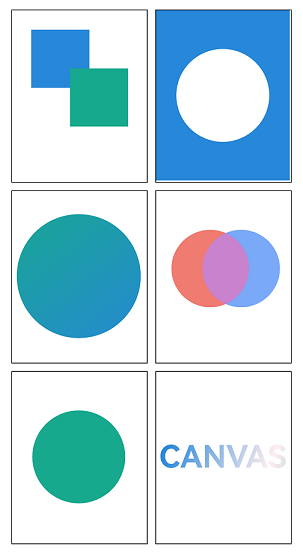
globalCompositeOperation
设置合成操作的方式,此属性为只写属性,可通过赋值语句设置其值,但无法通过读取操作获取其当前值,若尝试读取将返回undefined。
卡片能力: 从API version 9开始,该接口支持在ArkTS卡片中使用。
元服务API: 从API version 11开始,该接口支持在元服务中使用。
系统能力: SystemCapability.ArkUI.ArkUI.Full
| 类型 | 只读 | 可选 | 说明 |
|---|---|---|---|
| string | 否 | 否 | 类型字段可选值有'source-over','source-atop','source-in','source-out','destination-over','destination-atop','destination-in','destination-out','lighter','copy','xor'。 默认值:'source-over' |
| 名称 | 描述 |
|---|---|
| source-over | 在现有绘制内容上显示新绘制内容,属于默认值。 |
| source-atop | 在现有绘制内容顶部显示新绘制内容。 |
| source-in | 在现有绘制内容中显示新绘制内容。 |
| source-out | 在现有绘制内容之外显示新绘制内容。 |
| destination-over | 在新绘制内容上方显示现有绘制内容。 |
| destination-atop | 在新绘制内容顶部显示现有绘制内容。 |
| destination-in | 在新绘制内容中显示现有绘制内容。 |
| destination-out | 在新绘制内容外显示现有绘制内容。 |
| lighter | 显示新绘制内容和现有绘制内容。 |
| copy | 显示新绘制内容而忽略现有绘制内容。 |
| xor | 使用异或操作对新绘制内容与现有绘制内容进行融合。 |
// xxx.ets
@Entry
@Component
struct GlobalCompositeOperation {
  private settings: RenderingContextSettings = new RenderingContextSettings(true);
  private context1: CanvasRenderingContext2D = new CanvasRenderingContext2D(this.settings);
  private context2: CanvasRenderingContext2D = new CanvasRenderingContext2D(this.settings);
  private context3: CanvasRenderingContext2D = new CanvasRenderingContext2D(this.settings);
  private context4: CanvasRenderingContext2D = new CanvasRenderingContext2D(this.settings);
  private context5: CanvasRenderingContext2D = new CanvasRenderingContext2D(this.settings);
  private context6: CanvasRenderingContext2D = new CanvasRenderingContext2D(this.settings);

  build() {
    Column() {
      Row() {
        // 1. source-over:新图形覆盖在原有图形上方(默认行为)
        Canvas(this.context1)
          .width('45%')
          .borderWidth(1)
          .margin(5)
          .onReady(() => {
            let ctx1 = this.context1;
            let offContext = new OffscreenCanvasRenderingContext2D(ctx1.width, ctx1.height, this.settings);
            offContext.fillStyle = 'rgb(39,135,217)';
            offContext.fillRect(25, 25, 75, 75); // 原有图形
            offContext.globalCompositeOperation = 'source-over'; // 默认值,可省略
            offContext.fillStyle = 'rgb(23,169,141)';
            offContext.fillRect(75, 75, 75, 75); // 新图形覆盖
            let image = offContext.transferToImageBitmap();
            this.context1.transferFromImageBitmap(image);
          })
        // 2. destination-out:新图形擦除原有图形(橡皮擦核心逻辑)
        Canvas(this.context2)
          .width('45%')
          .borderWidth(1)
          .margin(5)
          .onReady(() => {
            let ctx2 = this.context2;
            let offContext = new OffscreenCanvasRenderingContext2D(ctx2.width, ctx2.height, this.settings);
            // 先绘制背景
            offContext.fillStyle = 'rgb(39,135,217)';
            offContext.fillRect(0, 0, ctx2.width, ctx2.height);
            // 设置合成模式为擦除
            offContext.globalCompositeOperation = 'destination-out';
            // 绘制圆形作为橡皮擦
            offContext.beginPath();
            offContext.arc(ctx2.width / 2, ctx2.height / 2, 60, 0, Math.PI * 2);
            offContext.fill(); // 擦除圆形区域的背景
            let image = offContext.transferToImageBitmap();
            this.context2.transferFromImageBitmap(image);
          })
      }
      .height('30%')

      Row() {
        // 3. source-in:仅保留新图形与原有图形重叠的部分(裁剪或蒙版)
        Canvas(this.context3)
          .width('45%')
          .borderWidth(1)
          .margin(5)
          .onReady(() => {
            let ctx3 = this.context3;
            let offContext = new OffscreenCanvasRenderingContext2D(ctx3.width, ctx3.height, this.settings);
            // 先绘制原有图形(圆形蒙版)
            offContext.beginPath();
            offContext.arc(ctx3.width / 2, ctx3.height / 2, 80, 0, Math.PI * 2);
            offContext.fillStyle = '#fff';
            offContext.fill();
            // 设置合成模式
            offContext.globalCompositeOperation = 'source-in';
            // 绘制新图形(渐变矩形)
            const gradient = offContext.createLinearGradient(0, 0, ctx3.width, ctx3.height);
            gradient.addColorStop(0, 'rgb(23,169,141)');
            gradient.addColorStop(1, 'rgb(39,135,217)');
            offContext.fillStyle = gradient;
            offContext.fillRect(0, 0, 200, 200); // 仅圆形区域显示渐变
            let image = offContext.transferToImageBitmap();
            this.context3.transferFromImageBitmap(image);
          })
        // 4. lighter:新图形与原有图形叠加(亮度相加,滤色效果)
        Canvas(this.context4)
          .width('45%')
          .borderWidth(1)
          .margin(5)
          .onReady(() => {
            let ctx4 = this.context4;
            let offContext = new OffscreenCanvasRenderingContext2D(ctx4.width, ctx4.height, this.settings);
            // 原有图形(半透明红色圆)
            offContext.beginPath();
            offContext.arc(70, 100, 50, 0, Math.PI * 2);
            offContext.fillStyle = 'rgba(234, 67, 53, 0.7)';
            offContext.fill();
            // 设置合成模式
            offContext.globalCompositeOperation = 'lighter';
            // 新图形(半透明蓝色圆)
            offContext.beginPath();
            offContext.arc(110, 100, 50, 0, Math.PI * 2);
            offContext.fillStyle = 'rgba(66, 133, 244, 0.7)';
            offContext.fill(); // 重叠区域变成紫色(亮度叠加)
            let image = offContext.transferToImageBitmap();
            this.context4.transferFromImageBitmap(image);
          })
      }
      .height('30%')

      Row() {
        // 5. destination-atop:保留原有图形与新图形重叠的部分,移除其他区域
        Canvas(this.context5)
          .width('45%')
          .borderWidth(1)
          .margin(5)
          .onReady(() => {
            let ctx5 = this.context5;
            let offContext = new OffscreenCanvasRenderingContext2D(ctx5.width, ctx5.height, this.settings);
            // 原有图形(绿色矩形)
            offContext.fillStyle = 'rgb(23,169,141)';
            offContext.fillRect(0, 0, ctx5.width, ctx5.height);
            // 设置合成模式
            offContext.globalCompositeOperation = 'destination-atop';
            // 新图形(小圆形)
            offContext.beginPath();
            offContext.arc(ctx5.width / 2, ctx5.height / 2, 60, 0, Math.PI * 2);
            offContext.fillStyle = '#000';
            offContext.fill(); // 仅矩形与圆形重叠的部分保留
            let image = offContext.transferToImageBitmap();
            this.context5.transferFromImageBitmap(image);
          })
        // 6. 文字蒙版(“source-in”的高级用法)
        Canvas(this.context6)
          .width('45%')
          .borderWidth(1)
          .margin(5)
          .onReady(() => {
            let ctx6 = this.context6;
            let offContext = new OffscreenCanvasRenderingContext2D(ctx6.width, ctx6.height, this.settings);
            // 先绘制文字(作为蒙版)
            offContext.font = 'bold 40vp';
            offContext.textAlign = 'center';
            offContext.textBaseline = 'middle';
            offContext.fillText('CANVAS', ctx6.width / 2, ctx6.height / 2);
            // 设置合成模式
            offContext.globalCompositeOperation = 'source-in';
            // 绘制渐变背景(仅文字区域显示)
            let textGradient = offContext.createLinearGradient(50, 0, 300, 100);
            textGradient.addColorStop(0.0, 'rgb(39,135,217)');
            textGradient.addColorStop(0.5, 'rgb(255,238,240)');
            textGradient.addColorStop(1.0, 'rgb(23,169,141)');
            offContext.fillStyle = textGradient;
            offContext.fillRect(0, 0, 200, 200); // 渐变仅填充文字区域
            let image = offContext.transferToImageBitmap();
            this.context6.transferFromImageBitmap(image);
          })
      }
      .height('30%')
    }
    .width('100%')
    .height('100%')
  }
}
shadowBlur
设置绘制阴影时的模糊级别,此属性为只写属性,可通过赋值语句设置其值,但无法通过读取操作获取其当前值,若尝试读取将返回undefined。
卡片能力: 从API version 9开始,该接口支持在ArkTS卡片中使用。
元服务API: 从API version 11开始,该接口支持在元服务中使用。
系统能力: SystemCapability.ArkUI.ArkUI.Full
| 类型 | 只读 | 可选 | 说明 |
|---|---|---|---|
| number | 否 | 否 | 值越大越模糊,精度为float,取值范围≥0。 默认值:0.0 单位:px shadowBlur取值不支持负数,负数、NaN和Infinity按默认值处理。 |
// xxx.ets
@Entry
@Component
struct ShadowBlur {
  private settings: RenderingContextSettings = new RenderingContextSettings(true);
  private context: CanvasRenderingContext2D = new CanvasRenderingContext2D(this.settings);
  private offCanvas: OffscreenCanvas = new OffscreenCanvas(600, 600);

  build() {
    Flex({ direction: FlexDirection.Column, alignItems: ItemAlign.Center, justifyContent: FlexAlign.Center }) {
      Canvas(this.context)
        .width('100%')
        .height('100%')
        .backgroundColor('rgb(213,213,213)')
        .onReady(() => {
          let offContext = this.offCanvas.getContext("2d", this.settings)
          // 设置shadowBlur属性
          offContext.shadowBlur = 30
          offContext.shadowColor = 'rgb(0,0,0)'
          offContext.fillStyle = 'rgb(39,135,217)'
          offContext.fillRect(20, 20, 100, 80)
          let image = this.offCanvas.transferToImageBitmap()
          this.context.transferFromImageBitmap(image)
      })
    }
    .width('100%')
    .height('100%')
  }
}

shadowColor
设置绘制阴影时的阴影颜色,此属性为只写属性,可通过赋值语句设置其值,但无法通过读取操作获取其当前值,若尝试读取将返回undefined。
卡片能力: 从API version 9开始,该接口支持在ArkTS卡片中使用。
元服务API: 从API version 11开始,该接口支持在元服务中使用。
系统能力: SystemCapability.ArkUI.ArkUI.Full
| 类型 | 只读 | 可选 | 说明 |
|---|---|---|---|
| string | 否 | 否 | 颜色格式参考ResourceColor中string类型说明。 默认值:透明黑色 |
// xxx.ets
@Entry
@Component
struct ShadowColor {
  private settings: RenderingContextSettings = new RenderingContextSettings(true);
  private context: CanvasRenderingContext2D = new CanvasRenderingContext2D(this.settings);
  private offCanvas: OffscreenCanvas = new OffscreenCanvas(600, 600);

  build() {
    Flex({ direction: FlexDirection.Column, alignItems: ItemAlign.Center, justifyContent: FlexAlign.Center }) {
      Canvas(this.context)
        .width('100%')
        .height('100%')
        .backgroundColor('rgb(213,213,213)')
        .onReady(() => {
          let offContext = this.offCanvas.getContext("2d", this.settings)
          offContext.shadowBlur = 30
          // 设置shadowColor属性
          offContext.shadowColor = 'rgb(255,192,0)'
          offContext.fillStyle = 'rgb(39,135,217)'
          offContext.fillRect(30, 30, 100, 100)
          let image = this.offCanvas.transferToImageBitmap()
          this.context.transferFromImageBitmap(image)
      })
    }
    .width('100%')
    .height('100%')
  }
}

shadowOffsetX
设置绘制阴影时和原有对象的水平偏移值,此属性为只写属性,可通过赋值语句设置其值,但无法通过读取操作获取其当前值,若尝试读取将返回undefined。
卡片能力: 从API version 9开始,该接口支持在ArkTS卡片中使用。
元服务API: 从API version 11开始,该接口支持在元服务中使用。
系统能力: SystemCapability.ArkUI.ArkUI.Full
| 类型 | 只读 | 可选 | 说明 |
|---|---|---|---|
| number | 否 | 否 | 默认值:0.0 默认单位:vp 异常值NaN和Infinity按默认值处理。 |
// xxx.ets
@Entry
@Component
struct ShadowOffsetX {
  private settings: RenderingContextSettings = new RenderingContextSettings(true);
  private context: CanvasRenderingContext2D = new CanvasRenderingContext2D(this.settings);
  private offCanvas: OffscreenCanvas = new OffscreenCanvas(600, 600);

  build() {
    Flex({ direction: FlexDirection.Column, alignItems: ItemAlign.Center, justifyContent: FlexAlign.Center }) {
      Canvas(this.context)
        .width('100%')
        .height('100%')
        .backgroundColor('#ffff00')
        .onReady(() => {
          let offContext = this.offCanvas.getContext("2d", this.settings)
          offContext.shadowBlur = 10
          // 设置shadowOffsetX属性
          offContext.shadowOffsetX = 20
          offContext.shadowColor = 'rgb(0,0,0)'
          offContext.fillStyle = 'rgb(255,0,0)'
          offContext.fillRect(20, 20, 100, 80)
          let image = this.offCanvas.transferToImageBitmap()
          this.context.transferFromImageBitmap(image)
      })
    }
    .width('100%')
    .height('100%')
  }
}

shadowOffsetY
设置绘制阴影时和原有对象的垂直偏移值,此属性为只写属性,可通过赋值语句设置其值,但无法通过读取操作获取其当前值,若尝试读取将返回undefined。
卡片能力: 从API version 9开始,该接口支持在ArkTS卡片中使用。
元服务API: 从API version 11开始,该接口支持在元服务中使用。
系统能力: SystemCapability.ArkUI.ArkUI.Full
| 类型 | 只读 | 可选 | 说明 |
|---|---|---|---|
| number | 否 | 否 | 默认值:0.0 默认单位:vp 异常值NaN和Infinity按默认值处理。 |
// xxx.ets
@Entry
@Component
struct ShadowOffsetY {
  private settings: RenderingContextSettings = new RenderingContextSettings(true);
  private context: CanvasRenderingContext2D = new CanvasRenderingContext2D(this.settings);
  private offCanvas: OffscreenCanvas = new OffscreenCanvas(600, 600);

  build() {
    Flex({ direction: FlexDirection.Column, alignItems: ItemAlign.Center, justifyContent: FlexAlign.Center }) {
      Canvas(this.context)
        .width('100%')
        .height('100%')
        .backgroundColor('#ffff00')
        .onReady(() => {
          let offContext = this.offCanvas.getContext("2d", this.settings)
          offContext.shadowBlur = 10
          // 设置shadowOffsetY属性
          offContext.shadowOffsetY = 20
          offContext.shadowColor = 'rgb(0,0,0)'
          offContext.fillStyle = 'rgb(255,0,0)'
          offContext.fillRect(30, 30, 100, 100)
          let image = this.offCanvas.transferToImageBitmap()
          this.context.transferFromImageBitmap(image)
      })
    }
    .width('100%')
    .height('100%')
  }
}

imageSmoothingEnabled
用于设置绘制图片时是否进行图像平滑度调整,true为启用,false为不启用,此属性为只写属性,可通过赋值语句设置其值,但无法通过读取操作获取其当前值,若尝试读取将返回undefined。
卡片能力: 从API version 9开始,该接口支持在ArkTS卡片中使用。
元服务API: 从API version 11开始,该接口支持在元服务中使用。
系统能力: SystemCapability.ArkUI.ArkUI.Full
| 类型 | 只读 | 可选 | 说明 |
|---|---|---|---|
| boolean | 否 | 否 | 默认值:true |
此示例的资源不在src > main > resource目录下,从DevEco Studio 6.0.0 Beta2版本开始,新建工程或模块时,默认创建的模块不会对非resources目录下的资源进行打包,需使能相关开关:模块的build-profile.json5中buildOption > resOptions > copyCodeResource > enable设置为true,详见resOptions中copyCodeResource相关介绍。
// xxx.ets
@Entry
@Component
struct ImageSmoothingEnabled {
  private settings: RenderingContextSettings = new RenderingContextSettings(true);
  private context: CanvasRenderingContext2D = new CanvasRenderingContext2D(this.settings);
  // "common/images/icon.jpg"需要替换为开发者所需的图像资源文件
  private img:ImageBitmap = new ImageBitmap("common/images/icon.jpg");
  private offCanvas: OffscreenCanvas = new OffscreenCanvas(600, 600);

  build() {
    Flex({ direction: FlexDirection.Column, alignItems: ItemAlign.Center, justifyContent: FlexAlign.Center }) {
      Canvas(this.context)
        .width('100%')
        .height('100%')
        .backgroundColor('#ffff00')
        .onReady(() => {
          let offContext = this.offCanvas.getContext("2d", this.settings)
          // 设置imageSmoothingEnabled属性
          offContext.imageSmoothingEnabled = false
          offContext.drawImage(this.img, 0, 0, 400, 200)
          let image = this.offCanvas.transferToImageBitmap()
          this.context.transferFromImageBitmap(image)
      })
    }
    .width('100%')
    .height('100%')
  }
}

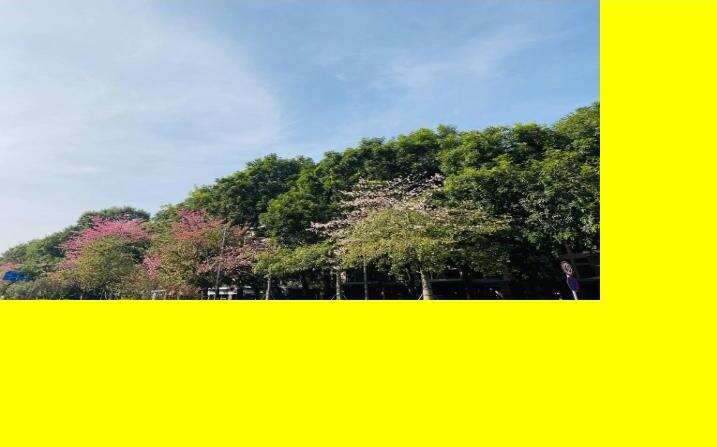
imageSmoothingQuality
imageSmoothingEnabled为true时,用于设置图像平滑度,此属性为只写属性,可通过赋值语句设置其值,但无法通过读取操作获取其当前值,若尝试读取将返回undefined。
卡片能力: 从API version 9开始,该接口支持在ArkTS卡片中使用。
元服务API: 从API version 11开始,该接口支持在元服务中使用。
系统能力: SystemCapability.ArkUI.ArkUI.Full
| 类型 | 只读 | 可选 | 说明 |
|---|---|---|---|
| ImageSmoothingQuality | 否 | 否 | 默认值:"low" |
此示例的资源不在src > main > resource目录下,从DevEco Studio 6.0.0 Beta2版本开始,新建工程或模块时,默认创建的模块不会对非resources目录下的资源进行打包,需使能相关开关:模块的build-profile.json5中buildOption > resOptions > copyCodeResource > enable设置为true,详见resOptions中copyCodeResource相关介绍。
  // xxx.ets
  @Entry
  @Component
  struct ImageSmoothingQualityDemoOff {
    private settings: RenderingContextSettings = new RenderingContextSettings(true);
    private context: CanvasRenderingContext2D = new CanvasRenderingContext2D(this.
settings);
    private offCanvas: OffscreenCanvas = new OffscreenCanvas(600, 600);
    // "common/images/example.jpg"需要替换为开发者所需的图像资源文件
    private img:ImageBitmap = new ImageBitmap("common/images/example.jpg");

    build() {
      Flex({ direction: FlexDirection.Column, alignItems: ItemAlign.Center,
justifyContent: FlexAlign.Center }) {
        Canvas(this.context)
          .width('100%')
          .height('100%')
          .backgroundColor('#ffff00')
          .onReady(() => {
            let offContext = this.offCanvas.getContext("2d", this.settings)
            let offctx = offContext
            offctx.imageSmoothingEnabled = true
            // 设置imageSmoothingQuality属性
            offctx.imageSmoothingQuality = 'high'
            offctx.drawImage(this.img, 0, 0, 400, 200)

            let image = this.offCanvas.transferToImageBitmap()
            this.context.transferFromImageBitmap(image)
          })
      }
      .width('100%')
      .height('100%')
    }
  }
direction
用于设置绘制文字时使用的文字方向,此属性为只写属性,可通过赋值语句设置其值,但无法通过读取操作获取其当前值,若尝试读取将返回undefined。
卡片能力: 从API version 9开始,该接口支持在ArkTS卡片中使用。
元服务API: 从API version 11开始,该接口支持在元服务中使用。
系统能力: SystemCapability.ArkUI.ArkUI.Full
| 类型 | 只读 | 可选 | 说明 |
|---|---|---|---|
| CanvasDirection | 否 | 否 | 默认值:"inherit" |
  // xxx.ets
  @Entry
  @Component
  struct DirectionDemoOff {
    private settings: RenderingContextSettings = new RenderingContextSettings(true);
    private context: CanvasRenderingContext2D = new CanvasRenderingContext2D(this.
settings);
    private offCanvas: OffscreenCanvas = new OffscreenCanvas(600, 600);

    build() {
      Flex({ direction: FlexDirection.Column, alignItems: ItemAlign.Center,
justifyContent: FlexAlign.Center }) {
        Canvas(this.context)
          .width('100%')
          .height('100%')
          .backgroundColor('#ffff00')
          .onReady(() => {
            let offContext = this.offCanvas.getContext("2d", this.settings)
            let offctx = offContext
            offctx.font = '48px serif';
            offctx.textAlign = 'start'
            offctx.fillText("Hi ltr!", 200, 50);

            // 设置direction属性
            offctx.direction = "rtl";
            offctx.fillText("Hi rtl!", 200, 100);

            let image = offctx.transferToImageBitmap()
            this.context.transferFromImageBitmap(image)
          })
      }
      .width('100%')
      .height('100%')
    }
  }

filter
用于设置图像的滤镜,可以组合任意数量的滤镜,此属性为只写属性,可通过赋值语句设置其值,但无法通过读取操作获取其当前值,若尝试读取将返回undefined。
卡片能力: 从API version 9开始,该接口支持在ArkTS卡片中使用。
元服务API: 从API version 11开始,该接口支持在元服务中使用。
系统能力: SystemCapability.ArkUI.ArkUI.Full
| 类型 | 只读 | 可选 | 说明 |
|---|---|---|---|
| string | 否 | 否 | 支持的滤镜效果如下: - 'none': 无滤镜效果。 - 'blur( |
此示例的资源不在src > main > resource目录下,从DevEco Studio 6.0.0 Beta2版本开始,新建工程或模块时,默认创建的模块不会对非resources目录下的资源进行打包,需使能相关开关:模块的build-profile.json5中buildOption > resOptions > copyCodeResource > enable设置为true,详见resOptions中copyCodeResource相关介绍。
  // xxx.ets
  @Entry
  @Component
  struct FilterDemoOff {
    private settings: RenderingContextSettings = new RenderingContextSettings(true);
    private context: CanvasRenderingContext2D = new CanvasRenderingContext2D(this.settings);
    private offCanvas: OffscreenCanvas = new OffscreenCanvas(600, 600);
    // "common/images/example.jpg"需要替换为开发者所需的图像资源文件
    private img: ImageBitmap = new ImageBitmap("common/images/example.jpg");

    build() {
      Flex({ direction: FlexDirection.Column, alignItems: ItemAlign.Center, justifyContent: FlexAlign.Center }) {
        Canvas(this.context)
          .width('100%')
          .height('100%')
          .onReady(() => {
            let offContext = this.offCanvas.getContext("2d", this.settings)
            let img = this.img

            offContext.drawImage(img, 0, 0, 100, 100);

            offContext.filter = 'grayscale(50%)';
            offContext.drawImage(img, 100, 0, 100, 100);

            offContext.filter = 'sepia(60%)';
            offContext.drawImage(img, 200, 0, 100, 100);

            offContext.filter = 'saturate(30%)';
            offContext.drawImage(img, 0, 100, 100, 100);

            offContext.filter = 'hue-rotate(90deg)';
            offContext.drawImage(img, 100, 100, 100, 100);

            offContext.filter = 'invert(100%)';
            offContext.drawImage(img, 200, 100, 100, 100);

            offContext.filter = 'opacity(25%)';
            offContext.drawImage(img, 0, 200, 100, 100);

            offContext.filter = 'brightness(0.4)';
            offContext.drawImage(img, 100, 200, 100, 100);

            offContext.filter = 'contrast(200%)';
            offContext.drawImage(img, 200, 200, 100, 100);

            offContext.filter = 'blur(5px)';
            offContext.drawImage(img, 0, 300, 100, 100);

            // Applying multiple filters
            offContext.filter = 'opacity(50%) contrast(200%) grayscale(50%)';
            offContext.drawImage(img, 100, 300, 100, 100);

            let image = this.offCanvas.transferToImageBitmap()
            this.context.transferFromImageBitmap(image)
          })
      }
      .width('100%')
      .height('100%')
    }
  }

letterSpacing18+
用于指定绘制文本时字母之间的间距,此属性为只写属性,可通过赋值语句设置其值,但无法通过读取操作获取其当前值,若尝试读取将返回undefined。
元服务API: 从API version 18开始,该接口支持在元服务中使用。
系统能力: SystemCapability.ArkUI.ArkUI.Full
| 类型 | 只读 | 可选 | 说明 |
|---|---|---|---|
| string | LengthMetrics | 否 | 否 |
  // xxx.ets
  import { LengthMetrics, LengthUnit } from '@kit.ArkUI';

  @Entry
  @Component
  struct letterSpacingDemo {
    private settings: RenderingContextSettings = new RenderingContextSettings(true);
    private context: CanvasRenderingContext2D = new CanvasRenderingContext2D(this.settings);
    private offCanvas: OffscreenCanvas = new OffscreenCanvas(600, 600);

    build() {
      Flex({ direction: FlexDirection.Column, alignItems: ItemAlign.Center, justifyContent: FlexAlign.Center }) {
        Canvas(this.context)
          .width('100%')
          .height('100%')
          .backgroundColor('rgb(213,213,213)')
          .onReady(() => {
            let offContext = this.offCanvas.getContext("2d", this.settings)
            offContext.font = '30vp'
            // 使用string设置direction属性
            offContext.letterSpacing = '10vp'
            offContext.fillText('hello world', 30, 50)
            // 使用LengthMetrics对象设置direction属性
            offContext.letterSpacing = new LengthMetrics(10, LengthUnit.VP)
            offContext.fillText('hello world', 30, 100)
            let image = this.offCanvas.transferToImageBitmap()
            this.context.transferFromImageBitmap(image)
          })
      }
      .width('100%')
      .height('100%')
    }
  }

方法
fillRect
fillRect(x: number, y: number, w: number, h: number): void
填充一个矩形。
卡片能力: 从API version 9开始,该接口支持在ArkTS卡片中使用。
元服务API: 从API version 11开始,该接口支持在元服务中使用。
系统能力: SystemCapability.ArkUI.ArkUI.Full
参数:
| 参数名 | 类型 | 必填 | 说明 |
|---|---|---|---|
| x | number | 是 | 指定矩形左上角点的x坐标。 异常值undefined、null、NaN或Infinity按无效值处理,不进行绘制。 默认单位:vp |
| y | number | 是 | 指定矩形左上角点的y坐标。 异常值undefined、null、NaN或Infinity按无效值处理,不进行绘制。 默认单位:vp |
| w | number | 是 | 指定矩形的宽度。 异常值undefined、null、NaN或Infinity按无效值处理,不进行绘制。 默认单位:vp |
| h | number | 是 | 指定矩形的高度。 异常值undefined、null、NaN或Infinity按无效值处理,不进行绘制。 默认单位:vp |
示例:
// xxx.ets
@Entry
@Component
struct FillRect {
  private settings: RenderingContextSettings = new RenderingContextSettings(true);
  private context: CanvasRenderingContext2D = new CanvasRenderingContext2D(this.settings);
  private offCanvas: OffscreenCanvas = new OffscreenCanvas(600, 600);

  build() {
    Flex({ direction: FlexDirection.Column, alignItems: ItemAlign.Center, justifyContent: FlexAlign.Center }) {
      Canvas(this.context)
        .width('100%')
        .height('100%')
        .backgroundColor('rgb(213,213,213)')
        .onReady(() => {
          let offContext = this.offCanvas.getContext("2d", this.settings)
          offContext.fillRect(30, 30, 100, 100)
          let image = this.offCanvas.transferToImageBitmap()
          this.context.transferFromImageBitmap(image)
       })
      }
    .width('100%')
    .height('100%')
  }
}

strokeRect
strokeRect(x: number, y: number, w: number, h: number): void
绘制具有边框的矩形,矩形内部不填充。
卡片能力: 从API version 9开始,该接口支持在ArkTS卡片中使用。
元服务API: 从API version 11开始,该接口支持在元服务中使用。
系统能力: SystemCapability.ArkUI.ArkUI.Full
参数:
| 参数名 | 类型 | 必填 | 说明 |
|---|---|---|---|
| x | number | 是 | 指定矩形的左上角x坐标。 异常值undefined、null、NaN或Infinity按无效值处理,不进行绘制。 默认单位:vp |
| y | number | 是 | 指定矩形的左上角y坐标。 异常值undefined、null、NaN或Infinity按无效值处理,不进行绘制。 默认单位:vp |
| width | number | 是 | 指定矩形的宽度。 异常值undefined、null、NaN或Infinity按无效值处理,不进行绘制。 默认单位:vp |
| height | number | 是 | 指定矩形的高度。 异常值undefined、null、NaN或Infinity按无效值处理,不进行绘制。 默认单位:vp |
示例:
// xxx.ets
@Entry
@Component
struct StrokeRect {
  private settings: RenderingContextSettings = new RenderingContextSettings(true);
  private context: CanvasRenderingContext2D = new CanvasRenderingContext2D(this.settings);
  private offCanvas: OffscreenCanvas = new OffscreenCanvas(600, 600);

  build() {
    Flex({ direction: FlexDirection.Column, alignItems: ItemAlign.Center, justifyContent: FlexAlign.Center }) {
      Canvas(this.context)
        .width('100%')
        .height('100%')
        .backgroundColor('#ffff00')
        .onReady(() => {
          let offContext = this.offCanvas.getContext("2d", this.settings)
          offContext.strokeRect(30, 30, 200, 150)
          let image = this.offCanvas.transferToImageBitmap()
          this.context.transferFromImageBitmap(image)
      })
    }
    .width('100%')
    .height('100%')
  }
}

clearRect
clearRect(x: number, y: number, w: number, h: number): void
删除指定区域内的绘制内容。
卡片能力: 从API version 9开始,该接口支持在ArkTS卡片中使用。
元服务API: 从API version 11开始,该接口支持在元服务中使用。
系统能力: SystemCapability.ArkUI.ArkUI.Full
参数:
| 参数名 | 类型 | 必填 | 说明 |
|---|---|---|---|
| x | number | 是 | 指定矩形上的左上角x坐标。 异常值undefined、null、NaN或Infinity按无效值处理,不进行绘制。 默认单位:vp |
| y | number | 是 | 指定矩形上的左上角y坐标。 异常值undefined、null、NaN或Infinity按无效值处理,不进行绘制。 默认单位:vp |
| width | number | 是 | 指定矩形的宽度。 异常值undefined、null、NaN或Infinity按无效值处理,不进行绘制。 默认单位:vp |
| height | number | 是 | 指定矩形的高度。 异常值undefined、null、NaN或Infinity按无效值处理,不进行绘制。 默认单位:vp |
示例:
// xxx.ets
@Entry
@Component
struct ClearRect {
  private settings: RenderingContextSettings = new RenderingContextSettings(true);
  private context: CanvasRenderingContext2D = new CanvasRenderingContext2D(this.settings);
  private offCanvas: OffscreenCanvas = new OffscreenCanvas(600, 600);

  build() {
    Flex({ direction: FlexDirection.Column, alignItems: ItemAlign.Center, justifyContent: FlexAlign.Center }) {
      Canvas(this.context)
        .width('100%')
        .height('100%')
        .backgroundColor('#ffff00')
        .onReady(() => {
          let offContext = this.offCanvas.getContext("2d", this.settings)
          offContext.fillStyle = 'rgb(0,0,255)'
          offContext.fillRect(20, 20, 200, 200)
          offContext.clearRect(30, 30, 150, 100)
          let image = this.offCanvas.transferToImageBitmap()
          this.context.transferFromImageBitmap(image)
        })
    }
    .width('100%')
    .height('100%')
  }
}

fillText
fillText(text: string, x: number, y: number, maxWidth?: number): void
绘制填充类文本。
卡片能力: 从API version 9开始,该接口支持在ArkTS卡片中使用。
元服务API: 从API version 11开始,该接口支持在元服务中使用。
系统能力: SystemCapability.ArkUI.ArkUI.Full
参数:
| 参数名 | 类型 | 必填 | 说明 |
|---|---|---|---|
| text | string | 是 | 需要绘制的文本内容。 异常值undefined或null按无效值处理,不进行绘制。 |
| x | number | 是 | 文本绘制起点的x轴坐标。 异常值undefined、null、NaN或Infinity按无效值处理,不进行绘制。 默认单位:vp |
| y | number | 是 | 文本绘制起点的y轴坐标。 异常值undefined、null、NaN或Infinity按无效值处理,不进行绘制。 默认单位:vp |
| maxWidth | number | 否 | 指定文本允许的最大宽度。 异常值null按无效值处理,不进行绘制,undefined、NaN或Infinity按默认值处理。 默认单位:vp 默认值:不限制宽度。 |
示例:
// xxx.ets
@Entry
@Component
struct FillText {
  private settings: RenderingContextSettings = new RenderingContextSettings(true);
  private context: CanvasRenderingContext2D = new CanvasRenderingContext2D(this.settings);
  private offCanvas: OffscreenCanvas = new OffscreenCanvas(600, 600);

  build() {
    Flex({ direction: FlexDirection.Column, alignItems: ItemAlign.Center, justifyContent: FlexAlign.Center }) {
      Canvas(this.context)
        .width('100%')
        .height('100%')
        .backgroundColor('#ffff00')
        .onReady(() => {
          let offContext = this.offCanvas.getContext("2d", this.settings)
          offContext.font = '30px sans-serif'
          offContext.fillText("Hello World!", 20, 100)
          let image = this.offCanvas.transferToImageBitmap()
          this.context.transferFromImageBitmap(image)
      })
    }
    .width('100%')
    .height('100%')
  }
}

strokeText
strokeText(text: string, x: number, y: number, maxWidth?: number): void
绘制描边类文本。
卡片能力: 从API version 9开始,该接口支持在ArkTS卡片中使用。
元服务API: 从API version 11开始,该接口支持在元服务中使用。
系统能力: SystemCapability.ArkUI.ArkUI.Full
参数:
| 参数名 | 类型 | 必填 | 说明 |
|---|---|---|---|
| text | string | 是 | 需要绘制的文本内容。 异常值undefined或null按无效值处理,不进行绘制。 |
| x | number | 是 | 文本绘制起点的x轴坐标。 异常值undefined、null、NaN或Infinity按无效值处理,不进行绘制。 默认单位:vp |
| y | number | 是 | 文本绘制起点的y轴坐标。 异常值undefined、null、NaN或Infinity按无效值处理,不进行绘制。 默认单位:vp |
| maxWidth | number | 否 | 需要绘制的文本的最大宽度。 异常值null按无效值处理,不进行绘制,undefined、NaN或Infinity按默认值处理。 默认单位:vp 默认值:不限制宽度。 |
示例:
// xxx.ets
@Entry
@Component
struct StrokeText {
  private settings: RenderingContextSettings = new RenderingContextSettings(true);
  private context: CanvasRenderingContext2D = new CanvasRenderingContext2D(this.settings);
  private offCanvas: OffscreenCanvas = new OffscreenCanvas(600, 600);

  build() {
    Flex({ direction: FlexDirection.Column, alignItems: ItemAlign.Center, justifyContent: FlexAlign.Center }) {
      Canvas(this.context)
        .width('100%')
        .height('100%')
        .backgroundColor('#ffff00')
        .onReady(() => {
          let offContext = this.offCanvas.getContext("2d", this.settings)
          offContext.font = '55px sans-serif'
          offContext.strokeText("Hello World!", 20, 60)
          let image = this.offCanvas.transferToImageBitmap()
          this.context.transferFromImageBitmap(image)
      })
    }
    .width('100%')
    .height('100%')
  }
}

measureText
measureText(text: string): TextMetrics
该方法返回一个文本测算的对象,通过该对象可以获取指定文本的宽度值。
卡片能力: 从API version 9开始,该接口支持在ArkTS卡片中使用。
元服务API: 从API version 11开始,该接口支持在元服务中使用。
系统能力: SystemCapability.ArkUI.ArkUI.Full
参数:
| 参数名 | 类型 | 必填 | 说明 |
|---|---|---|---|
| text | string | 是 | 需要进行测量的文本。 |
返回值:
| 类型 | 说明 |
|---|---|
| TextMetrics | 文本的尺寸信息。 传入异常值undefined或null时按"undefined"或"null"计算。 |
示例:
// xxx.ets
@Entry
@Component
struct MeasureText {
  private settings: RenderingContextSettings = new RenderingContextSettings(true);
  private context: CanvasRenderingContext2D = new CanvasRenderingContext2D(this.settings);
  private offCanvas: OffscreenCanvas = new OffscreenCanvas(600, 600);

  build() {
    Flex({ direction: FlexDirection.Column, alignItems: ItemAlign.Center, justifyContent: FlexAlign.Center }) {
      Canvas(this.context)
        .width('100%')
        .height('100%')
        .backgroundColor('rgb(213,213,213)')
        .onReady(() => {
          let offContext = this.offCanvas.getContext("2d", this.settings)
          offContext.font = '50px sans-serif'
          offContext.fillText("Hello World!", 20, 100)
          offContext.fillText("width:" + offContext.measureText("Hello World!").width, 20, 200)
          let image = this.offCanvas.transferToImageBitmap()
          this.context.transferFromImageBitmap(image)
      })
    }
    .width('100%')
    .height('100%')
  }
}

stroke
stroke(): void
根据当前的路径,进行边框绘制操作。
卡片能力: 从API version 9开始,该接口支持在ArkTS卡片中使用。
元服务API: 从API version 11开始,该接口支持在元服务中使用。
系统能力: SystemCapability.ArkUI.ArkUI.Full
示例:
// xxx.ets
@Entry
@Component
struct Stroke {
  private settings: RenderingContextSettings = new RenderingContextSettings(true);
  private context: CanvasRenderingContext2D = new CanvasRenderingContext2D(this.settings);
  private offCanvas: OffscreenCanvas = new OffscreenCanvas(600, 600);

  build() {
    Flex({ direction: FlexDirection.Column, alignItems: ItemAlign.Center, justifyContent: FlexAlign.Center }) {
      Canvas(this.context)
        .width('100%')
        .height('100%')
        .backgroundColor('#ffff00')
        .onReady(() => {
          let offContext = this.offCanvas.getContext("2d", this.settings)
          offContext.moveTo(125, 25)
          offContext.lineTo(125, 105)
          offContext.lineTo(175, 105)
          offContext.lineTo(175, 25)
          offContext.strokeStyle = 'rgb(255,0,0)'
          offContext.stroke()
          let image = this.offCanvas.transferToImageBitmap()
          this.context.transferFromImageBitmap(image)
        })
    }
    .width('100%')
    .height('100%')
  }
}

stroke
stroke(path: Path2D): void
根据指定的路径,进行边框绘制操作。
卡片能力: 从API version 9开始,该接口支持在ArkTS卡片中使用。
元服务API: 从API version 11开始,该接口支持在元服务中使用。
系统能力: SystemCapability.ArkUI.ArkUI.Full
参数:
| 参数名 | 类型 | 必填 | 说明 |
|---|---|---|---|
| path | Path2D | 是 | 需要绘制的Path2D。 异常值undefined或null按无效值处理,不进行绘制。 |
示例:
// xxx.ets
@Entry
@Component
struct Stroke {
  private settings: RenderingContextSettings = new RenderingContextSettings(true);
  private context: CanvasRenderingContext2D = new CanvasRenderingContext2D(this.settings);
  private offCanvas: OffscreenCanvas = new OffscreenCanvas(600, 600);
  private path2Da: Path2D = new Path2D();

  build() {
    Flex({ direction: FlexDirection.Column, alignItems: ItemAlign.Center, justifyContent: FlexAlign.Center }) {
      Canvas(this.context)
        .width('100%')
        .height('100%')
        .backgroundColor('#ffff00')
        .onReady(() => {
          let offContext = this.offCanvas.getContext("2d", this.settings)
          this.path2Da.moveTo(25, 25)
          this.path2Da.lineTo(25, 105)
          this.path2Da.lineTo(75, 105)
          this.path2Da.lineTo(75, 25)
          offContext.strokeStyle = 'rgb(0,0,255)'
          offContext.stroke(this.path2Da)
          let image = this.offCanvas.transferToImageBitmap()
          this.context.transferFromImageBitmap(image)
        })
    }
    .width('100%')
    .height('100%')
  }
}

beginPath
beginPath(): void
创建一个新的绘制路径。
卡片能力: 从API version 9开始,该接口支持在ArkTS卡片中使用。
元服务API: 从API version 11开始,该接口支持在元服务中使用。
系统能力: SystemCapability.ArkUI.ArkUI.Full
示例:
// xxx.ets
@Entry
@Component
struct BeginPath {
  private settings: RenderingContextSettings = new RenderingContextSettings(true);
  private context: CanvasRenderingContext2D = new CanvasRenderingContext2D(this.settings);
  private offCanvas: OffscreenCanvas = new OffscreenCanvas(600, 600);

  build() {
    Flex({ direction: FlexDirection.Column, alignItems: ItemAlign.Center, justifyContent: FlexAlign.Center }) {
      Canvas(this.context)
        .width('100%')
        .height('100%')
        .backgroundColor('rgb(213,213,213)')
        .onReady(() => {
          let offContext = this.offCanvas.getContext("2d", this.settings)
          offContext.beginPath()
          offContext.lineWidth = 6
          offContext.strokeStyle = '#0000ff'
          offContext.moveTo(15, 80)
          offContext.lineTo(280, 160)
          offContext.stroke()
          let image = this.offCanvas.transferToImageBitmap()
          this.context.transferFromImageBitmap(image)
        })
    }
    .width('100%')
    .height('100%')
  }
}

moveTo
moveTo(x: number, y: number): void
路径从当前点移动到指定点。
卡片能力: 从API version 9开始,该接口支持在ArkTS卡片中使用。
元服务API: 从API version 11开始,该接口支持在元服务中使用。
系统能力: SystemCapability.ArkUI.ArkUI.Full
参数:
| 参数名 | 类型 | 必填 | 说明 |
|---|---|---|---|
| x | number | 是 | 指定位置的x坐标。 API version 18之前,设置NaN或Infinity时,整条路径不显示;设置null或undefined时,当前接口不生效。API version 18及以后,设置NaN、Infinity、null或undefined时当前接口不生效,其他传入有效参数的路径方法正常绘制。 默认单位:vp |
| y | number | 是 | 指定位置的y坐标。 API version 18之前,设置NaN或Infinity时,整条路径不显示;设置null或undefined时,当前接口不生效。API version 18及以后,设置NaN、Infinity、null或undefined时当前接口不生效,其他传入有效参数的路径方法正常绘制。 默认单位:vp |
API version 18之前,若未执行moveTo接口或moveTo接口传入无效参数,路径以(0,0)为起点。
API version 18及以后,若未执行moveTo接口或moveTo接口传入无效参数,路径以初次调用的lineTo、arcTo、bezierCurveTo或quadraticCurveTo接口中的起始点为起点。
示例:
// xxx.ets
@Entry
@Component
struct MoveTo {
  private settings: RenderingContextSettings = new RenderingContextSettings(true);
  private context: CanvasRenderingContext2D = new CanvasRenderingContext2D(this.settings);
  private offCanvas: OffscreenCanvas = new OffscreenCanvas(600, 600);

  build() {
    Flex({ direction: FlexDirection.Column, alignItems: ItemAlign.Center, justifyContent: FlexAlign.Center }) {
      Canvas(this.context)
        .width('100%')
        .height('100%')
        .backgroundColor('#ffff00')
        .onReady(() => {
          let offContext = this.offCanvas.getContext("2d", this.settings)
          offContext.beginPath()
          offContext.moveTo(10, 10)
          offContext.lineTo(280, 160)
          offContext.stroke()
          let image = this.offCanvas.transferToImageBitmap()
          this.context.transferFromImageBitmap(image)
        })
    }
    .width('100%')
    .height('100%')
  }
}

lineTo
lineTo(x: number, y: number): void
从当前点到指定点进行路径连接。
卡片能力: 从API version 9开始,该接口支持在ArkTS卡片中使用。
元服务API: 从API version 11开始,该接口支持在元服务中使用。
系统能力: SystemCapability.ArkUI.ArkUI.Full
参数:
| 参数名 | 类型 | 必填 | 描述 |
|---|---|---|---|
| x | number | 是 | 指定位置的x坐标。 API version 18之前,设置NaN或Infinity时,整条路径不显示;设置null或undefined时,当前接口不生效。API version 18及以后,设置NaN、Infinity、null或undefined时当前接口不生效,其他传入有效参数的路径方法正常绘制。 默认单位:vp |
| y | number | 是 | 指定位置的y坐标。 API version 18之前,设置NaN或Infinity时,整条路径不显示;设置null或undefined时,当前接口不生效。API version 18及以后,设置NaN、Infinity、null或undefined时当前接口不生效,其他传入有效参数的路径方法正常绘制。 默认单位:vp |
示例:
// xxx.ets
@Entry
@Component
struct LineTo {
  private settings: RenderingContextSettings = new RenderingContextSettings(true);
  private context: CanvasRenderingContext2D = new CanvasRenderingContext2D(this.settings);
  private offCanvas: OffscreenCanvas = new OffscreenCanvas(600, 600);

  build() {
    Flex({ direction: FlexDirection.Column, alignItems: ItemAlign.Center, justifyContent: FlexAlign.Center }) {
      Canvas(this.context)
        .width('100%')
        .height('100%')
        .backgroundColor('#ffff00')
        .onReady(() => {
          let offContext = this.offCanvas.getContext("2d", this.settings)
          offContext.beginPath()
          offContext.moveTo(10, 10)
          offContext.lineTo(280, 160)
          offContext.stroke()
          let image = this.offCanvas.transferToImageBitmap()
          this.context.transferFromImageBitmap(image)
        })
    }
    .width('100%')
    .height('100%')
  }
}
closePath
closePath(): void
结束当前路径形成一个封闭路径。
卡片能力: 从API version 9开始,该接口支持在ArkTS卡片中使用。
元服务API: 从API version 11开始,该接口支持在元服务中使用。
系统能力: SystemCapability.ArkUI.ArkUI.Full
示例:
// xxx.ets
@Entry
@Component
struct ClosePath {
  private settings: RenderingContextSettings = new RenderingContextSettings(true);
  private context: CanvasRenderingContext2D = new CanvasRenderingContext2D(this.settings);
  private offCanvas: OffscreenCanvas = new OffscreenCanvas(600, 600);

  build() {
    Flex({ direction: FlexDirection.Column, alignItems: ItemAlign.Center, justifyContent: FlexAlign.Center }) {
      Canvas(this.context)
        .width('100%')
        .height('100%')
        .backgroundColor('#ffff00')
        .onReady(() => {
            let offContext = this.offCanvas.getContext("2d", this.settings)
            offContext.beginPath()
            offContext.moveTo(30, 30)
            offContext.lineTo(110, 30)
            offContext.lineTo(70, 90)
            offContext.closePath()
            offContext.stroke()
            let image = this.offCanvas.transferToImageBitmap()
            this.context.transferFromImageBitmap(image)
        })
    }
    .width('100%')
    .height('100%')
  }
}

createPattern
createPattern(image: ImageBitmap, repetition: string | null): CanvasPattern | null
通过指定图像和重复方式创建图片填充的模板。
卡片能力: 从API version 9开始,该接口支持在ArkTS卡片中使用。
元服务API: 从API version 11开始,该接口支持在元服务中使用。
系统能力: SystemCapability.ArkUI.ArkUI.Full
参数:
| 参数名 | 类型 | 必填 | 说明 |
|---|---|---|---|
| image | ImageBitmap | 是 | 图源对象,具体参考ImageBitmap对象。 异常值undefined或null按无效值处理。 |
| repetition | string | null | 是 |
返回值:
| 类型 | 说明 |
|---|---|
| CanvasPattern | null |
示例:
此示例的资源不在src > main > resource目录下,从DevEco Studio 6.0.0 Beta2版本开始,新建工程或模块时,默认创建的模块不会对非resources目录下的资源进行打包,需使能相关开关:模块的build-profile.json5中buildOption > resOptions > copyCodeResource > enable设置为true,详见resOptions中copyCodeResource相关介绍。
// xxx.ets
@Entry
@Component
struct CreatePattern {
  private settings: RenderingContextSettings = new RenderingContextSettings(true);
  private context: CanvasRenderingContext2D = new CanvasRenderingContext2D(this.settings);
  // "common/images/example.jpg"需要替换为开发者所需的图像资源文件
  private img:ImageBitmap = new ImageBitmap("common/images/example.jpg");
  private offCanvas: OffscreenCanvas = new OffscreenCanvas(600, 600);

  build() {
    Flex({ direction: FlexDirection.Column, alignItems: ItemAlign.Center, justifyContent: FlexAlign.Center }) {
      Canvas(this.context)
        .width('100%')
        .height('100%')
        .backgroundColor('rgb(213,213,213)')
        .onReady(() => {
          let offContext = this.offCanvas.getContext("2d", this.settings)
          let pattern = offContext.createPattern(this.img, 'repeat')
          offContext.fillStyle = pattern as CanvasPattern
          offContext.fillRect(0, 0, 200, 200)
          let image = this.offCanvas.transferToImageBitmap()
          this.context.transferFromImageBitmap(image)
        })
    }
    .width('100%')
    .height('100%')
  }
}
bezierCurveTo
bezierCurveTo(cp1x: number, cp1y: number, cp2x: number, cp2y: number, x: number, y: number): void
创建三次贝塞尔曲线的路径。
卡片能力: 从API version 9开始,该接口支持在ArkTS卡片中使用。
元服务API: 从API version 11开始,该接口支持在元服务中使用。
系统能力: SystemCapability.ArkUI.ArkUI.Full
参数:
| 参数名 | 类型 | 必填 | 说明 |
|---|---|---|---|
| cp1x | number | 是 | 第一个贝塞尔参数的x坐标值。 API version 18之前,设置NaN或Infinity时,整条路径不显示;设置null或undefined时,当前接口不生效。API version 18及以后,设置NaN、Infinity、null或undefined时当前接口不生效,其他传入有效参数的路径方法正常绘制。 默认单位:vp |
| cp1y | number | 是 | 第一个贝塞尔参数的y坐标值。 API version 18之前,设置NaN或Infinity时,整条路径不显示;设置null或undefined时,当前接口不生效。API version 18及以后,设置NaN、Infinity、null或undefined时当前接口不生效,其他传入有效参数的路径方法正常绘制。 默认单位:vp |
| cp2x | number | 是 | 第二个贝塞尔参数的x坐标值。 API version 18之前,设置NaN或Infinity时,整条路径不显示;设置null或undefined时,当前接口不生效。API version 18及以后,设置NaN、Infinity、null或undefined时当前接口不生效,其他传入有效参数的路径方法正常绘制。 默认单位:vp |
| cp2y | number | 是 | 第二个贝塞尔参数的y坐标值。 API version 18之前,设置NaN或Infinity时,整条路径不显示;设置null或undefined时,当前接口不生效。API version 18及以后,设置NaN、Infinity、null或undefined时当前接口不生效,其他传入有效参数的路径方法正常绘制。 默认单位:vp |
| x | number | 是 | 路径结束时的x坐标值。 API version 18之前,设置NaN或Infinity时,整条路径不显示;设置null或undefined时,当前接口不生效。API version 18及以后,设置NaN、Infinity、null或undefined时当前接口不生效,其他传入有效参数的路径方法正常绘制。 默认单位:vp |
| y | number | 是 | 路径结束时的y坐标值。 API version 18之前,设置NaN或Infinity时,整条路径不显示;设置null或undefined时,当前接口不生效。API version 18及以后,设置NaN、Infinity、null或undefined时当前接口不生效,其他传入有效参数的路径方法正常绘制。 默认单位:vp |
示例:
// xxx.ets
import { Point } from '@kit.TestKit';

@Entry
@Component
struct BezierCurveTo {
  private settings: RenderingContextSettings = new RenderingContextSettings(true);
  private context: CanvasRenderingContext2D = new CanvasRenderingContext2D(this.settings);
  private offCanvas: OffscreenCanvas = new OffscreenCanvas(600, 600);
  private start: Point = { x: 50, y: 50 };
  private end: Point = { x: 250, y: 100 };
  private cp1: Point = { x: 200, y: 30 };
  private cp2: Point = { x: 130, y: 80 };

  build() {
    Flex({ direction: FlexDirection.Column, alignItems: ItemAlign.Center, justifyContent: FlexAlign.Center }) {
      Canvas(this.context)
        .width('100%')
        .height('100%')
        .backgroundColor('rgb(213,213,213)')
        .onReady(() => {
          let offContext = this.offCanvas.getContext("2d", this.settings)
          // 三次贝塞尔曲线
          offContext.beginPath();
          offContext.moveTo(this.start.x, this.start.y);
          offContext.bezierCurveTo(this.cp1.x, this.cp1.y, this.cp2.x, this.cp2.y, this.end.x, this.end.y);
          offContext.stroke();

          // 起点和终点
          offContext.fillStyle = 'rgb(39,135,217)';
          offContext.beginPath();
          offContext.arc(this.start.x, this.start.y, 5, 0, 2 * Math.PI); // 起点
          offContext.arc(this.end.x, this.end.y, 5, 0, 2 * Math.PI); // 终点
          offContext.fill();

          // 控制点
          offContext.fillStyle = 'rgb(23,169,141)';
          offContext.beginPath();
          offContext.arc(this.cp1.x, this.cp1.y, 5, 0, 2 * Math.PI); // 控制点一
          offContext.arc(this.cp2.x, this.cp2.y, 5, 0, 2 * Math.PI); // 控制点二
          offContext.fill();
          let image = this.offCanvas.transferToImageBitmap();
          this.context.transferFromImageBitmap(image);
        })
    }
    .width('100%')
    .height('100%')
  }
}

quadraticCurveTo
quadraticCurveTo(cpx: number, cpy: number, x: number, y: number): void
创建二次贝塞尔曲线的路径。
卡片能力: 从API version 9开始,该接口支持在ArkTS卡片中使用。
元服务API: 从API version 11开始,该接口支持在元服务中使用。
系统能力: SystemCapability.ArkUI.ArkUI.Full
参数:
| 参数名 | 类型 | 必填 | 说明 |
|---|---|---|---|
| cpx | number | 是 | 贝塞尔参数的x坐标值。 API version 18之前,设置NaN或Infinity时,整条路径不显示;设置null或undefined时,当前接口不生效。API version 18及以后,设置NaN、Infinity、null或undefined时当前接口不生效,其他传入有效参数的路径方法正常绘制。 默认单位:vp |
| cpy | number | 是 | 贝塞尔参数的y坐标值。 API version 18之前,设置NaN或Infinity时,整条路径不显示;设置null或undefined时,当前接口不生效。API version 18及以后,设置NaN、Infinity、null或undefined时当前接口不生效,其他传入有效参数的路径方法正常绘制。 默认单位:vp |
| x | number | 是 | 路径结束时的x坐标值。 API version 18之前,设置NaN或Infinity时,整条路径不显示;设置null或undefined时,当前接口不生效。API version 18及以后,设置NaN、Infinity、null或undefined时当前接口不生效,其他传入有效参数的路径方法正常绘制。 默认单位:vp |
| y | number | 是 | 路径结束时的y坐标值。 API version 18之前,设置NaN或Infinity时,整条路径不显示;设置null或undefined时,当前接口不生效。API version 18及以后,设置NaN、Infinity、null或undefined时当前接口不生效,其他传入有效参数的路径方法正常绘制。 默认单位:vp |
示例:
// xxx.ets
import { Point } from '@kit.TestKit';

@Entry
@Component
struct QuadraticCurveTo {
  private settings: RenderingContextSettings = new RenderingContextSettings(true);
  private context: CanvasRenderingContext2D = new CanvasRenderingContext2D(this.settings);
  private offCanvas: OffscreenCanvas = new OffscreenCanvas(600, 600);
  private start: Point = { x: 50, y: 20 };
  private end: Point = { x: 50, y: 100 };
  private cp: Point = { x: 230, y: 30 };

  build() {
    Flex({ direction: FlexDirection.Column, alignItems: ItemAlign.Center, justifyContent: FlexAlign.Center }) {
      Canvas(this.context)
        .width('100%')
        .height('100%')
        .backgroundColor('rgb(213,213,213)')
        .onReady(() => {
          let offContext = this.offCanvas.getContext("2d", this.settings);
          // 二次贝塞尔曲线
          offContext.beginPath();
          offContext.moveTo(this.start.x, this.start.y);
          offContext.quadraticCurveTo(this.cp.x, this.cp.y, this.end.x, this.end.y);
          offContext.stroke();

          // 起始点和结束点
          offContext.fillStyle = 'rgb(39,135,217)';
          offContext.beginPath();
          offContext.arc(this.start.x, this.start.y, 5, 0, 2 * Math.PI); // 起始点
          offContext.arc(this.end.x, this.end.y, 5, 0, 2 * Math.PI); // 结束点
          offContext.fill();

          // 控制点
          offContext.fillStyle = 'rgb(23,169,141)';
          offContext.beginPath();
          offContext.arc(this.cp.x, this.cp.y, 5, 0, 2 * Math.PI);
          offContext.fill();

          let image = this.offCanvas.transferToImageBitmap();
          this.context.transferFromImageBitmap(image);
        })
    }
    .width('100%')
    .height('100%')
  }
}

arc
arc(x: number, y: number, radius: number, startAngle: number, endAngle: number, counterclockwise?: boolean): void
绘制弧线路径。
卡片能力: 从API version 9开始,该接口支持在ArkTS卡片中使用。
元服务API: 从API version 11开始,该接口支持在元服务中使用。
系统能力: SystemCapability.ArkUI.ArkUI.Full
参数:
| 参数名 | 类型 | 必填 | 说明 |
|---|---|---|---|
| x | number | 是 | 弧线圆心的x坐标值。 API version 18之前,设置NaN或Infinity时,整条路径不显示;设置null或undefined时,当前接口不生效。API version 18及以后,设置NaN、Infinity、null或undefined时当前接口不生效,其他传入有效参数的路径方法正常绘制。 默认单位:vp |
| y | number | 是 | 弧线圆心的y坐标值。 API version 18之前,设置NaN或Infinity时,整条路径不显示;设置null或undefined时,当前接口不生效。API version 18及以后,设置NaN、Infinity、null或undefined时当前接口不生效,其他传入有效参数的路径方法正常绘制。 默认单位:vp |
| radius | number | 是 | 弧线的圆半径。 API version 18之前,设置NaN或Infinity时,整条路径不显示;设置null或undefined时,当前接口不生效。API version 18及以后,设置NaN、Infinity、null或undefined时当前接口不生效,其他传入有效参数的路径方法正常绘制。 默认单位:vp |
| startAngle | number | 是 | 弧线的起始弧度。 API version 18之前,设置NaN或Infinity时,整条路径不显示;设置null或undefined时,当前接口不生效。API version 18及以后,设置NaN、Infinity、null或undefined时当前接口不生效,其他传入有效参数的路径方法正常绘制。 默认单位:弧度 |
| endAngle | number | 是 | 弧线的终止弧度。 API version 18之前,设置NaN或Infinity时,整条路径不显示;设置null或undefined时,当前接口不生效。API version 18及以后,设置NaN、Infinity、null或undefined时当前接口不生效,其他传入有效参数的路径方法正常绘制。 默认单位:弧度 |
| counterclockwise | boolean | 否 | 是否逆时针绘制圆弧。 true:逆时针绘制圆弧;false:顺时针绘制圆弧。 默认值:false,设置null或undefined按默认值处理。 |
示例:
// xxx.ets
@Entry
@Component
struct Arc {
  private settings: RenderingContextSettings = new RenderingContextSettings(true);
  private context: CanvasRenderingContext2D = new CanvasRenderingContext2D(this.settings);
  private offCanvas: OffscreenCanvas = new OffscreenCanvas(600, 600);

  build() {
    Flex({ direction: FlexDirection.Column, alignItems: ItemAlign.Center, justifyContent: FlexAlign.Center }) {
      Canvas(this.context)
        .width('100%')
        .height('100%')
        .backgroundColor('#ffff00')
        .onReady(() => {
          let offContext = this.offCanvas.getContext("2d", this.settings)
          offContext.beginPath()
          offContext.arc(100, 75, 50, 0, 6.28)
          offContext.stroke()
          let image = this.offCanvas.transferToImageBitmap()
          this.context.transferFromImageBitmap(image)
        })
    }
    .width('100%')
    .height('100%')
  }
}

arcTo
arcTo(x1: number, y1: number, x2: number, y2: number, radius: number): void
依据给定的控制点和圆弧半径创建圆弧路径。
卡片能力: 从API version 9开始,该接口支持在ArkTS卡片中使用。
元服务API: 从API version 11开始,该接口支持在元服务中使用。
系统能力: SystemCapability.ArkUI.ArkUI.Full
参数:
| 参数名 | 类型 | 必填 | 说明 |
|---|---|---|---|
| x1 | number | 是 | 第一个控制点的x坐标值。 API version 18之前,设置NaN或Infinity时,整条路径不显示;设置null或undefined时,当前接口不生效。API version 18及以后,设置NaN、Infinity、null或undefined时当前接口不生效,其他传入有效参数的路径方法正常绘制。 默认单位:vp |
| y1 | number | 是 | 第一个控制点的y坐标值。 API version 18之前,设置NaN或Infinity时,整条路径不显示;设置null或undefined时,当前接口不生效。API version 18及以后,设置NaN、Infinity、null或undefined时当前接口不生效,其他传入有效参数的路径方法正常绘制。 默认单位:vp |
| x2 | number | 是 | 第二个控制点的x坐标值。 API version 18之前,设置NaN或Infinity时,整条路径不显示;设置null或undefined时,当前接口不生效。API version 18及以后,设置NaN、Infinity、null或undefined时当前接口不生效,其他传入有效参数的路径方法正常绘制。 默认单位:vp |
| y2 | number | 是 | 第二个控制点的y坐标值。 API version 18之前,设置NaN或Infinity时,整条路径不显示;设置null或undefined时,当前接口不生效。API version 18及以后,设置NaN、Infinity、null或undefined时当前接口不生效,其他传入有效参数的路径方法正常绘制。 默认单位:vp |
| radius | number | 是 | 圆弧的圆半径值。 API version 18之前,设置NaN或Infinity时,整条路径不显示;设置null或undefined时,当前接口不生效。API version 18及以后,设置NaN、Infinity、null或undefined时当前接口不生效,其他传入有效参数的路径方法正常绘制。 默认单位:vp |
示例:
// xxx.ets
@Entry
@Component
struct ArcTo {
  private settings: RenderingContextSettings = new RenderingContextSettings(true);
  private context: CanvasRenderingContext2D = new CanvasRenderingContext2D(this.settings);
  private offCanvas: OffscreenCanvas = new OffscreenCanvas(600, 600);

  build() {
    Flex({ direction: FlexDirection.Column, alignItems: ItemAlign.Center, justifyContent: FlexAlign.Center }) {
      Canvas(this.context)
        .width('100%')
        .height('100%')
        .backgroundColor('#ffff00')
        .onReady(() => {
          let offContext = this.offCanvas.getContext("2d", this.settings)

          // 切线
          offContext.beginPath()
          offContext.strokeStyle = '#808080'
          offContext.lineWidth = 1.5;
          offContext.moveTo(360, 20);
          offContext.lineTo(360, 170);
          offContext.lineTo(110, 170);
          offContext.stroke();

          // 圆弧
          offContext.beginPath()
          offContext.strokeStyle = '#000000'
          offContext.lineWidth = 3;
          offContext.moveTo(360, 20)
          offContext.arcTo(360, 170, 110, 170, 150)
          offContext.stroke()

          // 起始点
          offContext.beginPath();
          offContext.fillStyle = '#00ff00';
          offContext.arc(360, 20, 4, 0, 2 * Math.PI);
          offContext.fill();

          // 控制点
          offContext.beginPath();
          offContext.fillStyle = '#ff0000';
          offContext.arc(360, 170, 4, 0, 2 * Math.PI);
          offContext.arc(110, 170, 4, 0, 2 * Math.PI);
          offContext.fill();

          let image = this.offCanvas.transferToImageBitmap()
          this.context.transferFromImageBitmap(image)
        })
    }
    .width('100%')
    .height('100%')
  }
}

此示例中,arcTo()创建的圆弧为黑色,圆弧的两条切线为灰色。控制点为红色,起始点为绿色。
可以想象两条切线:一条切线从起始点到第一个控制点,另一条切线从第一个控制点到第二个控制点。arcTo()在这两条切线间创建一个圆弧,并使圆弧与这两条切线都相切。
ellipse
ellipse(x: number, y: number, radiusX: number, radiusY: number, rotation: number, startAngle: number, endAngle: number, counterclockwise?: boolean): void
在规定的矩形区域绘制一个椭圆。
卡片能力: 从API version 9开始,该接口支持在ArkTS卡片中使用。
元服务API: 从API version 11开始,该接口支持在元服务中使用。
系统能力: SystemCapability.ArkUI.ArkUI.Full
参数:
| 参数名 | 类型 | 必填 | 说明 |
|---|---|---|---|
| x | number | 是 | 椭圆圆心的x轴坐标。 API version 18之前,设置NaN或Infinity时,整条路径不显示;设置null或undefined时,当前接口不生效。API version 18及以后,设置NaN、Infinity、null或undefined时当前接口不生效,其他传入有效参数的路径方法正常绘制。 默认单位:vp |
| y | number | 是 | 椭圆圆心的y轴坐标。 API version 18之前,设置NaN或Infinity时,整条路径不显示;设置null或undefined时,当前接口不生效。API version 18及以后,设置NaN、Infinity、null或undefined时当前接口不生效,其他传入有效参数的路径方法正常绘制。 默认单位:vp |
| radiusX | number | 是 | 椭圆x轴的半径长度。 API version 18之前,设置NaN或Infinity时,整条路径不显示;设置null或undefined时,当前接口不生效。API version 18及以后,设置NaN、Infinity、null或undefined时当前接口不生效,其他传入有效参数的路径方法正常绘制。 默认单位:vp |
| radiusY | number | 是 | 椭圆y轴的半径长度。 API version 18之前,设置NaN或Infinity时,整条路径不显示;设置null或undefined时,当前接口不生效。API version 18及以后,设置NaN、Infinity、null或undefined时当前接口不生效,其他传入有效参数的路径方法正常绘制。 默认单位:vp |
| rotation | number | 是 | 椭圆的旋转角度。 API version 18之前,设置NaN或Infinity时,整条路径不显示;设置null或undefined时,当前接口不生效。API version 18及以后,设置NaN、Infinity、null或undefined时当前接口不生效,其他传入有效参数的路径方法正常绘制。 单位为弧度。 |
| startAngle | number | 是 | 椭圆绘制的起始点角度。 API version 18之前,设置NaN或Infinity时,整条路径不显示;设置null或undefined时,当前接口不生效。API version 18及以后,设置NaN、Infinity、null或undefined时当前接口不生效,其他传入有效参数的路径方法正常绘制。 单位为弧度。 |
| endAngle | number | 是 | 椭圆绘制的结束点角度。 API version 18之前,设置NaN或Infinity时,整条路径不显示;设置null或undefined时,当前接口不生效。API version 18及以后,设置NaN、Infinity、null或undefined时当前接口不生效,其他传入有效参数的路径方法正常绘制。 单位为弧度。 |
| counterclockwise | boolean | 否 | 是否以逆时针方向绘制椭圆。 true:逆时针方向绘制椭圆。 false:顺时针方向绘制椭圆。 默认值:false,设置null或undefined按默认值处理。 |
示例:
// xxx.ets
@Entry
@Component
struct CanvasExample {
  private settings: RenderingContextSettings = new RenderingContextSettings(true);
  private context: CanvasRenderingContext2D = new CanvasRenderingContext2D(this.settings);
  private offCanvas: OffscreenCanvas = new OffscreenCanvas(600, 600);
  build() {
    Flex({ direction: FlexDirection.Column, alignItems: ItemAlign.Center, justifyContent: FlexAlign.Center }) {
      Canvas(this.context)
        .width('100%')
        .height('100%')
        .backgroundColor('#ffff00')
        .onReady(() => {
          let offContext = this.offCanvas.getContext("2d", this.settings)
          offContext.beginPath()
          offContext.ellipse(200, 200, 50, 100, Math.PI * 0.25, Math.PI * 0.5, Math.PI * 2, false)
          offContext.stroke()
          offContext.beginPath()
          offContext.ellipse(200, 300, 50, 100, Math.PI * 0.25, Math.PI * 0.5, Math.PI * 2, true)
          offContext.stroke()
          let image = this.offCanvas.transferToImageBitmap()
          this.context.transferFromImageBitmap(image)
        })
    }
    .width('100%')
    .height('100%')
  }
}

rect
rect(x: number, y: number, w: number, h: number): void
创建矩形路径。
卡片能力: 从API version 9开始,该接口支持在ArkTS卡片中使用。
元服务API: 从API version 11开始,该接口支持在元服务中使用。
系统能力: SystemCapability.ArkUI.ArkUI.Full
参数:
| 参数名 | 类型 | 必填 | 说明 |
|---|---|---|---|
| x | number | 是 | 指定矩形的左上角x坐标值。 API version 18之前,设置NaN或Infinity时,整条路径不显示;设置null或undefined时,当前接口不生效。API version 18及以后,设置NaN、Infinity、null或undefined时当前接口不生效,其他传入有效参数的路径方法正常绘制。 默认单位:vp |
| y | number | 是 | 指定矩形的左上角y坐标值。 API version 18之前,设置NaN或Infinity时,整条路径不显示;设置null或undefined时,当前接口不生效。API version 18及以后,设置NaN、Infinity、null或undefined时当前接口不生效,其他传入有效参数的路径方法正常绘制。 默认单位:vp |
| w | number | 是 | 指定矩形的宽度。 API version 18之前,设置NaN或Infinity时,整条路径不显示;设置null或undefined时,当前接口不生效。API version 18及以后,设置NaN、Infinity、null或undefined时当前接口不生效,其他传入有效参数的路径方法正常绘制。 默认单位:vp |
| h | number | 是 | 指定矩形的高度。 API version 18之前,设置NaN或Infinity时,整条路径不显示;设置null或undefined时,当前接口不生效。API version 18及以后,设置NaN、Infinity、null或undefined时当前接口不生效,其他传入有效参数的路径方法正常绘制。 默认单位:vp |
示例:
// xxx.ets
@Entry
@Component
struct CanvasExample {
  private settings: RenderingContextSettings = new RenderingContextSettings(true);
  private context: CanvasRenderingContext2D = new CanvasRenderingContext2D(this.settings);
  private offCanvas: OffscreenCanvas = new OffscreenCanvas(600, 600);

  build() {
    Flex({ direction: FlexDirection.Column, alignItems: ItemAlign.Center, justifyContent: FlexAlign.Center }) {
      Canvas(this.context)
        .width('100%')
        .height('100%')
        .backgroundColor('#ffff00')
        .onReady(() => {
          let offContext = this.offCanvas.getContext("2d", this.settings)
          offContext.rect(20, 20, 100, 100) // Create a 100*100 rectangle at (20, 20)
          offContext.stroke()
          let image = this.offCanvas.transferToImageBitmap()
          this.context.transferFromImageBitmap(image)
        })
    }
    .width('100%')
    .height('100%')
  }
}

roundRect20+
roundRect(x: number, y: number, w: number, h: number, radii?: number | Array<number>): void
创建圆角矩形路径,此方法不会直接渲染内容,如需将圆角矩形绘制到画布上,可以使用fill或stroke方法。
卡片能力: 从API version 20开始,该接口支持在ArkTS卡片中使用。
元服务API: 从API version 20开始,该接口支持在元服务中使用。
系统能力: SystemCapability.ArkUI.ArkUI.Full
参数:
| 参数名 | 类型 | 必填 | 说明 |
|---|---|---|---|
| x | number | 是 | 指定矩形的左上角x坐标值。 null按0处理,undefined按无效值处理,不进行绘制。 如需绘制完整矩形,取值范围:[0, Canvas宽度)。 默认单位:vp |
| y | number | 是 | 指定矩形的左上角y坐标值。 null按0处理,undefined按无效值处理,不进行绘制。 如需绘制完整矩形,取值范围:[0, Canvas高度)。 默认单位:vp |
| w | number | 是 | 指定矩形的宽度,设置负值为向左绘制。 null按0处理,undefined按无效值处理,不进行绘制。 如需绘制完整矩形,取值范围:[-x, Canvas宽度 - x]。 默认单位:vp |
| h | number | 是 | 指定矩形的高度,设置负值为向上绘制。 null按0处理,undefined按无效值处理,不进行绘制。 如需绘制完整矩形,取值范围:[-y, Canvas高度 - y]。 默认单位:vp |
| radii | number | Array<number> | 否 |
错误码:
以下错误码的详细介绍请参见Canvas组件错误码。
| 错误码ID | 错误信息 | 可能原因 |
|---|---|---|
| 103701 | Parameter error. | 1. The param radii is a list that has zero or more than four elements; 2. The param radii contains negative value. |
示例:
该示例展示了绘制六个圆角矩形:
- 创建一个(10vp, 10vp)为起点,宽高为100vp,四个矩形角圆弧半径为10vp的圆角矩形并填充;
- 创建一个(120vp, 10vp)为起点,宽高为100vp,四个矩形角圆弧半径为10vp的圆角矩形并填充;
- 创建一个(10vp, 120vp)为起点,宽高为100vp,左上矩形角圆弧半径及右下矩形角圆弧半径为10vp,右上矩形角圆弧半径及左下矩形角圆弧半径为20vp的圆角矩形并描边;
- 创建一个(120vp, 120vp)为起点,宽高为100vp,左上矩形角圆弧半径为10vp,右上矩形角圆弧半径及左下矩形角圆弧半径为20vp,右下矩形角圆弧半径为30vp的圆角矩形并描边;
- 创建一个(10vp, 230vp)为起点,宽高为100vp,左上矩形角圆弧半径为10vp,右上矩形角圆弧半径为20vp,右下矩形角圆弧半径为30vp,左下矩形角圆弧半径为40vp的圆角矩形并描边;
- 创建一个(220vp, 330vp)为起点,宽高为-100vp,左上矩形角圆弧半径为10vp,右上矩形角圆弧半径为20vp,右下矩形角圆弧半径为30vp,左下矩形角圆弧半径为40vp的圆角矩形并描边。
// xxx.ets
import { BusinessError } from '@kit.BasicServicesKit';

@Entry
@Component
struct CanvasExample {
  private settings: RenderingContextSettings = new RenderingContextSettings(true);
  private context: CanvasRenderingContext2D = new CanvasRenderingContext2D(this.settings);
  private offCanvas: OffscreenCanvas = new OffscreenCanvas(600, 600);

  build() {
    Flex({ direction: FlexDirection.Column, alignItems: ItemAlign.Center, justifyContent: FlexAlign.Center }) {
      Canvas(this.context)
        .width('100%')
        .height('100%')
        .backgroundColor('#D5D5D5')
        .onReady(() => {
          let offContext = this.offCanvas.getContext("2d", this.settings)
          try {
            offContext.fillStyle = '#707070'
            offContext.beginPath()
            // 创建一个(10vp, 10vp)为起点,宽高为100vp,四个矩形角圆弧半径为10vp的圆角矩形
            offContext.roundRect(10, 10, 100, 100, 10)
            // 创建一个(120vp, 10vp)为起点,宽高为100vp,四个矩形角圆弧半径为10vp的圆角矩形
            offContext.roundRect(120, 10, 100, 100, [10])
            offContext.fill()
            offContext.beginPath()
            // 创建一个(10vp, 120vp)为起点,宽高为100vp,左上矩形角圆弧半径及右下矩形角圆弧半径为10vp,右上矩形角圆弧半径及左下矩形角圆弧半径为20vp的圆角矩形
            offContext.roundRect(10, 120, 100, 100, [10, 20])
            // 创建一个(120vp, 120vp)为起点,宽高为100vp,左上矩形角圆弧半径为10vp,右上矩形角圆弧半径及左下矩形角圆弧半径为20vp,右下矩形角圆弧半径为30vp的圆角矩形
            offContext.roundRect(120, 120, 100, 100, [10, 20, 30])
            // 创建一个(10vp, 230vp)为起点,宽高为100vp,左上矩形角圆弧半径为10vp,右上矩形角圆弧半径为20vp,右下矩形角圆弧半径为30vp,左下矩形角圆弧半径为40vp的圆角矩形
            offContext.roundRect(10, 230, 100, 100, [10, 20, 30, 40])
            // 创建一个(220vp, 330vp)为起点,宽高为-100vp,左上矩形角圆弧半径为10vp,右上矩形角圆弧半径为20vp,右下矩形角圆弧半径为30vp,左下矩形角圆弧半径为40vp的圆角矩形
            offContext.roundRect(220, 330, -100, -100, [10, 20, 30, 40])
            offContext.stroke()
          } catch (error) {
            let e: BusinessError = error as BusinessError;
            console.error(`Failed to create roundRect. Code: ${e.code}, message: ${e.message}`);
          }
          // 在离屏画布最近渲染的图像上创建一个ImageBitmap对象
          let image = this.offCanvas.transferToImageBitmap()
          // 将创建的ImageBitmap对象显示在Canvas画布上
          this.context.transferFromImageBitmap(image)
        })
    }
    .width('100%')
    .height('100%')
  }
}
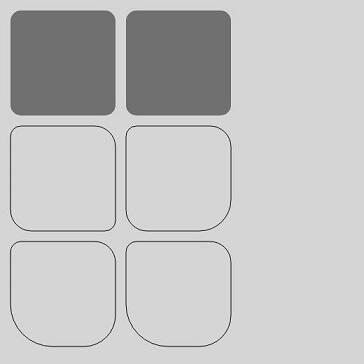
fill
fill(fillRule?: CanvasFillRule): void
对当前路径进行填充。
卡片能力: 从API version 9开始,该接口支持在ArkTS卡片中使用。
元服务API: 从API version 11开始,该接口支持在元服务中使用。
系统能力: SystemCapability.ArkUI.ArkUI.Full
参数:
| 参数名 | 类型 | 必填 | 说明 |
|---|---|---|---|
| fillRule | CanvasFillRule | 否 | 指定要填充对象的规则。 可选参数为:"nonzero","evenodd"。 异常值undefined或null按默认值处理。 默认值:"nonzero" |
// xxx.ets
@Entry
@Component
struct Fill {
  private settings: RenderingContextSettings = new RenderingContextSettings(true);
  private context: CanvasRenderingContext2D = new CanvasRenderingContext2D(this.settings);
  private offCanvas: OffscreenCanvas = new OffscreenCanvas(600, 600);

  build() {
    Flex({ direction: FlexDirection.Column, alignItems: ItemAlign.Center, justifyContent: FlexAlign.Center }) {
      Canvas(this.context)
        .width('100%')
        .height('100%')
        .backgroundColor('#ffff00')
        .onReady(() => {
          let offContext = this.offCanvas.getContext("2d", this.settings)
          offContext.fillStyle = '#000000'
          offContext.rect(20, 20, 100, 100) // Create a 100*100 rectangle at (20, 20)
          offContext.fill()
          let image = this.offCanvas.transferToImageBitmap()
          this.context.transferFromImageBitmap(image)
        })
    }
    .width('100%')
    .height('100%')
  }
}

fill
fill(path: Path2D, fillRule?: CanvasFillRule): void
对指定路径进行填充。
卡片能力: 从API version 9开始,该接口支持在ArkTS卡片中使用。
元服务API: 从API version 11开始,该接口支持在元服务中使用。
系统能力: SystemCapability.ArkUI.ArkUI.Full
参数:
| 参数名 | 类型 | 必填 | 说明 |
|---|---|---|---|
| path | Path2D | 是 | Path2D填充路径。 异常值undefined或null按无效值处理。 |
| fillRule | CanvasFillRule | 否 | 指定要填充对象的规则。 可选参数为:"nonzero","evenodd"。 异常值undefined或null按默认值处理。 默认值:"nonzero" |
示例:
// xxx.ets
@Entry
@Component
struct Fill {
  private settings: RenderingContextSettings = new RenderingContextSettings(true);
  private context: CanvasRenderingContext2D = new CanvasRenderingContext2D(this.settings);
  private offCanvas: OffscreenCanvas = new OffscreenCanvas(600, 600);

  build() {
    Flex({ direction: FlexDirection.Column, alignItems: ItemAlign.Center, justifyContent: FlexAlign.Center }) {
      Canvas(this.context)
        .width('100%')
        .height('100%')
        .backgroundColor('#ffff00')
        .onReady(() => {
          let offContext = this.offCanvas.getContext("2d", this.settings)
          let region = new Path2D()
          region.moveTo(30, 90)
          region.lineTo(110, 20)
          region.lineTo(240, 130)
          region.lineTo(60, 130)
          region.lineTo(190, 20)
          region.lineTo(270, 90)
          region.closePath()
          // Fill path
          offContext.fillStyle = '#00ff00'
          offContext.fill(region, "evenodd")
          let image = this.offCanvas.transferToImageBitmap()
          this.context.transferFromImageBitmap(image)
        })
    }
    .width('100%')
    .height('100%')
  }
}

clip
clip(fillRule?: CanvasFillRule): void
设置当前路径为剪切路径。
卡片能力: 从API version 9开始,该接口支持在ArkTS卡片中使用。
元服务API: 从API version 11开始,该接口支持在元服务中使用。
系统能力: SystemCapability.ArkUI.ArkUI.Full
参数:
| 参数名 | 类型 | 必填 | 说明 |
|---|---|---|---|
| fillRule | CanvasFillRule | 否 | 指定要剪切对象的规则。 可选参数为:"nonzero","evenodd"。 异常值undefined或null按默认值处理。 默认值:"nonzero" |
示例:
// xxx.ets
@Entry
@Component
struct Clip {
  private settings: RenderingContextSettings = new RenderingContextSettings(true);
  private context: CanvasRenderingContext2D = new CanvasRenderingContext2D(this.settings);
  private offCanvas: OffscreenCanvas = new OffscreenCanvas(600, 600);

  build() {
    Flex({ direction: FlexDirection.Column, alignItems: ItemAlign.Center, justifyContent: FlexAlign.Center }) {
      Canvas(this.context)
        .width('100%')
        .height('100%')
        .backgroundColor('#ffff00')
        .onReady(() => {
          let offContext = this.offCanvas.getContext("2d", this.settings)
          offContext.rect(0, 0, 100, 200)
          offContext.stroke()
          offContext.clip()
          offContext.fillStyle = "rgb(255,0,0)"
          offContext.fillRect(0, 0, 200, 200)
          let image = this.offCanvas.transferToImageBitmap()
          this.context.transferFromImageBitmap(image)
        })
    }
    .width('100%')
    .height('100%')
  }
}

clip
clip(path: Path2D, fillRule?: CanvasFillRule): void
设置指定路径为剪切路径。
卡片能力: 从API version 9开始,该接口支持在ArkTS卡片中使用。
元服务API: 从API version 11开始,该接口支持在元服务中使用。
系统能力: SystemCapability.ArkUI.ArkUI.Full
参数:
| 参数名 | 类型 | 必填 | 描述 |
|---|---|---|---|
| path | Path2D | 是 | Path2D剪切路径。 异常值undefined或null按无效值处理。 |
| fillRule | CanvasFillRule | 否 | 指定要剪切对象的规则。 可选参数为:"nonzero","evenodd"。 异常值undefined或null按默认值处理。 默认值:"nonzero" |
示例:
// xxx.ets
@Entry
@Component
struct Clip {
  private settings: RenderingContextSettings = new RenderingContextSettings(true);
  private context: CanvasRenderingContext2D = new CanvasRenderingContext2D(this.settings);
  private offCanvas: OffscreenCanvas = new OffscreenCanvas(600, 600);

  build() {
    Flex({ direction: FlexDirection.Column, alignItems: ItemAlign.Center, justifyContent: FlexAlign.Center }) {
      Canvas(this.context)
        .width('100%')
        .height('100%')
        .backgroundColor('#ffff00')
        .onReady(() => {
          let offContext = this.offCanvas.getContext("2d", this.settings)
          let region = new Path2D()
          region.moveTo(30, 90)
          region.lineTo(110, 20)
          region.lineTo(240, 130)
          region.lineTo(60, 130)
          region.lineTo(190, 20)
          region.lineTo(270, 90)
          region.closePath()
          offContext.clip(region,"evenodd")
          offContext.fillStyle = "rgb(0,255,0)"
          offContext.fillRect(0, 0, 600, 600)
          let image = this.offCanvas.transferToImageBitmap()
          this.context.transferFromImageBitmap(image)
        })
    }
    .width('100%')
    .height('100%')
  }
}
reset12+
reset(): void
将OffscreenCanvasRenderingContext2D重置为其默认状态,清除后台缓冲区、绘制状态栈、绘制路径和样式。
元服务API: 从API version 12开始,该接口支持在元服务中使用。
系统能力: SystemCapability.ArkUI.ArkUI.Full
示例:
// xxx.ets
@Entry
@Component
struct Reset {
  private settings: RenderingContextSettings = new RenderingContextSettings(true);
  private context: CanvasRenderingContext2D = new CanvasRenderingContext2D(this.settings);
  private offCanvas: OffscreenCanvas = new OffscreenCanvas(600, 600);

  build() {
    Flex({ direction: FlexDirection.Column, alignItems: ItemAlign.Center, justifyContent: FlexAlign.Center }) {
      Canvas(this.context)
        .width('100%')
        .height('100%')
        .backgroundColor('#ffff00')
        .onReady(() => {
          let offContext = this.offCanvas.getContext("2d", this.settings)
          offContext.fillStyle = '#0000ff'
          offContext.fillRect(20, 20, 150, 100)
          offContext.reset()
          offContext.fillRect(20, 150, 150, 100)
          let image = this.offCanvas.transferToImageBitmap()
          this.context.transferFromImageBitmap(image)
        })
    }
    .width('100%')
    .height('100%')
  }
}

saveLayer12+
saveLayer(): void
创建一个图层。
元服务API: 从API version 12开始,该接口支持在元服务中使用。
系统能力: SystemCapability.ArkUI.ArkUI.Full
示例:
// xxx.ets
@Entry
@Component
struct saveLayer {
  private settings: RenderingContextSettings = new RenderingContextSettings(true);
  private context: CanvasRenderingContext2D = new CanvasRenderingContext2D(this.settings);
  private offCanvas: OffscreenCanvas = new OffscreenCanvas(600, 600);

  build() {
    Flex({ direction: FlexDirection.Column, alignItems: ItemAlign.Center, justifyContent: FlexAlign.Center }) {
      Canvas(this.context)
        .width('100%')
        .height('100%')
        .backgroundColor('#ffff00')
        .onReady(() => {
          let offContext = this.offCanvas.getContext("2d", this.settings)
          offContext.fillStyle = "#0000ff"
          offContext.fillRect(50, 100, 300, 100)
          offContext.fillStyle = "#00ffff"
          offContext.fillRect(50, 150, 300, 100)
          offContext.globalCompositeOperation = 'destination-over'
          offContext.saveLayer()
          offContext.globalCompositeOperation = 'source-over'
          offContext.fillStyle = "#ff0000"
          offContext.fillRect(100, 50, 100, 300)
          offContext.fillStyle = "#00ff00"
          offContext.fillRect(150, 50, 100, 300)
          offContext.restoreLayer()
          let image = this.offCanvas.transferToImageBitmap()
          this.context.transferFromImageBitmap(image)
        })
    }
    .width('100%')
    .height('100%')
  }
}

restoreLayer12+
restoreLayer(): void
恢复图像变换和裁剪状态至saveLayer前的状态,并将图层绘制在canvas上。restoreLayer示例同saveLayer。
元服务API: 从API version 12开始,该接口支持在元服务中使用。
系统能力: SystemCapability.ArkUI.ArkUI.Full
resetTransform
resetTransform(): void
使用单位矩阵重新设置当前矩阵。
卡片能力: 从API version 9开始,该接口支持在ArkTS卡片中使用。
元服务API: 从API version 11开始,该接口支持在元服务中使用。
系统能力: SystemCapability.ArkUI.ArkUI.Full
示例:
// xxx.ets
@Entry
@Component
struct ResetTransform {
  private settings: RenderingContextSettings = new RenderingContextSettings(true);
  private context: CanvasRenderingContext2D = new CanvasRenderingContext2D(this.settings);
  private offCanvas: OffscreenCanvas = new OffscreenCanvas(600, 600);

  build() {
    Flex({ direction: FlexDirection.Column, alignItems: ItemAlign.Center, justifyContent: FlexAlign.Center }) {
      Canvas(this.context)
        .width('100%')
        .height('100%')
        .backgroundColor('#ffff00')
        .onReady(() => {
          let offContext = this.offCanvas.getContext("2d", this.settings)
          offContext.setTransform(1,0.5, -0.5, 1, 10, 10)
          offContext.fillStyle = 'rgb(0,0,255)'
          offContext.fillRect(0, 0, 100, 100)
          offContext.resetTransform()
          offContext.fillStyle = 'rgb(255,0,0)'
          offContext.fillRect(0, 0, 100, 100)
          let image = this.offCanvas.transferToImageBitmap()
          this.context.transferFromImageBitmap(image)
        })
    }
    .width('100%')
    .height('100%')
  }
}

rotate
rotate(angle: number): void
针对当前坐标轴进行顺时针旋转。
卡片能力: 从API version 9开始,该接口支持在ArkTS卡片中使用。
元服务API: 从API version 11开始,该接口支持在元服务中使用。
系统能力: SystemCapability.ArkUI.ArkUI.Full
参数:
| 参数名 | 类型 | 必填 | 说明 |
|---|---|---|---|
| angle | number | 是 | 设置顺时针旋转的弧度值,可以通过 degree * Math.PI / 180 将角度转换为弧度值。 API version 18之前,设置NaN或Infinity时,在该方法后执行的绘制方法无法绘制;设置null或undefined时,当前接口不生效。API version 18及以后,设置NaN、Infinity、null或undefined时当前接口不生效,其他传入有效参数的绘制方法正常绘制。 单位:弧度 |
示例:
// xxx.ets
@Entry
@Component
struct Rotate {
  private settings: RenderingContextSettings = new RenderingContextSettings(true);
  private context: CanvasRenderingContext2D = new CanvasRenderingContext2D(this.settings);
  private offCanvas: OffscreenCanvas = new OffscreenCanvas(600, 600);

  build() {
    Flex({ direction: FlexDirection.Column, alignItems: ItemAlign.Center, justifyContent: FlexAlign.Center }) {
      Canvas(this.context)
        .width('100%')
        .height('100%')
        .backgroundColor('#ffff00')
        .onReady(() => {
          let offContext = this.offCanvas.getContext("2d", this.settings)
          offContext.rotate(45 * Math.PI / 180)
          offContext.fillRect(70, 20, 50, 50)
          let image = this.offCanvas.transferToImageBitmap()
          this.context.transferFromImageBitmap(image)
        })
    }
    .width('100%')
    .height('100%')
  }
}

scale
scale(x: number, y: number): void
设置canvas画布的缩放变换属性,后续的绘制操作将按照缩放比例进行缩放。
卡片能力: 从API version 9开始,该接口支持在ArkTS卡片中使用。
元服务API: 从API version 11开始,该接口支持在元服务中使用。
系统能力: SystemCapability.ArkUI.ArkUI.Full
参数:
| 参数名 | 类型 | 必填 | 说明 |
|---|---|---|---|
| x | number | 是 | 设置水平方向的缩放值。 API version 18之前,设置NaN或Infinity时,在该方法后执行的绘制方法无法绘制;设置null或undefined时,当前接口不生效。API version 18及以后,设置NaN、Infinity、null或undefined时当前接口不生效,其他传入有效参数的绘制方法正常绘制。 |
| y | number | 是 | 设置垂直方向的缩放值。 API version 18之前,设置NaN或Infinity时,在该方法后执行的绘制方法无法绘制;设置null或undefined时,当前接口不生效。API version 18及以后,设置NaN、Infinity、null或undefined时当前接口不生效,其他传入有效参数的绘制方法正常绘制。 |
示例:
// xxx.ets
@Entry
@Component
struct Scale {
  private settings: RenderingContextSettings = new RenderingContextSettings(true);
  private context: CanvasRenderingContext2D = new CanvasRenderingContext2D(this.settings);
  private offCanvas: OffscreenCanvas = new OffscreenCanvas(600, 600);

  build() {
    Flex({ direction: FlexDirection.Column, alignItems: ItemAlign.Center, justifyContent: FlexAlign.Center }) {
      Canvas(this.context)
        .width('100%')
        .height('100%')
        .backgroundColor('#ffff00')
        .onReady(() => {
          let offContext = this.offCanvas.getContext("2d", this.settings)
          offContext.lineWidth = 3
          offContext.strokeRect(30, 30, 50, 50)
          offContext.scale(2, 2) // Scale to 200%
          offContext.strokeRect(30, 30, 50, 50)
          let image = this.offCanvas.transferToImageBitmap()
          this.context.transferFromImageBitmap(image)
        })
    }
    .width('100%')
    .height('100%')
  }
}

transform
transform(a: number, b: number, c: number, d: number, e: number, f: number): void
transform方法对应一个变换矩阵,想对一个图形进行变化的时候,只要设置此变换矩阵相应的参数,对图形的各个定点的坐标分别乘以这个矩阵,就能得到新的定点的坐标。矩阵变换效果可叠加。
卡片能力: 从API version 9开始,该接口支持在ArkTS卡片中使用。
元服务API: 从API version 11开始,该接口支持在元服务中使用。
系统能力: SystemCapability.ArkUI.ArkUI.Full
图形中各个点变换后的坐标可通过下方坐标计算公式计算。
变换后的坐标计算方式(x和y为变换前坐标,x'和y'为变换后坐标):
- x' = a * x + c * y + e
- y' = b * x + d * y + f
参数:
| 参数名 | 类型 | 必填 | 说明 |
|---|---|---|---|
| a | number | 是 | scaleX:指定水平缩放值,支持设置负数。 API version 18之前,设置NaN或Infinity时,在该方法后执行的绘制方法无法绘制;设置null或undefined时,当前接口不生效。API version 18及以后,设置NaN、Infinity、null或undefined时当前接口不生效,其他传入有效参数的绘制方法正常绘制。 |
| b | number | 是 | skewY:指定垂直倾斜值,支持设置负数。 API version 18之前,设置NaN或Infinity时,在该方法后执行的绘制方法无法绘制;设置null或undefined时,当前接口不生效。API version 18及以后,设置NaN、Infinity、null或undefined时当前接口不生效,其他传入有效参数的绘制方法正常绘制。 |
| c | number | 是 | skewX:指定水平倾斜值,支持设置负数。 API version 18之前,设置NaN或Infinity时,在该方法后执行的绘制方法无法绘制;设置null或undefined时,当前接口不生效。API version 18及以后,设置NaN、Infinity、null或undefined时当前接口不生效,其他传入有效参数的绘制方法正常绘制。 |
| d | number | 是 | scaleY:指定垂直缩放值,支持设置负数。 API version 18之前,设置NaN或Infinity时,在该方法后执行的绘制方法无法绘制;设置null或undefined时,当前接口不生效。API version 18及以后,设置NaN、Infinity、null或undefined时当前接口不生效,其他传入有效参数的绘制方法正常绘制。 |
| e | number | 是 | translateX:指定水平移动值,支持设置负数。 API version 18之前,设置NaN或Infinity时,在该方法后执行的绘制方法无法绘制;设置null或undefined时,当前接口不生效。API version 18及以后,设置NaN、Infinity、null或undefined时当前接口不生效,其他传入有效参数的绘制方法正常绘制。 默认单位:vp |
| f | number | 是 | translateY:指定垂直移动值,支持设置负数。 API version 18之前,设置NaN或Infinity时,在该方法后执行的绘制方法无法绘制;设置null或undefined时,当前接口不生效。API version 18及以后,设置NaN、Infinity、null或undefined时当前接口不生效,其他传入有效参数的绘制方法正常绘制。 默认单位:vp |
示例:
// xxx.ets
@Entry
@Component
struct Transform {
  private settings: RenderingContextSettings = new RenderingContextSettings(true);
  private context: CanvasRenderingContext2D = new CanvasRenderingContext2D(this.settings);
  private offCanvas: OffscreenCanvas = new OffscreenCanvas(600, 600);

  build() {
    Flex({ direction: FlexDirection.Column, alignItems: ItemAlign.Center, justifyContent: FlexAlign.Center }) {
      Canvas(this.context)
        .width('100%')
        .height('100%')
        .backgroundColor('rgb(213,213,213)')
        .onReady(() => {
          let offContext = this.offCanvas.getContext("2d", this.settings)
          offContext.fillStyle = 'rgb(112,112,112)'
          offContext.fillRect(0, 0, 100, 100)
          offContext.transform(1, 0.5, -0.5, 1, 10, 10)
          offContext.fillStyle = 'rgb(0,74,175)'
          offContext.fillRect(0, 0, 100, 100)
          offContext.transform(1, 0.5, -0.5, 1, 10, 10)
          offContext.fillStyle = 'rgb(39,135,217)'
          offContext.fillRect(0, 0, 100, 100)
          let image = this.offCanvas.transferToImageBitmap()
          this.context.transferFromImageBitmap(image)
        })
    }
    .width('100%')
    .height('100%')
  }
}

setTransform
setTransform(a: number, b: number, c: number, d: number, e: number, f: number): void
setTransform方法使用的参数和transform()方法相同,但setTransform()方法会重置现有的变换矩阵并创建新的变换矩阵。
卡片能力: 从API version 9开始,该接口支持在ArkTS卡片中使用。
元服务API: 从API version 11开始,该接口支持在元服务中使用。
系统能力: SystemCapability.ArkUI.ArkUI.Full
图形中各个点变换后的坐标可通过下方坐标计算公式计算。
变换后的坐标计算方式(x和y为变换前坐标,x'和y'为变换后坐标):
- x' = a * x + c * y + e
- y' = b * x + d * y + f
参数:
| 参数名 | 类型 | 必填 | 说明 |
|---|---|---|---|
| a | number | 是 | scaleX:指定水平缩放值,支持设置负数。 API version 18之前,设置NaN或Infinity时,在该方法后执行的绘制方法无法绘制;设置null或undefined时,当前接口不生效。API version 18及以后,设置NaN、Infinity、null或undefined时当前接口不生效,其他传入有效参数的绘制方法正常绘制。 |
| b | number | 是 | skewY:指定垂直倾斜值,支持设置负数。 API version 18之前,设置NaN或Infinity时,在该方法后执行的绘制方法无法绘制;设置null或undefined时,当前接口不生效。API version 18及以后,设置NaN、Infinity、null或undefined时当前接口不生效,其他传入有效参数的绘制方法正常绘制。 |
| c | number | 是 | skewX:指定水平倾斜值,支持设置负数。 API version 18之前,设置NaN或Infinity时,在该方法后执行的绘制方法无法绘制;设置null或undefined时,当前接口不生效。API version 18及以后,设置NaN、Infinity、null或undefined时当前接口不生效,其他传入有效参数的绘制方法正常绘制。 |
| d | number | 是 | scaleY:指定垂直缩放值,支持设置负数。 API version 18之前,设置NaN或Infinity时,在该方法后执行的绘制方法无法绘制;设置null或undefined时,当前接口不生效。API version 18及以后,设置NaN、Infinity、null或undefined时当前接口不生效,其他传入有效参数的绘制方法正常绘制。 |
| e | number | 是 | translateX:指定水平移动值,支持设置负数。 API version 18之前,设置NaN或Infinity时,在该方法后执行的绘制方法无法绘制;设置null或undefined时,当前接口不生效。API version 18及以后,设置NaN、Infinity、null或undefined时当前接口不生效,其他传入有效参数的绘制方法正常绘制。 默认单位:vp |
| f | number | 是 | translateY:指定垂直移动值,支持设置负数。 API version 18之前,设置NaN或Infinity时,在该方法后执行的绘制方法无法绘制;设置null或undefined时,当前接口不生效。API version 18及以后,设置NaN、Infinity、null或undefined时当前接口不生效,其他传入有效参数的绘制方法正常绘制。 默认单位:vp |
示例:
// xxx.ets
@Entry
@Component
struct SetTransform {
  private settings: RenderingContextSettings = new RenderingContextSettings(true);
  private context: CanvasRenderingContext2D = new CanvasRenderingContext2D(this.settings);
  private offCanvas: OffscreenCanvas = new OffscreenCanvas(600, 600);

  build() {
    Flex({ direction: FlexDirection.Column, alignItems: ItemAlign.Center, justifyContent: FlexAlign.Center }) {
      Canvas(this.context)
        .width('100%')
        .height('100%')
        .backgroundColor('#ffff00')
        .onReady(() => {
          let offContext = this.offCanvas.getContext("2d", this.settings)
          offContext.fillStyle = 'rgb(255,0,0)'
          offContext.fillRect(0, 0, 100, 100)
          offContext.setTransform(1,0.5, -0.5, 1, 10, 10)
          offContext.fillStyle = 'rgb(0,0,255)'
          offContext.fillRect(0, 0, 100, 100)
          let image = this.offCanvas.transferToImageBitmap()
          this.context.transferFromImageBitmap(image)
        })
    }
    .width('100%')
    .height('100%')
  }
}

setTransform
setTransform(transform?: Matrix2D): void
以Matrix2D对象为模板重置现有的变换矩阵并创建新的变换矩阵。
卡片能力: 从API version 9开始,该接口支持在ArkTS卡片中使用。
元服务API: 从API version 11开始,该接口支持在元服务中使用。
系统能力: SystemCapability.ArkUI.ArkUI.Full
参数:
| 参数名 | 类型 | 必填 | 描述 |
|---|---|---|---|
| transform | Matrix2D | 否 | 变换矩阵。 异常值undefined或null按无效值处理。 默认值:null |
示例:
// xxx.ets
 @Entry
 @Component
 struct TransFormDemo {
   private settings: RenderingContextSettings = new RenderingContextSettings(true);
   private context1: CanvasRenderingContext2D = new CanvasRenderingContext2D(this.settings);
   private offcontext1: OffscreenCanvasRenderingContext2D = new OffscreenCanvasRenderingContext2D(600, 200, this.settings);
   private context2: CanvasRenderingContext2D = new CanvasRenderingContext2D(this.settings);
   private offcontext2: OffscreenCanvasRenderingContext2D = new OffscreenCanvasRenderingContext2D(600, 200, this.settings);

   build() {
     Flex({ direction: FlexDirection.Column, alignItems: ItemAlign.Center, justifyContent: FlexAlign.Center }) {
       Text('context1');
       Canvas(this.context1)
         .width('230vp')
         .height('160vp')
         .backgroundColor('#ffff00')
         .onReady(() => {
           this.offcontext1.fillRect(100, 20, 50, 50);
           this.offcontext1.setTransform(1, 0.5, -0.5, 1, 10, 10);
           this.offcontext1.fillRect(100, 20, 50, 50);
           let image = this.offcontext1.transferToImageBitmap();
           this.context1.transferFromImageBitmap(image);
         })
       Text('context2');
       Canvas(this.context2)
         .width('230vp')
         .height('160vp')
         .backgroundColor('#0ffff0')
         .onReady(() => {
           this.offcontext2.fillRect(100, 20, 50, 50);
           let storedTransform = this.offcontext1.getTransform();
           this.offcontext2.setTransform(storedTransform);
           this.offcontext2.fillRect(100, 20, 50, 50);
           let image = this.offcontext2.transferToImageBitmap();
           this.context2.transferFromImageBitmap(image);
         })
     }
     .width('100%')
     .height('100%')
   }
 }
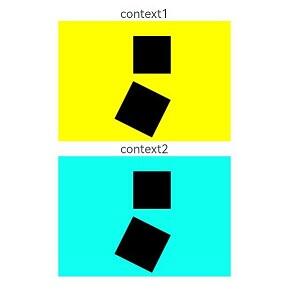
getTransform
getTransform(): Matrix2D
获取当前被应用到上下文的转换矩阵。
卡片能力: 从API version 9开始,该接口支持在ArkTS卡片中使用。
元服务API: 从API version 11开始,该接口支持在元服务中使用。
系统能力: SystemCapability.ArkUI.ArkUI.Full
返回值:
| 类型 | 说明 |
|---|---|
| Matrix2D | 当前被应用到上下文的转换矩阵。 |
示例:
// xxx.ets
@Entry
@Component
struct TransFormDemo {
  private settings: RenderingContextSettings = new RenderingContextSettings(true);
  private context1: CanvasRenderingContext2D = new CanvasRenderingContext2D(this.settings);
  private offcontext1: OffscreenCanvasRenderingContext2D =
    new OffscreenCanvasRenderingContext2D(600, 100, this.settings);
  private context2: CanvasRenderingContext2D = new CanvasRenderingContext2D(this.settings);
  private offcontext2: OffscreenCanvasRenderingContext2D =
    new OffscreenCanvasRenderingContext2D(600, 100, this.settings);

  build() {
    Flex({ direction: FlexDirection.Column, alignItems: ItemAlign.Center, justifyContent: FlexAlign.Center }) {
      Text('context1');
      Canvas(this.context1)
        .width('230vp')
        .height('120vp')
        .backgroundColor('#ffff00')
        .onReady(() => {
          this.offcontext1.fillRect(50, 50, 50, 50);
          this.offcontext1.setTransform(1.2, Math.PI / 8, Math.PI / 6, 0.5, 30, -25);
          this.offcontext1.fillRect(50, 50, 50, 50);
          let image = this.offcontext1.transferToImageBitmap();
          this.context1.transferFromImageBitmap(image);
        })
      Text('context2');
      Canvas(this.context2)
        .width('230vp')
        .height('120vp')
        .backgroundColor('#0ffff0')
        .onReady(() => {
          this.offcontext2.fillRect(50, 50, 50, 50);
          let storedTransform = this.offcontext1.getTransform();
          console.info(`Matrix [scaleX = ${storedTransform.scaleX}, scaleY = ${storedTransform.scaleY}, rotateX = ${storedTransform.rotateX}, rotateY = ${storedTransform.rotateY}, translateX = ${storedTransform.translateX}, translateY = ${storedTransform.translateY}]`)
          this.offcontext2.setTransform(storedTransform);
          this.offcontext2.fillRect(50, 50, 50, 50);
          let image = this.offcontext2.transferToImageBitmap();
          this.context2.transferFromImageBitmap(image);
        })
    }
    .width('100%')
    .height('100%')
  }
}
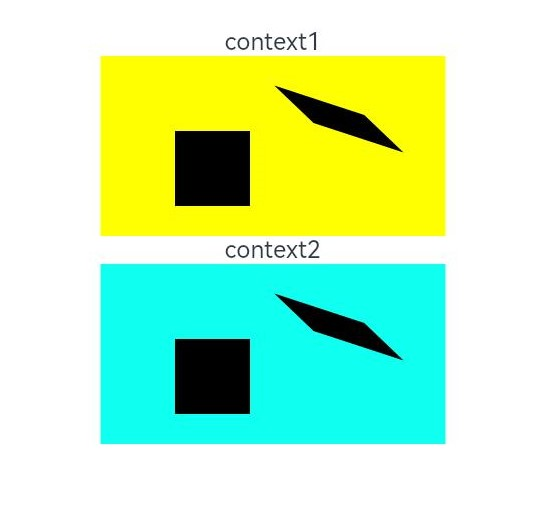
translate
translate(x: number, y: number): void
移动当前坐标系的原点。
卡片能力: 从API version 9开始,该接口支持在ArkTS卡片中使用。
元服务API: 从API version 11开始,该接口支持在元服务中使用。
系统能力: SystemCapability.ArkUI.ArkUI.Full
参数:
| 参数名 | 类型 | 必填 | 说明 |
|---|---|---|---|
| x | number | 是 | 设置水平平移量。 API version 18之前,设置NaN或Infinity时,在该方法后执行的绘制方法无法绘制;设置null或undefined时,当前接口不生效。API version 18及以后,设置NaN、Infinity、null或undefined时当前接口不生效,其他传入有效参数的绘制方法正常绘制。 默认单位:vp |
| y | number | 是 | 设置垂直平移量。 API version 18之前,设置NaN或Infinity时,在该方法后执行的绘制方法无法绘制;设置null或undefined时,当前接口不生效。API version 18及以后,设置NaN、Infinity、null或undefined时当前接口不生效,其他传入有效参数的绘制方法正常绘制。 默认单位:vp |
示例:
// xxx.ets
@Entry
@Component
struct Translate {
  private settings: RenderingContextSettings = new RenderingContextSettings(true);
  private context: CanvasRenderingContext2D = new CanvasRenderingContext2D(this.settings);
  private offCanvas: OffscreenCanvas = new OffscreenCanvas(600, 600);

  build() {
    Flex({ direction: FlexDirection.Column, alignItems: ItemAlign.Center, justifyContent: FlexAlign.Center }) {
      Canvas(this.context)
        .width('100%')
        .height('100%')
        .backgroundColor('#ffff00')
        .onReady(() => {
          let offContext = this.offCanvas.getContext("2d", this.settings)
          offContext.fillRect(10, 10, 50, 50)
          offContext.translate(70, 70)
          offContext.fillRect(10, 10, 50, 50)
          let image = this.offCanvas.transferToImageBitmap()
          this.context.transferFromImageBitmap(image)
        })
    }
    .width('100%')
    .height('100%')
  }
}

drawImage
drawImage(image: ImageBitmap | PixelMap, dx: number, dy: number): void
进行图像绘制。
卡片能力: 从API version 9开始,该接口支持在ArkTS卡片中使用,卡片中不支持PixelMap对象。
元服务API: 从API version 11开始,该接口支持在元服务中使用。
系统能力: SystemCapability.ArkUI.ArkUI.Full
参数:
| 参数 | 类型 | 必填 | 说明 |
|---|---|---|---|
| image | ImageBitmap | PixelMap | 是 |
| dx | number | 是 | 绘制区域左上角在x轴的位置。 异常值undefined或null按0处理,NaN和Infinity按无效值处理,不进行绘制。 默认单位:vp |
| dy | number | 是 | 绘制区域左上角在y轴的位置。 异常值undefined或null按0处理,NaN和Infinity按无效值处理,不进行绘制。 默认单位:vp |
示例:
此示例的资源不在src > main > resource目录下,从DevEco Studio 6.0.0 Beta2版本开始,新建工程或模块时,默认创建的模块不会对非resources目录下的资源进行打包,需使能相关开关:模块的build-profile.json5中buildOption > resOptions > copyCodeResource > enable设置为true,详见resOptions中copyCodeResource相关介绍。
// xxx.ets
@Entry
@Component
struct DrawImage {
  private settings: RenderingContextSettings = new RenderingContextSettings(true);
  private context: CanvasRenderingContext2D = new CanvasRenderingContext2D(this.settings);
  // "common/images/example.jpg"需要替换为开发者所需的图像资源文件
  private img: ImageBitmap = new ImageBitmap("common/images/example.jpg");
  private offCanvas: OffscreenCanvas = new OffscreenCanvas(600, 600);

  build() {
    Flex({ direction: FlexDirection.Column, alignItems: ItemAlign.Center, justifyContent: FlexAlign.Center }) {
      Canvas(this.context)
        .width('100%')
        .height('100%')
        .backgroundColor('#D5D5D5')
        .onReady(() => {
          let offContext = this.offCanvas.getContext("2d", this.settings)
          offContext.drawImage(this.img, 0, 0)
          let image = this.offCanvas.transferToImageBitmap()
          this.context.transferFromImageBitmap(image)
        })
    }
    .width('100%')
    .height('100%')
  }
}

drawImage
drawImage(image: ImageBitmap | PixelMap, dx: number, dy: number, dw: number, dh: number): void
将图像拉伸或压缩绘制。
卡片能力: 从API version 9开始,该接口支持在ArkTS卡片中使用,卡片中不支持PixelMap对象。
元服务API: 从API version 11开始,该接口支持在元服务中使用。
系统能力: SystemCapability.ArkUI.ArkUI.Full
参数:
| 参数 | 类型 | 必填 | 说明 |
|---|---|---|---|
| image | ImageBitmap | PixelMap | 是 |
| dx | number | 是 | 绘制区域左上角在x轴的位置。 异常值undefined或null按0处理,NaN和Infinity按无效值处理,不进行绘制。 默认单位:vp |
| dy | number | 是 | 绘制区域左上角在y轴的位置。 异常值undefined或null按0处理,NaN和Infinity按无效值处理,不进行绘制。 默认单位:vp |
| dw | number | 是 | 绘制区域的宽度。 负数、异常值undefined或null按0处理,NaN和Infinity按无效值处理,不进行绘制。 默认单位:vp |
| dh | number | 是 | 绘制区域的高度。 负数、异常值undefined或null按0处理,NaN和Infinity按无效值处理,不进行绘制。 默认单位:vp |
示例:
此示例的资源不在src > main > resource目录下,从DevEco Studio 6.0.0 Beta2版本开始,新建工程或模块时,默认创建的模块不会对非resources目录下的资源进行打包,需使能相关开关:模块的build-profile.json5中buildOption > resOptions > copyCodeResource > enable设置为true,详见resOptions中copyCodeResource相关介绍。
// xxx.ets
@Entry
@Component
struct DrawImage {
  private settings: RenderingContextSettings = new RenderingContextSettings(true);
  private context: CanvasRenderingContext2D = new CanvasRenderingContext2D(this.settings);
  // "common/images/example.jpg"需要替换为开发者所需的图像资源文件
  private img: ImageBitmap = new ImageBitmap("common/images/example.jpg");
  private offCanvas: OffscreenCanvas = new OffscreenCanvas(600, 600);

  build() {
    Flex({ direction: FlexDirection.Column, alignItems: ItemAlign.Center, justifyContent: FlexAlign.Center }) {
      Canvas(this.context)
        .width('100%')
        .height('100%')
        .backgroundColor('#D5D5D5')
        .onReady(() => {
          let offContext = this.offCanvas.getContext("2d", this.settings)
          offContext.drawImage(this.img, 0, 0, 300, 300)
          let image = this.offCanvas.transferToImageBitmap()
          this.context.transferFromImageBitmap(image)
        })
    }
    .width('100%')
    .height('100%')
  }
}

drawImage
drawImage(image: ImageBitmap | PixelMap, sx: number, sy: number, sw: number, sh: number, dx: number, dy: number, dw: number, dh: number): void
将图像裁剪后拉伸或压缩绘制。
卡片能力: 从API version 9开始,该接口支持在ArkTS卡片中使用,卡片中不支持PixelMap对象。
元服务API: 从API version 11开始,该接口支持在元服务中使用。
系统能力: SystemCapability.ArkUI.ArkUI.Full
参数:
| 参数 | 类型 | 必填 | 说明 |
|---|---|---|---|
| image | ImageBitmap | PixelMap | 是 |
| sx | number | 是 | 裁切源图像时距离源图像左上角的x坐标值。 异常值undefined或null按0处理,NaN和Infinity按无效值处理,不进行绘制。 image类型为ImageBitmap时,默认单位:vp image类型为PixelMap时,API version 18前,默认单位:px;API version 18及以后,默认单位:vp |
| sy | number | 是 | 裁切源图像时距离源图像左上角的y坐标值。 异常值undefined或null按0处理,NaN和Infinity按无效值处理,不进行绘制。 image类型为ImageBitmap时,默认单位:vp image类型为PixelMap时,API version 18前,默认单位:px;API version 18及以后,默认单位:vp |
| sw | number | 是 | 裁切源图像时需要裁切的宽度。 负数、异常值undefined或null按0处理,NaN和Infinity按无效值处理,不进行绘制。 image类型为ImageBitmap时,默认单位:vp image类型为PixelMap时,API version 18前,默认单位:px;API version 18及以后,默认单位:vp |
| sh | number | 是 | 裁切源图像时需要裁切的高度。 负数、异常值undefined或null按0处理,NaN和Infinity按无效值处理,不进行绘制。 image类型为ImageBitmap时,默认单位:vp image类型为PixelMap时,API version 18前,默认单位:px;API version 18及以后,默认单位:vp |
| dx | number | 是 | 绘制区域左上角在x轴的位置。 异常值undefined或null按0处理,NaN和Infinity按无效值处理,不进行绘制。 默认单位:vp |
| dy | number | 是 | 绘制区域左上角在y轴的位置。 异常值undefined或null按0处理,NaN和Infinity按无效值处理,不进行绘制。 默认单位:vp |
| dw | number | 是 | 绘制区域的宽度。 负数、异常值undefined或null按0处理,NaN和Infinity按无效值处理,不进行绘制。 默认单位:vp |
| dh | number | 是 | 绘制区域的高度。 负数、异常值undefined或null按0处理,NaN和Infinity按无效值处理,不进行绘制。 默认单位:vp |
示例:
此示例的资源不在src > main > resource目录下,从DevEco Studio 6.0.0 Beta2版本开始,新建工程或模块时,默认创建的模块不会对非resources目录下的资源进行打包,需使能相关开关:模块的build-profile.json5中buildOption > resOptions > copyCodeResource > enable设置为true,详见resOptions中copyCodeResource相关介绍。
// xxx.ets
@Entry
@Component
struct DrawImage {
  private settings: RenderingContextSettings = new RenderingContextSettings(true);
  private context: CanvasRenderingContext2D = new CanvasRenderingContext2D(this.settings);
  // "common/images/example.jpg"需要替换为开发者所需的图像资源文件
  private img: ImageBitmap = new ImageBitmap("common/images/example.jpg");
  private offCanvas: OffscreenCanvas = new OffscreenCanvas(600, 600);

  build() {
    Flex({ direction: FlexDirection.Column, alignItems: ItemAlign.Center, justifyContent: FlexAlign.Center }) {
      Canvas(this.context)
        .width('100%')
        .height('100%')
        .backgroundColor('#D5D5D5')
        .onReady(() => {
          let offContext = this.offCanvas.getContext("2d", this.settings)
          offContext.drawImage(this.img, 0, 0, 500, 500, 0, 0, 400, 300)
          let image = this.offCanvas.transferToImageBitmap()
          this.context.transferFromImageBitmap(image)
        })
    }
    .width('100%')
    .height('100%')
  }
}

createImageData
createImageData(sw: number, sh: number): ImageData
根据当前ImageData对象重新创建一个宽、高相同的ImageData对象,请参考ImageData,该接口存在内存拷贝行为,高耗时,应避免频繁使用。createImageData示例同putImageData。
卡片能力: 从API version 9开始,该接口支持在ArkTS卡片中使用。
元服务API: 从API version 11开始,该接口支持在元服务中使用。
系统能力: SystemCapability.ArkUI.ArkUI.Full
参数:
| 参数名 | 类型 | 必填 | 说明 |
|---|---|---|---|
| sw | number | 是 | ImageData的宽度。 异常值undefined、null、NaN和Infinity按0处理。 默认单位:vp |
| sh | number | 是 | ImageData的高度。 异常值undefined、null、NaN和Infinity按0处理。 默认单位:vp |
返回值:
| 类型 | 说明 |
|---|---|
| ImageData | 新的ImageData对象。 |
createImageData
createImageData(imageData: ImageData): ImageData
根据已创建的ImageData对象创建新的ImageData对象(不会复制图像数据),请参考ImageData,该接口存在内存拷贝行为,高耗时,应避免频繁使用。createImageData示例同putImageData。
卡片能力: 从API version 9开始,该接口支持在ArkTS卡片中使用。
参数:
| 参数名 | 类型 | 必填 | 说明 |
|---|---|---|---|
| imageData | ImageData | 是 | 被复制的ImageData对象。 异常值undefined和null按width和height为0的ImageData处理。 |
返回值:
| 类型 | 说明 |
|---|---|
| ImageData | 新的ImageData对象。 |
getPixelMap
getPixelMap(sx: number, sy: number, sw: number, sh: number): PixelMap
以当前canvas指定区域内的像素创建PixelMap对象,该接口存在内存拷贝行为,高耗时,应避免频繁使用。
元服务API: 从API version 11开始,该接口支持在元服务中使用。
系统能力: SystemCapability.ArkUI.ArkUI.Full
参数:
| 参数 | 类型 | 必填 | 说明 |
|---|---|---|---|
| sx | number | 是 | 需要输出的区域的左上角x坐标。 异常值undefined、null、NaN和Infinity按0处理。 默认单位:vp |
| sy | number | 是 | 需要输出的区域的左上角y坐标。 异常值undefined、null、NaN和Infinity按0处理。 默认单位:vp |
| sw | number | 是 | 需要输出的区域的宽度。 异常值undefined、null、NaN和Infinity按0处理。 默认单位:vp |
| sh | number | 是 | 需要输出的区域的高度。 异常值undefined、null、NaN和Infinity按0处理。 默认单位:vp |
返回值:
| 类型 | 说明 |
|---|---|
| PixelMap | 新的PixelMap对象。 |
示例:
- DevEco Studio的预览器不支持显示使用setPixelMap绘制的内容。
- 此示例的资源不在src > main > resource目录下,从DevEco Studio 6.0.0 Beta2版本开始,新建工程或模块时,默认创建的模块不会对非resources目录下的资源进行打包,需使能相关开关:模块的build-profile.json5中buildOption > resOptions > copyCodeResource > enable设置为true,详见resOptions中copyCodeResource相关介绍。
// xxx.ets
@Entry
@Component
struct GetPixelMap {
  private settings: RenderingContextSettings = new RenderingContextSettings(true);
  private context: CanvasRenderingContext2D = new CanvasRenderingContext2D(this.settings);
  // "common/images/example.jpg"需要替换为开发者所需的图像资源文件
  private img: ImageBitmap = new ImageBitmap("common/images/example.jpg");
  private offCanvas: OffscreenCanvas = new OffscreenCanvas(600, 600);

  build() {
    Flex({ direction: FlexDirection.Column, alignItems: ItemAlign.Center, justifyContent: FlexAlign.Center }) {
      Canvas(this.context)
        .width('100%')
        .height('100%')
        .backgroundColor('#ffff00')
        .onReady(() => {
          let offContext = this.offCanvas.getContext("2d", this.settings)
          offContext.drawImage(this.img, 100, 100, 130, 130)
          let pixelmap = offContext.getPixelMap(150, 150, 130, 130)
          offContext.setPixelMap(pixelmap)
          let image = this.offCanvas.transferToImageBitmap()
          this.context.transferFromImageBitmap(image)
        })
    }
    .width('100%')
    .height('100%')
  }
}

setPixelMap
setPixelMap(value?: PixelMap): void
将当前传入PixelMap对象绘制在画布上。setPixelMap示例同getPixelMap。
元服务API: 从API version 11开始,该接口支持在元服务中使用。
系统能力: SystemCapability.ArkUI.ArkUI.Full
参数:
| 参数名 | 类型 | 必填 | 说明 |
|---|---|---|---|
| value | PixelMap | 否 | 包含像素值的PixelMap对象。 异常值undefined和null按无效值处理,不进行绘制。 默认值:null |
getImageData
getImageData(sx: number, sy: number, sw: number, sh: number): ImageData
以当前canvas指定区域内的像素创建ImageData对象,该接口存在内存拷贝行为,高耗时,应避免频繁使用。
卡片能力: 从API version 9开始,该接口支持在ArkTS卡片中使用。
元服务API: 从API version 11开始,该接口支持在元服务中使用。
系统能力: SystemCapability.ArkUI.ArkUI.Full
参数:
| 参数名 | 类型 | 必填 | 说明 |
|---|---|---|---|
| sx | number | 是 | 需要输出的区域的左上角x坐标。 异常值undefined、null、NaN和Infinity按0处理。 默认单位:vp |
| sy | number | 是 | 需要输出的区域的左上角y坐标。 异常值undefined、null、NaN和Infinity按0处理。 默认单位:vp |
| sw | number | 是 | 需要输出的区域的宽度。 异常值undefined、null、NaN和Infinity按0处理。 默认单位:vp |
| sh | number | 是 | 需要输出的区域的高度。 异常值undefined、null、NaN和Infinity按0处理。 默认单位:vp |
返回值:
| 类型 | 说明 |
|---|---|
| ImageData | 新的ImageData对象。 |
示例:
此示例的资源不在src > main > resource目录下,从DevEco Studio 6.0.0 Beta2版本开始,新建工程或模块时,默认创建的模块不会对非resources目录下的资源进行打包,需使能相关开关:模块的build-profile.json5中buildOption > resOptions > copyCodeResource > enable设置为true,详见resOptions中copyCodeResource相关介绍。
// xxx.ets
@Entry
@Component
struct GetImageData {
  private settings: RenderingContextSettings = new RenderingContextSettings(true);
  private context: CanvasRenderingContext2D = new CanvasRenderingContext2D(this.settings);
  private offCanvas: OffscreenCanvas = new OffscreenCanvas(600, 600);
  // "/common/images/1234.png"需要替换为开发者所需的图像资源文件
  private img:ImageBitmap = new ImageBitmap("/common/images/1234.png");

  build() {
    Flex({ direction: FlexDirection.Column, alignItems: ItemAlign.Center, justifyContent: FlexAlign.Center }) {
      Canvas(this.context)
        .width('100%')
        .height('100%')
        .backgroundColor('#ffff00')
        .onReady(() => {
          let offContext = this.offCanvas.getContext("2d", this.settings)
          offContext.drawImage(this.img, 0, 0, 130, 130)
          let imageData = offContext.getImageData(50,50,130,130)
          offContext.putImageData(imageData, 150, 150)
          let image = this.offCanvas.transferToImageBitmap()
          this.context.transferFromImageBitmap(image)
        })
    }
    .width('100%')
    .height('100%')
  }
}
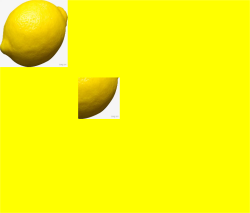
putImageData
putImageData(imageData: ImageData, dx: number | string, dy: number | string): void
使用ImageData数据填充新的矩形区域。
卡片能力: 从API version 9开始,该接口支持在ArkTS卡片中使用。
元服务API: 从API version 11开始,该接口支持在元服务中使用。
系统能力: SystemCapability.ArkUI.ArkUI.Full
参数:
| 参数名 | 类型 | 必填 | 描述 |
|---|---|---|---|
| imageData | ImageData | 是 | 包含像素值的ImageData对象。 异常值undefined或null按无效值处理,不进行绘制。 |
| dx | number | string10+ | 是 |
| dy | number | string10+ | 是 |
示例:
// xxx.ets
@Entry
@Component
struct PutImageData {
  private settings: RenderingContextSettings = new RenderingContextSettings(true);
  private context: CanvasRenderingContext2D = new CanvasRenderingContext2D(this.settings);
  private offCanvas: OffscreenCanvas = new OffscreenCanvas(600, 600);

  build() {
    Flex({ direction: FlexDirection.Column, alignItems: ItemAlign.Center, justifyContent: FlexAlign.Center }) {
      Canvas(this.context)
        .width('100%')
        .height('100%')
        .backgroundColor('rgb(213,213,213)')
        .onReady(() => {
          let offContext = this.offCanvas.getContext("2d", this.settings)
          let imageDataNum = offContext.createImageData(100, 100)
          let imageData = offContext.createImageData(imageDataNum)
          for (let i = 0; i < imageData.data.length; i += 4) {
            imageData.data[i + 0] = 112
            imageData.data[i + 1] = 112
            imageData.data[i + 2] = 112
            imageData.data[i + 3] = 255
          }
          offContext.putImageData(imageData, 10, 10)
          let image = this.offCanvas.transferToImageBitmap()
          this.context.transferFromImageBitmap(image)
        })
    }
    .width('100%')
    .height('100%')
  }
}

putImageData
putImageData(imageData: ImageData, dx: number | string, dy: number | string, dirtyX: number | string, dirtyY: number | string, dirtyWidth?: number | string, dirtyHeight: number | string): void
使用ImageData数据裁剪后填充至新的矩形区域。
卡片能力: 从API version 9开始,该接口支持在ArkTS卡片中使用。
元服务API: 从API version 11开始,该接口支持在元服务中使用。
系统能力: SystemCapability.ArkUI.ArkUI.Full
参数:
| 参数名 | 类型 | 必填 | 描述 |
|---|---|---|---|
| imageData | ImageData | 是 | 包含像素值的ImageData对象。 异常值undefined或null按无效值处理,不进行绘制。 |
| dx | number | string10+ | 是 |
| dy | number | string10+ | 是 |
| dirtyX | number | string10+ | 是 |
| dirtyY | number | string10+ | 是 |
| dirtyWidth | number | string10+ | 是 |
| dirtyHeight | number | string10+ | 是 |
示例:
// xxx.ets
@Entry
@Component
struct PutImageData {
  private settings: RenderingContextSettings = new RenderingContextSettings(true);
  private context: CanvasRenderingContext2D = new CanvasRenderingContext2D(this.settings);
  private offCanvas: OffscreenCanvas = new OffscreenCanvas(600, 600);

  build() {
    Flex({ direction: FlexDirection.Column, alignItems: ItemAlign.Center, justifyContent: FlexAlign.Center }) {
      Canvas(this.context)
        .width('100%')
        .height('100%')
        .backgroundColor('rgb(213,213,213)')
        .onReady(() => {
          let offContext = this.offCanvas.getContext("2d", this.settings)
          let imageDataNum = offContext.createImageData(100, 100)
          let imageData = offContext.createImageData(imageDataNum)
          for (let i = 0; i < imageData.data.length; i += 4) {
            imageData.data[i + 0] = 112
            imageData.data[i + 1] = 112
            imageData.data[i + 2] = 112
            imageData.data[i + 3] = 255
          }
          offContext.putImageData(imageData, 10, 10, 0, 0, 100, 50)
          let image = this.offCanvas.transferToImageBitmap()
          this.context.transferFromImageBitmap(image)
        })
    }
    .width('100%')
    .height('100%')
  }
}

setLineDash
setLineDash(segments: number[]): void
设置画布的虚线样式。
卡片能力: 从API version 9开始,该接口支持在ArkTS卡片中使用。
元服务API: 从API version 11开始,该接口支持在元服务中使用。
参数:
| 参数名 | 类型 | 必填 | 说明 |
|---|---|---|---|
| segments | number[] | 是 | 描述线段如何交替和线段间距长度的数组。 异常值undefined或null按无效值处理。 默认单位:vp |
示例:
// xxx.ets
@Entry
@Component
struct SetLineDash {
  private settings: RenderingContextSettings = new RenderingContextSettings(true);
  private context: CanvasRenderingContext2D = new CanvasRenderingContext2D(this.settings);
  private offCanvas: OffscreenCanvas = new OffscreenCanvas(600, 600);

  build() {
    Flex({ direction: FlexDirection.Column, alignItems: ItemAlign.Center, justifyContent: FlexAlign.Center }) {
      Canvas(this.context)
        .width('100%')
        .height('100%')
        .backgroundColor('#D5D5D5')
        .onReady(() => {
          let offContext = this.offCanvas.getContext("2d", this.settings)
          offContext.arc(100, 75, 50, 0, 6.28)
          offContext.setLineDash([10, 20])
          offContext.stroke()
          let image = this.offCanvas.transferToImageBitmap()
          this.context.transferFromImageBitmap(image)
        })
    }
    .width('100%')
    .height('100%')
  }
}

getLineDash
getLineDash(): number[]
获得当前画布的虚线样式。
卡片能力: 从API version 9开始,该接口支持在ArkTS卡片中使用。
元服务API: 从API version 11开始,该接口支持在元服务中使用。
返回值:
| 类型 | 说明 |
|---|---|
| number[] | 返回数组,该数组用来描述线段如何交替和间距长度。 异常值undefined或null按无效值处理。 默认单位:vp |
示例:
// xxx.ets
@Entry
@Component
struct OffscreenCanvasGetLineDash {
  @State message: string = 'Hello World';
  private settings: RenderingContextSettings = new RenderingContextSettings(true);
  private context: CanvasRenderingContext2D = new CanvasRenderingContext2D(this.settings);
  private offCanvas: OffscreenCanvas = new OffscreenCanvas(600, 600);

  build() {
    Row() {
      Column() {
        Text(this.message)
          .fontSize(50)
          .fontWeight(FontWeight.Bold)
        Canvas(this.context)
          .width('100%')
          .height('100%')
          .backgroundColor('#D5D5D5')
          .onReady(() => {
            let offContext = this.offCanvas.getContext("2d", this.settings)
            offContext.arc(100, 75, 50, 0, 6.28)
            offContext.setLineDash([10, 20])
            offContext.stroke()
            let res = offContext.getLineDash()
            this.message = JSON.stringify(res)
            let image = this.offCanvas.transferToImageBitmap()
            this.context.transferFromImageBitmap(image)
          })
      }
      .width('100%')
    }
    .height('100%')
  }
}
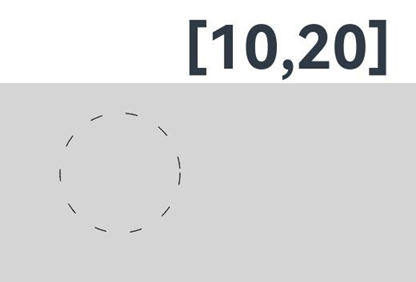
toDataURL
toDataURL(type?: string, quality?: any): string
生成一个包含图片展示的URL,该接口存在内存拷贝行为,高耗时,应避免频繁使用。
卡片能力: 从API version 9开始,该接口支持在ArkTS卡片中使用。
元服务API: 从API version 11开始,该接口支持在元服务中使用。
系统能力: SystemCapability.ArkUI.ArkUI.Full
参数:
| 参数名 | 类型 | 必填 | 说明 |
|---|---|---|---|
| type | string | 否 | 用于指定图像格式。 可选参数为:"image/png","image/jpeg","image/webp"。 异常值undefined或null按默认值处理。 默认值:image/png |
| quality | any | 否 | 在指定图片格式为image/jpeg或image/webp的情况下,可以从0到1的区间内选择图片的质量。如果超出取值范围,将会使用默认值0.92。 异常值undefined、null、NaN和Infinity按默认值处理。 默认值:0.92 |
返回值:
| 类型 | 说明 |
|---|---|
| string | 图像的URL地址。 |
示例:
// xxx.ets
@Entry
@Component
struct ToDataURL {
  private settings: RenderingContextSettings = new RenderingContextSettings(true);
  private context: CanvasRenderingContext2D = new CanvasRenderingContext2D(this.settings);
  private offCanvas: OffscreenCanvas = new OffscreenCanvas(100, 100);
  @State dataURL: string = "";

  build() {
    Flex({ direction: FlexDirection.Column, alignItems: ItemAlign.Center, justifyContent: FlexAlign.Center }) {
      Canvas(this.context)
        .width(100)
        .height(100)
        .onReady(() => {
          let offContext = this.offCanvas.getContext("2d", this.settings)
          offContext.fillRect(0, 0, 100, 100)
          this.dataURL = offContext.toDataURL()
        })
      Text(this.dataURL)
    }
    .width('100%')
    .height('100%')
    .backgroundColor('#ffff00')
  }
}
transferToImageBitmap
transferToImageBitmap(): ImageBitmap
在离屏画布最近渲染的图像上创建一个ImageBitmap对象。
卡片能力: 从API version 9开始,该接口支持在ArkTS卡片中使用。
元服务API: 从API version 11开始,该接口支持在元服务中使用。
系统能力: SystemCapability.ArkUI.ArkUI.Full
返回值:
| 类型 | 说明 |
|---|---|
| ImageBitmap | 存储离屏画布上渲染的像素数据。 |
示例:
// xxx.ets
@Entry
@Component
struct PutImageData {
  private settings: RenderingContextSettings = new RenderingContextSettings(true);
  private context: CanvasRenderingContext2D = new CanvasRenderingContext2D(this.settings);
  private offCanvas: OffscreenCanvas = new OffscreenCanvas(600, 600);

  build() {
    Flex({ direction: FlexDirection.Column, alignItems: ItemAlign.Center, justifyContent: FlexAlign.Center }) {
      Canvas(this.context)
        .width('100%')
        .height('100%')
        .backgroundColor('rgb(213,213,213)')
        .onReady(() => {
          let offContext = this.offCanvas.getContext("2d", this.settings)
          let imageData = offContext.createImageData(100, 100)
          for (let i = 0; i < imageData.data.length; i += 4) {
            imageData.data[i + 0] = 112
            imageData.data[i + 1] = 112
            imageData.data[i + 2] = 112
            imageData.data[i + 3] = 255
          }
          offContext.putImageData(imageData, 10, 10)
          let image = this.offCanvas.transferToImageBitmap()
          this.context.transferFromImageBitmap(image)
        })
    }
    .width('100%')
    .height('100%')
  }
}

restore
restore(): void
对保存的绘图上下文进行恢复。
当restore()次数未超出save()次数时,从栈中弹出存储的绘制状态并恢复CanvasRenderingContext2D对象的属性、剪切路径和变换矩阵的值。
当restore()次数超出save()次数时,此方法不做任何改变。
当没有保存状态时,此方法不做任何改变。
卡片能力: 从API version 9开始,该接口支持在ArkTS卡片中使用。
元服务API: 从API version 11开始,该接口支持在元服务中使用。
系统能力: SystemCapability.ArkUI.ArkUI.Full
示例:
// xxx.ets
@Entry
@Component
struct CanvasExample {
  private settings: RenderingContextSettings = new RenderingContextSettings(true);
  private context: CanvasRenderingContext2D = new CanvasRenderingContext2D(this.settings);
  private offCanvas: OffscreenCanvas = new OffscreenCanvas(600, 600);

  build() {
    Flex({ direction: FlexDirection.Column, alignItems: ItemAlign.Center, justifyContent: FlexAlign.Center }) {
      Canvas(this.context)
        .width('100%')
        .height('100%')
        .backgroundColor('#ffff00')
        .onReady(() => {
          let offContext = this.offCanvas.getContext("2d", this.settings)
          offContext.save() // save the default state
          offContext.fillStyle = "#00ff00"
          offContext.fillRect(20, 20, 100, 100)
          offContext.restore() // restore to the default state
          offContext.fillRect(150, 75, 100, 100)
          let image = this.offCanvas.transferToImageBitmap()
          this.context.transferFromImageBitmap(image)
        })
    }
    .width('100%')
    .height('100%')
  }
}

save
save(): void
对当前的绘图上下文进行保存。
卡片能力: 从API version 9开始,该接口支持在ArkTS卡片中使用。
元服务API: 从API version 11开始,该接口支持在元服务中使用。
系统能力: SystemCapability.ArkUI.ArkUI.Full
示例:
// xxx.ets
@Entry
@Component
struct CanvasExample {
  private settings: RenderingContextSettings = new RenderingContextSettings(true);
  private context: CanvasRenderingContext2D = new CanvasRenderingContext2D(this.settings);
  private offCanvas: OffscreenCanvas = new OffscreenCanvas(600, 600);

  build() {
    Flex({ direction: FlexDirection.Column, alignItems: ItemAlign.Center, justifyContent: FlexAlign.Center }) {
      Canvas(this.context)
        .width('100%')
        .height('100%')
        .backgroundColor('#ffff00')
        .onReady(() => {
          let offContext = this.offCanvas.getContext("2d", this.settings)
          offContext.save() // save the default state
          offContext.fillStyle = "#00ff00"
          offContext.fillRect(20, 20, 100, 100)
          offContext.restore() // restore to the default state
          offContext.fillRect(150, 75, 100, 100)
          let image = this.offCanvas.transferToImageBitmap()
          this.context.transferFromImageBitmap(image)
        })
    }
    .width('100%')
    .height('100%')
  }
}
createLinearGradient
createLinearGradient(x0: number, y0: number, x1: number, y1: number): CanvasGradient
创建一个线性渐变色。
卡片能力: 从API version 9开始,该接口支持在ArkTS卡片中使用。
元服务API: 从API version 11开始,该接口支持在元服务中使用。
系统能力: SystemCapability.ArkUI.ArkUI.Full
参数:
| 参数名 | 类型 | 必填 | 说明 |
|---|---|---|---|
| x0 | number | 是 | 起点的x轴坐标。 异常值undefined和null会导致此接口返回undefined,NaN和Infinity按无效值处理。 默认单位:vp |
| y0 | number | 是 | 起点的y轴坐标。 异常值undefined和null会导致此接口返回undefined,NaN和Infinity按无效值处理。 默认单位:vp |
| x1 | number | 是 | 终点的x轴坐标。 异常值undefined和null会导致此接口返回undefined,NaN和Infinity按无效值处理。 默认单位:vp |
| y1 | number | 是 | 终点的y轴坐标。 异常值undefined和null会导致此接口返回undefined,NaN和Infinity按无效值处理。 默认单位:vp |
返回值:
| 类型 | 说明 |
|---|---|
| CanvasGradient | 新的CanvasGradient对象,用于在offscreenCanvas上创建渐变效果。 |
示例:
// xxx.ets
@Entry
@Component
struct CreateLinearGradient {
  private settings: RenderingContextSettings = new RenderingContextSettings(true);
  private context: CanvasRenderingContext2D = new CanvasRenderingContext2D(this.settings);
  private offCanvas: OffscreenCanvas = new OffscreenCanvas(600, 600);

  build() {
    Flex({ direction: FlexDirection.Column, alignItems: ItemAlign.Center, justifyContent: FlexAlign.Center }) {
      Canvas(this.context)
        .width('100%')
        .height('100%')
        .backgroundColor('rgb(213,213,213)')
        .onReady(() => {
          let offContext = this.offCanvas.getContext("2d", this.settings)
          let grad = offContext.createLinearGradient(50,0, 300,100)
          grad.addColorStop(0.0, 'rgb(39,135,217)')
          grad.addColorStop(0.5, 'rgb(255,238,240)')
          grad.addColorStop(1.0, 'rgb(23,169,141)')
          offContext.fillStyle = grad
          offContext.fillRect(0, 0, 400, 400)
          let image = this.offCanvas.transferToImageBitmap()
          this.context.transferFromImageBitmap(image)
        })
    }
    .width('100%')
    .height('100%')
  }
}

createRadialGradient
createRadialGradient(x0: number, y0: number, r0: number, x1: number, y1: number, r1: number): CanvasGradient
创建一个径向渐变色。
卡片能力: 从API version 9开始,该接口支持在ArkTS卡片中使用。
元服务API: 从API version 11开始,该接口支持在元服务中使用。
系统能力: SystemCapability.ArkUI.ArkUI.Full
参数:
| 参数名 | 类型 | 必填 | 说明 |
|---|---|---|---|
| x0 | number | 是 | 起始圆的x轴坐标。 异常值undefined和null会导致此接口返回undefined,NaN和Infinity按无效值处理。 默认单位:vp |
| y0 | number | 是 | 起始圆的y轴坐标。 异常值undefined和null会导致此接口返回undefined,NaN和Infinity按无效值处理。 默认单位:vp |
| r0 | number | 是 | 起始圆的半径。必须是非负且有限的。 异常值undefined和null会导致此接口返回undefined,NaN和Infinity按无效值处理。 默认单位:vp |
| x1 | number | 是 | 终点圆的x轴坐标。 异常值undefined和null会导致此接口返回undefined,NaN和Infinity按无效值处理。 默认单位:vp |
| y1 | number | 是 | 终点圆的y轴坐标。 异常值undefined和null会导致此接口返回undefined,NaN和Infinity按无效值处理。 默认单位:vp |
| r1 | number | 是 | 终点圆的半径。必须为非负且有限的。 异常值undefined和null会导致此接口返回undefined,NaN和Infinity按无效值处理。 默认单位:vp |
返回值:
| 类型 | 说明 |
|---|---|
| CanvasGradient | 新的CanvasGradient对象,用于在offscreenCanvas上创建渐变效果。 |
示例:
// xxx.ets
@Entry
@Component
struct CreateRadialGradient {
  private settings: RenderingContextSettings = new RenderingContextSettings(true);
  private context: CanvasRenderingContext2D = new CanvasRenderingContext2D(this.settings);
  private offCanvas: OffscreenCanvas = new OffscreenCanvas(600, 600);

  build() {
    Flex({ direction: FlexDirection.Column, alignItems: ItemAlign.Center, justifyContent: FlexAlign.Center }) {
      Canvas(this.context)
        .width('100%')
        .height('100%')
        .backgroundColor('rgb(213,213,213)')
        .onReady(() => {
          let offContext = this.offCanvas.getContext("2d", this.settings)
          let grad = offContext.createRadialGradient(200,200,50, 200,200,200)
          grad.addColorStop(0.0, 'rgb(39,135,217)')
          grad.addColorStop(0.5, 'rgb(255,238,240)')
          grad.addColorStop(1.0, 'rgb(112,112,112)')
          offContext.fillStyle = grad
          offContext.fillRect(0, 0, 440, 440)
          let image = this.offCanvas.transferToImageBitmap()
          this.context.transferFromImageBitmap(image)
        })
    }
    .width('100%')
    .height('100%')
  }
}

createConicGradient10+
createConicGradient(startAngle: number, x: number, y: number): CanvasGradient
创建一个圆锥渐变色。
元服务API: 从API version 11开始,该接口支持在元服务中使用。
系统能力: SystemCapability.ArkUI.ArkUI.Full
参数:
| 参数名 | 类型 | 必填 | 说明 |
|---|---|---|---|
| startAngle | number | 是 | 开始渐变的角度。角度测量从中心右侧水平开始,顺时针移动。 异常值undefined和null按0处理,NaN和Infinity按无效值处理。 单位:弧度 |
| x | number | 是 | 圆锥渐变的中心x轴坐标。 异常值undefined和null按0处理,NaN和Infinity按无效值处理。 默认单位:vp |
| y | number | 是 | 圆锥渐变的中心y轴坐标。 异常值undefined和null按0处理,NaN和Infinity按无效值处理。 默认单位:vp |
返回值:
| 类型 | 说明 |
|---|---|
| CanvasGradient | 新的CanvasGradient对象,用于在offscreenCanvas上创建渐变效果。 |
示例:
// xxx.ets
@Entry
@Component
struct OffscreenCanvasConicGradientPage {
  private settings: RenderingContextSettings = new RenderingContextSettings(true);
  private context: CanvasRenderingContext2D = new CanvasRenderingContext2D(this.settings);
  private offCanvas: OffscreenCanvas = new OffscreenCanvas(600, 600);

  build() {
    Flex({ direction: FlexDirection.Column, alignItems: ItemAlign.Center, justifyContent: FlexAlign.Center }) {
      Canvas(this.context)
        .width('100%')
        .height('100%')
        .backgroundColor('#ffffff')
        .onReady(() => {
          let offContext = this.offCanvas.getContext("2d", this.settings)
          let grad = offContext.createConicGradient(0, 50, 80)
          grad.addColorStop(0.0, '#ff0000')
          grad.addColorStop(0.5, '#ffffff')
          grad.addColorStop(1.0, '#00ff00')
          offContext.fillStyle = grad
          offContext.fillRect(0, 30, 100, 100)
          let image = this.offCanvas.transferToImageBitmap()
          this.context.transferFromImageBitmap(image)
        })
    }
    .width('100%')
    .height('100%')
  }
}