搜索关键字
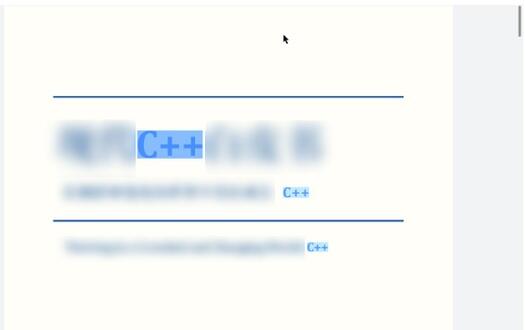
预览PDF文档时,可以对页面的关键词(英文字符不区分大小写)进行搜索并高亮显示,同时使用setSearchIndex方法高亮显示指定的搜索结果。
使用getSearchIndex方法获取当前高亮的索引,可以使用clearSearch方法清除所有搜索结果。
接口说明
| 接口名 | 描述 |
|---|---|
| searchKey(text: string, listener: Callback<number>): void | 搜索文本并返回匹配的总数。 |
| clearSearch(): void | 清除搜索文本的高亮,等价于搜索空字符串 。 |
| setSearchIndex(index: number): void | 设置搜索匹配结果的索引,页面会跳转到索引对应搜索结果处。 |
| getSearchIndex(): number | 获取当前命中搜索关键字匹配结果的索引,执行搜索接口后默认命中索引为0。 |
示例代码
- 先加载PDF文档。
- 调用PdfView预览组件,渲染显示。
- 在按钮【searchKey】里,调用searchKey方法,搜索指定关键字。
- 上一个、下一个搜索按钮跳转到对应的结果。
- 在按钮【getSearchIndex】里,调用getSearchIndex方法,获取当前的搜索结果索引。
- 在按钮【clearSearch】里,调用clearSearch方法,清除搜索结果。
import { pdfService, PdfView, pdfViewManager } from '@kit.PDFKit';
import { hilog } from '@kit.PerformanceAnalysisKit';

@Entry
@Component
struct Index {
  private controller: pdfViewManager.PdfController = new pdfViewManager.PdfController();
  private context = this.getUIContext().getHostContext() as Context;
  private loadResult: pdfService.ParseResult = pdfService.ParseResult.PARSE_ERROR_FORMAT;
  private searchIndex = 0;
  private charCount = 0;

  aboutToAppear(): void {
    // 确保沙箱目录有input.pdf文档
    let filePath = this.context.filesDir + '/input.pdf';
    (async () => {
      this.loadResult = await this.controller.loadDocument(filePath);
    })()
  }

  build() {
    Column() {
      Scroll() {
        Row() {
          // 搜索关键字
          Button('searchKey').onClick(async () => {
            if (this.loadResult === pdfService.ParseResult.PARSE_SUCCESS) {
              this.controller.searchKey('C++', (index: number) => {
                this.charCount = index;
                hilog.info(0x0000, 'PdfPage', 'searchKey %{public}s!', index + '');
              })
            }
          })
            .width(100)
          // 上一个
          Button('setSearchPrevIndex').onClick(async () => {
            if (this.loadResult === pdfService.ParseResult.PARSE_SUCCESS) {
              if(this.searchIndex > 0) {
                this.controller.setSearchIndex(--this.searchIndex);
              }
            }
          })
            .width(200)
          // 下一个
          Button('setSearchNextIndex').onClick(async () => {
            if (this.loadResult === pdfService.ParseResult.PARSE_SUCCESS) {
              if(this.searchIndex < this.charCount) {
                this.controller.setSearchIndex(++this.searchIndex);
              }
            }
          })
            .width(200)
          // 获取当前页索引
          Button('getSearchIndex').onClick(async () => {
            if (this.loadResult === pdfService.ParseResult.PARSE_SUCCESS) {
              let curSearchIndex = this.controller.getSearchIndex();
              hilog.info(0x0000, 'PdfPage', 'curSearchIndex %{public}s!', curSearchIndex + '');
            }
          })
            .width(150)
          // 清除搜索文本的高亮
          Button('clearSearch').onClick(async () => {
            if (this.loadResult === pdfService.ParseResult.PARSE_SUCCESS) {
              this.controller.clearSearch();
            }
          })
            .width(150)
        }
      }
      .scrollable(ScrollDirection.Horizontal)

      PdfView({
        controller: this.controller,
        pageFit: pdfService.PageFit.FIT_WIDTH,
        showScroll: true
      })
        .id('pdfview_app_view')
        .layoutWeight(1);
    }
  }
}