添加、删除背景
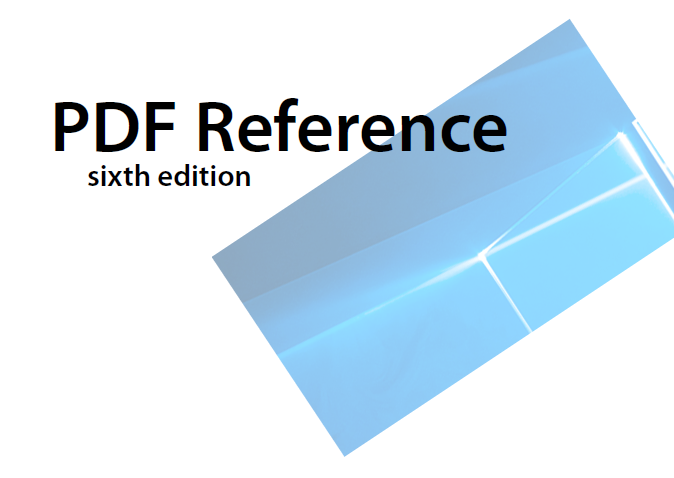
对指定页面添加背景图片或背景颜色,并设置大小、旋转、透明度和位置等属性,支持图片格式:PNG、BMP、JPEG。
接口说明
| 接口名 | 描述 |
|---|---|
| addBackground(info: BackgroundInfo, startIndex: number, endIndex: number, oddPages: boolean, evenPages: boolean): void | 插入PDF文档背景。 |
| removeBackground(): boolean | 删除PDF文档背景。 |

addBackground方法属于耗时业务,需要遍历每一页去添加背景,添加页面较多时建议放到线程里去处理。
示例代码
添加背景:
- 调用loadDocument方法,加载PDF文档。
- 实例化背景BackgroundInfo类,并设置相关属性,包括大小、旋转、透明度和位置等。
- 调用addBackground方法,添加背景。
- 保存PDF文档到应用沙箱。
删除背景:
- 调用loadDocument方法,加载PDF文档。
- 调用removeBackground方法,去除背景。
- 保存PDF文档到应用沙箱。
import { pdfService } from '@kit.PDFKit';
import { hilog } from '@kit.PerformanceAnalysisKit';

@Entry
@Component
struct PdfPage {
  private pdfDocument: pdfService.PdfDocument = new pdfService.PdfDocument();
  private context = this.getUIContext().getHostContext() as Context;

  build() {
    Column() {
      Button('addBackground').onClick(async () => {
        // 确保沙箱目录有input.pdf文档
        let filePath = this.context.filesDir + '/input.pdf';
        let res = this.pdfDocument.loadDocument(filePath);
        if (res === pdfService.ParseResult.PARSE_SUCCESS) {
          let bginfo: pdfService.BackgroundInfo = new pdfService.BackgroundInfo();
          // 确保沙箱目录有img.jpg文档
          bginfo.imagePath = this.context.filesDir + '/img.jpg';
          bginfo.backgroundColor = 50;
          bginfo.isOnTop = true;
          bginfo.rotation = 45;
          bginfo.scale = 0.5;
          bginfo.opacity = 0.3;
          bginfo.verticalAlignment = pdfService.BackgroundAlignment.BACKGROUND_ALIGNMENT_TOP;
          bginfo.horizontalAlignment = pdfService.BackgroundAlignment.BACKGROUND_ALIGNMENT_LEFT;
          bginfo.horizontalSpace = 1.0;
          bginfo.verticalSpace = 1.0;
          this.pdfDocument.addBackground(bginfo, 0, 2, true, true);
          let outPdfPath = this.context.filesDir + '/testAddBackground.pdf';
          let result = this.pdfDocument.saveDocument(outPdfPath);
          hilog.info(0x0000, 'PdfPage', 'addBackground %{public}s!', result ? 'success' : 'fail');
        }
        this.pdfDocument.releaseDocument();
      })
      Button('removeBackground').onClick(async () => {
        let filePath = this.context.filesDir + '/testAddBackground.pdf';
        let res = this.pdfDocument.loadDocument(filePath);
        if (res === pdfService.ParseResult.PARSE_SUCCESS && this.pdfDocument.hasBackground()) {
          let removeResult = this.pdfDocument.removeBackground();
          if (removeResult) {
            let outPdfPath = this.context.filesDir + '/removeBackground.pdf';
            let result = this.pdfDocument.saveDocument(outPdfPath);
            hilog.info(0x0000, 'PdfPage', 'removeBackground %{public}s!', result ? 'success' : 'fail');
          }
        }
        this.pdfDocument.releaseDocument();
      })
    }
  }
}