折线
场景介绍
本章节将向您介绍如何在地图上绘制折线、设置折线分段颜色、设置折线可渐变、绘制纹理。
5.0.3(15)开始,支持折线绘制纹理功能。
接口说明
添加折线功能主要由MapPolylineOptions、addPolyline和MapPolyline提供,更多接口及使用方法请参见接口文档。
| 接口名 | 描述 |
|---|---|
| MapPolylineOptions | 折线参数。 |
| addPolyline(options: mapCommon.MapPolylineOptions): Promise<MapPolyline> | 在地图上添加一条折线。 |
| MapPolyline | 折线,支持更新和查询相关属性。 |
开发步骤
添加折线
-
导入相关模块。
import { MapComponent, mapCommon, map } from '@kit.MapKit';import { AsyncCallback } from '@kit.BasicServicesKit'; -
添加折线,在callback方法中创建初始化参数并新建MapPolyline。
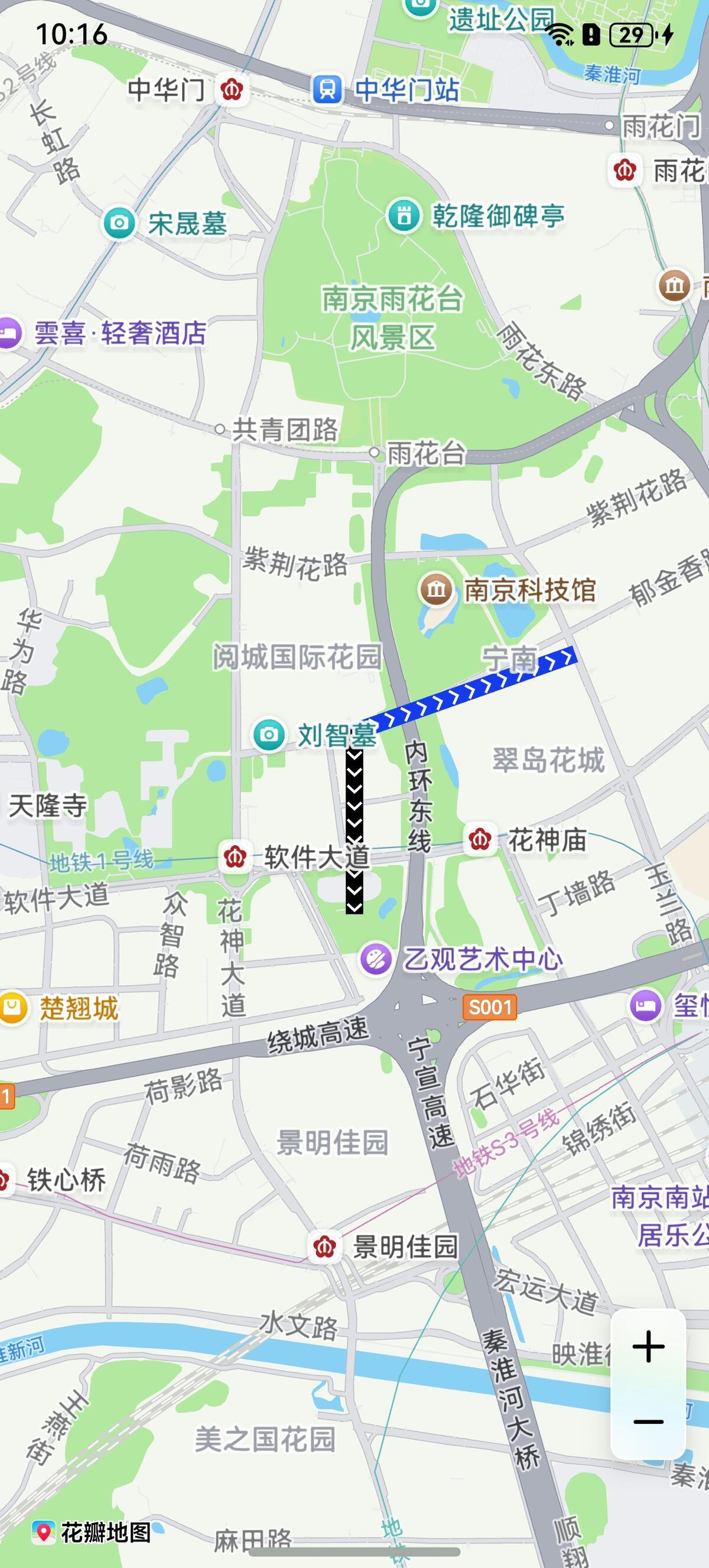
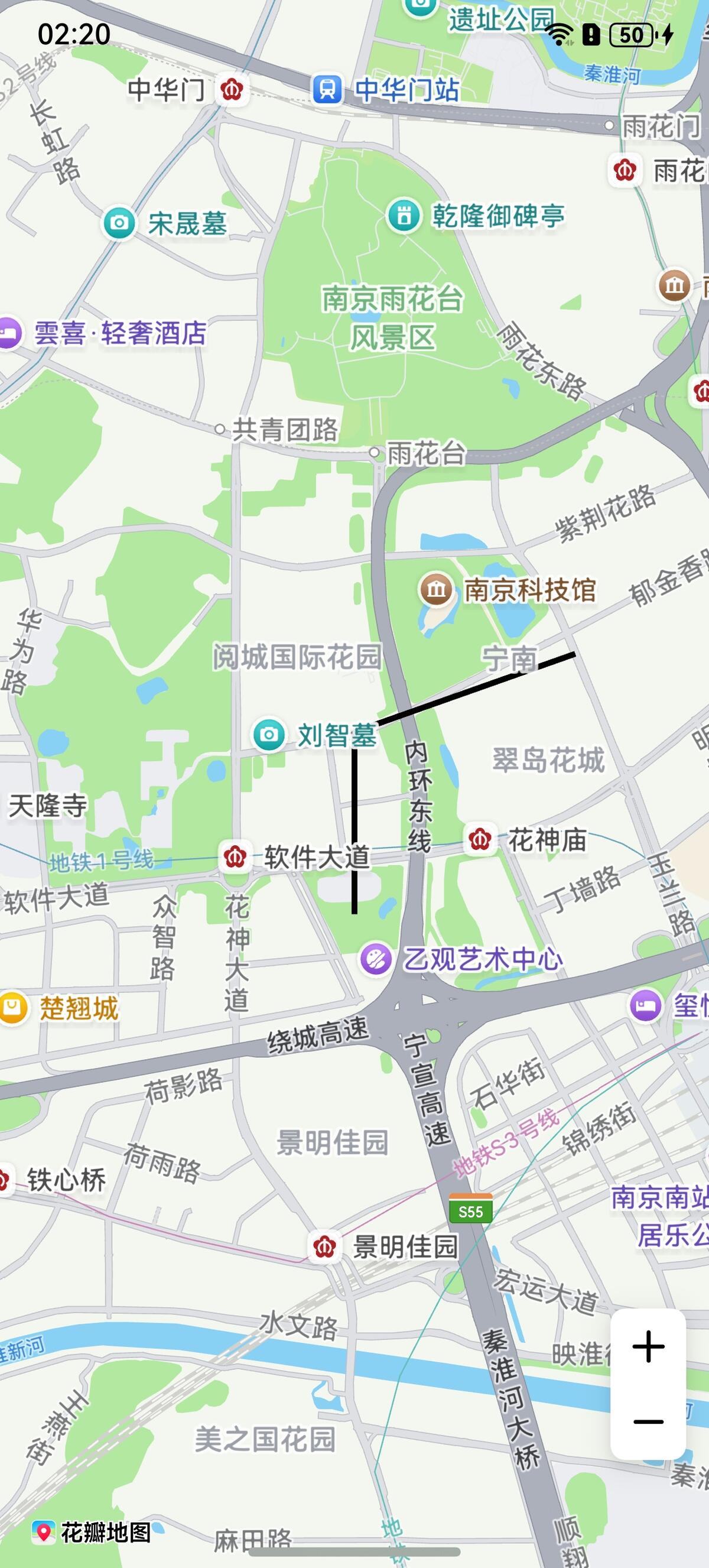
@Entry@Componentstruct MapPolylineDemo {private mapOptions?: mapCommon.MapOptions;private mapController?: map.MapComponentController;private callback?: AsyncCallback<map.MapComponentController>;private mapPolyline?: map.MapPolyline;aboutToAppear(): void {// 地图初始化参数this.mapOptions = {position: {target: {latitude: 31.98,longitude: 118.78},zoom: 14}};this.callback = async (err, mapController) => {if (!err) {this.mapController = mapController;// polyline初始化参数let polylineOption: mapCommon.MapPolylineOptions = {points: [{ longitude: 118.78, latitude: 31.975 },{ longitude: 118.78, latitude: 31.982 },{ longitude: 118.79, latitude: 31.985 }],clickable: true,startCap: mapCommon.CapStyle.BUTT,endCap: mapCommon.CapStyle.BUTT,geodesic: false,jointType: mapCommon.JointType.BEVEL,visible: true,width: 10,zIndex: 10,gradient: false}// 创建polylinetry {this.mapPolyline = await this.mapController.addPolyline(polylineOption);} catch (e) {console.error(`Failed to create the mapPolyline, code is:${e.code}, message is ${e.message}`);}} else {console.error(`Failed to initialize the map, code is:${err.code}, message is ${err.message}`);}};}build() {Stack() {Column() {MapComponent({ mapOptions: this.mapOptions, mapCallback: this.callback });}.width('100%')}.height('100%')}}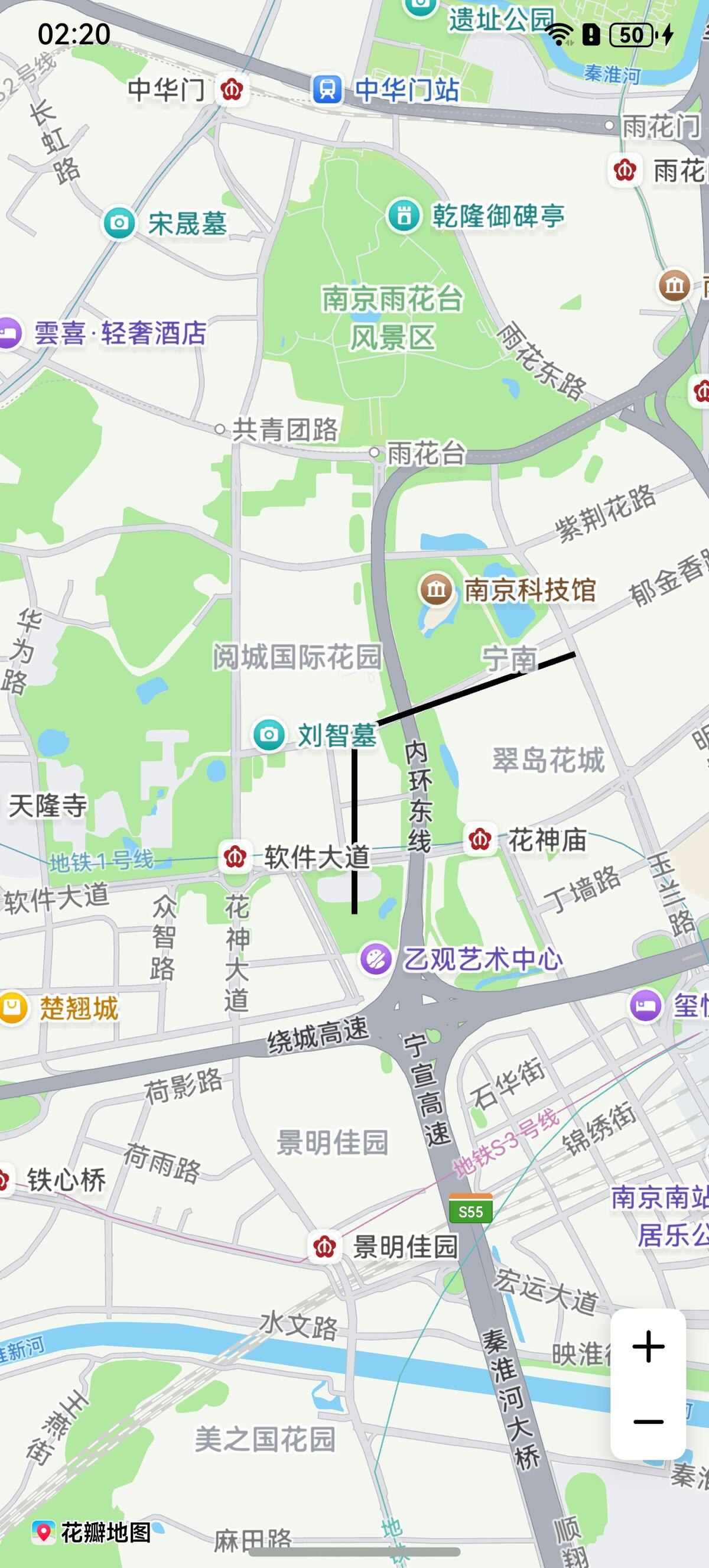
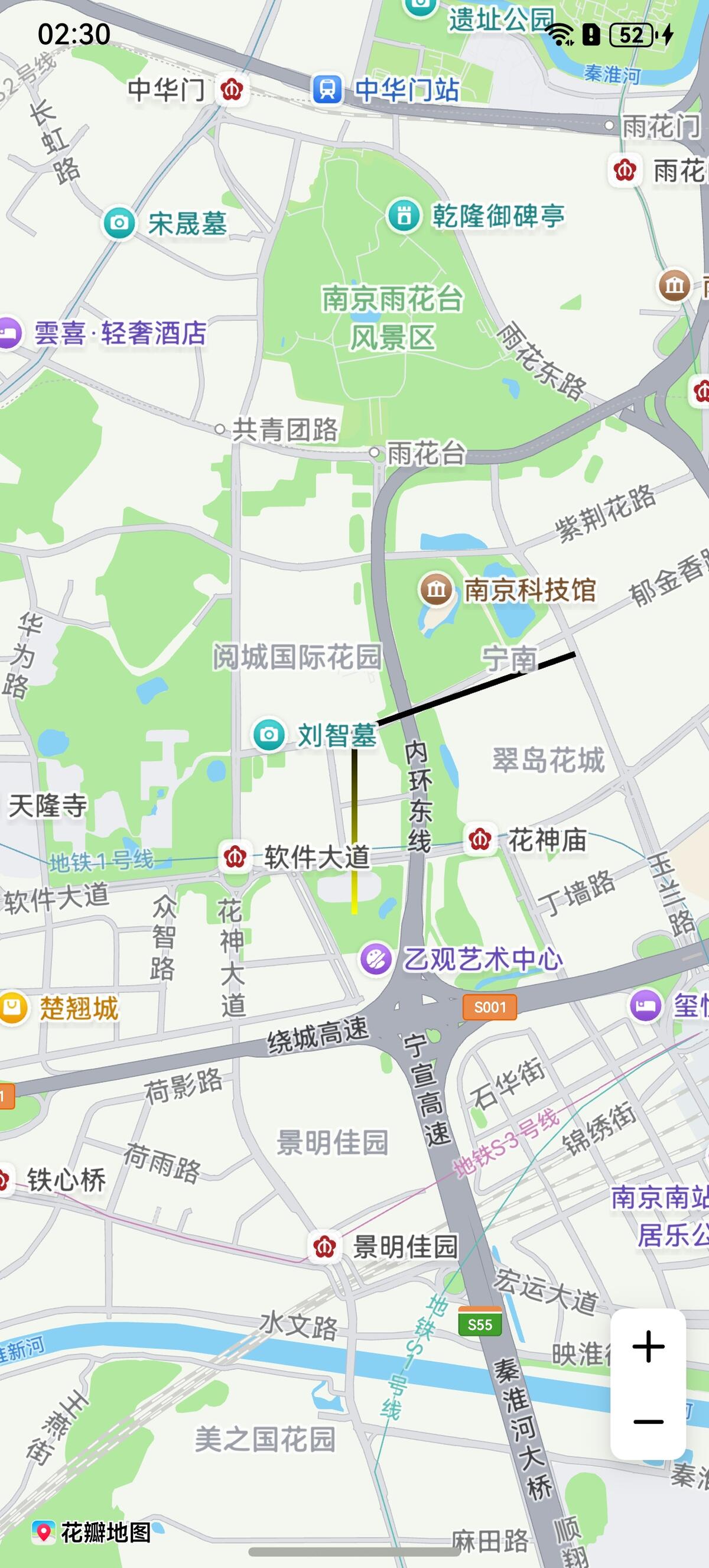
设置折线分段颜色
方法一:新建折线时在MapPolylineOptions的colors属性中设置折线分段颜色值。
let polylineOption: mapCommon.MapPolylineOptions = {
  points: [
    { longitude:118.78, latitude:31.975 },
    { longitude:118.78, latitude:31.982 },
    { longitude:118.79, latitude:31.985 }
  ],
  clickable: true,
  startCap: mapCommon.CapStyle.BUTT,
  endCap: mapCommon.CapStyle.BUTT,
  geodesic: false,
  jointType: mapCommon.JointType.BEVEL,
  visible: true,
  width: 10,
  zIndex: 10,
  // 设置颜色
  colors: [0xffffff00, 0xff000000],
  gradient: false
};
方法二:调用MapPolyline的setColors()方法。
let colors = [0xffffff00, 0xff000000];
this.mapPolyline.setColors(colors);
设置折线可渐变
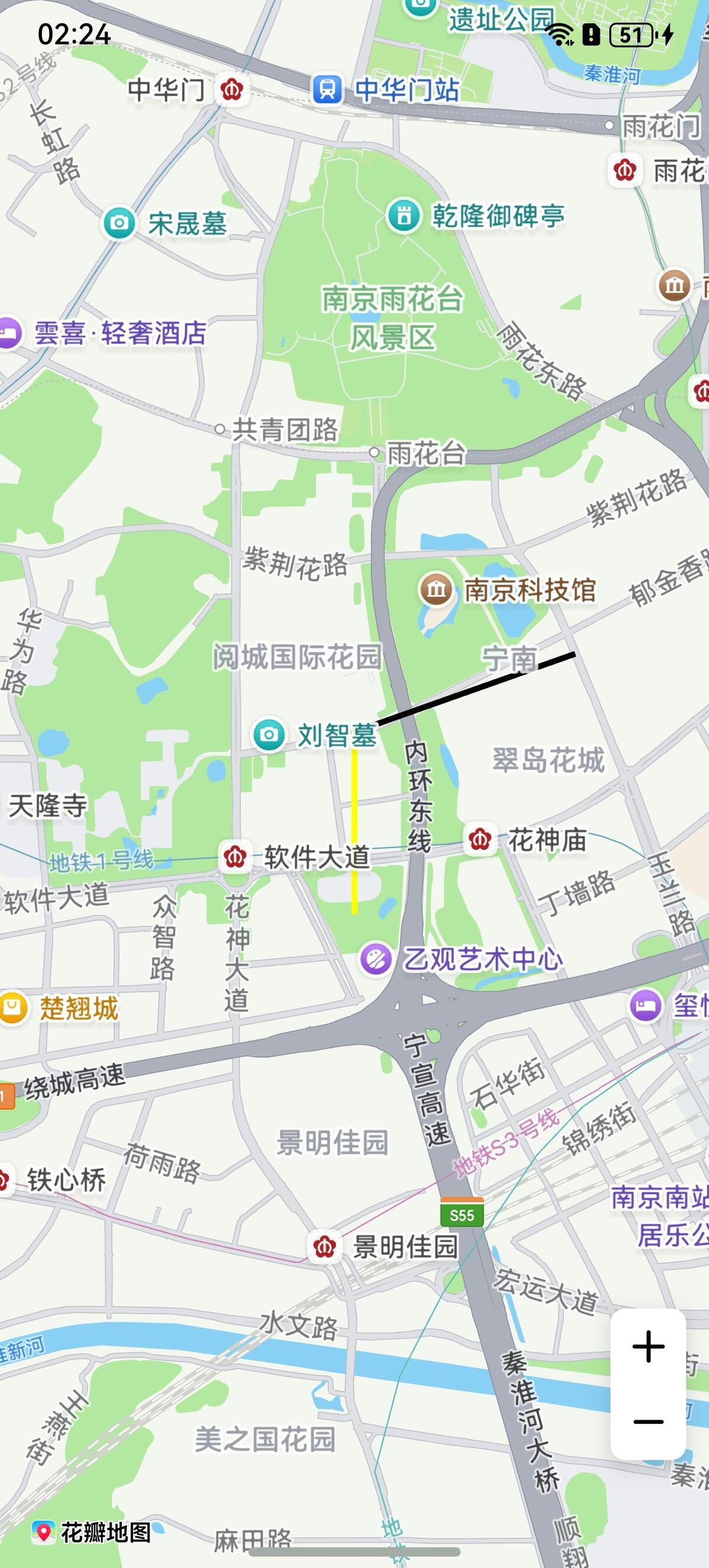
方法一:MapPolylineOptions的gradient属性设置为true。
let polylineOption: mapCommon.MapPolylineOptions = {
  points: [
    { longitude:118.78, latitude:31.975 },
    { longitude:118.78, latitude:31.982 },
    { longitude:118.79, latitude:31.985 }
  ],
  clickable: true,
  startCap: mapCommon.CapStyle.BUTT,
  endCap: mapCommon.CapStyle.BUTT,
  geodesic: false,
  jointType: mapCommon.JointType.BEVEL,
  visible: true,
  width: 10,
  zIndex: 10,
  colors: [0xffffff00, 0xff000000],
  // 设置颜色折线可渐变
  gradient: true
};
方法二:调用MapPolyline的setGradient()方法。
this.mapPolyline.setGradient(true);
绘制纹理
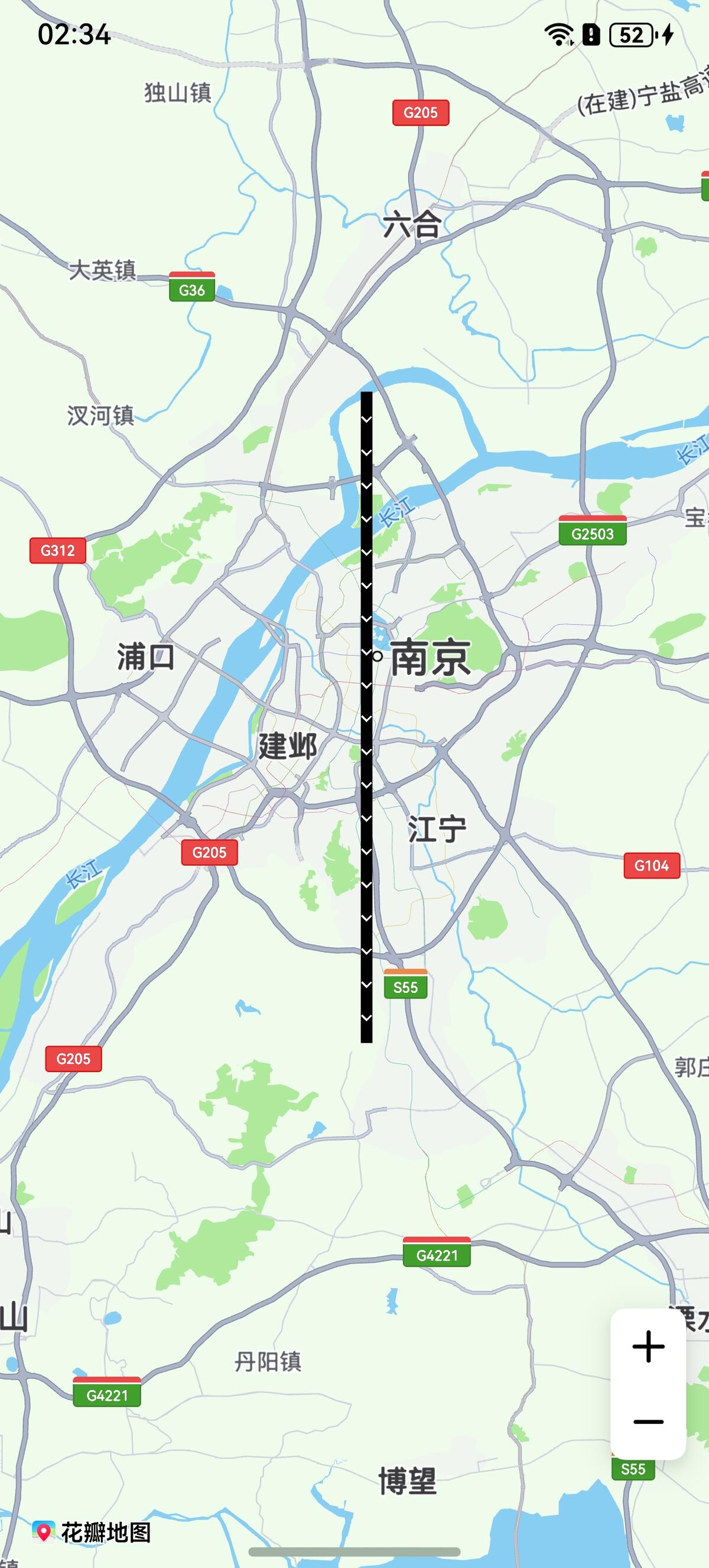
方法一:新建折线时在MapPolylineOptions的customTexture属性设置折线纹理。
let polylineOption: mapCommon.MapPolylineOptions = {
  points: [
    { latitude: 32.220750, longitude: 118.788765 },
    { latitude: 32.120750, longitude: 118.788765 },
    { latitude: 32.020750, longitude: 118.788765 },
    { latitude: 31.920750, longitude: 118.788765 },
    { latitude: 31.820750, longitude: 118.788765 }
  ],
  clickable: true,
  jointType: mapCommon.JointType.DEFAULT,
  width: 20,
  // 图标需存放在resources/rawfile目录下
  customTexture: "icon/naviline_arrow.png"
}
方法二:调用MapPolyline的setCustomTexture方法。
await this.mapPolyline.setCustomTexture("icon/naviline_arrow.png");
折线设置分段纹理
新建折线时利用在MapPolylineOptions的customTextures和customTextureIndexes属性设置折线分段纹理。
import { image } from '@kit.ImageKit';

// 数组存放图片内容
let customTextures: Array<ResourceStr | image.PixelMap> = new Array();
// 图标存放在resources/rawfile,'icon/img.png'参数值传入rawfile文件夹下的相对路径
customTextures.push('icon/img.png');
customTextures.push('icon/img_1.png');
let cusIndexNumber: Array<number> = new Array();
// cusIndexNumber数组长度与折线点数量必须相同,数组元素内容与customTextures下标相对应,图片从数组第二个元素开始选择
cusIndexNumber.push(0, 0, 1);
// polyline初始化参数
let polylineOption: mapCommon.MapPolylineOptions = {
  points: [
    { longitude: 118.78, latitude: 31.975 },
    { longitude: 118.78, latitude: 31.982 },
    { longitude: 118.79, latitude: 31.985 }
  ],
  clickable: true,
  startCap: mapCommon.CapStyle.BUTT,
  endCap: mapCommon.CapStyle.BUTT,
  jointType: mapCommon.JointType.BEVEL,
  width: 30,
  // 图标需存放在resources/rawfile目录下
  customTextures: customTextures,
  customTextureIndexes: cusIndexNumber
};
let mapPolyline = await this.mapController.addPolyline(polylineOption);