热力图
场景介绍
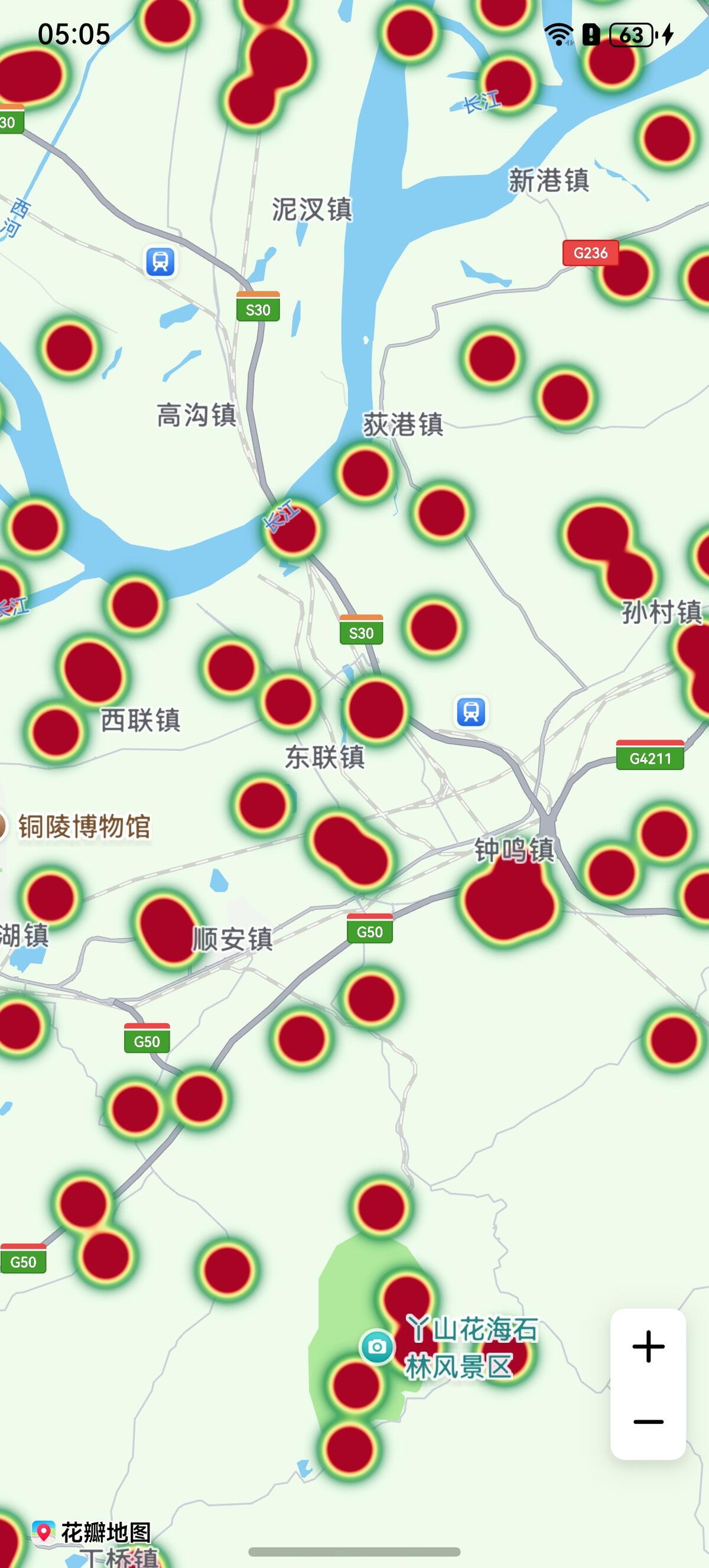
新增热力图层,用于展示数据的分布情况。通过热力图功能,将数据用不同颜色的区块在地图上展示,可以直观地描述在地图上某个区域内人群或车辆的密度和分布情况。热力图适用于大数据密度可视化场景,如人流分布,热点区域等。
6.0.0(20)开始,支持热力图功能。
接口说明
热力图功能主要由HeatmapParams、addHeatmap和Heatmap提供,更多接口及使用方法请参见接口文档。
| 接口名 | 描述 |
|---|---|
| HeatmapParams | 热力图参数。 |
| addHeatmap(params: mapCommon.HeatmapParams): Promise<Heatmap> | 新增热力图。 |
| Heatmap | 热力图,支持修改和删除热力图,例如:支持设置颜色、设置透明度等。 |
开发步骤
-
导入相关模块。
import { map, mapCommon, MapComponent } from '@kit.MapKit';import { AsyncCallback } from '@kit.BasicServicesKit'; -
增加热力图。
@Entry@Componentstruct HeatMapDemo {private TAG = "OHMapSDK_HeatMapDemo";private mapOption?: mapCommon.MapOptions;private mapController?: map.MapComponentController;private callback?: AsyncCallback<map.MapComponentController>;aboutToAppear(): void {this.mapOption = {position: {target: {latitude: 31.000000,longitude: 118.000000},zoom: 11}}this.callback = async (err, mapController) => {console.info(this.TAG, "mapCallback err=" + JSON.stringify(err) +"; mapController=" + JSON.stringify(mapController));if (!err) {this.mapController = mapController;let data: mapCommon.WeightedLatLng[] = [];// 生成500个随机坐标点,用于热力图数据for (let i = 0; i < 500; i++) {data.push({point: {longitude: 118.000000 + Math.random() * 1 - 0.25,latitude: 31.000000 + Math.random() * 1 - 0.25},intensity: 1});}let heatMapOptions: mapCommon.HeatmapParams = {id: 'heatmap0001',data:data,radius:20,intensity: {2: 1,5: 5,8: 10}}try {// 添加热力图await this.mapController?.addHeatmap(heatMapOptions);} catch (e) {console.error(this.TAG, `code:${e.code}, message:${e.message}`);}} else {console.error(`Failed to initialize the map, code is:${err.code}, message is ${err.message}`);}}}build() {Stack() {Column() {MapComponent({ mapOptions: this.mapOption, mapCallback: this.callback }).width('100%').height('100%');}.width('100%')}.height('100%')}}