覆盖物
场景介绍
地图覆盖物是固定在地图上的图片,本章节将向您介绍如何为地图增加覆盖物。
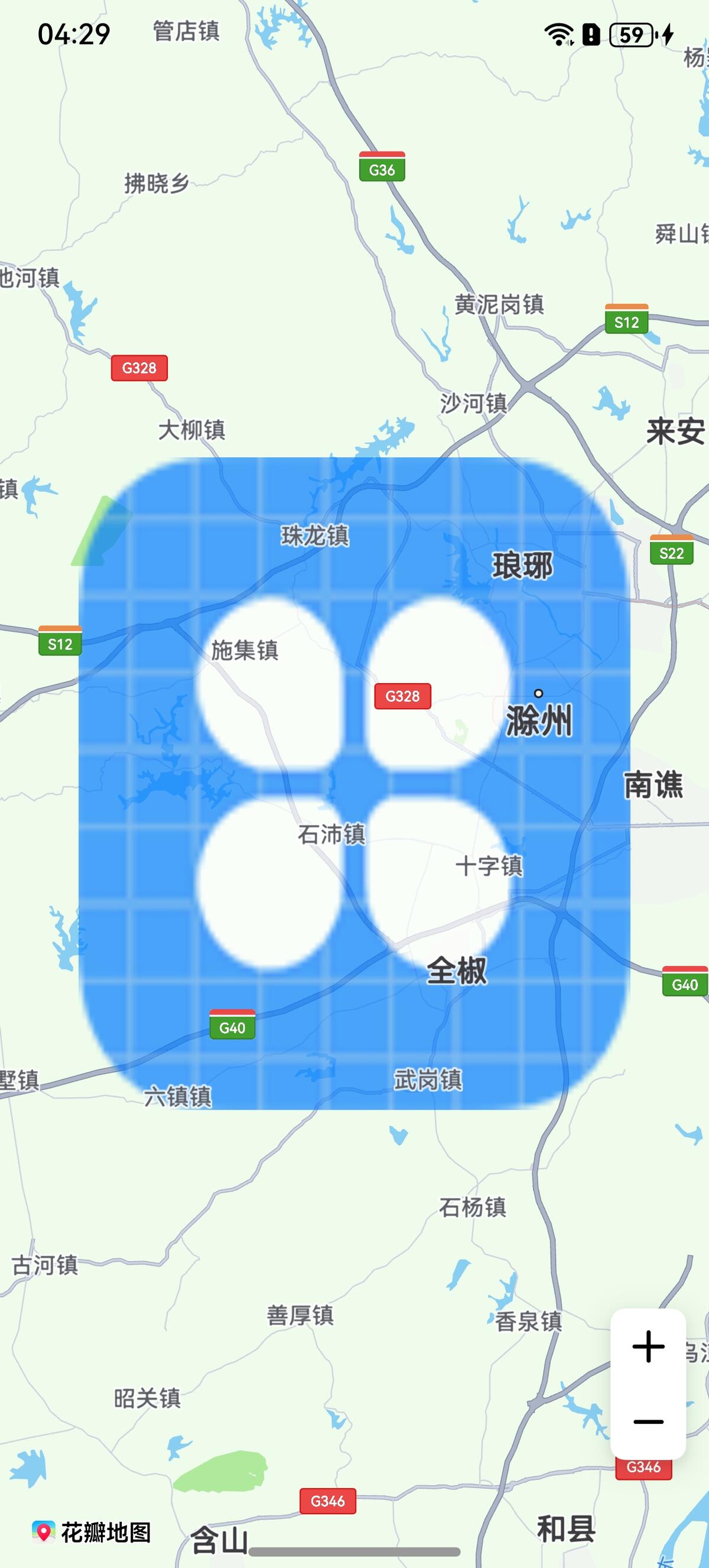
覆盖物,是一种位于底图和底图标注层之间的特殊Overlay,该图层不会遮挡地图标注信息。通过ImageOverlayParams类来设置,开发者可以通过ImageOverlayParams类设置一张图片,该图片可随地图的平移、缩放、旋转等操作做相应的变换。
接口说明
增加覆盖物功能主要由ImageOverlayParams、addImageOverlay、ImageOverlay提供,更多接口及使用方法请参见接口文档。
| 接口名 | 描述 |
|---|---|
| ImageOverlayParams | 覆盖物参数。 |
| addImageOverlay(params: mapCommon.ImageOverlayParams): Promise<ImageOverlay> | 为地图增加覆盖物。 |
| ImageOverlay | 覆盖物,支持更新和查询相关属性。 |
开发步骤
-
导入相关模块。
import { map, mapCommon, MapComponent } from '@kit.MapKit';import { AsyncCallback } from '@kit.BasicServicesKit'; -
增加覆盖物。
@Entry@Componentstruct ImageOverlayDemo {private mapOptions?: mapCommon.MapOptions;private mapController?: map.MapComponentController;private callback?: AsyncCallback<map.MapComponentController>;private mapEventManager?: map.MapEventManager;aboutToAppear(): void {this.mapOptions = {position: {target: {latitude: 32.2,longitude: 118.2},zoom: 10}}this.callback = async (err, mapController) => {if (!err) {this.mapController = mapController;this.mapEventManager = this.mapController.getEventManager();let imageOverlayParams: mapCommon.ImageOverlayParams = {// 覆盖物范围bounds: {southwest: {latitude: 32,longitude: 118},northeast: {latitude: 32.4,longitude: 118.4}},// 覆盖物图片,图标需存放在resources/rawfile目录下image: 'icon/icon.png',transparency: 0.3,zIndex: 101,anchorU: 0.5,anchorV: 0.5,clickable: true,visible: true,bearing: 0};// 添加覆盖物try {let imageOverlay = await this.mapController?.addImageOverlay(imageOverlayParams);} catch (e) {console.error(`Failed to create the imageOverlay, code is:${e.code}, message is ${e.message}`);}} else {console.error(`Failed to initialize the map, code is:${err.code}, message is ${err.message}`);}}}build() {Stack() {Column() {MapComponent({mapOptions: this.mapOptions,mapCallback: this.callback,}).width('100%').height('100%');}.width('100%')}.height('100%')}} -
设置覆盖物点击监听事件。
let imageOverlayCallback: Callback<map.ImageOverlay> = (imageOverlay: map.ImageOverlay) => {console.info("imageOverlay callback");}// 打开覆盖物的点击监听this.mapEventManager.on("imageOverlayClick", imageOverlayCallback);// 关闭覆盖物的点击监听this.mapEventManager.off("imageOverlayClick", imageOverlayCallback);