气泡
场景介绍
本章节将向您介绍如何在地图的指定位置添加气泡。
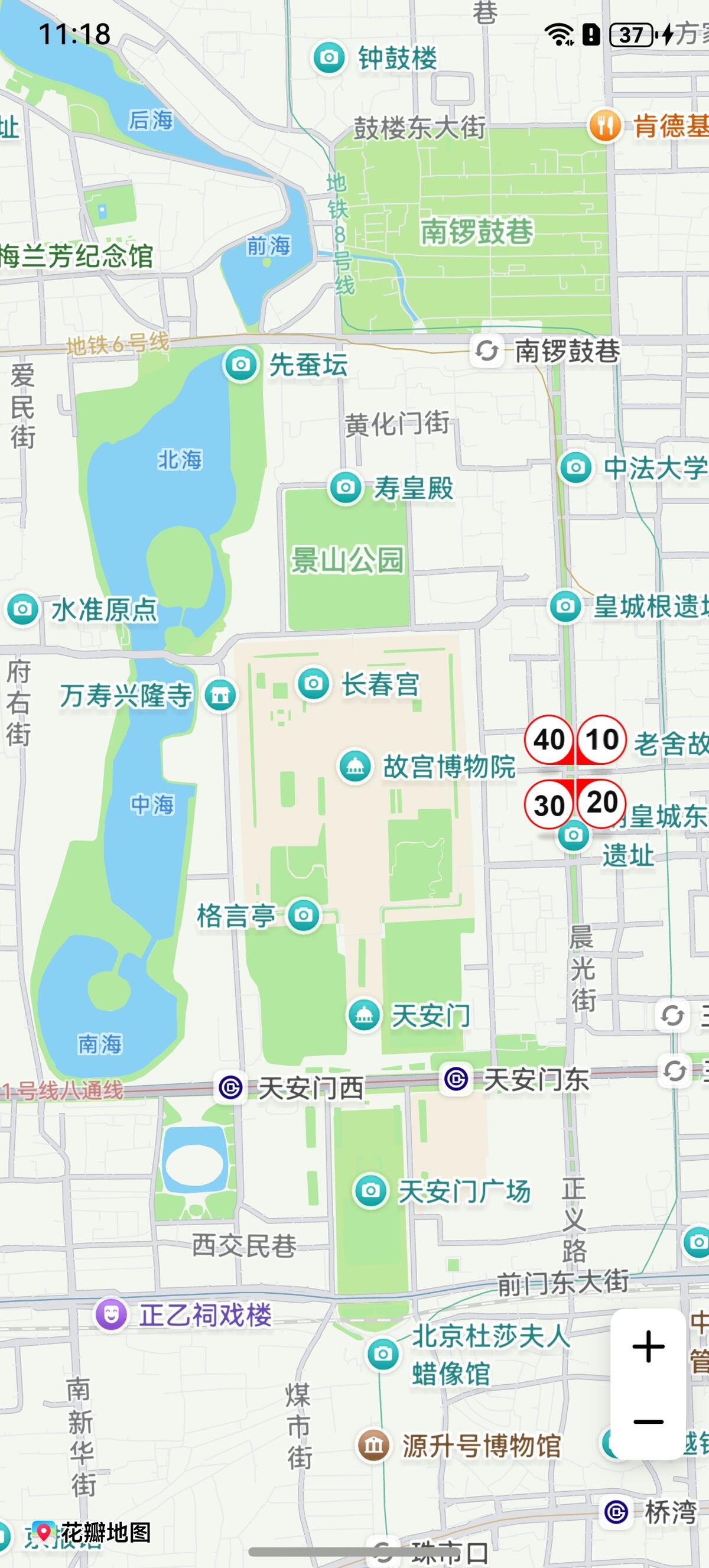
您可以通过气泡在道路上指定位置显示测速、拥堵情况。气泡支持功能:
- 支持设置四个方向的图标(传入的图标宽高需要相同)。
- 支持设置图标碰撞规则。
- 支持设置当前气泡的候选坐标段,通过计算使气泡在最佳的线段位置上。
- 支持设置图标动画。
- 支持添加点击事件。
接口说明
添加气泡功能主要由BubbleParams、addBubble和Bubble提供,更多接口及使用方法请参见接口文档。
| 接口名 | 描述 |
|---|---|
| BubbleParams | 气泡参数。 |
| addBubble(params: mapCommon.BubbleParams): Promise<Bubble> | 在地图上添加气泡。 |
| Bubble | 气泡,支持更新和查询相关属性。 |
开发步骤
添加气泡
-
导入相关模块。
import { MapComponent, mapCommon, map } from '@kit.MapKit';import { AsyncCallback } from '@kit.BasicServicesKit'; -
添加气泡,在callback方法中创建初始化参数并新建气泡。
@Entry@Componentstruct BubbleDemo {private mapOptions?: mapCommon.MapOptions;private mapController?: map.MapComponentController;private callback?: AsyncCallback<map.MapComponentController>;private bubble?: map.Bubble;aboutToAppear(): void {this.mapOptions = {position: {target: {latitude: 39.918,longitude: 116.397},zoom: 14}};this.callback = async (err, mapController) => {if (!err) {this.mapController = mapController;let bubbleOptions: mapCommon.BubbleParams = {// 气泡位置positions: [[{latitude: 39.918,longitude: 116.397}]],// 设置图标,必须提供4个方向的图标,图标存放在resources/rawfileicons: ['speed_limit_10.png','speed_limit_20.png','speed_limit_30.png','speed_limit_40.png'],// 定义气泡的显示属性,为true时,在被碰撞后仍能显示forceVisible: true,// 定义气泡碰撞优先级,数值越大,优先级越低priority: 3,// 定义气泡展示的最小层级minZoom: 2,// 定义气泡展示的最大层级maxZoom: 20,// 定义气泡是否可见visible: true,// 定义气泡叠加层级属性zIndex: 1}// 添加气泡try {this.bubble = await this.mapController.addBubble(bubbleOptions);} catch (e) {console.error(`Failed to create the bubble, code is:${e.code}, message is ${e.message}`);}} else {console.error(`Failed to initialize the map, code is:${err.code}, message is ${err.message}`);}};}build() {Stack() {Column() {MapComponent({ mapOptions: this.mapOptions, mapCallback: this.callback });}.width('100%')}.height('100%')}}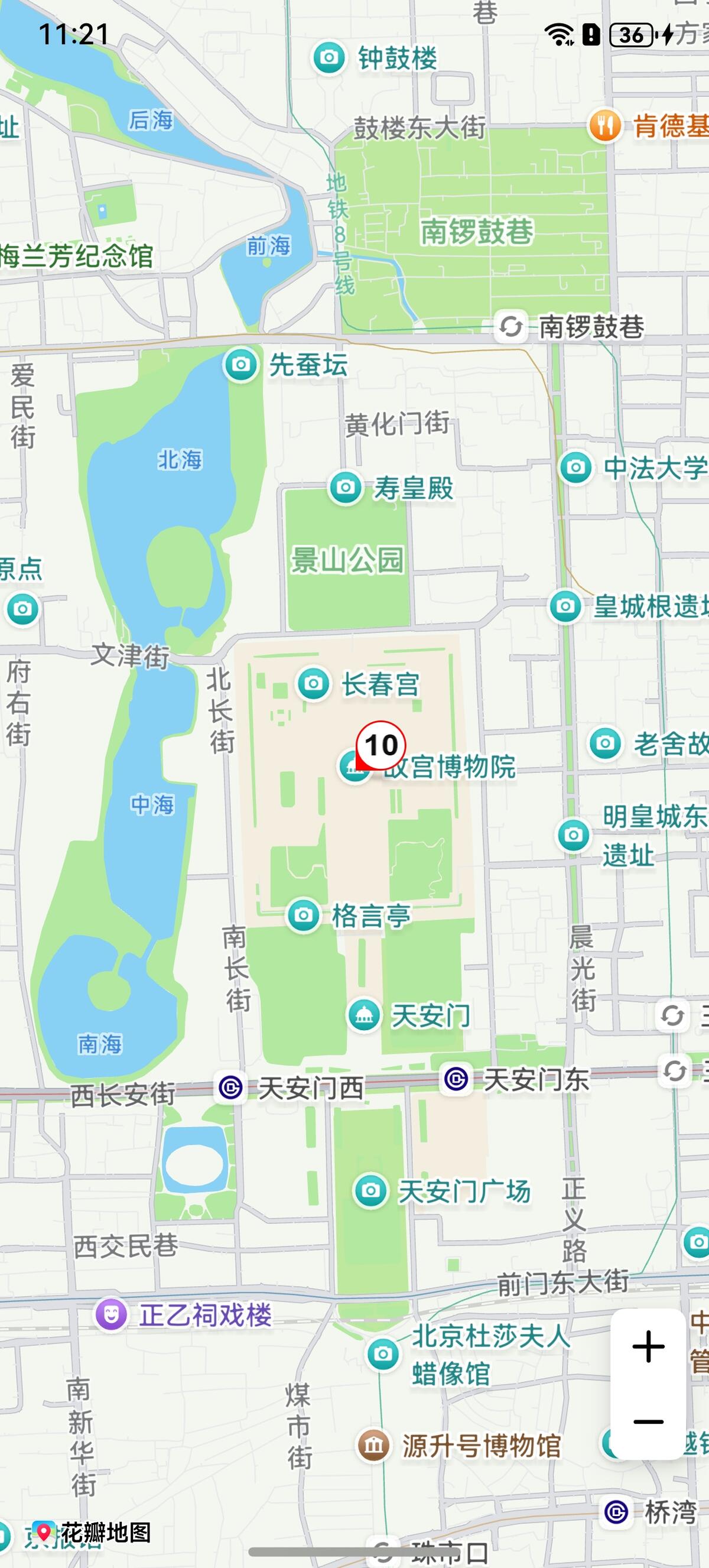
设置监听气泡点击事件
let callback = (bubble: map.Bubble) => {
  console.info("bubbleClick", `callback bubble = ${bubble.getId()}`);
};
this.mapController?.on("bubbleClick", callback);
气泡动画
Bubble调用setAnimation设置动画。
Bubble调用startAnimation启动动画。
let animation: map.ScaleAnimation = new map.ScaleAnimation(1, 3, 1, 3);
// 设置动画单次的时长
animation.setDuration(3000);
// 设置动画开始监听
let callbackStart = () => {
  console.info("animationStart", `callback`);
};
animation.on("animationStart", callbackStart);
// 设置动画结束监听
let callbackEnd = () => {
  console.info("animationEnd", `callback`);
};
animation.on("animationEnd", callbackEnd);
// 设置动画执行完成的状态
animation.setFillMode(map.AnimationFillMode.BACKWARDS);
// 设置动画重复的方式
animation.setRepeatMode(map.AnimationRepeatMode.REVERSE);
// 设置动画插值器
animation.setInterpolator(Curve.Linear);
// 设置动画的重复次数
animation.setRepeatCount(100);
this.bubble.setAnimation(animation);
this.bubble.startAnimation();