显示自定义地图
场景介绍
本章节将向您介绍如何在应用中添加自定义样式的地图。
接口说明
自定义样式功能主要由CustomMapStyleOptions、setCustomMapStyle提供,更多接口及使用方法请参见接口文档。
| 接口名 | 描述 |
|---|---|
| CustomMapStyleOptions | 自定义样式参数。 |
| setCustomMapStyle(customMapStyleOptions: mapCommon.CustomMapStyleOptions): Promise<void> | 将地图样式修改为自定义样式。 |
开发步骤
Map Kit提供两种方法设置自定义地图样式:
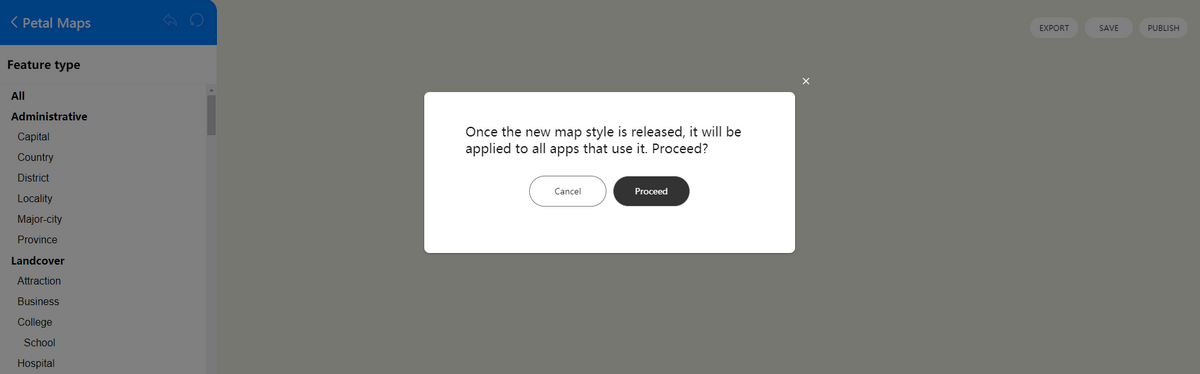
- 设置样式ID:使用Petal Maps Studio管理地图样式,并使用样式ID将它们链接到您的地图上。您可以在Petal Maps Studio上创建新样式,或导入现有样式定义。样式一旦发布,使用此样式的应用都会自动应用新样式。
- 设置样式内容:通过传入自定义JSON更改地图样式,JSON的定义参见样式参考。
设置样式ID
-
导入相关模块。
import { MapComponent, mapCommon, map } from '@kit.MapKit';import { AsyncCallback, BusinessError } from '@kit.BasicServicesKit'; -
创建样式ID。
a.登录Petal Maps Studio。
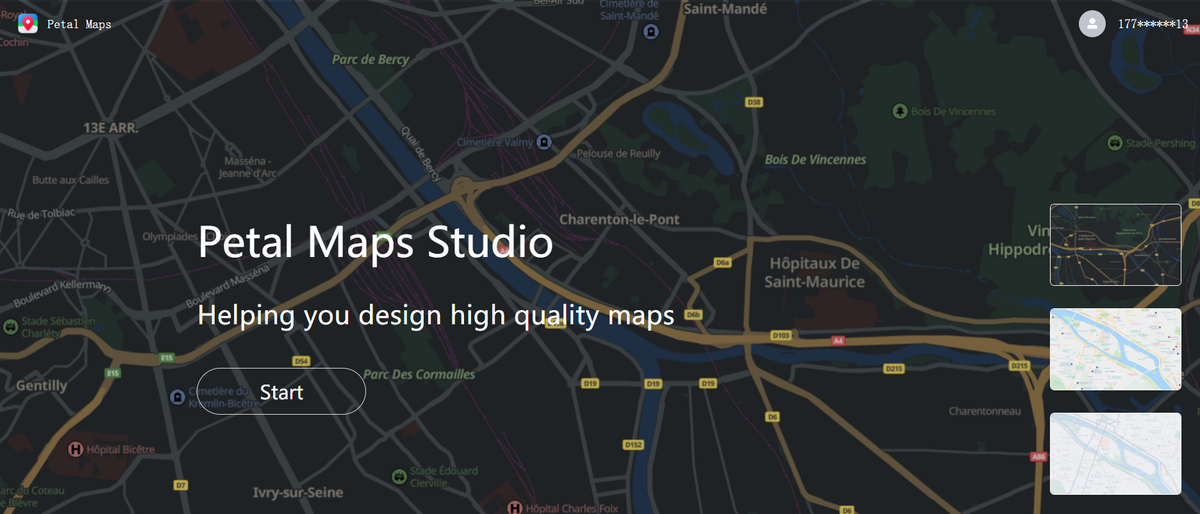
b.点击“Create map”创建自定义样式。
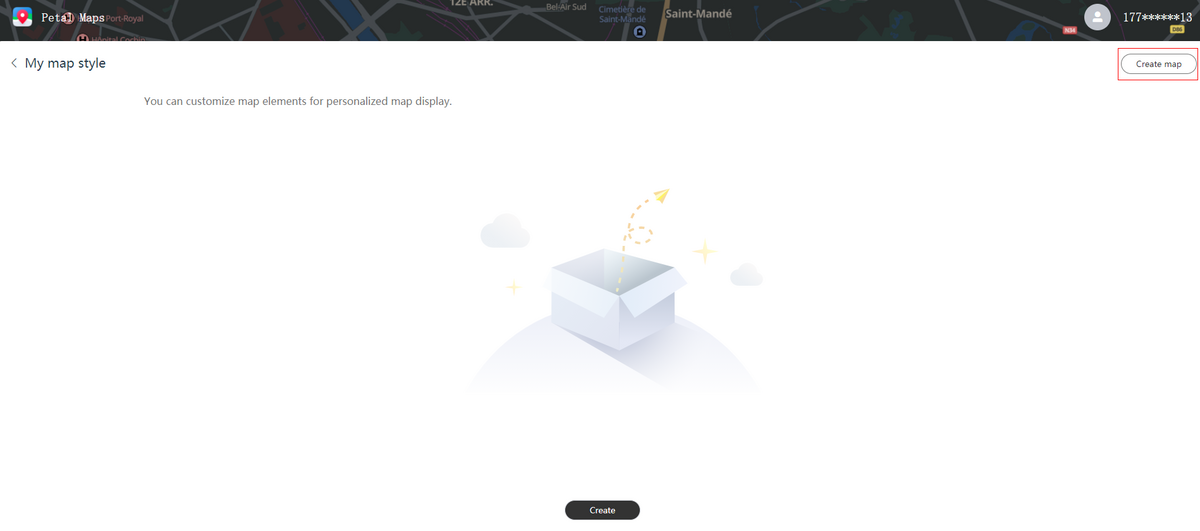
c.导入JSON样式文件,点击“Import”。
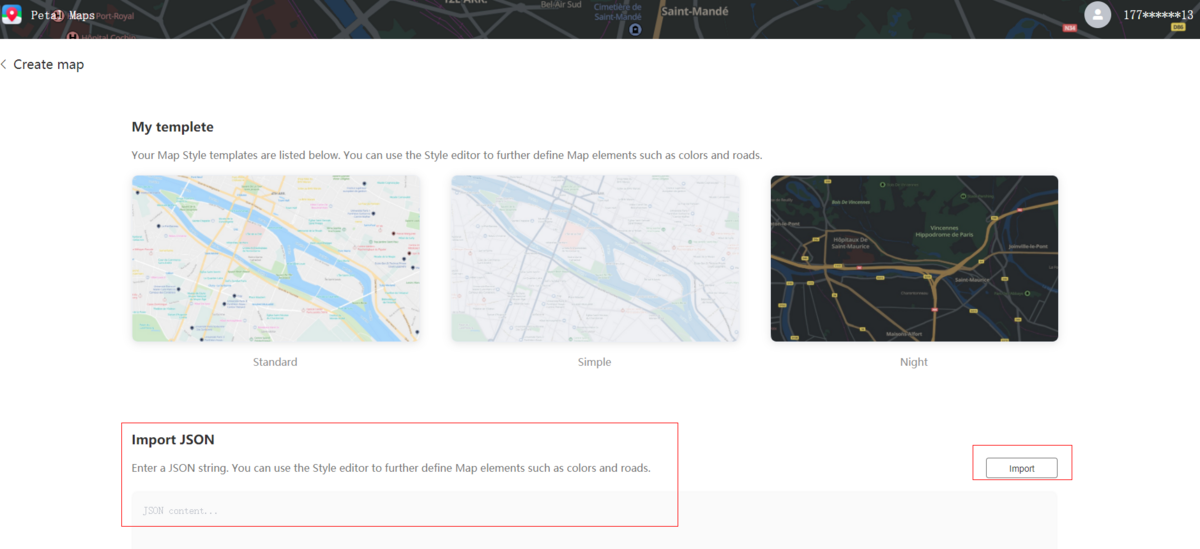
d.在编辑器里修改样式。
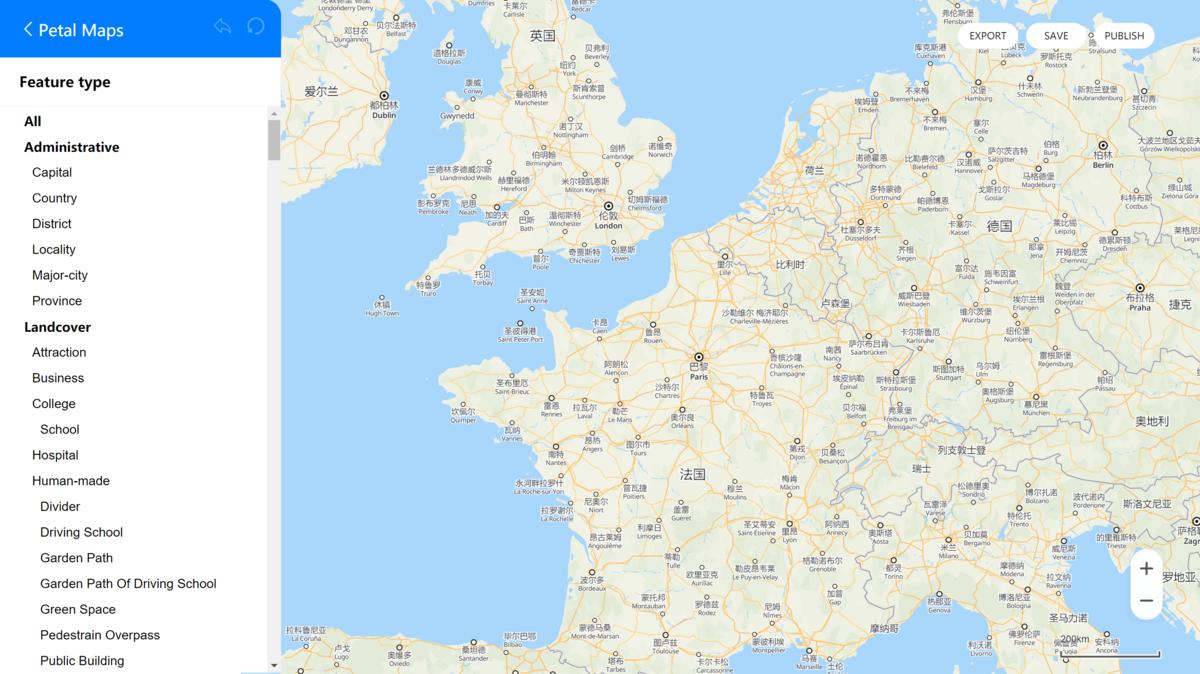
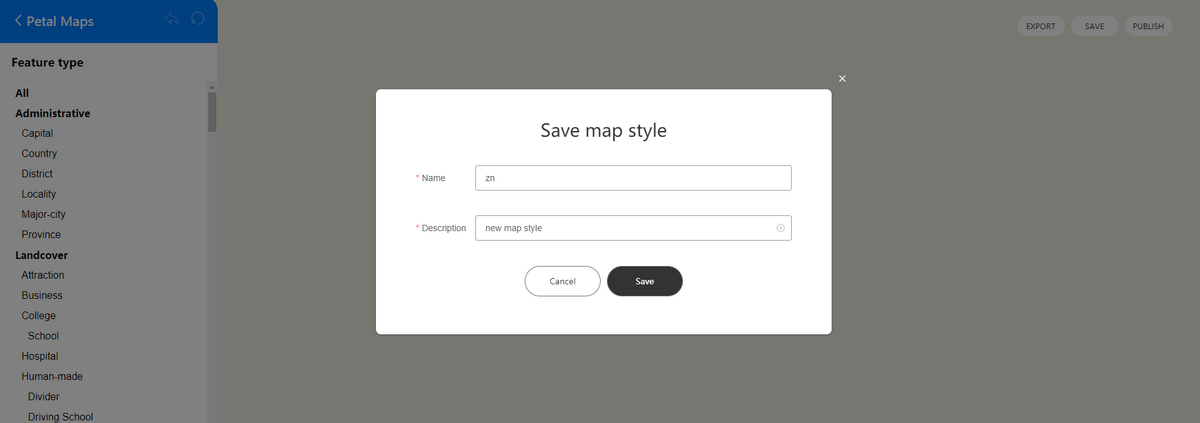
e.点击“SAVE”生成预览ID,预览ID在编辑样式时会重新生成,您可以通过预览ID测试样式效果。点击“PUBLISH”发布生成样式ID,样式ID是唯一ID,一旦发布生效不会变化。
-
Map Kit提供两种方法设置样式ID:
-
在创建地图后设置样式ID
@Entry@Componentstruct CustomMapStyleDemo {private TAG = "CustomMapStyleDemo";private mapOptions?: mapCommon.MapOptions;private mapController?: map.MapComponentController;private callback?: AsyncCallback<map.MapComponentController>;aboutToAppear(): void {// 地图初始化参数this.mapOptions = {position: {target: {latitude: 31.984410259206815,longitude: 118.76625379397866},zoom: 15}};this.callback = async (err, mapController) => {if (!err) {this.mapController = mapController;// 自定义样式参数,styleId需要替换为您自己的样式ID或者预览ID,样式ID或者预览ID可在Petal Maps Studio平台上创建let param: mapCommon.CustomMapStyleOptions = {styleId: "XXX"};// 设置自定义样式await this.mapController.setCustomMapStyle(param).then(() => {console.info(this.TAG + `setCustomMapStyle OK`);}).catch((error: BusinessError) => {console.error(this.TAG + `Failed in getting CustomMapStyle, code is:${error.code},message is ${error.message}`);})} else {console.error(`Failed to initialize the map, code is:${err.code}, message is ${err.message}`);}};}build() {Stack() {Column() {MapComponent({ mapOptions: this.mapOptions, mapCallback: this.callback });}.width('100%')}.height('100%')}} -
在初始化地图时设置样式ID
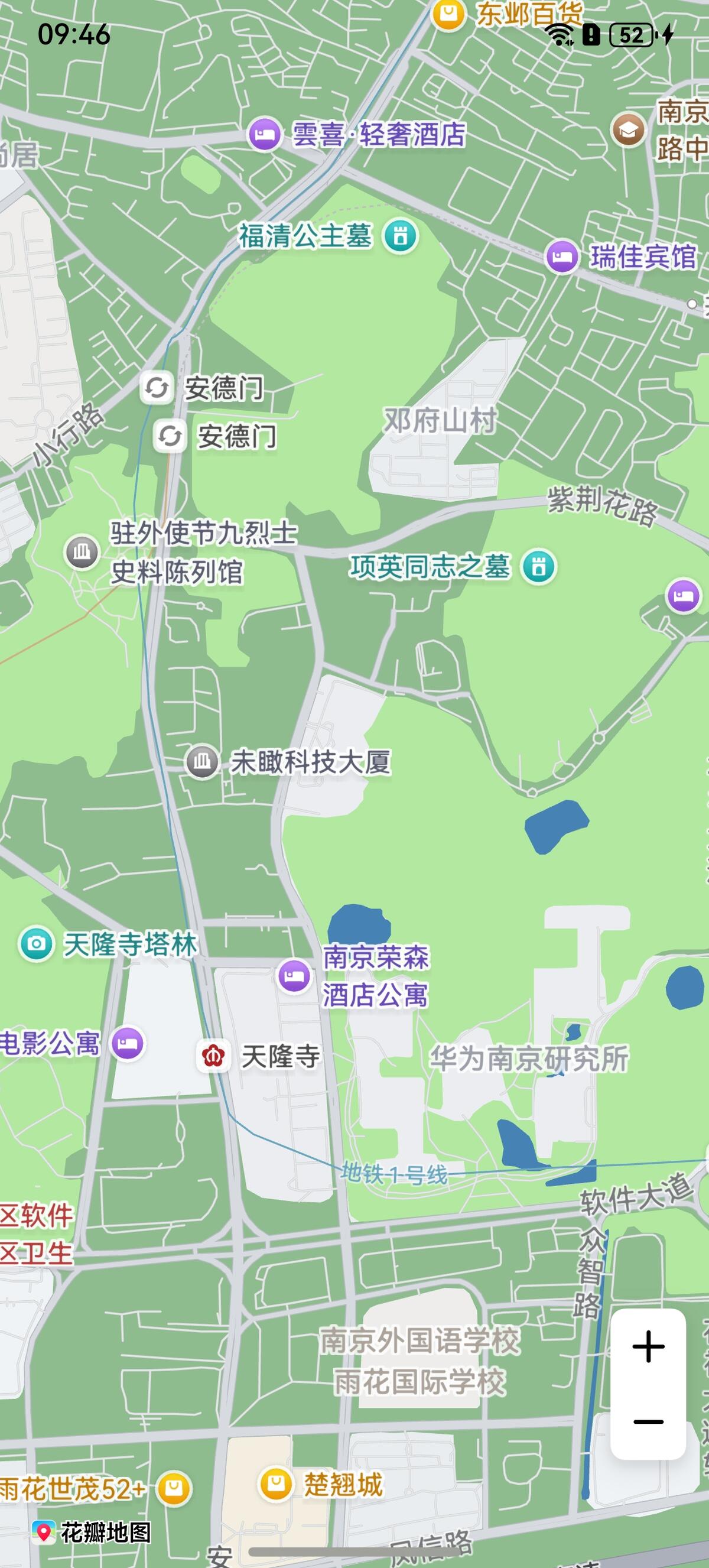
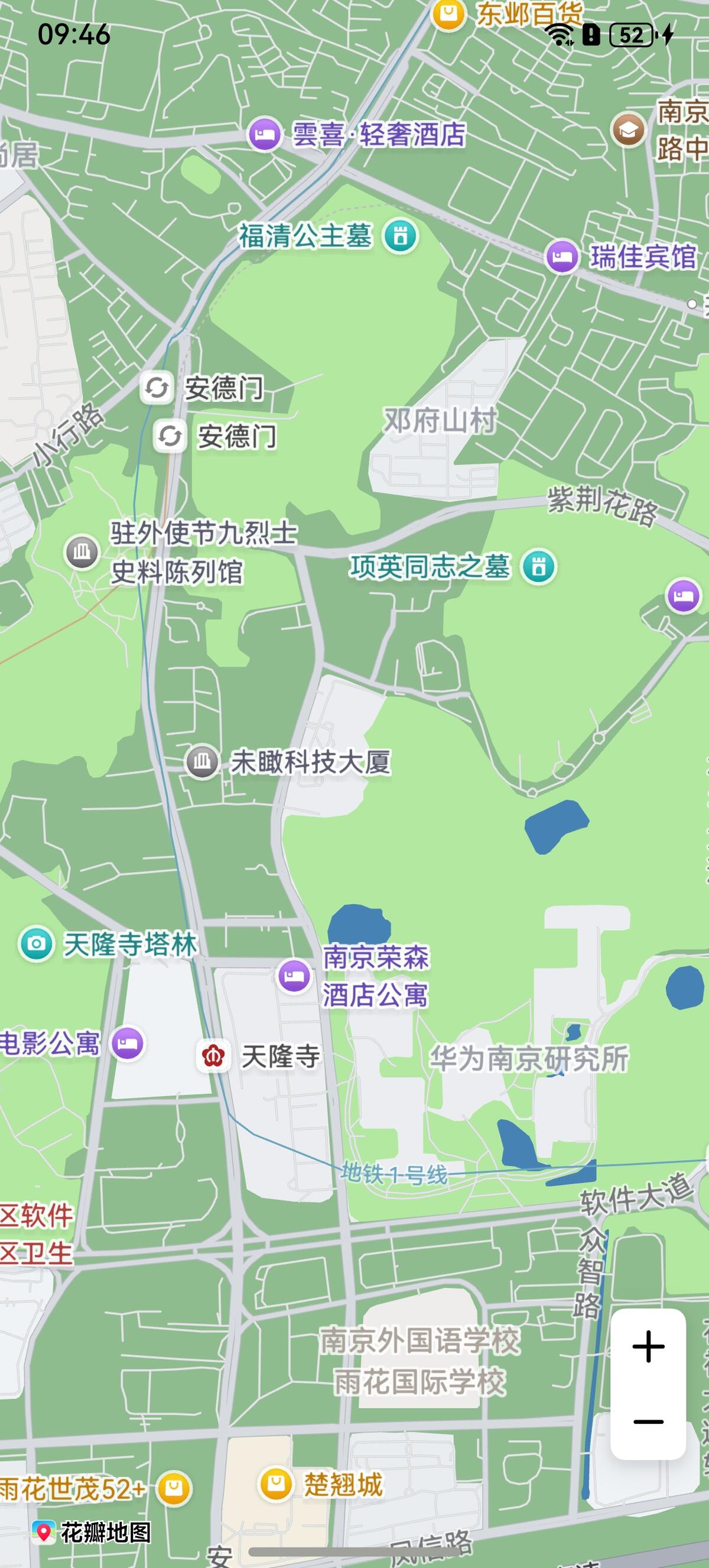
@Entry@Componentstruct CustomMapStyleDemo {private mapOptions?: mapCommon.MapOptions;private mapController?: map.MapComponentController;private callback?: AsyncCallback<map.MapComponentController>;aboutToAppear(): void {// 地图初始化参数this.mapOptions = {position: {target: {latitude: 31.984410259206815,longitude: 118.76625379397866},zoom: 15},// 自定义样式参数,styleId需要替换为您自己的样式ID或者预览ID,样式ID或者预览ID可在Petal Maps Studio平台上创建styleId: "XXX"};this.callback = async (err, mapController) => {if (!err) {this.mapController = mapController;} else {console.error(`Failed to initialize the map, code is:${err.code}, message is ${err.message}`);}};}build() {Stack() {Column() {MapComponent({ mapOptions: this.mapOptions, mapCallback: this.callback });}.width('100%')}.height('100%')}}设置样式ID之后效果如下:
-
设置样式内容
-
导入相关模块。
import { MapComponent, mapCommon, map } from '@kit.MapKit';import { AsyncCallback } from '@kit.BasicServicesKit'; -
设置样式内容。
@Entry@Componentstruct CustomMapStyleDemo {private mapOptions?: mapCommon.MapOptions;private mapController?: map.MapComponentController;private callback?: AsyncCallback<map.MapComponentController>;aboutToAppear(): void {// 地图初始化参数this.mapOptions = {position: {target: {latitude: 31.984410259206815,longitude: 118.76625379397866},zoom: 15}};this.callback = async (err, mapController) => {if (!err) {this.mapController = mapController;// 自定义样式参数let param: mapCommon.CustomMapStyleOptions = {styleContent: `[{"mapFeature": "landcover.natural","options": "geometry.fill","paint": {"color": "#8FBC8F"}},{"mapFeature": "water","options": "geometry.fill","paint": {"color": "#4682B4"}}]`};// 设置自定义样式await this.mapController.setCustomMapStyle(param);} else {console.error(`Failed to initialize the map, code is:${err.code}, message is ${err.message}`);}};}build() {Stack() {Column() {MapComponent({ mapOptions: this.mapOptions, mapCallback: this.callback });}.width('100%')}.height('100%')}}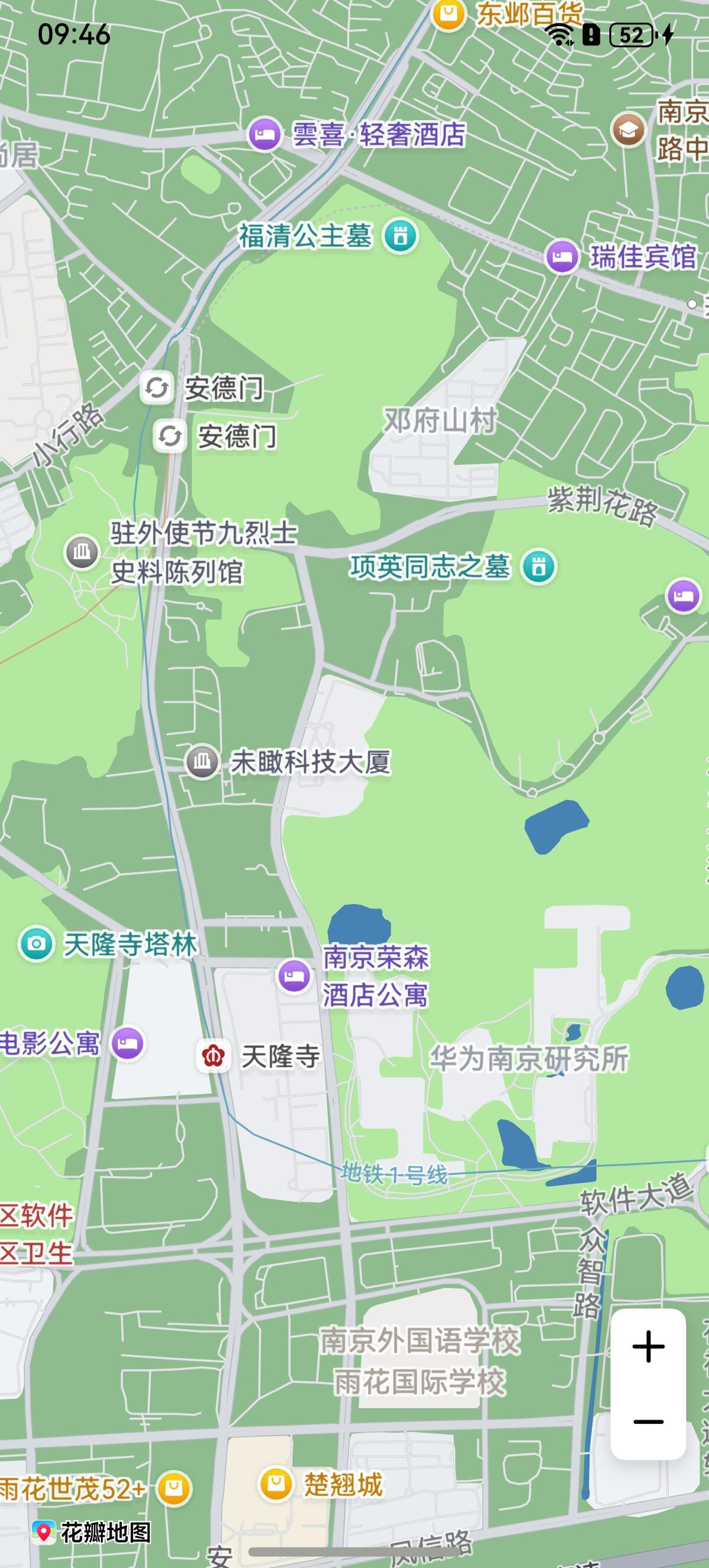
样式参考
自定义地图样式JSON内容通过下列4个元素来定义地图样式:
-
mapFeature:地图要素
-
options:元素选项
- geometry.fill:几何填充
- geometry.stroke:几何描边
- geometry.icon:几何图标
- labels.text.fill:文本填充
- labels.text.stroke:文本描边
-
paint:绘制属性
- color:颜色,16进制颜色,例如“#FFFF00”
- weight:线条宽度。整型值,[1, 24],默认为1,大于1表示加宽
- icon-type:图标类型,目前支持night、simple、standard
-
visibility:可见属性,默认为可见
- true:可见
- false:不可见
下列各表将向您展示支持修改的地图元素。

- 图标类型icon-type支持范围为:standard/night/simple。
-
All
All代表全部,即所有类别的集合,支持能力范围同其他所有列表,All仅可调整visibility(可见属性)。
-
Administrative
元素类型 Feature type 填充颜色 Geometry. fill. color 填充宽度 Geometry. fill. weight 描边颜色 Geometry. stroke. color 描边宽度 Geometry. stroke. weight 填充颜色 Labels. fill. color 文本大小 Labels. fill. weight 描边颜色 Labels. stroke. color 描边大小 Labels. stroke. weight 图标类型 Icon. icon-type Capital 首都 - - - - Country 国家 - District 区/县 - - - - Locality 乡村、城镇 - - - - Major-city 1-4级城市 - - - - Province 省 - -
Landcover
元素类型 Feature type 填充颜色 Geometry. fill. color 描边颜色 Geometry. stroke. color 填充颜色 Labels. fill. color 文本大小 Labels. fill. weight 描边颜色 Labels. stroke. color 描边大小 Labels. stroke. weight Attraction 游乐场、动植物园等 - Business 购物中心、商业区等 - College 学校 - Hospital 医院 - Human-made 聚集区、小区、工业区、监狱地面等 Human-made 建筑物 - - - - Natural 陆地、岛屿、海滩、冰川等 - Parkland 森林、公园、荒地、高尔夫球场等 - -
Poi
元素类型 Feature type 填充颜色 Labels. fill. color 文本大小 Labels. fill. weight 描边颜色 Labels. stroke. color 描边大小 Labels. stroke. weight 图标类型 Icon. icon-type Airport 飞机场 Automotive 汽修、充电桩、洗车等 Beauty 美容中心 Business 公司、商业楼等 Eating&drinking 饮食快餐 Health-care 医院、诊所、药店等 Leisure 休闲娱乐 Lodging 酒店、住宿点 Miscellaneous 自然地物 Natural 山峰、森林等 Public-service 医院、诊所、药店等 Railway 铁路 Shopping 购物中心、市场等 Sports-outdoor 户外运动、爬山、骑车等 Tourism 旅游景点、历史遗迹、教堂等 -
Road
元素类型 Feature type 填充颜色 Geometry. fill. color 填充宽度 Geometry. fill. weight 描边颜色 Geometry. stroke. color 描边宽度 Geometry. stroke. weight 填充颜色 Labels. fill. color 文本大小 Labels. fill. weight 描边颜色 Labels. stroke. color 描边大小 Labels. stroke. weight 图标类型 Icon. icon-type City-arterial 城市主干道 Highway 城市高速 Minor-road 市区内支线等 - National 国道 Province 省道 Sidewalk 人行道 - -
Trafficinfo
元素类型 Feature type 填充颜色 Geometry. fill. color 填充颜色 Labels. fill. color 文本大小 Labels. fill. weight Closed 封路 -
Transit
元素类型 Feature type 填充颜色 Geometry. fill. color 填充宽度 Geometry. fill. weight 描边颜色 Geometry. stroke. color 描边宽度 Geometry. stroke. weight 填充颜色 Labels. fill. color 文本大小 Labels. fill. weight 描边颜色 Labels. stroke. color 描边大小 Labels. stroke. weight 图标类型 Icon. icon-type Airport 机场 - - - Airport Runway 机场跑道 - - - - - Airport Runway Taxiway 机场跑道滑行道 - - - - - Bus 公交 - - - - Ferry-line 航线 - - - - Ferry-terminal 港口 - - - Other 出租车、 出入口等 - - - - Rail-station 火车站、 高铁站 - - - Railway 铁路线、 高铁线 - - - - - Subway 地铁 Traffic_light 交通灯 - - - - - - - - -
Water
元素类型 Feature type 填充颜色 Geometry. fill. color 填充颜色 Labels. fill. color 文本大小 Labels. fill. weight Ocean 水系、海洋、湖泊、河流