地点详情展示
场景介绍
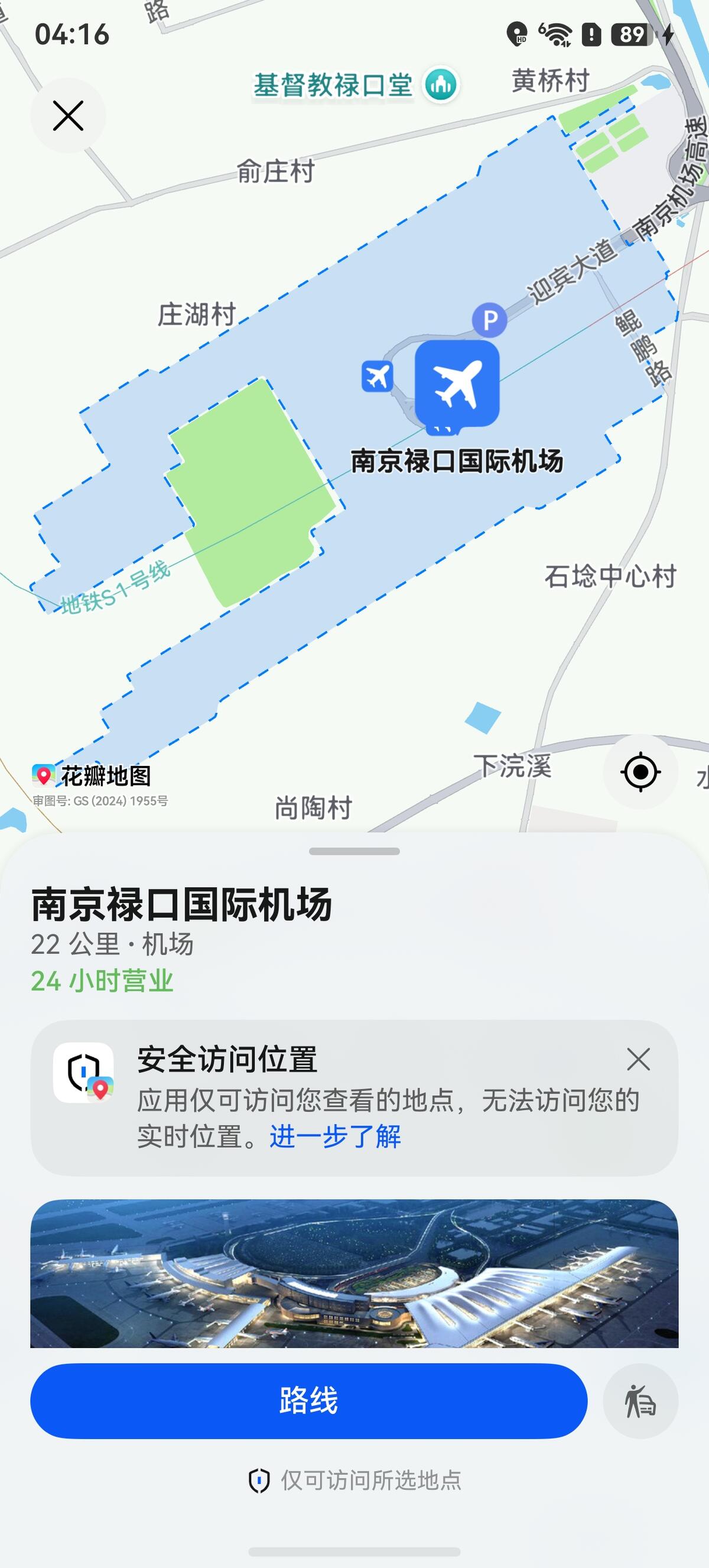
本章节介绍如何集成地点详情展示控件。该控件提供便捷的地点详情展示功能以及导航和打车服务入口,开发者无需自行开发地图页面,即可实现用户点击“路线”按钮启动导航,或点击“打车”按钮发起打车。
图1 地点详情
约束与限制
使用该功能需满足以下条件:
- 仅支持手机、平板和2in1设备。
接口说明
地点详情控件功能主要由sceneMap命名空间下的queryLocation方法提供,更多接口及使用方法请参见接口文档。
| 接口名 | 描述 |
|---|---|
| LocationQueryOptions | 查询地点详情的参数。 |
| queryLocation(context: common.UIAbilityContext, options: LocationQueryOptions): Promise<void> | 查询地点详情。 |
开发步骤
-
导入相关模块。
import { sceneMap } from '@kit.MapKit';import { BusinessError } from '@kit.BasicServicesKit';import { common } from '@kit.AbilityKit'; -
创建查询地点详情参数,调用queryLocation方法拉起地点详情页。
// 方式一:传入siteIdlet queryLocationOptions: sceneMap.LocationQueryOptions = {siteId: "922207154068557824"};// 拉起地点详情页sceneMap.queryLocation(this.getUIContext().getHostContext() as common.UIAbilityContext, queryLocationOptions).then(() => {console.info("QueryLocation", "Succeeded in querying location.");}).catch((err: BusinessError) => {console.error("QueryLocation", `Failed to query Location, code: ${err.code}, message: ${err.message}`);});// 方式二:传入location和namelet queryLocationOptions: sceneMap.LocationQueryOptions = {location: {latitude: 39.9175,longitude: 116.3972},name: '故宫博物院'};// 拉起地点详情页sceneMap.queryLocation(this.getUIContext().getHostContext() as common.UIAbilityContext, queryLocationOptions).then(() => {console.info("QueryLocation", "Succeeded in querying location.");}).catch((err: BusinessError) => {console.error("QueryLocation", `Failed to query Location, code: ${err.code}, message: ${err.message}`);});