获取设备的位置信息开发指导(C/C++)
场景介绍
开发者可以调用HarmonyOS位置相关接口,监听设备的位置变化。
函数说明
| 名称 | 描述 |
|---|---|
| OH_Location_IsLocatingEnabled(bool* enabled) | 查询位置开关是否开启。 |
| OH_Location_StartLocating(const Location_RequestConfig* requestConfig) | 启动定位并订阅位置变化。 |
| Location_ResultCode OH_Location_StopLocating(const Location_RequestConfig* requestConfig) | 停止定位并取消订阅位置变化。 |
| OH_LocationInfo_GetBasicInfo(Location_Info* location) | 从定位结果中获取基本信息,如经纬度、海拔、速度等信息。 |
| OH_LocationInfo_GetAdditionalInfo(Location_Info* location, char* additionalInfo, uint32_t length) | 从定位结果中获取附加信息。附加信息是一个JSON格式的字符串。 |
| OH_Location_CreateRequestConfig(void) | 创建一个位置请求参数结构体实例。 |
| OH_Location_DestroyRequestConfig(Location_RequestConfig* requestConfig) | 销毁位置请求参数实例并回收内存。 |
| OH_LocationRequestConfig_SetUseScene(Location_RequestConfig* requestConfig, Location_UseScene useScene) | 设置发起定位时的用户活动场景。 如果设置了useScene,则powerConsumptionScene无效。 如果未设置useScene,且设置了powerConsumptionScene,则该参数生效。 如果两个参数都不设置,则默认useScene为LOCATION_USE_SCENE_DAILY_LIFE_SERVICE,powerConsumptionScene参数无效。 |
| OH_LocationRequestConfig_SetPowerConsumptionScene(Location_RequestConfig* requestConfig, Location_PowerConsumptionScene powerConsumptionScene) | 设置发起定位时的功耗场景。 |
| OH_LocationRequestConfig_SetInterval(Location_RequestConfig* requestConfig, int interval) | 设置定位结果上报时间间隔。 |
| OH_LocationRequestConfig_SetCallback(Location_RequestConfig* requestConfig, Location_InfoCallback callback, void* userData) | 设置用于接收位置上报的回调函数。 |
开发步骤
-
新建一个Native C++工程。
-
获取设备的位置信息,需要有位置权限,位置权限申请的方法和步骤见申请位置权限开发指导。
-
CMakeLists.txt文件中引入动态依赖库。
target_link_libraries(entry PUBLIC libace_napi.z.so)target_link_libraries(entry PUBLIC libhilog_ndk.z.so)target_link_libraries(entry PUBLIC liblocation_ndk.so) -
在napi_init.cpp文件中编码,首先导入模块。
#include "napi/native_api.h"#include "LocationKit/oh_location.h"#include "LocationKit/oh_location_type.h"#include "hilog/log.h"#include <stdlib.h> -
调用获取位置接口之前需要先判断位置开关是否打开。
查询当前位置开关状态,返回结果为布尔值,true代表位置开关开启,false代表位置开关关闭,示例代码如下:
static napi_value OhLocationIsEnabled(napi_env env, napi_callback_info info){bool isEnabled = false;int resultCode = OH_Location_IsLocatingEnabled(&isEnabled);napi_value result = NULL;napi_get_boolean(env, isEnabled, &result);return result;}// 在Init函数中补充接口。EXTERN_C_STARTstatic napi_value Init(napi_env env, napi_value exports){napi_property_descriptor desc[] = {{"ohLocationIsEnabled", NULL, OhLocationIsEnabled, NULL, NULL, NULL, napi_default, NULL},};napi_define_properties(env, exports, sizeof(desc) / sizeof(desc[0]), desc);return exports;}EXTERN_C_END -
定位位置变化。
// 定义一个请求参数struct Location_RequestConfig *g_requestConfig = NULL;void *mydata = NULL;// 定义一个回调函数用来接收位置信息void reportLocation(Location_Info* location, void* userData){Location_BasicInfo baseInfo = OH_LocationInfo_GetBasicInfo(location);char additionalInfo[1024] = "";Location_ResultCode result = OH_LocationInfo_GetAdditionalInfo(location, additionalInfo, sizeof(additionalInfo));if (mydata == userData) {OH_LOG_INFO(LOG_APP, "userData is mydata");}return;}// 订阅位置信息static napi_value OhLocationStartLocating(napi_env env, napi_callback_info info){if (g_requestConfig == NULL) {g_requestConfig = OH_Location_CreateRequestConfig();}OH_LocationRequestConfig_SetUseScene(g_requestConfig, LOCATION_USE_SCENE_NAVIGATION);OH_LocationRequestConfig_SetInterval(g_requestConfig, 1);mydata = (void *)malloc(sizeof("mydata")); // 用户自定义任意类型,callback 透传返回OH_LocationRequestConfig_SetCallback(g_requestConfig, reportLocation, mydata);OH_Location_StartLocating(g_requestConfig);int32_t ret = 0;napi_value result = NULL;napi_create_int32(env, ret, &result);return result;}// 取消订阅位置信息, g_requestConfig要和订阅时传入的对象保持一致static napi_value OhLocationStopLocating(napi_env env, napi_callback_info info){OH_Location_StopLocating(g_requestConfig);if (g_requestConfig != NULL) {OH_Location_DestroyRequestConfig(g_requestConfig);g_requestConfig = NULL;}free(mydata);mydata = NULL;int32_t ret = 0;napi_value result = NULL;napi_create_int32(env, ret, &result);return result;}// 在Init函数中补充接口。EXTERN_C_STARTstatic napi_value Init(napi_env env, napi_value exports){napi_property_descriptor desc[] = {{"ohLocationStartLocating", NULL, OhLocationStartLocating, NULL, NULL, NULL, napi_default, NULL},{"ohLocationStopLocating", NULL, OhLocationStopLocating, NULL, NULL, NULL, napi_default, NULL},};napi_define_properties(env, exports, sizeof(desc) / sizeof(desc[0]), desc);return exports;}EXTERN_C_END -
在types/libentry路径下index.d.ts文件中引入Napi接口。
export const ohLocationIsEnabled: () => boolean;export const ohLocationStartLocating: () => number;export const ohLocationStopLocating: () => number; -
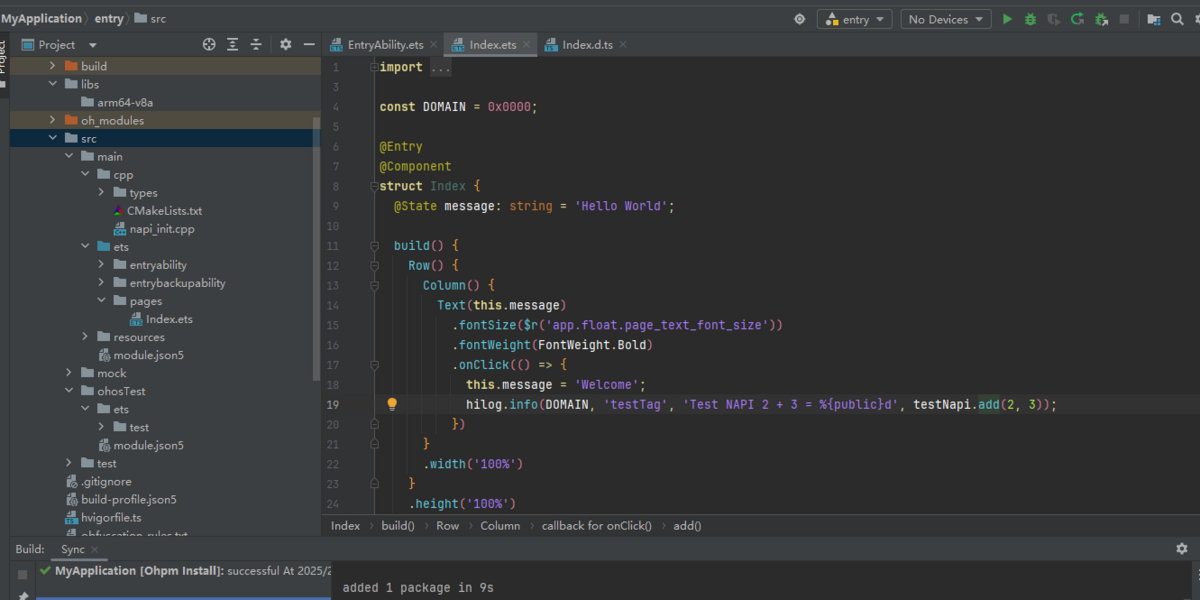
删除Index.ets中的已废弃函数。
.onClick(() => {hilog.info(0x0000, 'testTag', 'Test NAPI 2 + 3 = %{public}d', testNapi.add(2, 3));})