(可选)一键生成Model Class
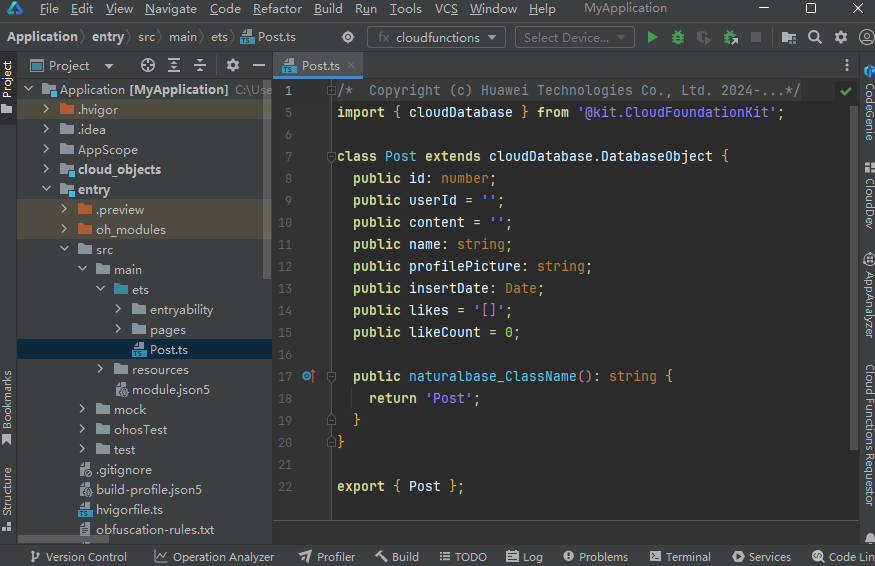
云数据库支持从端侧或者云侧云函数(含云对象)访问云数据库,代码涉及调用云数据库时,需引入对应云数据库对象类型的Model Class。当前支持为对象类型一键生成Server Model与Client Model,供您在端侧及云侧云函数(含云对象)开发时引用。
生成Server Model
-
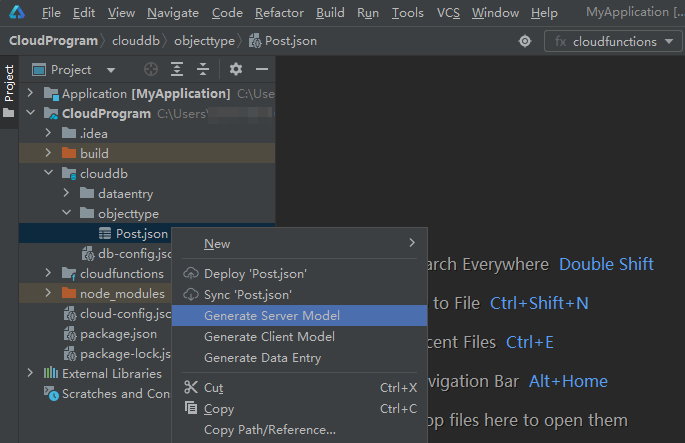
右击需要调用的对象类型文件(以“Post.json”为例),选择“Generate Server Model”。
-
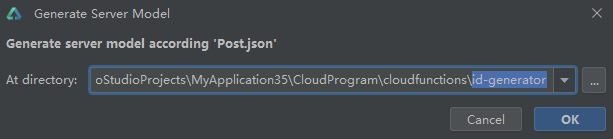
选择生成的Server Model文件存放的云函数(或云对象)目录,以“id-generator”为例。
-
点击“OK”。
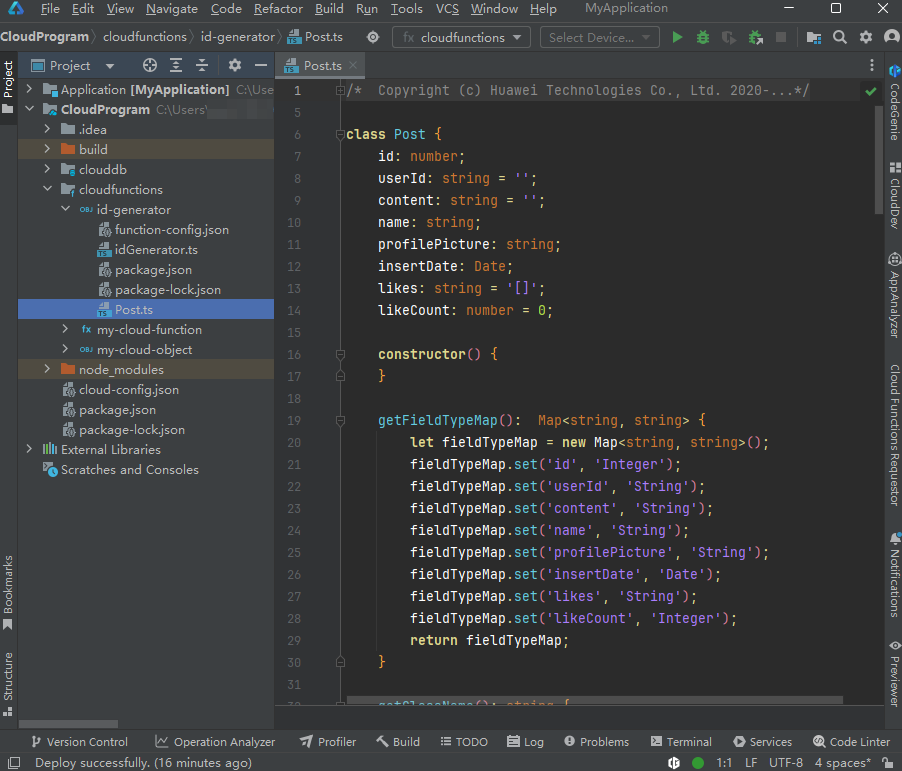
指定目录下生成对应对象类型的Server Model文件,后续您便可以在代码中方便地引用该Server Model 。
-
在云对象“id-generator”目录的package.json文件中引入@hw-agconnect/cloud-server依赖。
"dependencies": {"@hw-agconnect/cloud-server": "latest"}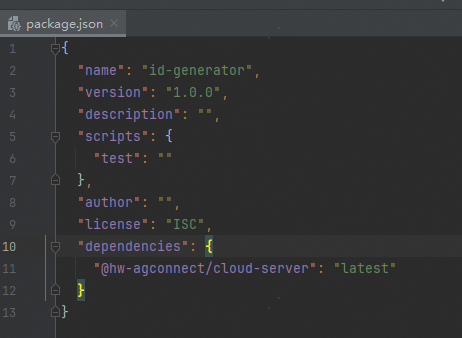
-
在云对象文件idGenerator.ts中添加如下代码,实现云函数访问云数据库。
import { cloud } from '@hw-agconnect/cloud-server';import { Post } from './Post'; // Post是Server Model// Demo是Post对象类型使用的存储区名const collection = cloud.database({ zoneName: 'Demo' }).collection(Post);// IdGenerator云对象,实现了对Post对象类型的查询和更新export class IdGenerator {query() {return collection.query().get();}upsert(posts: Post[]) {return new Promise((resolve, reject) => {collection.upsert(posts.map(post => Post.parseFrom(post))).then(result => resolve({ result })).catch(err => reject(err))});}}
如果定义的云数据库表字段中包含ByteArray或Date类型的字段,在插入或者更新云数据库时需要使用Server Model的parseFrom方法将入参转化成API识别的类型,例如上述示例中的Post.parseFrom方法。
生成Client Model
-
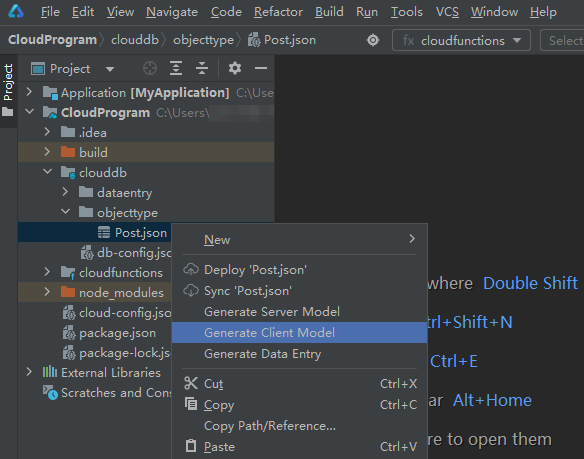
右击需要调用的对象类型文件(以“Post.json”为例),选择“Generate Client Model”。
-
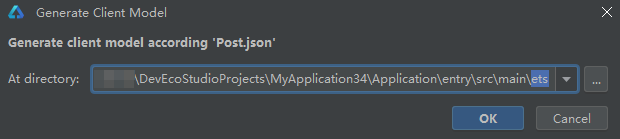
选择生成的Client Model文件存放的端侧目录。
-
点击“OK”。
指定目录下生成对应对象类型的Client Model文件,后续您便可以在端侧代码中方便地引用该Client Model,具体可参考端云一体化工程初始化代码中的Client Model示例(“ets/pages/CloudDb/Post.ts”)在CloudDb.ets以及DbInset.ets中的引用。