通过Function组件拉起智能体
场景介绍
-
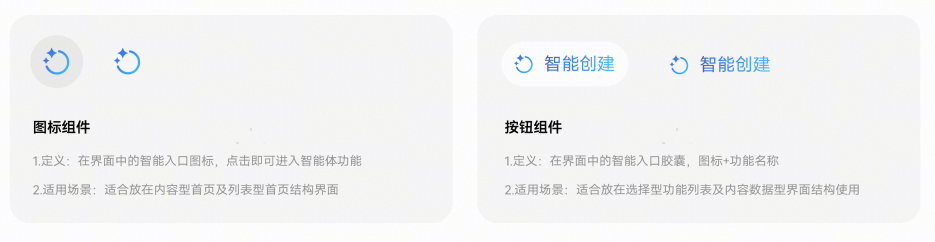
Function组件分为图标组件和按钮组件,无标题时默认显示图标组件,有标题时默认显示按钮组件。
-
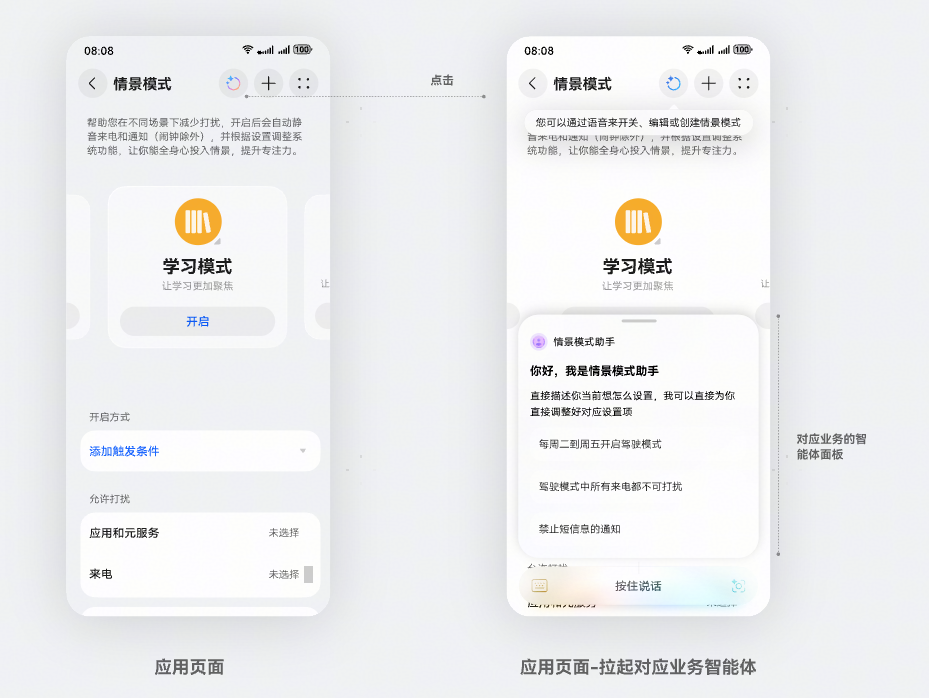
Function图标组件效果:综合型入口。不带用户意图,可作为应用内智能体主入口。
-
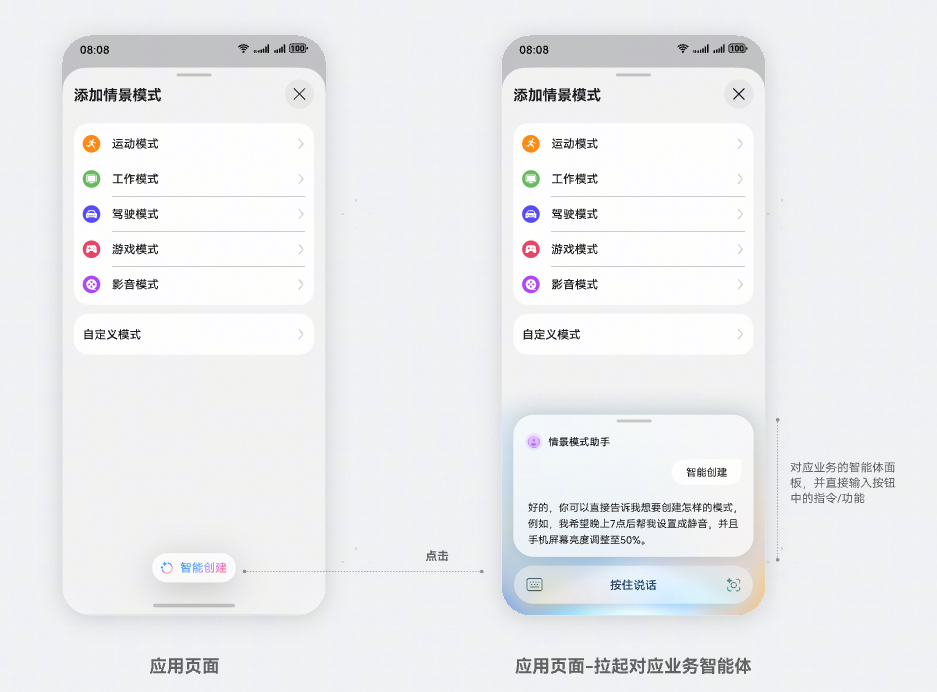
Function按钮组件:允许应用自定义功能描述的组件。
开发前准备
开发步骤
-
从项目根目录进入/src/main/ets/pages/Index.ets文件,将FunctionComponent及相关其它类引入到工程。
import { FunctionComponent, FunctionController } from '@kit.AgentFrameworkKit';import { BusinessError } from "@kit.BasicServicesKit";import { hilog } from "@kit.PerformanceAnalysisKit";import { common } from '@kit.AbilityKit' -
(可选)可以在组件加载前通过isAgentSupport来判断当前的AgentId是否可用,若agentId有效且Agent功能支持时再加载组件。
@State isAgentSupport: boolean = false;aboutToAppear() {this.checkAgentSupport()}async checkAgentSupport() {try {let context = this.getUIContext()?.getHostContext() as common.UIAbilityContext;this.isAgentSupport = await this.controller.isAgentSupport(context, this.agentId)} catch (err) {hilog.error(0x0001, 'AgentExample', `err code: ${err.code}, message: ${err.message}`)}}build() {Column() {if (this.isAgentSupport) {FunctionComponent({agentId: this.agentId,onError: (err: BusinessError) => {hilog.error(0x0001, 'AgentExample', `err: ${JSON.stringify(err)}, message: ${err.message}`)},options: {title: '智能创建',queryText: '创建一个新的模式'}})}}} -
构建一个简单配置的页面,在页面中引入FunctionComponent组件,并传入对应的参数。其中agentId、onError是必填参数。其他可选参数可参见FunctionComponent(功能组件)。Function组件布局可参考组件布局。
@Entry@Componentexport struct AgentExample {private controller: FunctionController = new FunctionController();private agentId: string = 'agentproxy65481da1fa2293a8482d45'; // 智能体对应的agentid,由小艺智能体平台在创建智能体时指定build() {Column() {FunctionComponent({agentId: this.agentId,onError: (err: BusinessError) => {hilog.error(0x0001, 'AgentExample', `err: ${JSON.stringify(err)}, message: ${err.message}`)},options: {title: '',queryText: ''},controller: this.controller})}}} -
添加订阅事件。
aboutToAppear() {this.initListeners()}initListeners() {this.controller?.on('agentDialogOpened', this.onAgentOpenedCallback)this.controller?.on('agentDialogClosed', this.onAgentClosedCallback)}onAgentOpenedCallback = () => {hilog.info(0x0001, 'AgentExample', 'agent dialog opened callback')}onAgentClosedCallback = () => {hilog.info(0x0001, 'AgentExample', 'agent dialog closed callback')}aboutToDisappear() {this.controller?.off('agentDialogOpened')this.controller?.off('agentDialogClosed')}build() {Column() {FunctionComponent({agentId: this.agentId,onError: (err: BusinessError) => {hilog.error(0x0001, 'AgentExample', `err: ${JSON.stringify(err)}, message: ${err.message}`)},controller: this.controller})}}
开发实例
点击按钮,打开智能体对话框。
import { BusinessError } from "@kit.BasicServicesKit";
import { hilog } from "@kit.PerformanceAnalysisKit";

import {
  FunctionComponent,
  FunctionController
} from "@kit.AgentFrameworkKit";

@Entry
@Component
export struct AgentExample {
  private controller: FunctionController = new FunctionController();
  private agentId: string = 'agentproxy65481da1fa2293a8482d45';

  aboutToAppear() {
    this.initListeners()
  }
  initListeners() {
    this.controller?.on('agentDialogOpened', this.onAgentOpenedCallback)
    this.controller?.on('agentDialogClosed', this.onAgentClosedCallback)
  }
  onAgentOpenedCallback = () => {
    hilog.info(0x0001, 'AgentExample', 'agent dialog opened callback')
  }
  onAgentClosedCallback = () => {
    hilog.info(0x0001, 'AgentExample', 'agent dialog closed callback')
  }
  aboutToDisappear() {
    this.controller?.off('agentDialogOpened')
    this.controller?.off('agentDialogClosed')
  }

  build() {
    Column() {
      FunctionComponent({
        agentId: this.agentId,
        onError: (err: BusinessError) => {
          hilog.error(0x0001, 'AgentExample', `err: ${JSON.stringify(err)}, message: ${err.message}`)
        },
        options: {
          title: '智能创建',
          queryText: '创建一个新的情景',
          isShowShadow: true
        },
        controller: this.controller
      })
    }
  }
}