ArkTS卡片使用自定义字体
API version 22开始新增了ohos.graphics.text.FontCollection.getLocalInstance接口获取本地字体集实例,应用可以通过这个本地实例为卡片加载自定义字体。
开发步骤
-
创建动态卡片:按照创建ArkTS卡片里的描述创建动态卡片。
-
在项目entry\src\main\resources\rawfile目录下添加自定义字体文件xxx.ttf。
-
页面布局代码实现entry/src/main/ets/widget/pages/WidgetCard.ets。
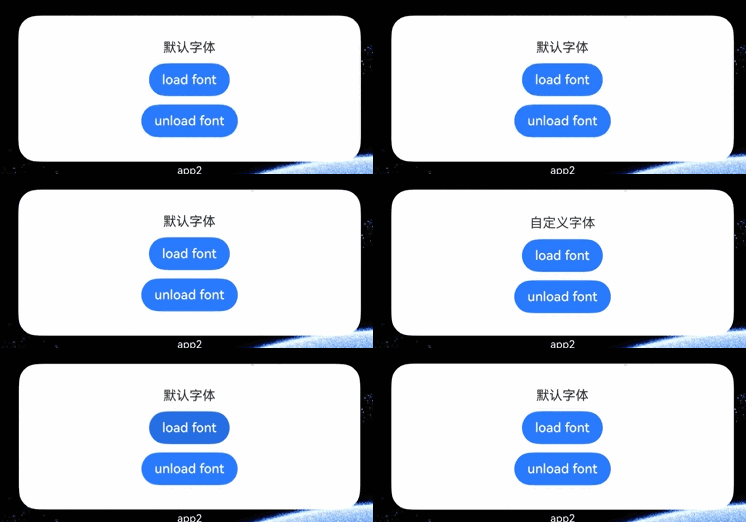
在卡片页面中布局两个按钮,点击按钮load font或按钮unload font,调用本地字体集实例的loadFontSync、unloadFontSync进行字体的加载、卸载。
// entry/src/main/ets/widget/pages/WidgetCard.ets
import { text } from '@kit.ArkGraphics2D';

@Entry
@Component
struct loadFontSyncCard {
  // 在这里使用getLocalInstance访问本地字体集实例
  private fc: text.FontCollection = text.FontCollection.getLocalInstance();
  @State content: string = '默认字体';

  build() {
    Column({ space: 10 }) {
      Text(this.content)
        .fontFamily('custom') // 在此处声明组件使用自定义字体
      Button('load font')
        .onClick(() => {
          // 在此处加载自定义字体文件
          this.fc.loadFontSync('custom', $rawfile('xxx.ttf'));
          this.content = '自定义字体';
        })
      Button('unload font')
        .onClick(() => {
          this.fc.unloadFontSync('custom');
          this.content = '默认字体';
        })
    }.width('100%')
    .height('100%')
    .justifyContent(FlexAlign.Center)
  }
}

- 本地字体集可加载多个自定义字体,所有字体合计最大内存限制加载20MB。
- 同一应用的所有卡片共用一个本地字体集实例。加载或卸载自定义字体后,所有卡片的字体显示会同步更新。
运行结果