顶部窗口控制条避让适配智慧多窗
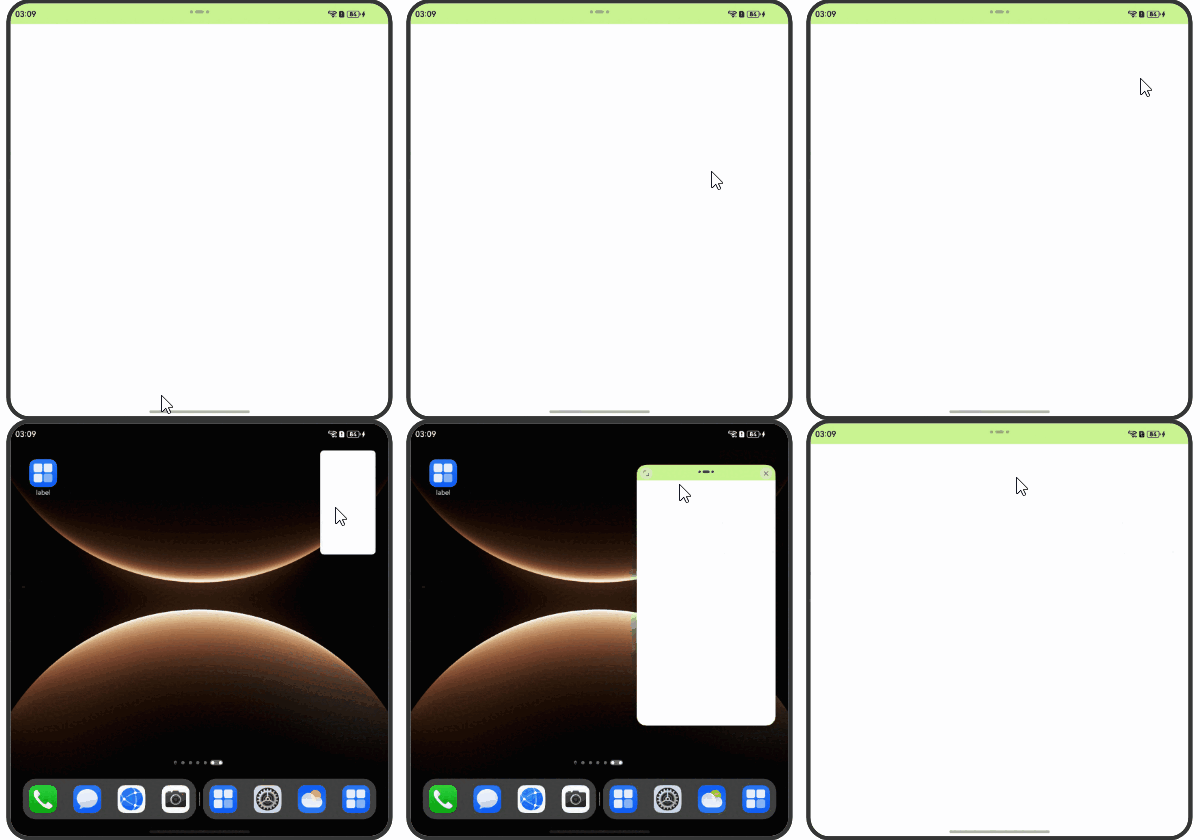
顶部窗口控制条是应用窗口处于智慧多窗模式下,应用顶部的操作横条  。
。
顶部窗口控制条示意图如下所示:

顶部横条的避让可通过以下两种方式适配:
-
使用窗口的避让能力:通过setWindowLayoutFullScreen设置窗口布局是否为沉浸式布局。
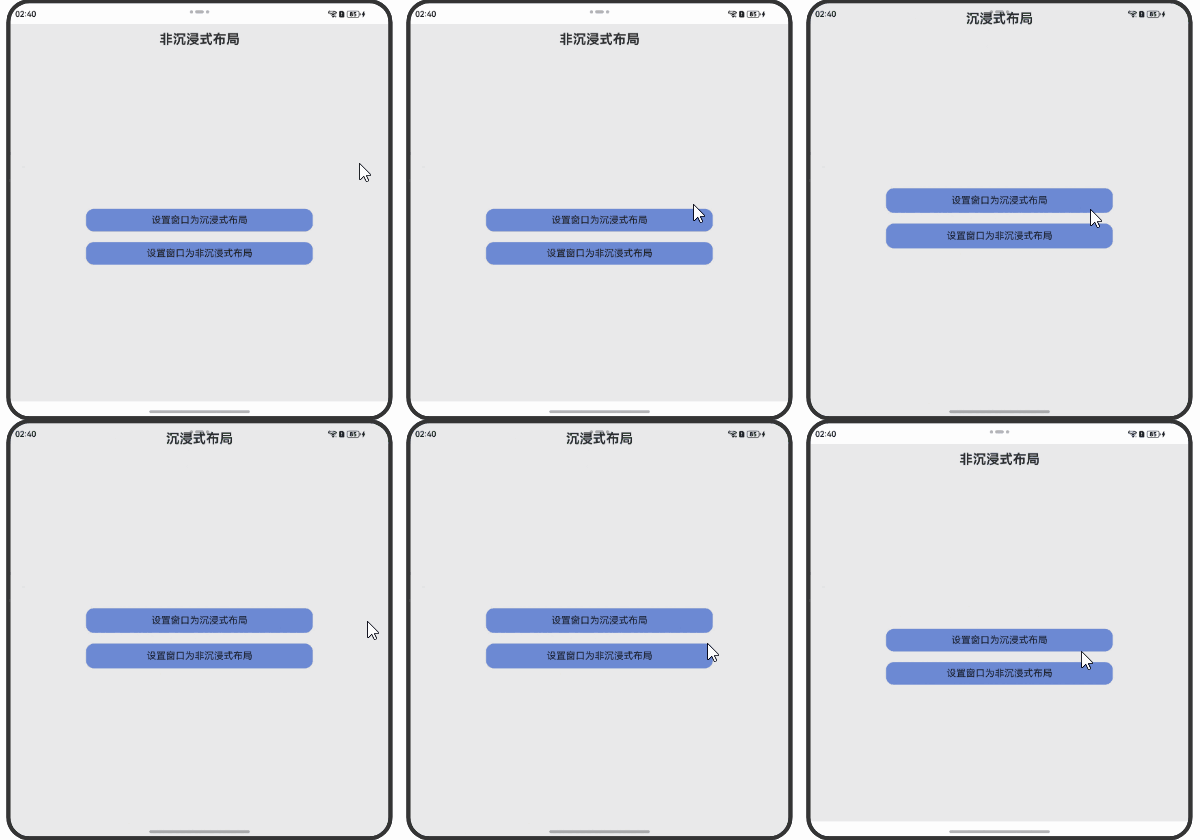
沉浸式布局是指应用布局不避让状态栏、导航栏以及智慧多窗顶部横条,这可能发生组件与顶部横条的重叠,导致文字遮挡、点击事件冲突等情况。非沉浸式布局是指布局避让状态栏、导航栏以及智慧多窗顶部横条,组件不会与其重叠。因此可设置isLayoutFullScreen值为false使窗口的布局为非沉浸式布局。

示例:
// Index.etsimport { BusinessError } from '@kit.BasicServicesKit';import { window } from '@kit.ArkUI';import { common } from '@kit.AbilityKit';@Entry@Componentstruct Index {@State message: string = '非沉浸式布局';private windowClass: window.Window | undefined = undefined;aboutToAppear(): void {try {window.getLastWindow(this.getUIContext()?.getHostContext() as common.UIAbilityContext,(err: BusinessError, data) => {const errCode: number = err.code;if (errCode) {console.error('Failed to obtain the top window. Cause: ' + JSON.stringify(err));return;}this.windowClass = data;console.info('Succeeded in obtaining the top window. Data: ' + JSON.stringify(data));});} catch (exception) {console.error('Failed to obtain the top window. Cause: ' + JSON.stringify(exception));}}private setWindowLayoutFullScreen(isLayoutFullScreen: boolean) {if (!this.windowClass) {return;}this.windowClass.setWindowLayoutFullScreen(isLayoutFullScreen).then(() => {console.info('Succeeded in setting the window layout to full-screen mode.');}).catch((err: BusinessError) => {const errCode: number = err.code;if (errCode) {console.error('Failed to set the window layout to full-screen mode. Cause:' + JSON.stringify(err));return;}});}build() {Stack({ alignContent: Alignment.TopStart }) {Column() {Text(this.message).fontSize(25).fontWeight(FontWeight.Bold).margin({top: '2%',bottom: '40%'})Button() {Text('设置窗口为沉浸式布局').fontSize(18).fontWeight(FontWeight.Normal)}.type(ButtonType.Normal).borderRadius(15).margin({ top: 20 }).stateStyles({normal: {.backgroundColor('#ff6b89d4')},pressed: {.backgroundColor('#ffc81f2a')}}).width('60%').height('6%').onClick(() => {this.setWindowLayoutFullScreen(true);this.message = '沉浸式布局';})Button() {Text('设置窗口为非沉浸式布局').fontSize(18).fontWeight(FontWeight.Normal)}.type(ButtonType.Normal).borderRadius(15).margin({ top: 20 }).stateStyles({normal: {.backgroundColor('#ff6b89d4')},pressed: {.backgroundColor('#ffc81f2a')}}).width('60%').height('6%').onClick(() => {this.setWindowLayoutFullScreen(false);this.message = '非沉浸式布局';})}.width('100%')}.backgroundColor('#fceaeaea').height('100%')}}图1 设置窗口是否为沉浸式布局
-
应用主动避让:应用不使用窗口避让能力(即设置窗口为沉浸式布局)。首次通过getWindowAvoidArea接口可获取屏幕顶部需要规避的矩阵区域topRect,获取到该值后应用可对应做布局避让,并且注册on('avoidAreaChange')监听系统避让区域变化以进行布局的动态调整。
// Index.etsimport { BusinessError } from '@kit.BasicServicesKit';import { common } from '@kit.AbilityKit';import { window } from '@kit.ArkUI';@Entry@Componentstruct Index {@State topSafeHeight: number = 0;aboutToAppear(): void {try {let windowClass: window.Window | undefined = undefined;window.getLastWindow(this.getUIContext()?.getHostContext() as common.UIAbilityContext,(err: BusinessError, data) => {const errCode: number = err.code;if (errCode) {console.error('Failed to obtain the top window. Cause: ' + JSON.stringify(err));return;}windowClass = data;windowClass.setWindowLayoutFullScreen(true);this.topSafeHeight = this.getUIContext()?.px2vp(windowClass.getWindowAvoidArea(window.AvoidAreaType.TYPE_SYSTEM).topRect.height);windowClass.on('avoidAreaChange', (data) => {if (data.type == window.AvoidAreaType.TYPE_SYSTEM) {this.topSafeHeight = this.getUIContext()?.px2vp(data.area.topRect.height)}})console.info('Succeeded in obtaining the top window. Data: ' + JSON.stringify(data));});} catch (exception) {console.error('Failed to obtain the top window. Cause: ' + JSON.stringify(exception));}}build() {Stack({ alignContent: Alignment.TopStart }) {// 顶部避让区域Row() {}.height(this.topSafeHeight).width("100%").backgroundColor('#ccbbf375')// 根据topSafeHeight动态调整应用布局// ...}.height('100%')}}图2 应用主动做布局避让