text开发指导
text是文本组件,用于呈现一段文本信息。具体用法请参考text的API文档。
创建text组件
在pages/index目录下的hml文件中创建一个text组件。
<!-- xxx.hml -->
<div class="container" style="text-align: center;justify-content: center; align-items: center;">
  <text>Hello World</text>
</div>
/* xxx.css */
.container {
  width: 100%;
  height: 100%;
  flex-direction: column;
  align-items: center;
  justify-content: center;
  background-color: #F1F3F5;
}

设置text组件样式和属性
-
添加文本样式
设置color、font-size、allow-scale、word-spacing、text-align属性分别为文本添加颜色、大小、缩放、文本之间的间距和文本在水平方向的对齐方式。
<!-- xxx.hml --><div class="container" style="background-color:#F1F3F5;flex-direction: column;justify-content: center; align-items: center;"><text style="color: blueviolet; font-size: 40px; allow-scale:true">This is a passage</text><text style="color: blueviolet; font-size: 40px; margin-top: 20px; allow-scale:true;word-spacing: 20px;text-align: center">This is a passage</text></div>/* xxx.css */.container {display: flex;width: 100%;height: 100%;flex-direction: column;align-items: center;justify-content: center;background-color: #F1F3F5;}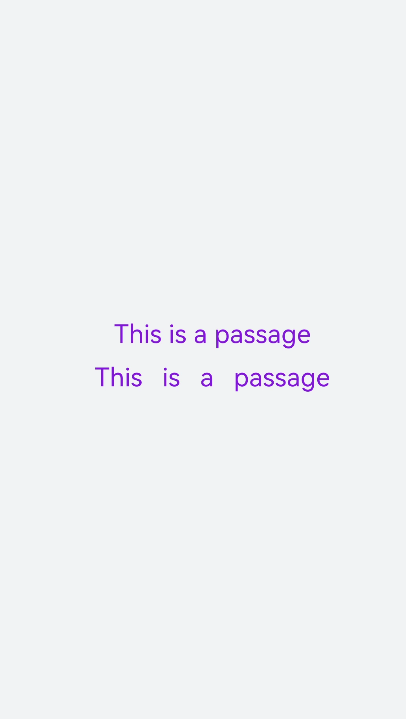
-
添加划线
设置text-decoration和text-decoration-color属性为文本添加划线和划线颜色,text-decoration枚举值请参考 text自有样式。
<!-- xxx.hml --><div class="container" style="background-color:#F1F3F5;"><text style="text-decoration:underline">This is a passage</text><text style="text-decoration:line-through;text-decoration-color: red">This is a passage</text></div>/* xxx.css */.container {width: 100%;height: 100%;flex-direction: column;align-items: center;justify-content: center;}text{font-size: 50px;}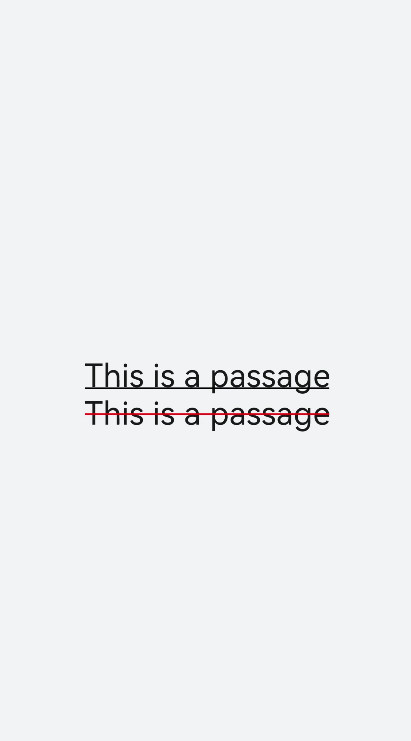
-
隐藏文本内容
当文本内容过多而显示不全时,添加text-overflow属性将隐藏内容以省略号的形式展现。
<!-- xxx.hml --><div class="container"><text class="text">This is a passage</text></div>/* xxx.css */.container {width: 100%;height: 100%;flex-direction: column;align-items: center;background-color: #F1F3F5;justify-content: center;}.text{width: 200px;max-lines: 1;text-overflow:ellipsis;}
- text-overflow样式需配合max-lines样式使用,在设置了最大行数的情况下才会生效。
- max-lines属性设置文本最多可以展示的行数。

-
text组件支持span子组件
<!-- xxx.hml --><div class="container" style="justify-content: center; align-items: center;flex-direction: column;background-color: #F1F3F5; width: 100%;height: 100%;"><text style="font-size: 45px;">This is a passage</text><text style="font-size: 45px;"><span style="color: aqua;">This </span><span style="color: #F1F3F5;"> 1</span><span style="color: blue;"> is a </span> <span style="color: #F1F3F5;"> 1 </span><span style="color: red;"> passage </span></text></div>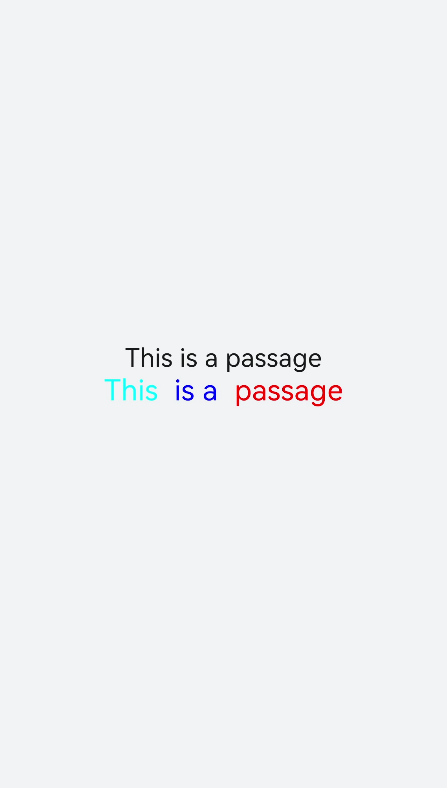
- 当使用span子组件组成文本段落时,如果span属性样式异常(例如:font-weight设置为1000),将导致文本段落显示异常。
- 在使用span子组件时,注意text组件内不能存在文本内容,如果在text组件同时包含文本内容和span子组件,则仅会显示子组件span中的内容。
场景示例
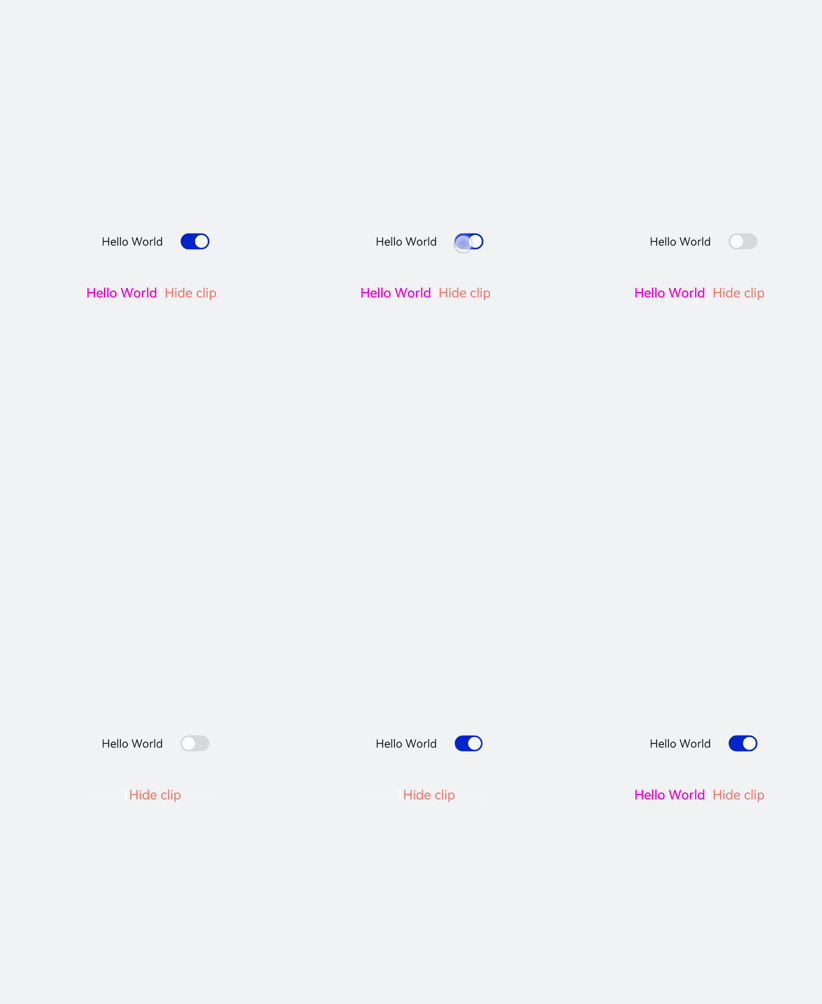
text组件通过数据绑定展示文本内容,span组件通过设置show属性来实现文本内容的隐藏和显示。
<!-- xxx.hml -->
<div class="container">
  <div style="align-items: center;justify-content: center;">
    <text class="title">
      {{ content }}
    </text>
    <switch checked="true" onchange="test"></switch>
  </div>
  <text class="span-container" style="color: #ff00ff;">
    <span show="{{isShow}}">  {{ content  }}  </span>
    <span style="color: white;">
        1
    </span>
    <span style="color: #f76160">Hide clip </span>
  </text>
</div>
/* xxx.css */
.container {
  width: 100%;
  height: 100%;
  align-items: center;
  flex-direction: column;
  justify-content: center;
  background-color: #F1F3F5;
}
.title {
  font-size: 26px;
  text-align:center;
  width: 200px;
  height: 200px;
}
// xxx.js
export default {
  data: {
    isShow:true,
    content: 'Hello World'
  },
  onInit(){    },
  test(e) {
    this.isShow = e.checked
  }
}