查询和操作自定义节点
NDK提供一系列节点查询、遍历、操作能力,通过使用以下接口,开发者可以高效地访问和操控节点。
以下场景基于接入ArkTS页面章节,创建前置工程。
查询节点uniqueId及通过uniqueId获取节点信息
uniqueId是系统分配的唯一标识的节点Id。
从API version 20开始,使用OH_ArkUI_NodeUtils_GetNodeUniqueId接口,可以获取目标节点的uniqueId。使用OH_ArkUI_NodeUtils_GetNodeHandleByUniqueId接口,可以通过uniqueId获取目标节点的指针。
ArkUI_NativeNodeAPI_1* nodeAPI = NativeModuleInstance::GetInstance()->GetNativeNodeAPI();
ArkUI_NodeHandle testNode = nodeAPI->createNode(ARKUI_NODE_COLUMN);
ArkUI_NumberValue value[] = {VALUE_1};
ArkUI_AttributeItem item = {value, sizeof(value) / sizeof(ArkUI_NumberValue)};
value[0].f32 = VALUE_2;
nodeAPI->setAttribute(testNode, NODE_WIDTH, &item);
nodeAPI->setAttribute(testNode, NODE_HEIGHT, &item);
struct IdList {
    int32_t id = -1;
};
IdList *idl = new IdList;
int32_t uid = -1;
OH_ArkUI_NodeUtils_GetNodeUniqueId(testNode, &uid);
idl->id = uid;
auto button = nodeAPI->createNode(ARKUI_NODE_BUTTON);
value[0].f32 = VALUE_3;
nodeAPI->setAttribute(button, NODE_WIDTH, &item);
nodeAPI->setAttribute(button, NODE_HEIGHT, &item);
nodeAPI->addChild(testNode, button);
nodeAPI->registerNodeEvent(button, NODE_ON_CLICK, 1, idl);
OH_LOG_Print(LOG_APP, LOG_WARN, LOG_PRINT, "GetNodeUniqueId", "GetNodeHandleByUniqueId success1");
nodeAPI->registerNodeEventReceiver([](ArkUI_NodeEvent *event) {
    auto targetId = OH_ArkUI_NodeEvent_GetTargetId(event);
    if (targetId == 1) {
        auto idl = (IdList *)OH_ArkUI_NodeEvent_GetUserData(event);
        ArkUI_NodeHandle Test_Column;
        auto ec = OH_ArkUI_NodeUtils_GetNodeHandleByUniqueId(idl->id, &Test_Column);
        if (ec == 0) {
            OH_LOG_Print(LOG_APP, LOG_WARN, LOG_PRINT, "GetNodeUniqueId", "GetNodeHandleByUniqueId success");
        }
    }
});
通过用户id获取节点信息
使用OH_ArkUI_NodeUtils_GetAttachedNodeHandleById接口,可以通过用户设置的id获取目标节点的指针。
-
ArkTS侧接入Native组件。
import nativeNode from 'libentry.so';import { NodeContent } from '@kit.ArkUI';@Entry@Componentstruct GetNodeById {private rootSlot = new NodeContent();aboutToAppear(): void {nativeNode.createUserIdNode(this.rootSlot);}build() {Scroll() {Column({ space: 15 }) {Column() {ContentSlot(this.rootSlot)}}.width('100%')}.scrollBarColor(Color.Transparent)}} -
新建GetNodeByIdExample.h文件,在其中创建Text节点并设置id属性,通过OH_ArkUI_NodeUtils_GetAttachedNodeHandleById接口拿到节点。
// GetNodeByIdExample.h#ifndef MYAPPLICATION_GETNODEBYID_H#define MYAPPLICATION_GETNODEBYID_H#include "ArkUINode.h"#include <hilog/log.h>namespace NativeModule {std::shared_ptr<ArkUIBaseNode> CreateGetNodeByIdExample(){auto nodeAPI = NativeModuleInstance::GetInstance()->GetNativeNodeAPI();// 创建传入事件节点结构体struct A {ArkUI_NodeHandle node;};A* a = new A;// 创建根节点ScrollArkUI_NodeHandle scroll = nodeAPI->createNode(ARKUI_NODE_SCROLL);ArkUI_NumberValue length_value[] = {{.f32 = 480}};ArkUI_AttributeItem length_item = {length_value, sizeof(length_value) / sizeof(ArkUI_NumberValue)};nodeAPI->setAttribute(scroll, NODE_WIDTH, &length_item);ArkUI_NumberValue length_value1[] = {{.f32 = 650}};ArkUI_AttributeItem length_item1 = {length_value1, sizeof(length_value1) / sizeof(ArkUI_NumberValue)};nodeAPI->setAttribute(scroll, NODE_HEIGHT, &length_item1);ArkUI_AttributeItem scroll_id = {.string = "Scroll_CAPI"};nodeAPI->setAttribute(scroll, NODE_ID, &scroll_id);// 创建ColumnArkUI_NodeHandle column = nodeAPI->createNode(ARKUI_NODE_COLUMN);ArkUI_NumberValue value[] = {480};ArkUI_AttributeItem item = {value, sizeof(value) / sizeof(ArkUI_NumberValue)};nodeAPI->setAttribute(column, NODE_WIDTH, &item);ArkUI_NumberValue column_bc[] = {{.u32 = 0xFFF00BB}};ArkUI_AttributeItem column_item = {column_bc, 1};nodeAPI->setAttribute(column, NODE_BACKGROUND_COLOR, &column_item);ArkUI_AttributeItem column_id = {.string = "Column_CAPI"};nodeAPI->setAttribute(column, NODE_ID, &column_id);// 创建TextArkUI_NodeHandle text0 = nodeAPI->createNode(ARKUI_NODE_TEXT);ArkUI_NumberValue text_width[] = {300};ArkUI_AttributeItem text_item0 = {text_width, sizeof(text_width) / sizeof(ArkUI_NumberValue)};nodeAPI->setAttribute(text0, NODE_WIDTH, &text_item0);ArkUI_NumberValue text_height[] = {50};ArkUI_AttributeItem text_item1 = {text_height, sizeof(text_height) / sizeof(ArkUI_NumberValue)};nodeAPI->setAttribute(text0, NODE_HEIGHT, &text_item1);ArkUI_AttributeItem text_item = {.string = "示例Text节点"};nodeAPI->setAttribute(text0, NODE_TEXT_CONTENT, &text_item);ArkUI_NumberValue margin[] = {10};ArkUI_AttributeItem item_margin = {margin, sizeof(margin) / sizeof(ArkUI_NumberValue)};nodeAPI->setAttribute(text0, NODE_MARGIN, &item_margin);ArkUI_AttributeItem text0_id = {.string = "Text0_CAPI"};nodeAPI->setAttribute(text0, NODE_ID, &text0_id);a->node = text0;// 创建RowArkUI_NodeHandle row0 = nodeAPI->createNode(ARKUI_NODE_ROW);ArkUI_NumberValue width_value[] = {{.f32=330}};ArkUI_AttributeItem width_item = {width_value, sizeof(width_value) / sizeof(ArkUI_NumberValue)};nodeAPI->setAttribute(row0, NODE_WIDTH, &width_item);nodeAPI->setAttribute(row0, NODE_HEIGHT, &text_item1);nodeAPI->setAttribute(row0, NODE_MARGIN, &item_margin);// 创建ButtonArkUI_NodeHandle bt0 = nodeAPI->createNode(ARKUI_NODE_BUTTON);ArkUI_NumberValue btn_width[] = {150};ArkUI_AttributeItem btn_item0 = {btn_width, sizeof(btn_width) / sizeof(ArkUI_NumberValue)};nodeAPI->setAttribute(bt0, NODE_WIDTH, &btn_item0);nodeAPI->setAttribute(bt0, NODE_HEIGHT, &text_item1);nodeAPI->setAttribute(bt0, NODE_MARGIN, &item_margin);ArkUI_AttributeItem bt0_item = {.string = "GetAttachedNodeHandleById"};nodeAPI->setAttribute(bt0, NODE_BUTTON_LABEL, &bt0_item);nodeAPI->registerNodeEvent(bt0, NODE_ON_CLICK, 0, a);// 注册事件auto onClick = [](ArkUI_NodeEvent *event) {ArkUI_NodeHandle node = OH_ArkUI_NodeEvent_GetNodeHandle(event);auto nodeAPI = NativeModuleInstance::GetInstance()->GetNativeNodeAPI();if (OH_ArkUI_NodeEvent_GetTargetId(event) == 0) { // GetAttachedNodeHandleByIdA* a = (A*)OH_ArkUI_NodeEvent_GetUserData(event);ArkUI_NodeHandle node = nullptr;auto res = OH_ArkUI_NodeUtils_GetAttachedNodeHandleById("Text0_CAPI", &node);if (node == a->node) {OH_LOG_Print(LOG_APP, LOG_INFO, 0xFF00, "GetNodeByIdExample", "get Text0_CAPI success");} else {OH_LOG_Print(LOG_APP, LOG_ERROR, 0xFF00, "GetNodeByIdExample", "get Text0_CAPI failed");}}};nodeAPI->registerNodeEventReceiver(onClick);// 节点添加nodeAPI->addChild(scroll, column);nodeAPI->addChild(column, text0);nodeAPI->addChild(column, row0);nodeAPI->addChild(row0, bt0);return std::make_shared<ArkUINode>(scroll);}} // namespace NativeModule#endif // MYAPPLICATION_GETNODEBYID_H -
在NativeEntry.cpp中,挂载Native节点。
// NativeEntry.cpp#include <arkui/native_node_napi.h>#include <hilog/log.h>#include <js_native_api.h>#include "NativeEntry.h"#include "MoveToExample.h"#include "GetNodeByIdExample.h"namespace NativeModule {// ...static napi_value CreateNativeRoot(napi_env env, napi_callback_info info, const char *who, MakeNodeFn makeNodeFn){size_t argc = 1;napi_value args[1] = {nullptr};napi_get_cb_info(env, info, &argc, args, nullptr, nullptr);// 获取NodeContentArkUI_NodeContentHandle contentHandle;OH_ArkUI_GetNodeContentFromNapiValue(env, args[0], &contentHandle);if (contentHandle == nullptr) {OH_LOG_Print(LOG_APP, LOG_INFO, LOG_PRINT_DOMAIN, K_LOG_DOMAIN,"%{public}s nodeContentHandle is null", who);return nullptr;}NativeEntry::GetInstance()->SetContentHandle(contentHandle);// 创建节点auto node = makeNodeFn();// 保持Native侧对象到管理类中,维护生命周期。NativeEntry::GetInstance()->SetRootNode(node);return nullptr;}napi_value DestroyNativeRoot(napi_env env, napi_callback_info info){// 从管理类中释放Native侧对象。NativeEntry::GetInstance()->DisposeRootNode();return nullptr;}// ...} // namespace NativeModule -
运行程序,点击按钮,打印节点获取成功信息。
移动节点
使用OH_ArkUI_NodeUtils_MoveTo接口,可以将Native节点移动到新的父节点下,从而按需改变节点树结构。

当前仅支持以下类型的ArkUI_NodeType进行移动操作:ARKUI_NODE_STACK、ARKUI_NODE_XCOMPONENT、ARKUI_NODE_EMBEDDED_COMPONENT。对于其他类型的节点,移动操作不会生效。
-
ArkTS侧接入Native组件。
// MoveTo.etsimport nativeNode from 'libentry.so';import { NodeContent } from '@kit.ArkUI';@Entry@Componentstruct MoveTo {private rootSlot = new NodeContent();aboutToAppear(): void {nativeNode.createMoveToNode(this.rootSlot);}build() {Scroll() {Column({ space: 15 }) {Column() {ContentSlot(this.rootSlot)}}.width('100%')}.scrollBarColor(Color.Transparent)}} -
新建MoveTo.h文件,在其中创建Stack节点,通过OH_ArkUI_NodeUtils_MoveTo接口移动Stack节点。
// MoveToExample.h#ifndef MYAPPLICATION_MOVETO_H#define MYAPPLICATION_MOVETO_H#include "ArkUINode.h"#include <hilog/log.h>namespace NativeModule {std::shared_ptr<ArkUIBaseNode> CreateMoveToExample(){auto nodeAPI = NativeModuleInstance::GetInstance()->GetNativeNodeAPI();// 创建传入事件节点结构体struct A {ArkUI_NodeHandle node;ArkUI_NodeHandle targetParent;};A* a = new A;// 创建根节点ScrollArkUI_NodeHandle scroll = nodeAPI->createNode(ARKUI_NODE_SCROLL);ArkUI_NumberValue length_value[] = {{.f32 = 480}};ArkUI_AttributeItem length_item = {length_value, sizeof(length_value) / sizeof(ArkUI_NumberValue)};nodeAPI->setAttribute(scroll, NODE_WIDTH, &length_item);ArkUI_NumberValue length_value1[] = {{.f32 = 650}};ArkUI_AttributeItem length_item1 = {length_value1, sizeof(length_value1) / sizeof(ArkUI_NumberValue)};nodeAPI->setAttribute(scroll, NODE_HEIGHT, &length_item1);ArkUI_AttributeItem scroll_id = {.string = "Scroll_CAPI"};nodeAPI->setAttribute(scroll, NODE_ID, &scroll_id);// 创建ColumnArkUI_NodeHandle column = nodeAPI->createNode(ARKUI_NODE_COLUMN);ArkUI_NumberValue value[] = {480};ArkUI_AttributeItem item = {value, sizeof(value) / sizeof(ArkUI_NumberValue)};nodeAPI->setAttribute(column, NODE_WIDTH, &item);ArkUI_AttributeItem column_id = {.string = "Column_CAPI"};nodeAPI->setAttribute(column, NODE_ID, &column_id);// 创建RowArkUI_NumberValue text_height[] = {50};ArkUI_AttributeItem text_item1 = {text_height, sizeof(text_height) / sizeof(ArkUI_NumberValue)};ArkUI_NumberValue margin[] = {10};ArkUI_AttributeItem item_margin = {margin, sizeof(margin) / sizeof(ArkUI_NumberValue)};ArkUI_NodeHandle row0 = nodeAPI->createNode(ARKUI_NODE_ROW);ArkUI_NumberValue width_value[] = {{.f32=330}};ArkUI_AttributeItem width_item = {width_value, sizeof(width_value) / sizeof(ArkUI_NumberValue)};nodeAPI->setAttribute(row0, NODE_WIDTH, &width_item);nodeAPI->setAttribute(row0, NODE_HEIGHT, &text_item1);nodeAPI->setAttribute(row0, NODE_MARGIN, &item_margin);ArkUI_NodeHandle row1 = nodeAPI->createNode(ARKUI_NODE_ROW);nodeAPI->setAttribute(row1, NODE_WIDTH, &width_item);nodeAPI->setAttribute(row1, NODE_HEIGHT, &text_item1);nodeAPI->setAttribute(row1, NODE_MARGIN, &item_margin);a->targetParent = row1;ArkUI_NodeHandle row2 = nodeAPI->createNode(ARKUI_NODE_ROW);nodeAPI->setAttribute(row2, NODE_WIDTH, &width_item);nodeAPI->setAttribute(row2, NODE_HEIGHT, &text_item1);nodeAPI->setAttribute(row2, NODE_MARGIN, &item_margin);// 创建StackArkUI_NodeHandle stack0 = nodeAPI->createNode(ARKUI_NODE_STACK);ArkUI_NumberValue stack_value[] = {{.f32=50}};ArkUI_AttributeItem stack_item1 = {stack_value, sizeof(width_value) / sizeof(ArkUI_NumberValue)};nodeAPI->setAttribute(stack0, NODE_WIDTH, &stack_item1);nodeAPI->setAttribute(stack0, NODE_HEIGHT, &stack_item1);ArkUI_NumberValue stack_bc[] = {{.u32 = 0xFFFFB6C1}};ArkUI_AttributeItem stack_item2 = {stack_bc, 1};nodeAPI->setAttribute(stack0, NODE_BACKGROUND_COLOR, &stack_item2);a->node = stack0;ArkUI_NodeHandle stack1 = nodeAPI->createNode(ARKUI_NODE_STACK);nodeAPI->setAttribute(stack1, NODE_WIDTH, &stack_item1);nodeAPI->setAttribute(stack1, NODE_HEIGHT, &stack_item1);ArkUI_NumberValue stack_bc1[] = {{.u32 = 0xFF6495ED}};ArkUI_AttributeItem stack_item3 = {stack_bc1, 1};nodeAPI->setAttribute(stack1, NODE_BACKGROUND_COLOR, &stack_item3);ArkUI_NodeHandle stack2 = nodeAPI->createNode(ARKUI_NODE_STACK);nodeAPI->setAttribute(stack2, NODE_WIDTH, &stack_item1);nodeAPI->setAttribute(stack2, NODE_HEIGHT, &stack_item1);ArkUI_NumberValue stack_bc2[] = {{.u32 = 0xFF90EE90}};ArkUI_AttributeItem stack_item4 = {stack_bc2, 1};nodeAPI->setAttribute(stack2, NODE_BACKGROUND_COLOR, &stack_item4);ArkUI_NodeHandle stack3 = nodeAPI->createNode(ARKUI_NODE_STACK);nodeAPI->setAttribute(stack3, NODE_WIDTH, &stack_item1);nodeAPI->setAttribute(stack3, NODE_HEIGHT, &stack_item1);nodeAPI->setAttribute(stack3, NODE_BACKGROUND_COLOR, &stack_item2);ArkUI_NodeHandle stack4 = nodeAPI->createNode(ARKUI_NODE_STACK);nodeAPI->setAttribute(stack4, NODE_WIDTH, &stack_item1);nodeAPI->setAttribute(stack4, NODE_HEIGHT, &stack_item1);nodeAPI->setAttribute(stack4, NODE_BACKGROUND_COLOR, &stack_item3);ArkUI_NodeHandle stack5 = nodeAPI->createNode(ARKUI_NODE_STACK);nodeAPI->setAttribute(stack5, NODE_WIDTH, &stack_item1);nodeAPI->setAttribute(stack5, NODE_HEIGHT, &stack_item1);nodeAPI->setAttribute(stack5, NODE_BACKGROUND_COLOR, &stack_item4);// 创建ButtonArkUI_NodeHandle bt0 = nodeAPI->createNode(ARKUI_NODE_BUTTON);ArkUI_NumberValue btn_width[] = {150};ArkUI_AttributeItem btn_item0 = {btn_width, sizeof(btn_width) / sizeof(ArkUI_NumberValue)};nodeAPI->setAttribute(bt0, NODE_WIDTH, &btn_item0);nodeAPI->setAttribute(bt0, NODE_HEIGHT, &text_item1);nodeAPI->setAttribute(bt0, NODE_MARGIN, &item_margin);ArkUI_AttributeItem bt0_item = {.string = "MoveTo"};nodeAPI->setAttribute(bt0, NODE_BUTTON_LABEL, &bt0_item);nodeAPI->registerNodeEvent(bt0, NODE_ON_CLICK, 0, a);// 注册事件auto onClick = [](ArkUI_NodeEvent *event) {ArkUI_NodeHandle node = OH_ArkUI_NodeEvent_GetNodeHandle(event);auto nodeAPI = NativeModuleInstance::GetInstance()->GetNativeNodeAPI();if (OH_ArkUI_NodeEvent_GetTargetId(event) == 0) { // MoveToA* a = (A*)OH_ArkUI_NodeEvent_GetUserData(event);auto res = OH_ArkUI_NodeUtils_MoveTo(a->node, a->targetParent, 2);}};nodeAPI->registerNodeEventReceiver(onClick);// 节点添加nodeAPI->addChild(scroll, column);nodeAPI->addChild(column, row0);nodeAPI->addChild(column, row1);nodeAPI->addChild(column, row2);nodeAPI->addChild(row0, stack0);nodeAPI->addChild(row0, stack1);nodeAPI->addChild(row0, stack2);nodeAPI->addChild(row1, stack3);nodeAPI->addChild(row1, stack4);nodeAPI->addChild(row1, stack5);nodeAPI->addChild(row2, bt0);return std::make_shared<ArkUINode>(scroll);}} // namespace NativeModule#endif // MYAPPLICATION_MOVETO_H -
在NativeEntry.cpp中,挂载Native节点。
// NativeEntry.cpp#include <arkui/native_node_napi.h>#include <hilog/log.h>#include <js_native_api.h>#include "NativeEntry.h"#include "MoveToExample.h"#include "GetNodeByIdExample.h"namespace NativeModule {// ...static napi_value CreateNativeRoot(napi_env env, napi_callback_info info, const char *who, MakeNodeFn makeNodeFn){size_t argc = 1;napi_value args[1] = {nullptr};napi_get_cb_info(env, info, &argc, args, nullptr, nullptr);// 获取NodeContentArkUI_NodeContentHandle contentHandle;OH_ArkUI_GetNodeContentFromNapiValue(env, args[0], &contentHandle);if (contentHandle == nullptr) {OH_LOG_Print(LOG_APP, LOG_INFO, LOG_PRINT_DOMAIN, K_LOG_DOMAIN,"%{public}s nodeContentHandle is null", who);return nullptr;}NativeEntry::GetInstance()->SetContentHandle(contentHandle);// 创建节点auto node = makeNodeFn();// 保持Native侧对象到管理类中,维护生命周期。NativeEntry::GetInstance()->SetRootNode(node);return nullptr;}napi_value DestroyNativeRoot(napi_env env, napi_callback_info info){// 从管理类中释放Native侧对象。NativeEntry::GetInstance()->DisposeRootNode();return nullptr;}// ...} // namespace NativeModule -
运行程序,点击按钮,Stack节点会移动到目标位置。

在当前即时帧触发节点属性更新
从API version 21开始,使用OH_ArkUI_NativeModule_InvalidateAttributes接口,在当前帧即时触发节点属性更新,避免组件切换过程中出现闪烁。
-
ArkTS侧接入Native组件。
import testNapi from 'libentry.so';import { NodeContent } from '@kit.ArkUI';@Componentstruct ImageContent {private nodeContent: NodeContent = new NodeContent();aboutToAppear() {// 通过C-API创建节点,并添加到管理器nodeContent上testNapi.createNativeNode(this.nodeContent);}build() {Column() {// 显示nodeContent管理器里存放的Native侧的组件ContentSlot(this.nodeContent)}}}@Entry@Componentstruct Index {@State message: string = 'Hello World';@State showParent: boolean = true;build() {Row() {Column() {// $r('app.string.Switch')需要替换为开发者所需的资源文件。Button($r('app.string.Switch')).onClick(()=>{this.showParent = !this.showParent;}).margin(20)if(this.showParent) {ImageContent()} else {ImageContent()}}.width('100%')}.height('100%')}} -
新建Attribute_util.h用于设置组件属性。
#ifndef MYAPPLICATION_ATTRIBUTE_UTIL_H#define MYAPPLICATION_ATTRIBUTE_UTIL_H#include <arkui/native_node.h>#include <cstdint>#include <string>class AttributeUtil {public:ArkUI_NativeNodeAPI_1 *api_;ArkUI_NodeHandle node_;AttributeUtil(ArkUI_NodeHandle node, ArkUI_NativeNodeAPI_1 *api){this->node_ = node;api_ = api;}int32_t Width(float width){ArkUI_NumberValue NODE_WIDTH_value[] = {width};ArkUI_AttributeItem NODE_WIDTH_Item = {NODE_WIDTH_value, 1};return api_->setAttribute(node_, NODE_WIDTH, &NODE_WIDTH_Item);}int32_t Height(float height){ArkUI_NumberValue NODE_HEIGHT_value[] = {height};ArkUI_AttributeItem NODE_HEIGHT_Item = {NODE_HEIGHT_value, 1};return api_->setAttribute(node_, NODE_HEIGHT, &NODE_HEIGHT_Item);}int32_t ImageSrc(std::string src){ArkUI_AttributeItem NODE_IMAGE_SRC_VALUE = {.string = src.c_str()};return api_->setAttribute(node_, NODE_IMAGE_SRC, &NODE_IMAGE_SRC_VALUE);}int32_t ImageSyncLoad(){ArkUI_NumberValue NODE_TRANSLATE_ITEM_VALUE[] = {{.i32 = 1}};ArkUI_AttributeItem NODE_BORDER_WIDTH_ITEM = {NODE_TRANSLATE_ITEM_VALUE, 1};return api_->setAttribute(node_, NODE_IMAGE_SYNC_LOAD, &NODE_BORDER_WIDTH_ITEM);}};#endif // MYAPPLICATION_ATTRIBUTE_UTIL_H -
在nai_init.cpp中,挂载Native节点。
#include "Attribute_util.h"#include "napi/native_api.h"#include <arkui/native_interface.h>#include <arkui/native_node.h>#include <arkui/native_node_napi.h>#include <hilog/log.h>#include <js_native_api.h>#include <js_native_api_types.h>// ...const unsigned int NUMBER_2 = 2;const unsigned int NUMBER_WIDTH = 100;const unsigned int NUMBER_HEIGHT = 100;static napi_value Add(napi_env env, napi_callback_info info){size_t argc = NUMBER_2;napi_value args[NUMBER_2] = {nullptr};napi_get_cb_info(env, info, &argc, args, nullptr, nullptr);napi_valuetype valuetype0;napi_typeof(env, args[0], &valuetype0);napi_valuetype valuetype1;napi_typeof(env, args[1], &valuetype1);double value0;napi_get_value_double(env, args[0], &value0);double value1;napi_get_value_double(env, args[1], &value1);napi_value sum;napi_create_double(env, value0 + value1, &sum);return sum;}static ArkUI_NativeNodeAPI_1 *nodeAPI = nullptr;static napi_value NAPI_Global_createNativeNode(napi_env env, napi_callback_info info){size_t argc = 1;napi_value args[1] = {nullptr};napi_get_cb_info(env, info, &argc, args, nullptr, nullptr);ArkUI_NodeContentHandle contentHandle;OH_ArkUI_GetNodeContentFromNapiValue(env, args[0], &contentHandle);OH_ArkUI_GetModuleInterface(ARKUI_NATIVE_NODE, ArkUI_NativeNodeAPI_1, nodeAPI);// 创建Image组件auto imageNode = nodeAPI->createNode(ARKUI_NODE_IMAGE);AttributeUtil imageNodeAttr(imageNode, nodeAPI);// 设置image组件属性imageNodeAttr.ImageSrc("resources/base/media/startIcon.png");imageNodeAttr.ImageSyncLoad();imageNodeAttr.Width(NUMBER_WIDTH);imageNodeAttr.Height(NUMBER_HEIGHT);// 在当前即时帧触发节点属性更新OH_ArkUI_NativeModule_InvalidateAttributes(imageNode);// 挂载image组件到组件树OH_ArkUI_NodeContent_AddNode(contentHandle, imageNode);return nullptr;}EXTERN_C_STARTstatic napi_value Init(napi_env env, napi_value exports){napi_property_descriptor desc[] = {{"add", nullptr, Add, nullptr, nullptr, nullptr, napi_default, nullptr},{"createNativeNode", nullptr, NAPI_Global_createNativeNode, nullptr, nullptr, nullptr, napi_default, nullptr},// ...};napi_define_properties(env, exports, sizeof(desc) / sizeof(desc[0]), desc);return exports;}EXTERN_C_ENDstatic napi_module demoModule = {.nm_version = 1,.nm_flags = 0,.nm_filename = nullptr,.nm_register_func = Init,.nm_modname = "entry",.nm_priv = ((void*)0),.reserved = { 0 },};extern "C" __attribute__((constructor)) void RegisterEntryModule(void){napi_module_register(&demoModule);} -
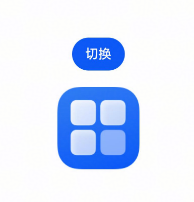
运行程序,点击按钮,切换图片正常展示。
用不同的展开模式获取对应下标的子节点
NDK支持通过不同的展开方式获取目标节点下的有效节点信息。例如,在LazyForEach场景下,可以处理存在多个子节点的情况。
从API version 20开始,使用OH_ArkUI_NodeUtils_GetFirstChildIndexWithoutExpand接口,可以获取目标节点的第一个存在于组件树的节点。使用OH_ArkUI_NodeUtils_GetLastChildIndexWithoutExpand接口,可以获取目标节点的最后一个存在于组件树的节点。OH_ArkUI_NodeUtils_GetChildWithExpandMode接口,可以通过不同的节点展开模式获取对应下标的子节点。
节点展开方式请参考ArkUI_ExpandMode,此处推荐使用ARKUI_LAZY_EXPAND懒展开方式,智能识别对应场景。
-
通过ArkTS构造LazyForEach及ArkTS的下树节点展开场景。
import { NodeController, FrameNode, UIContext, BuilderNode, ExpandMode, LengthUnit } from '@kit.ArkUI';const TEST_TAG: string = "FrameNode ";// BasicDataSource实现了IDataSource接口,用于管理listener监听,以及通知LazyForEach数据更新class BasicDataSource implements IDataSource {private listeners: DataChangeListener[] = [];private originDataArray: string[] = [];public totalCount(): number {return 0;}public getData(index: number): string {return this.originDataArray[index];}// 该方法为框架侧调用,为LazyForEach组件向其数据源处添加listener监听registerDataChangeListener(listener: DataChangeListener): void {if (this.listeners.indexOf(listener) < 0) {console.info('add listener');this.listeners.push(listener);}}// 该方法为框架侧调用,为对应的LazyForEach组件在数据源处去除listener监听unregisterDataChangeListener(listener: DataChangeListener): void {const pos = this.listeners.indexOf(listener);if (pos >= 0) {console.info('remove listener');this.listeners.splice(pos, 1);}}// 通知LazyForEach组件需要重载所有子组件notifyDataReload(): void {this.listeners.forEach(listener => {listener.onDataReloaded();})}// 通知LazyForEach组件需要在index对应索引处添加子组件notifyDataAdd(index: number): void {this.listeners.forEach(listener => {listener.onDataAdd(index);// 写法2:listener.onDatasetChange([{type: DataOperationType.ADD, index: index}]);})}// 通知LazyForEach组件在index对应索引处数据有变化,需要重建该子组件notifyDataChange(index: number): void {this.listeners.forEach(listener => {listener.onDataChange(index);// 写法2:listener.onDatasetChange([{type: DataOperationType.CHANGE, index: index}]);})}// 通知LazyForEach组件需要在index对应索引处删除该子组件notifyDataDelete(index: number): void {this.listeners.forEach(listener => {listener.onDataDelete(index);// 写法2:listener.onDatasetChange([{type: DataOperationType.DELETE, index: index}]);})}// 通知LazyForEach组件将from索引和to索引处的子组件进行交换notifyDataMove(from: number, to: number): void {this.listeners.forEach(listener => {listener.onDataMove(from, to);// 写法2:listener.onDatasetChange(// [{type: DataOperationType.EXCHANGE, index: {start: from, end: to}}]);})}notifyDatasetChange(operations: DataOperation[]): void {this.listeners.forEach(listener => {listener.onDatasetChange(operations);})}}class MyDataSource extends BasicDataSource {private dataArray: string[] = []public totalCount(): number {return this.dataArray.length;}public getData(index: number): string {return this.dataArray[index];}public addData(index: number, data: string): void {this.dataArray.splice(index, 0, data);this.notifyDataAdd(index);}public pushData(data: string): void {this.dataArray.push(data);this.notifyDataAdd(this.dataArray.length - 1);}}class Params {data: MyDataSource | null = null;scroller: Scroller | null = null;constructor(data: MyDataSource, scroller: Scroller) {this.data = data;this.scroller = scroller;}}@Builderfunction buildData(params: Params) {List({ scroller: params.scroller }) {LazyForEach(params.data, (item: string) => {ListItem() {Column() {Text(item).fontSize(20).onAppear(() => {console.info(TEST_TAG + " node appear: " + item)}).backgroundColor(Color.Pink).margin({top: 30,bottom: 30,left: 10,right: 10})}}.id(item)}, (item: string) => item)}.cachedCount(5).listDirection(Axis.Horizontal)}class MyNodeController extends NodeController {private rootNode: FrameNode | null = null;private uiContext: UIContext | null = null;private data: MyDataSource = new MyDataSource();private scroller: Scroller = new Scroller();makeNode(uiContext: UIContext): FrameNode | null {this.uiContext = uiContext;for (let i = 0; i <= 20; i++) {this.data.pushData(`N${i}`);}const params: Params = new Params(this.data, this.scroller);const dataNode: BuilderNode<[Params]> = new BuilderNode(uiContext);dataNode.build(wrapBuilder<[Params]>(buildData), params);this.rootNode = dataNode.getFrameNode();const scrollToIndexOptions: ScrollToIndexOptions = {extraOffset: {value: 20, unit: LengthUnit.VP}};this.scroller.scrollToIndex(6, true, ScrollAlign.START, scrollToIndexOptions);return this.rootNode;}// 获取不展开场景下第一个活跃节点的下标getFirstChildIndexWithoutExpand() {console.info(`${TEST_TAG} getFirstChildIndexWithoutExpand: ${this.rootNode!.getFirstChildIndexWithoutExpand()}`);}// 获取不展开场景下最后一个活跃节点的下标getLastChildIndexWithoutExpand() {console.info(`${TEST_TAG} getLastChildIndexWithoutExpand: ${this.rootNode!.getLastChildIndexWithoutExpand()}`);}// 用不展开的方式获取节点getChildWithNotExpand() {const childNode = this.rootNode!.getChild(3, ExpandMode.NOT_EXPAND);console.info(TEST_TAG + " getChild(3, ExpandMode.NOT_EXPAND): " + childNode?.getId());if (childNode?.getId() === "N9") {console.info(TEST_TAG + " getChild(3, ExpandMode.NOT_EXPAND) result: success.");} else {console.info(TEST_TAG + " getChild(3, ExpandMode.NOT_EXPAND) result: fail.");}}// 以展开的方式获取节点getChildWithExpand() {const childNode = this.rootNode!.getChild(3, ExpandMode.EXPAND);console.info(TEST_TAG + " getChild(3, ExpandMode.EXPAND): " + childNode?.getId());if (childNode?.getId() === "N3") {console.info(TEST_TAG + " getChild(3, ExpandMode.EXPAND) result: success.");} else {console.info(TEST_TAG + " getChild(3, ExpandMode.EXPAND) result: fail.");}}getChildWithLazyExpand() {const childNode = this.rootNode!.getChild(3, ExpandMode.LAZY_EXPAND);console.info(TEST_TAG + " getChild(3, ExpandMode.LAZY_EXPAND): " + childNode?.getId());if (childNode?.getId() === "N3") {console.info(TEST_TAG + " getChild(3, ExpandMode.LAZY_EXPAND) result: success.");} else {console.info(TEST_TAG + " getChild(3, ExpandMode.LAZY_EXPAND) result: fail.");}}}@Entry@Componentstruct Index {private myNodeController: MyNodeController = new MyNodeController();private scroller: Scroller = new Scroller();build() {Scroll(this.scroller) {Column({ space: 8 }) {Column() {Text("This is a NodeContainer.").textAlign(TextAlign.Center).borderRadius(10).backgroundColor(0xFFFFFF).width('100%').fontSize(16)NodeContainer(this.myNodeController).borderWidth(1).width(300).height(100)}Button("getFirstChildIndexWithoutExpand").width(300).onClick(() => {this.myNodeController.getFirstChildIndexWithoutExpand();})Button("getLastChildIndexWithoutExpand").width(300).onClick(() => {this.myNodeController.getLastChildIndexWithoutExpand();})Button("getChildWithNotExpand").width(300).onClick(() => {this.myNodeController.getChildWithNotExpand();})Button("getChildWithExpand").width(300).onClick(() => {this.myNodeController.getChildWithExpand();})Button("getChildWithLazyExpand").width(300).onClick(() => {this.myNodeController.getChildWithLazyExpand();})}.width("100%")}.scrollable(ScrollDirection.Vertical) // 滚动方向纵向}} -
NDK侧通过OH_ArkUI_NodeUtils_GetAttachedNodeHandleById接口获取ArkTS组件,并通过懒展开模式获取对应的子组件信息。
ArkUI_NodeHandle childNode = nullptr;OH_ArkUI_NodeUtils_GetAttachedNodeHandleById("N3", &childNode);uint32_t index = 0;OH_ArkUI_NodeUtils_GetFirstChildIndexWithoutExpand(childNode, &index);uint32_t index1 = 0;OH_ArkUI_NodeUtils_GetLastChildIndexWithoutExpand(childNode, &index1);ArkUI_NodeHandle child = nullptr;auto result = OH_ArkUI_NodeUtils_GetChildWithExpandMode(childNode, 3, &child, 0);OH_LOG_Print(LOG_APP, LOG_INFO, 0xFF00, "Manager","firstChildIndex - lastChildIndex == %{d -- %{public}d, -- getResult = %{public}d",index, index1, result); -
查看日志打印的对应错误码返回是否正确,以此判断是否成功获取到对应子节点。
节点是否处于渲染状态
从API version 23开始,使用OH_ArkUI_NativeModule_IsInRenderState接口,可以查询节点是否在渲染树上。
-
ArkTS侧接入Native组件。
//Index.etsimport testNapi from 'libentry.so';import { NodeContent } from '@kit.ArkUI';@Componentstruct TestContent {private nodeContent: NodeContent = new NodeContent();aboutToAppear() {// 通过C-API创建节点,并添加到管理器nodeContent上testNapi.createNativeNode(this.nodeContent);}build() {Column() {// 显示nodeContent管理器里存放的Native侧的组件ContentSlot(this.nodeContent)}}}@Entry@Componentstruct Index {@State message: string = 'Hello World';@State showParent: boolean = true;build() {Row() {Column() {TestContent()}.width('100%')}.height('100%')}} -
新建Attribute_util .h用于设置组件属性。
#ifndef MYAPPLICATION_ATTRIBUTE_UTIL_H#define MYAPPLICATION_ATTRIBUTE_UTIL_H#include <arkui/native_node.h>#include <cstdint>#include <string>class AttributeUtil {public:ArkUI_NativeNodeAPI_1 *api_;ArkUI_NodeHandle node_;AttributeUtil(ArkUI_NodeHandle node, ArkUI_NativeNodeAPI_1 *api) {this->node_ = node;api_ = api;}int32_t width(float width) {ArkUI_NumberValue NODE_WIDTH_value[] = {width};ArkUI_AttributeItem NODE_WIDTH_Item = {NODE_WIDTH_value, 1};return api_->setAttribute(node_, NODE_WIDTH, &NODE_WIDTH_Item);}int32_t height(float height) {ArkUI_NumberValue NODE_HEIGHT_value[] = {height};ArkUI_AttributeItem NODE_HEIGHT_Item = {NODE_HEIGHT_value, 1};return api_->setAttribute(node_, NODE_HEIGHT, &NODE_HEIGHT_Item);}int32_t buttonLabel(std::string text) {ArkUI_AttributeItem NODE_TRANSLATE_ITEM_LABEL = {.string = text.c_str()};return api_->setAttribute(node_, NODE_BUTTON_LABEL, &NODE_TRANSLATE_ITEM_LABEL);}int32_t text(std::string str) {ArkUI_AttributeItem TEXT_ITEM = {.string = str.c_str()};return api_->setAttribute(node_, NODE_TEXT_CONTENT, &TEXT_ITEM);}int32_t visibility(int isSHow) {ArkUI_NumberValue NODE_VISIBILITY_ITEM_VALUE = {.i32 = isSHow};ArkUI_AttributeItem NODE_VISIBILITY__ITEM = {&NODE_VISIBILITY_ITEM_VALUE, 1};return api_->setAttribute(node_, NODE_VISIBILITY, &NODE_VISIBILITY__ITEM);}int32_t margin(float value) {ArkUI_NumberValue NODE_margin_ITEM_VALUE = {.f32 = value};ArkUI_AttributeItem NODE_MARGIN_ITEM = {&NODE_margin_ITEM_VALUE, 1};return api_->setAttribute(node_, NODE_MARGIN, &NODE_MARGIN_ITEM);}};#endif // MYAPPLICATION_ATTRIBUTE_UTIL_H -
在nai_init.cpp中,挂载Native节点。
#include "napi/native_api.h"#include "AttributeUtil.h"#include <arkui/native_interface.h>#include <arkui/native_node.h>#include <arkui/native_node_napi.h>#include <hilog/log.h>static ArkUI_NativeNodeAPI_1 *nodeAPI = nullptr;static ArkUI_NodeHandle textNode = nullptr;static bool showText = false;namespace Event {void onClickFunc(ArkUI_NodeEvent *event) {AttributeUtil textAttr(textNode, nodeAPI);if (showText) {textAttr.visibility(0);} else {textAttr.visibility(1);}showText = !showText;bool isOnRenderTree = false;OH_ArkUI_NativeModule_IsInRenderState(textNode, &isOnRenderTree);OH_LOG_Print(LOG_APP, LOG_INFO, 1, "event","on render tree statie is %{public}d", isOnRenderTree);}} // namespace Eventstatic napi_value NAPI_Global_createNativeNode(napi_env env, napi_callback_info info) {size_t argc = 1;napi_value args[1] = {nullptr};napi_get_cb_info(env, info, &argc, args, nullptr, nullptr);ArkUI_NodeContentHandle contentHandle;OH_ArkUI_GetNodeContentFromNapiValue(env, args[0], &contentHandle);OH_ArkUI_GetModuleInterface(ARKUI_NATIVE_NODE, ArkUI_NativeNodeAPI_1, nodeAPI);auto columnTest = nodeAPI->createNode(ARKUI_NODE_COLUMN);AttributeUtil columnAttr(columnTest, nodeAPI);columnAttr.width(300);columnAttr.height(300);auto buttonNode = nodeAPI->createNode(ARKUI_NODE_BUTTON);nodeAPI->addChild(columnTest, buttonNode);AttributeUtil buttonAttr(buttonNode, nodeAPI);buttonAttr.width(200);buttonAttr.height(30);buttonAttr.margin(20);buttonAttr.buttonLabel("change text visibility");nodeAPI->registerNodeEvent(buttonNode, NODE_ON_CLICK, 1, nullptr);nodeAPI->registerNodeEventReceiver(Event::onClickFunc);textNode = nodeAPI->createNode(ARKUI_NODE_TEXT);nodeAPI->addChild(columnTest, textNode);AttributeUtil textAttr(textNode, nodeAPI);textAttr.text("hello word");OH_ArkUI_NodeContent_AddNode(contentHandle, columnTest);return nullptr;}EXTERN_C_STARTstatic napi_value Init(napi_env env, napi_value exports) {napi_property_descriptor desc[] = {{"createNativeNode", nullptr, NAPI_Global_createNativeNode, nullptr, nullptr, nullptr, napi_default, nullptr}};napi_define_properties(env, exports, sizeof(desc) / sizeof(desc[0]), desc);return exports;}EXTERN_C_ENDstatic napi_module demoModule = {.nm_version = 1,.nm_flags = 0,.nm_filename = nullptr,.nm_register_func = Init,.nm_modname = "entry",.nm_priv = ((void *)0),.reserved = {0},};extern "C" __attribute__((constructor)) void RegisterEntryModule(void) { napi_module_register(&demoModule); } -
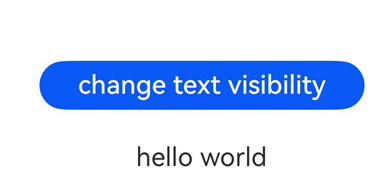
运行程序,点击change text visibility后打印text是否在渲染树上。