组件复用迁移
本文档主要介绍组件复用从V1向V2的迁移,涉及如下装饰器。
| V1装饰器名称 | V2装饰器名称 |
|---|---|
| @Reusable | @ReusableV2 |
@Reusable->@ReusableV2迁移规则
V1->V2组件迁移
迁移规则
- 将@Component装饰的父自定义组件迁移至@ComponentV2装饰。
- 将@Reusable装饰的子自定义组件迁移为@ReusableV2装饰。
- 涉及组件内状态变量的迁移可参考组件内状态变量迁移指导。
aboutToRecycle与aboutToReuse迁移
迁移规则
- aboutToRecycle生命周期无需改动,可保留原实现。
- aboutToReuse生命周期在组件复用V2中进行了优化,去除了参数的同时,在复用前会自动重置各状态变量(详情参考复用前的组件内状态变量重置),无需开发者在aboutToReuse中手动赋值回初始值。
// V1原组件
@Reusable
@Component
struct ReusableComponent {
  // 存在外部传值的可能性,可迁移为@Local或@Param @Once
  @State val: string = 'Hello World';
  aboutToRecycle(): void {
    // 这里可以释放比较占内存的内容或其他非必要资源引用,避免一直占用内存
    console.info('ReusableComponent aboutToRecycle called');
  }
  aboutToReuse(params: ESObject): void {
    console.info('ReusableComponent aboutToReuse called');
    this.val = params.val ?? 'Hello World'; // 对@State变量重新赋值
  }
  build() {
    Column() {
      Text(`val: ${this.val}`)
    }
  }
}

// V2迁移后组件
@ReusableV2
@ComponentV2
struct ReusableV2Component {
  // 当不存在外部传入值时,可迁移为@Local
  @Local val: string = 'Hello World';
  // 当存在外部传入值时,可迁移为@Param @Once
  @Require @Param @Once param: string;
  aboutToRecycle(): void {
    // aboutToRecycle无需改动
    console.info('ReusableComponent aboutToRecycle called');
  }
  aboutToReuse(): void { // aboutToReuse不再有参数
    // aboutToReuse执行时@Local已重置回'Hello World',@Param @Once已经重置回外部传入值
    console.info('ReusableComponent aboutToReuse called');
    this.val = 'Hello ArkUI'; // 可以在复用阶段修改为其他值
    this.param = 'Hello ArkUI'; // @Param @Once可本地修改
  }
  build() {
    Column() {
      Text(`val: ${this.val}`)
      Text(`param: ${this.param}`)
    }
  }
}
reuseId->reuse
迁移规则
在组件复用V1中,使用reuseId属性标记组件的复用组。迁移到组件复用V2后,需更换使用reuse属性。
// V1原写法
ReusableComponent().reuseId('groupA')
// V2迁移后写法
ReusableV2Component().reuse({reuseId: () => 'groupA'})
组件冻结
迁移规则
组件复用V1中,当开发者打开复用组件的冻结开关freezeWhenInactive时,才会冻结复用池中的组件,详细规则参考自定义组件冻结功能。而在组件复用V2中,会自动开启冻结,详细规则参考复用阶段的冻结。
LazyForEach->Repeat
迁移规则
组件复用V1中,经常使用LazyForEach配合组件复用实现高性能懒加载。在组件复用V2中,推荐使用Repeat替代LazyForEach。Repeat自身能够对组件进行复用,相比LazyForEach具有更简洁的API以及更好的性能。由LazyForEach迁移至Repeat可参考LazyForEach迁移Repeat。
@Reusable->@ReusableV2迁移示例
if使用场景
@Reusable使用示例请参考动态布局更新。
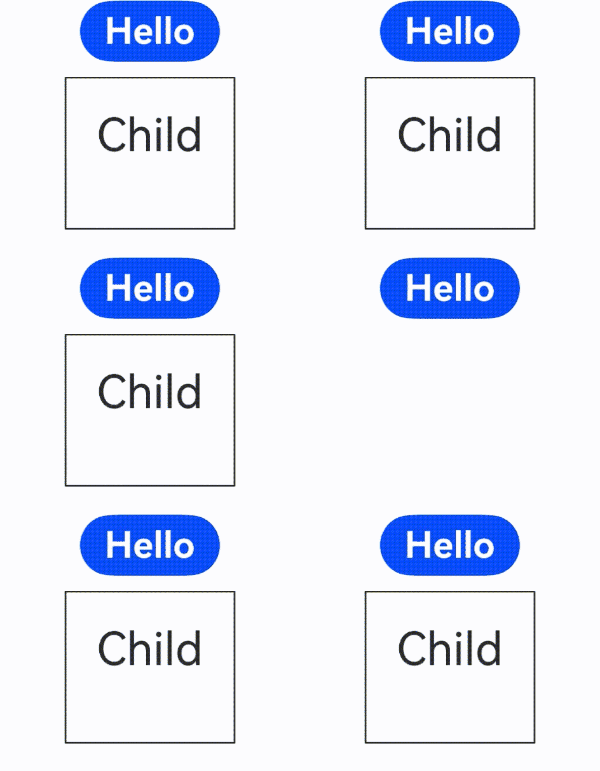
@ReusableV2的if使用场景示例代码如下:
@ObservedV2
class Message {
  @Trace value: string | undefined;

  constructor(value: string) {
    this.value = value;
  }
}

@Entry
@ComponentV2
struct Index {
  @Local switch: boolean = true;

  build() {
    Column() {
      Button('Hello')
        .fontSize(24)
        .fontWeight(FontWeight.Bold)
        .onClick(() => {
          this.switch = !this.switch;
        })
      if (this.switch) {
        // 如果只有一个复用的组件,可以不用设置reuse
        Child({ message: new Message('Child') })
          .reuse({ reuseId: () => 'Child' })
      }
    }
    .height('100%')
    .width('100%')
  }
}

@ReusableV2
@ComponentV2
struct Child {
  @Require @Param @Once message: Message = new Message('AboutToReuse');

  aboutToReuse() {
    // 如无需对状态变量做额外修改,aboutToReuse回调可移除
    console.info('Recycle====Child==');
  }

  build() {
    Column() {
      Text(this.message.value)
        .fontSize(30)
        .margin(20)
    }
    .borderWidth(1)
    .margin({ top: 10 })
    .height(100)
  }
}
列表滚动-Repeat使用场景
@Reusable使用示例请参考列表滚动配合LazyForEach使用。
@ReusableV2的列表滚动-Repeat使用场景示例代码如下:
@Entry
@ComponentV2
struct ReuseV2Demo {
  private data: string[] = [];

  aboutToAppear() {
    for (let i = 1; i < 1000; i++) {
      this.data.push(i + '');
    }
  }

  build() {
    Column() {
      List() {
        Repeat(this.data)
          .virtualScroll()
          .each((ri) => {
            ListItem() {
              CardViewV2({ item: ri.item })
            }
          })
      }
    }
  }
}

// 复用组件
@ReusableV2
@ComponentV2
export struct CardViewV2 {
  // 使用@Param @Once接收外部传入变量并观察变化
  @Param @Once item: string = '';

  aboutToReuse(): void {
    // Repeat自身能够进行复用,不会走到自定义组件复用的生命周期
  }

  build() {
    Column() {
      Text(this.item)
        .fontSize(30)
    }
    .borderWidth(1)
    .height(100)
  }
}

列表滚动-if使用场景
@Reusable使用示例请参考列表滚动-if使用场景。
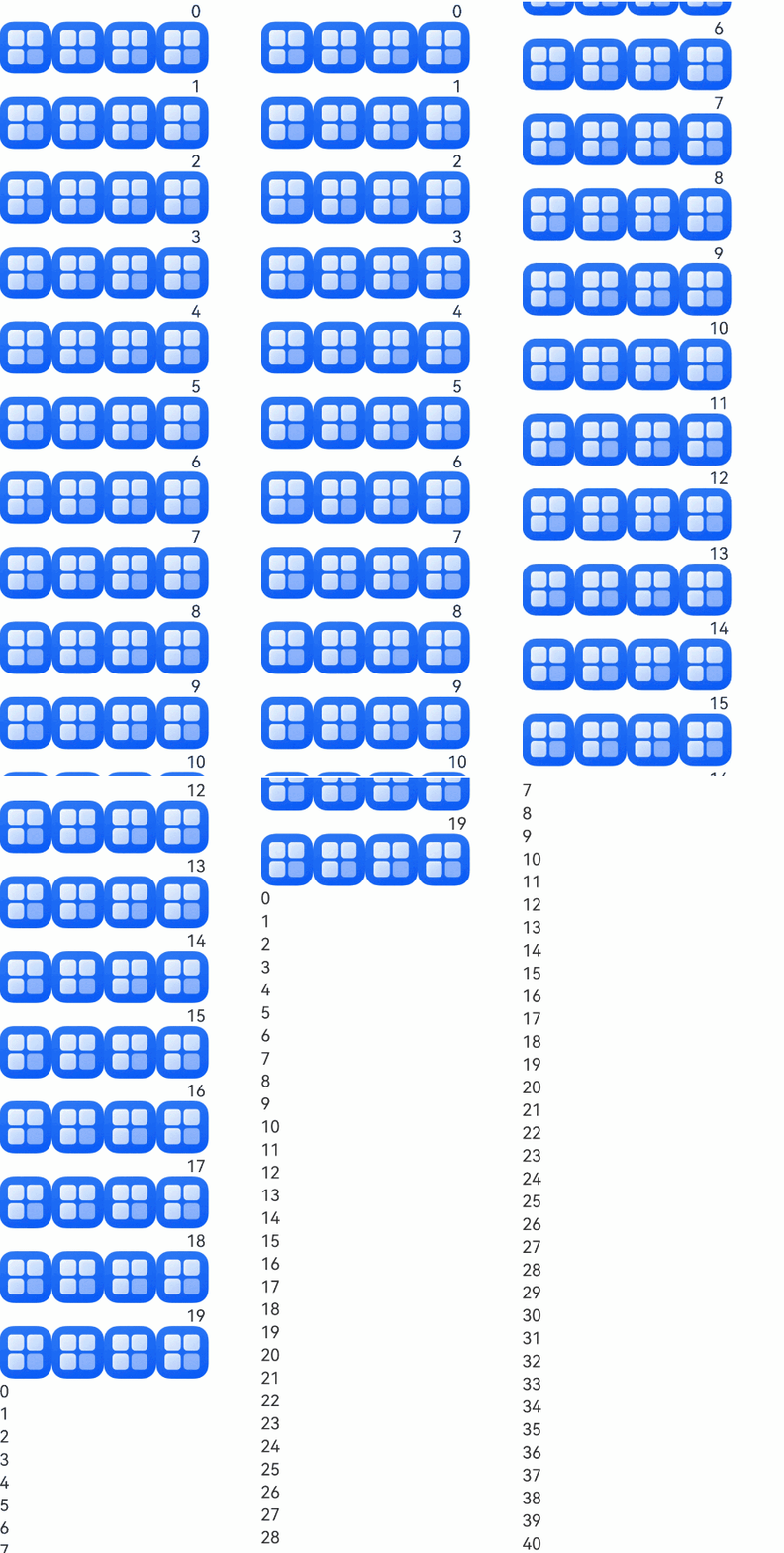
@ReusableV2的列表滚动-if使用场景示例代码如下:
@Entry
@ComponentV2
struct Index {
  private dataSource: FriendMoment[] = new Array<FriendMoment>();

  aboutToAppear(): void {
    for (let i = 0; i < 20; i++) {
      let title = i + 1 + 'test_if';
      // 开发者可自行替换显示图片的内容,此处以app.media.startIcon为例
      this.dataSource.push(new FriendMoment(i.toString(), title, 'app.media.startIcon'));
    }

    for (let i = 0; i < 50; i++) {
      let title = i + 1 + 'test_if';
      this.dataSource.push(new FriendMoment(i.toString(), title, ''));
    }
  }

  build() {
    Column() {
      List({ space: 3 }) {
        Repeat(this.dataSource)
          .virtualScroll()
          .each((ri) => {
            ListItem() {
              if (ri.item.image) {
                OneMoment({ moment: ri.item })
                  .reuse({ reuseId: () => 'withImage' })
              } else {
                OneMoment({ moment: ri.item })
                  .reuse({ reuseId: () => 'noImage' })
              }
            }
          })
      }
      .cachedCount(0)
    }
  }
}

@ObservedV2
class FriendMoment {
  @Trace id: string = '';
  @Trace text: string = '';
  @Trace title: string = '';
  @Trace image: string = '';
  @Trace answers: Array<ResourceStr> = [];

  constructor(id: string, title: string, image: string) {
    this.text = id;
    this.title = title;
    this.image = image;
  }
}

@ReusableV2
@ComponentV2
export struct OneMoment {
  @Require @Param moment: FriendMoment;

  // 复用id相同的组件才能触发复用
  aboutToReuse(): void {
    // 如无需对状态变量做额外修改,aboutToReuse回调可移除
    console.info(`=====aboutToReuse====OneMoment==复用了==${this.moment.text}`);
  }

  build() {
    Column() {
      Text(this.moment.text)
      // if分支判断。
      if (this.moment.image !== '') {
        Flex({ wrap: FlexWrap.Wrap }) {
          Image($r(this.moment.image)).height(50).width(50)
          Image($r(this.moment.image)).height(50).width(50)
          Image($r(this.moment.image)).height(50).width(50)
          Image($r(this.moment.image)).height(50).width(50)
        }
      }
    }
  }
}
列表滚动-Repeat全量加载使用场景
状态管理V2推荐使用Repeat全量加载模式替代ForEach实现循环渲染。
@Reusable使用示例请参考列表滚动-ForEach使用场景。
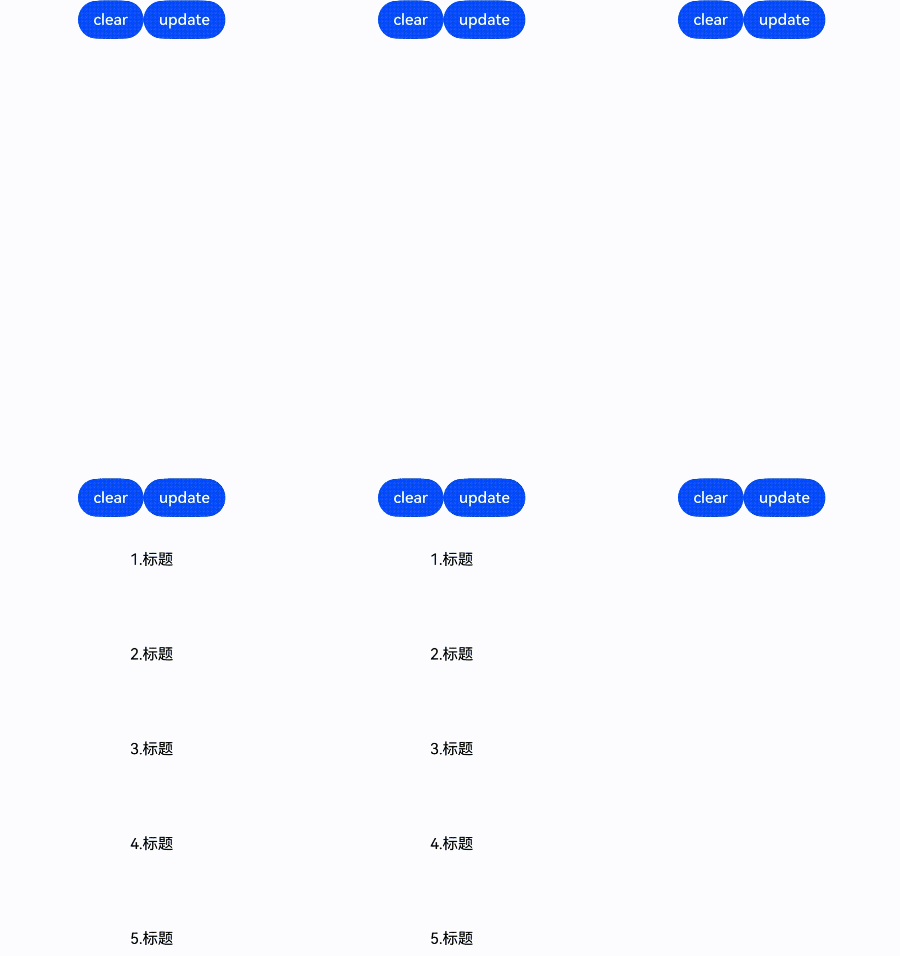
@ReusableV2的列表滚动-Repeat全量加载使用场景示例代码如下:
// xxx.ets
@Entry
@ComponentV2
struct Index {
  @Local isShow: boolean = true;
  @Local dataSource: ListItemObject[] = [];

  build() {
    Column() {
      Row() {
        Button('clear').onClick(() => {
          for (let i = 1; i < 50; i++) {
            this.dataSource.pop();
          }
        }).height(40)

        Button('update').onClick(() => {
          for (let i = 1; i < 50; i++) {
            let obj = new ListItemObject();
            obj.id = i;
            obj.uuid = Math.random().toString();
            obj.isExpand = false;
            this.dataSource.push(obj);
          }
        }).height(40)
      }

      List({ space: 10 }) {
        Repeat(this.dataSource)
          .each((ri) => {
            ListItem() {
              ListItemView({
                obj: ri.item
              })
            }
          })
      }.cachedCount(0)
      .width('100%')
      .height('100%')
    }
  }
}

@ReusableV2
@ComponentV2
struct ListItemView {
  @Require @Param obj: ListItemObject;

  aboutToAppear(): void {
    // 点击 update,首次进入,上下滑动,由于ForEach全展开属性,无法复用
    console.info('=====aboutToAppear=====ListItemView==创建了==');
  }

  aboutToReuse() {
    // 点击clear,再次update,复用成功
    // 符合一帧内重复创建多个已被销毁的自定义组件
    // 如无需对状态变量做额外修改,aboutToReuse回调可移除
    console.info('=====aboutToReuse====ListItemView==复用了==');
  }

  build() {
    Column({ space: 10 }) {
      Text(`${this.obj.id}.标题`)
        .fontSize(16)
        .fontColor('#000000')
        .padding({
          top: 20,
          bottom: 20,
        })

      if (this.obj.isExpand) {
        Text('expand')
          .fontSize(14)
          .fontColor('#999999')
      }
    }
    .width('100%')
    .borderRadius(10)
    .backgroundColor(Color.White)
    .padding(15)
    .onClick(() => {
      this.obj.isExpand = !this.obj.isExpand;
    })
  }
}

@ObservedV2
class ListItemObject {
  @Trace uuid: string = '';
  @Trace id: number = 0;
  @Trace isExpand: boolean = false;
}
Grid使用场景
@Reusable使用示例请参考Grid使用场景。
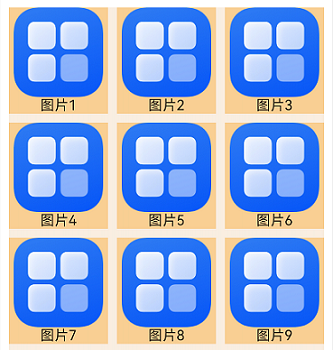
@ReusableV2的Grid使用场景示例代码如下:
@Entry
@ComponentV2
struct MyComponent {
  // 数据源。
  @Local data: number[] = [];

  aboutToAppear() {
    for (let i = 1; i < 1000; i++) {
      this.data.push(i);
    }
  }

  build() {
    Column({ space: 5 }) {
      Grid() {
        Repeat(this.data)
          .virtualScroll()
          .each((ri) => {
            GridItem() {
              ReusableV2ChildComponent({ item: ri.item })
            }
          })
      }
      .cachedCount(2) // 设置GridItem的缓存数量。
      .columnsTemplate('1fr 1fr 1fr')
      .columnsGap(10)
      .rowsGap(10)
      .margin(10)
      .height(500)
      .backgroundColor(0xFAEEE0)
    }
  }
}

@ReusableV2
@ComponentV2
struct ReusableV2ChildComponent {
  @Param item: number = 0;

  aboutToAppear() {
  }

  build() {
    Column() {
      // 开发者可自行替换显示图片的内容,此处以app.media.startIcon为例
      Image($r('app.media.startIcon'))
        .objectFit(ImageFit.Fill)
        .layoutWeight(1)
      Text(`图片${this.item}`)
        .fontSize(16)
        .textAlign(TextAlign.Center)
    }
    .width('100%')
    .height(120)
    .backgroundColor(0xF9CF93)
  }
}
WaterFlow使用场景
@Reusable使用示例请参考WaterFlow使用场景。
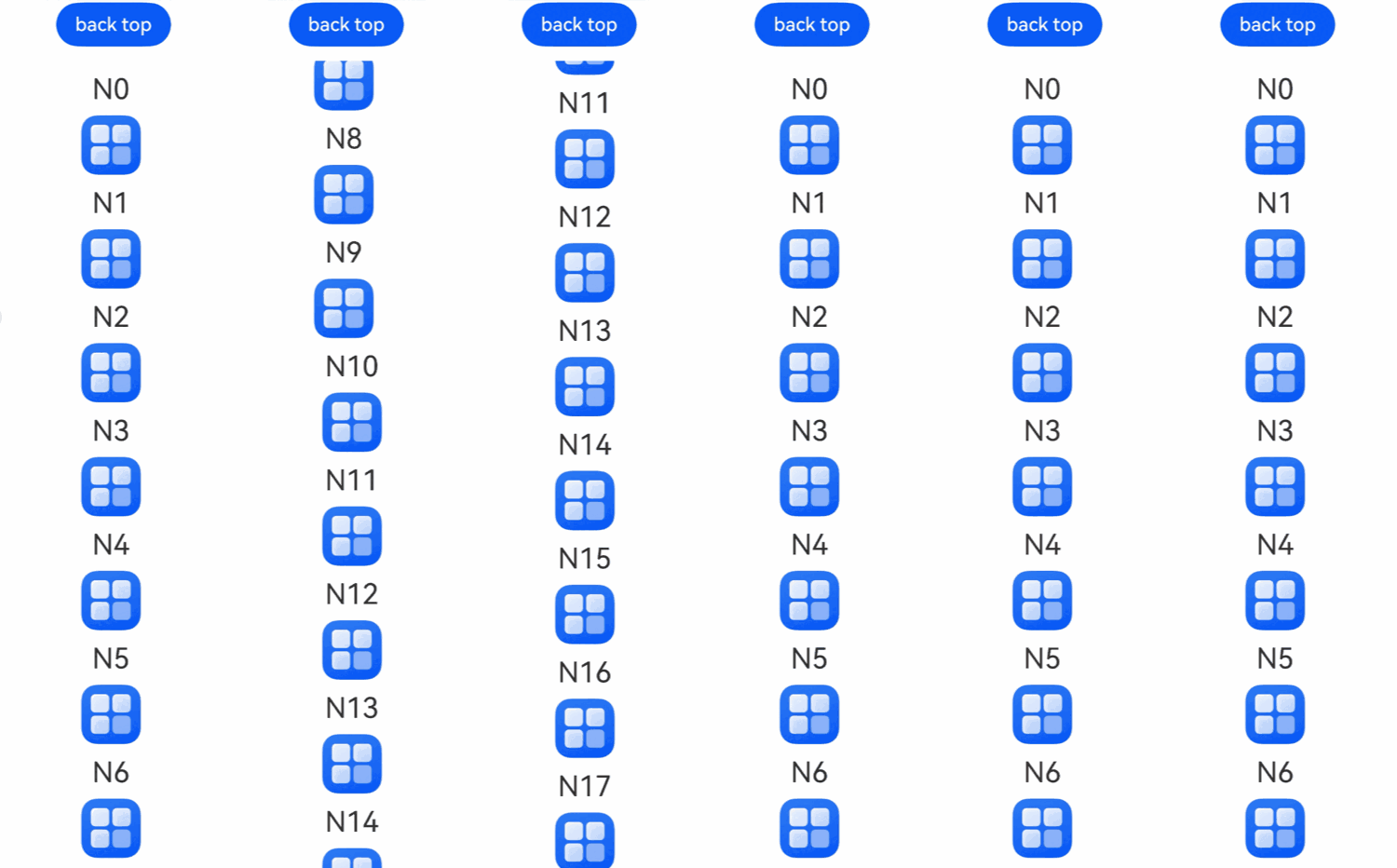
@ReusableV2的WaterFlow使用场景示例代码如下:
@ReusableV2
@ComponentV2
struct ReusableV2FlowItem {
  @Param item: number = 0;

  build() {
    Column() {
      Text('N' + this.item).fontSize(24).height(26).margin(10)
      // 开发者可自行替换显示图片的内容,此处以app.media.startIcon为例
      Image($r('app.media.startIcon'))
        .objectFit(ImageFit.Cover)
        .width(50)
        .height(50)
    }
  }
}

@Entry
@ComponentV2
struct Index {
  @Local minSize: number = 50;
  @Local maxSize: number = 80;
  @Local fontSize: number = 24;
  @Local colors: number[] = [0xFFC0CB, 0xDA70D6, 0x6B8E23, 0x6A5ACD, 0x00FFFF, 0x00FF7F];
  scroller: Scroller = new Scroller();
  @Local dataSource: number[] = [];
  private itemWidthArray: number[] = [];
  private itemHeightArray: number[] = [];

  // 计算flow item宽/高。
  getSize() {
    let ret = Math.floor(Math.random() * this.maxSize);
    return (ret > this.minSize ? ret : this.minSize);
  }

  // 保存flow item宽/高。
  getItemSizeArray() {
    for (let i = 0; i < 100; i++) {
      this.itemWidthArray.push(this.getSize());
      this.itemHeightArray.push(this.getSize());
    }
  }

  aboutToAppear() {
    for (let i = 0; i <= 60; i++) {
      this.dataSource.push(i);
    }
    this.getItemSizeArray();
  }

  build() {
    Stack({ alignContent: Alignment.TopStart }) {
      Column({ space: 2 }) {
        Button('back top')
          .height('5%')
          .onClick(() => {
            // 点击后回到顶部。
            this.scroller.scrollEdge(Edge.Top);
          })
        WaterFlow({ scroller: this.scroller }) {
          Repeat(this.dataSource)
            .virtualScroll()
            .each((ri) => {
              FlowItem() {
                ReusableV2FlowItem({ item: ri.item })
              }.onAppear(() => {
                if (ri.item + 20 == this.dataSource.length) {
                  for (let i = 0; i < 50; i++) {
                    this.dataSource.splice(this.dataSource.length, 0, this.dataSource.length);
                  }
                }
              })
            })
        }.margin({ left: 160, top: 10 })
      }
    }
  }
}
Swiper使用场景
@Reusable使用示例请参考Swiper使用场景。
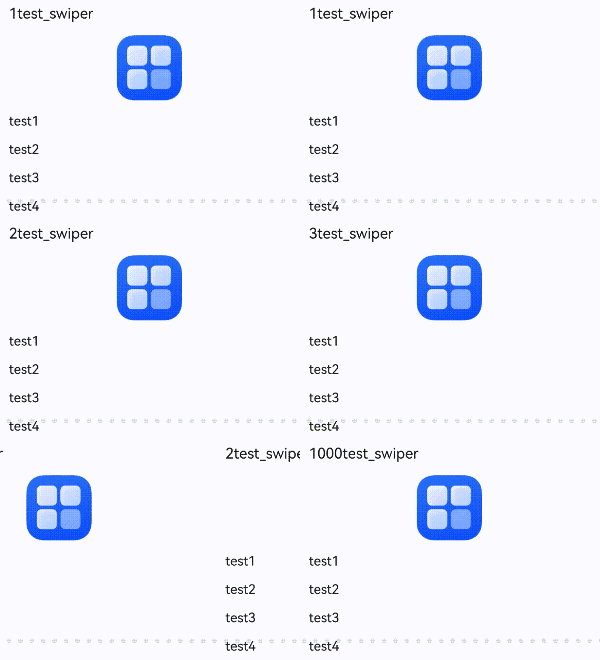
@ReusableV2的Swiper使用场景示例代码如下:
@Entry
@ComponentV2
struct Index {
  private dataSource: Question[] = new Array<Question>();

  aboutToAppear(): void {
    for (let i = 0; i < 1000; i++) {
      let title = i + 1 + 'test_swiper';
      let answers = ['test1', 'test2', 'test3', 'test4'];
      // 开发者可自行替换显示图片的内容,此处以app.media.startIcon为例
      this.dataSource.push(new Question(i.toString(), title, $r('app.media.startIcon'), answers));
    }
  }

  build() {
    Column({ space: 5 }) {
      Swiper() {
        Repeat(this.dataSource)
          .virtualScroll()
          .each((ri) => {
            QuestionSwiperItem({ itemData: ri.item })
          })
      }
    }
    .width('100%')
    .margin({ top: 5 })
  }
}

@ObservedV2
class Question {
  @Trace id: string = '';
  @Trace title: ResourceStr = '';
  @Trace image: ResourceStr = '';
  @Trace answers: Array<ResourceStr> = [];

  constructor(id: string, title: ResourceStr, image: ResourceStr, answers: Array<ResourceStr>) {
    this.id = id;
    this.title = title;
    this.image = image;
    this.answers = answers;
  }
}

@ReusableV2
@ComponentV2
struct QuestionSwiperItem {
  @Param itemData: Question | null = null;

  build() {
    Column() {
      Text(this.itemData?.title)
        .fontSize(18)
        .fontColor($r('sys.color.ohos_id_color_primary'))
        .alignSelf(ItemAlign.Start)
        .margin({
          top: 10,
          bottom: 16
        })
      Image(this.itemData?.image)
        .width('100%')
        .borderRadius(12)
        .objectFit(ImageFit.Contain)
        .margin({
          bottom: 16
        })
        .height(80)
        .width(80)

      Column({ space: 16 }) {
        Repeat(this.itemData?.answers)
          .each((ri) => {
            Text(ri.item)
              .fontSize(16)
              .fontColor($r('sys.color.ohos_id_color_primary'))
          })
      }
      .width('100%')
      .alignItems(HorizontalAlign.Start)
    }
    .width('100%')
    .padding({
      left: 16,
      right: 16
    })
  }
}
列表滚动-ListItemGroup使用场景
@Reusable使用示例请参考列表滚动-ListItemGroup使用场景。
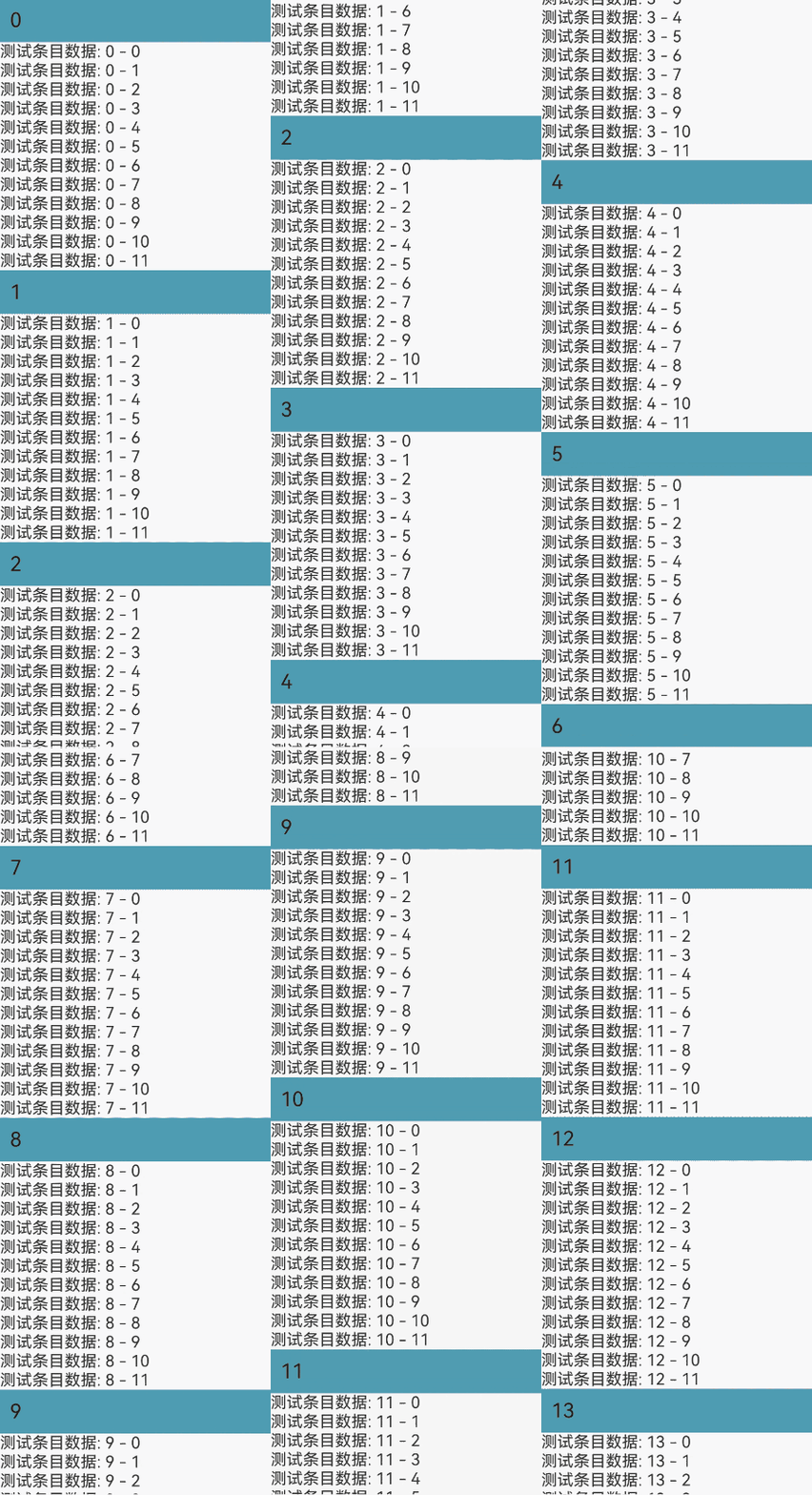
@ReusableV2的列表滚动-ListItemGroup使用场景示例代码如下:
@Entry
@ComponentV2
struct ListItemGroupAndReusable {
  dataSource: DataSrc[] = new Array<DataSrc>();

  @Builder
  itemHead(text: string) {
    Text(text)
      .fontSize(20)
      .backgroundColor(0xff519db4)
      .width('100%')
      .padding(10)
  }

  aboutToAppear() {
    for (let i = 0; i < 10000; i++) {
      let data = new DataSrc();
      for (let j = 0; j < 12; j++) {
        data.dataScr1.push(`测试条目数据: ${i} - ${j}`);
      }
      this.dataSource.push(data);
    }
  }

  build() {
    Stack() {
      List() {
        Repeat(this.dataSource)
          .virtualScroll()
          .each((ri) => {
            ListItemGroup({ header: this.itemHead(ri.index.toString()) }) {
              Repeat(ri.item.dataScr1)
                .virtualScroll()
                .each((ri) => {
                  ListItem() {
                    Inner({ str: ri.item })
                  }
                })
            }
          })
      }
    }
    .width('100%')
    .height('100%')
  }
}

@ReusableV2
@ComponentV2
struct Inner {
  @Param str: string = '';

  build() {
    Text(this.str)
  }
}

@ObservedV2
class DataSrc {
  @Trace dataScr1: string[] = [];
}
多种条目类型使用场景
@Reusable使用示例请参考多种条目类型使用场景。
@ReusableV2的多种条目类型使用场景示例代码如下:
标准型
复用组件的布局相同,示例参见本文列表滚动部分用例。
有限变化型
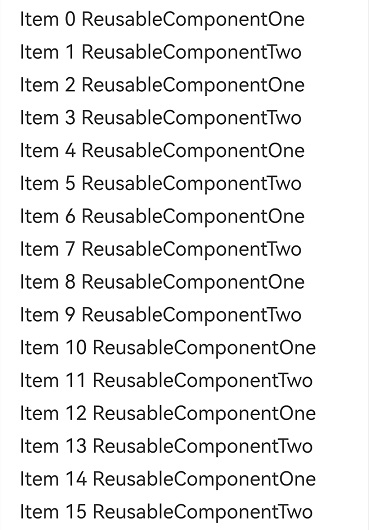
复用组件间存在差异,但类型有限。例如,可以通过显式设置两个reuse选项或使用两个自定义组件来实现复用。
@Entry
@ComponentV2
struct Index {
  private data: number[] = [];

  aboutToAppear() {
    for (let i = 0; i < 1000; i++) {
      this.data.push(i);
    }
  }

  build() {
    Column() {
      List({ space: 10 }) {
        Repeat(this.data)
          .virtualScroll()
          .each((ri) => {
            ListItem() {
              if (ri.item % 2 === 0 ) {
                ReusableV2Component({ item: ri.item }).reuse({reuseId: () => 'ReusableV2ComponentOne'})
              } else {
                ReusableV2Component({ item: ri.item }).reuse({reuseId: () => 'ReusableV2ComponentTwo'})
              }
            }
          })
      }
      .cachedCount(2)
    }
  }
}

@ReusableV2
@ComponentV2
struct ReusableV2Component {
  @Param item: number = 0;

  aboutToReuse() {
    // 如无需对状态变量做额外修改,aboutToReuse回调可移除
    console.info(`ReusableComponent aboutToReuse called${this.item}`)
  }

  build() {
    Column() {
      // 组件内部根据类型差异渲染
      if (this.item % 2 === 0) {
        Text(`Item ${this.item} ReusableComponentOne`)
          .fontSize(20)
          .margin({ left: 10 })
      } else {
        Text(`Item ${this.item} ReusableComponentTwo`)
          .fontSize(20)
          .margin({ left: 10 })
      }
    }.margin({ left: 10, right: 10 })
  }
}
组合型
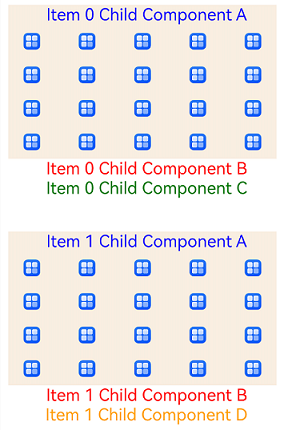
复用组件间存在多种差异,但通常具备共同的子组件。将三种复用组件以组合型方式转换为@Builder函数后,内部的共享子组件将统一置于父组件MyComponentV2之下。复用这些子组件时,缓存池在父组件层面实现共享,减少组件创建过程中的资源消耗。
@Entry
@ComponentV2
struct MyComponentV2 {
  private data: string[] = [];

  aboutToAppear() {
    for (let i = 0; i < 1000; i++) {
      this.data.push(i.toString());
    }
  }

  // itemBuilderOne作为复用组件的写法未展示,以下为转为Builder之后的写法。
  @Builder
  itemBuilderOne(item: string) {
    Column() {
      ChildComponentA({ item: item })
      ChildComponentB({ item: item })
      ChildComponentC({ item: item })
    }
  }

  // itemBuilderTwo转为Builder之后的写法。
  @Builder
  itemBuilderTwo(item: string) {
    Column() {
      ChildComponentA({ item: item })
      ChildComponentC({ item: item })
      ChildComponentD({ item: item })
    }
  }

  // itemBuilderThree转为Builder之后的写法。
  @Builder
  itemBuilderThree(item: string) {
    Column() {
      ChildComponentA({ item: item })
      ChildComponentB({ item: item })
      ChildComponentD({ item: item })
    }
  }

  build() {
    List({ space: 40 }) {
      Repeat(this.data)
        .virtualScroll()
        .each((ri) => {
          ListItem() {
            if (ri.index % 3 === 0) {
              this.itemBuilderOne(ri.item)
            } else if (ri.index % 5 === 0) {
              this.itemBuilderTwo(ri.item)
            } else {
              this.itemBuilderThree(ri.item)
            }
          }
        })
    }
    .width('100%')
    .height('100%')
    .cachedCount(0)
  }
}

@ReusableV2
@ComponentV2
struct ChildComponentA {
  @Param item: string = '';

  aboutToReuse() {
    // 如无需对状态变量做额外修改,aboutToReuse回调可移除
    console.info(`ChildComponentA Reuse ${this.item}`);
  }

  aboutToRecycle(): void {
    console.info(`ChildComponentA ${this.item} Recycle`);
  }

  build() {
    Column() {
      Text(`Item ${this.item} Child Component A`)
        .fontSize(20)
        .margin({ left: 10 })
        .fontColor(Color.Blue)
      Grid() {
        ForEach((new Array(20)).fill(''), (item: string, index: number) => {
          GridItem() {
            // 开发者可自行替换显示图片的内容,此处以app.media.startIcon为例
            Image($r('app.media.startIcon'))
              .height(20)
          }
        })
      }
      .columnsTemplate('1fr 1fr 1fr 1fr 1fr')
      .rowsTemplate('1fr 1fr 1fr 1fr')
      .columnsGap(10)
      .width('90%')
      .height(160)
    }
    .margin({ left: 10, right: 10 })
    .backgroundColor(0xFAEEE0)
  }
}

@ReusableV2
@ComponentV2
struct ChildComponentB {
  @Param item: string = '';

  build() {
    Row() {
      Text(`Item ${this.item} Child Component B`)
        .fontSize(20)
        .margin({ left: 10 })
        .fontColor(Color.Red)
    }.margin({ left: 10, right: 10 })
  }
}

@ReusableV2
@ComponentV2
struct ChildComponentC {
  @Param item: string = '';

  build() {
    Row() {
      Text(`Item ${this.item} Child Component C`)
        .fontSize(20)
        .margin({ left: 10 })
        .fontColor(Color.Green)
    }.margin({ left: 10, right: 10 })
  }
}

@ReusableV2
@ComponentV2
struct ChildComponentD {
  @Param item: string = '';

  build() {
    Row() {
      Text(`Item ${this.item} Child Component D`)
        .fontSize(20)
        .margin({ left: 10 })
        .fontColor(Color.Orange)
    }.margin({ left: 10, right: 10 })
  }
}