插画/视频/动画的播报场景
开发实例1
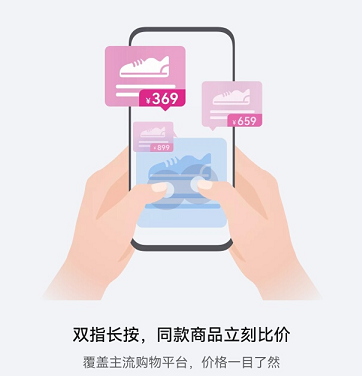
如下图,插画信息有一定提示作用,插画和对应的功能介绍应该组合在一起,当焦点落到插画或者包含插画的符合控件时,需要朗读出对应的功能描述。建议插画和功能介绍作为一个组合使用一个焦点朗读。它可以借助“accessibilityGroup(true)”属性来实现。
@Entry
@Component
export struct Rule_2_1_6_1 {
  title: string = 'Rule 2.1.6.1'
  private description: string = 'gesture swipe left then up'

  build() {
    NavDestination() {
      Column() {
        Flex({
          direction: FlexDirection.Column,
          alignItems: ItemAlign.Center,
          justifyContent: FlexAlign.Center,
        }) {
          Column() {
            Image($r("app.media.gesture_swipe_left_then_up"))
              .width(220)
              .height(220)
            Text(this.description)
              .fontSize(22)
              .fontColor(Color.Red)
              .fontWeight(FontWeight.Bold)
              .textAlign(TextAlign.Center)
          }.accessibilityGroup(true) // 将图像和文本合并为一个辅助功能对象
        }
        .width('100%')
        .height('100%')
        .backgroundColor(Color.White)
      }
    }
    .title(this.title)
  }
}
开发实例2
以下List的每个Item,应该进行组合标注,从而给用户一个完整的提示信息:
-
对于列表/网格控件,控件中的每个项目默认需要一起标记。
-
列表/网格控件,每个item应提供item包含的元素的所有信息。
-
建议朗读列表每一项的所有嵌套元素的组合信息。
它可以借助“accessibilityGroup(true)”属性来实现:
@Entry@Preview@Componentexport struct Rule_2_1_6_2 {title: string = 'Rule 2.1.6.2'build() {NavDestination() {Flex({direction: FlexDirection.Column,alignItems: ItemAlign.Center,justifyContent: FlexAlign.Center,}) {Column() {Item_2_1_6_3({title: 'Video card',subtitle: 'provided with options',time: '1:23 hrs',color: '#ffdee5ff'})Item_2_1_6_3({title: 'Music card',subtitle: 'sound feedback available',time: '2:75 min',color: '#92e1ffd8'})Item_2_1_6_3({title: 'Live card',subtitle: 'health support on request',time: '10:55',color: '#fff3deff'})Item_2_1_6_3({title: 'Play card',subtitle: 'play station tournament',time: '5:12 hrs',color: '#92e1ffd8'})Item_2_1_6_3({title: 'Theater card',subtitle: 'ticket on concert',time: '2:75 min',color: '#ffdee5ff'})}}}.title(this.title)}}@Componentexport struct Item_2_1_6_3 {title: string = 'Video card'subtitle: string = 'provided with additional options'time: string = '1:23 hr'color: ResourceColor = "#80FAFAFA"build() {Flex({direction: FlexDirection.Row,alignItems: ItemAlign.Center,justifyContent: FlexAlign.SpaceBetween,}) {Column() {Text(this.title).fontSize(22).fontWeight(FontWeight.Bold).textAlign(TextAlign.Center).padding({ left: 20, right: 0 })Text(this.subtitle).fontSize(14).fontColor(Color.Gray).fontWeight(FontWeight.Normal).textAlign(TextAlign.Center).padding({ left: 20, right: 0 })}Column() {Text(this.time).fontSize(20).fontWeight(FontWeight.Normal).textAlign(TextAlign.Center).padding({ left: 10, right: 10 })}Column() {Image($r("app.media.ic_arrow")) // 此处为图片资源,请替换为本地图片.width(28).height(28).fillColor(Color.Gray)}.align(Alignment.End)}.width('90%').height(75).border({width: 1,color: '#FFC0C0C0',radius: 8,style: {top: BorderStyle.Solid,}}).backgroundColor(this.color).accessibilityGroup(true) // combines text and image into single object.margin({ top: 10 })}}